




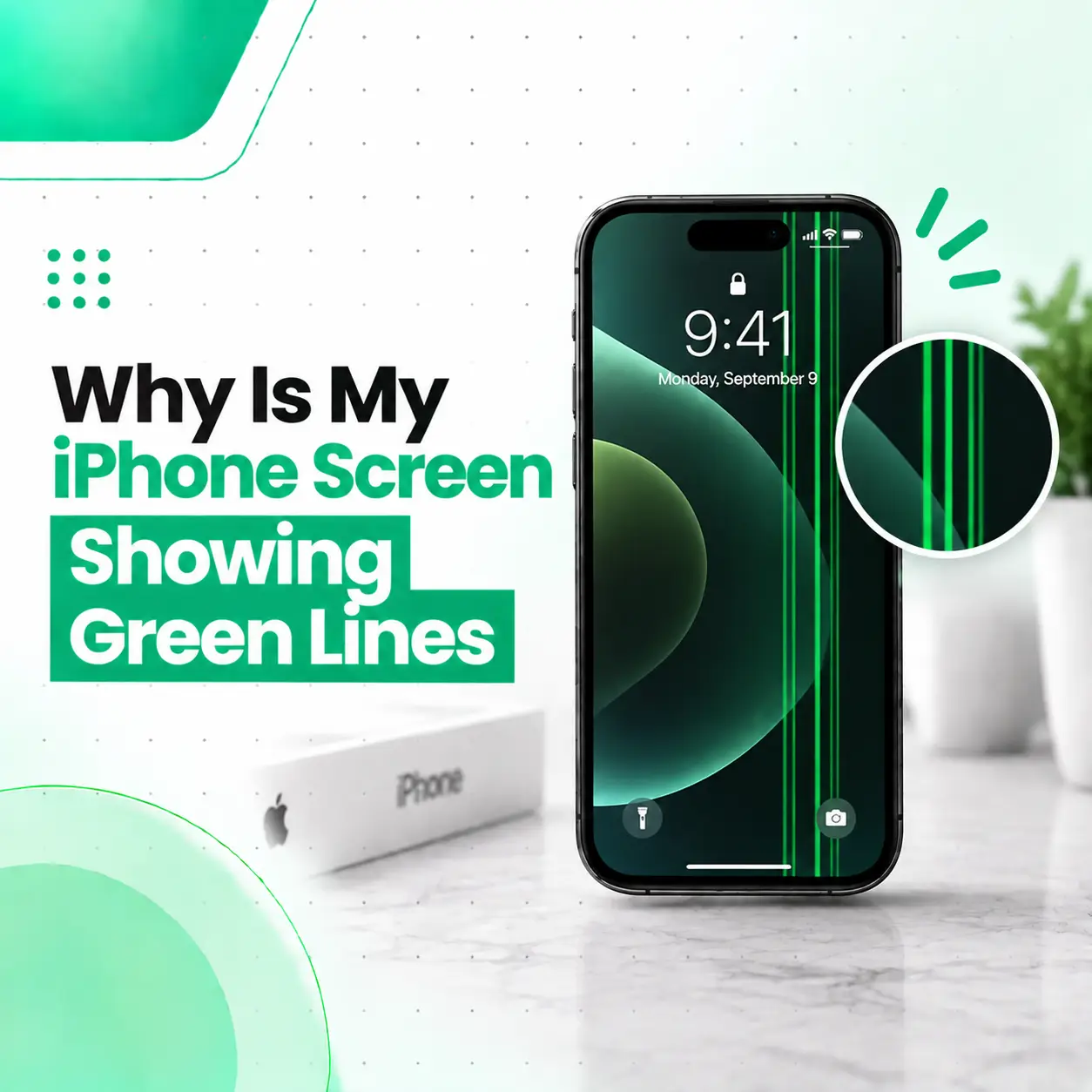
If your iPhone screen is suddenly showing a green line, especially a thin vertical or horizontal line, the problem may be related to the display panel, its connection, physical damage, or another hardware issue. Software glitches can sometimes create temporary display abnormalities, but a persistent green line is more likely to require hardware diagnosis.
The good news is that a green line does not automatically mean the entire iPhone is unusable. The appropriate solution depends on whether the line disappears after troubleshooting, appears only in certain apps, or remains visible across the entire interface.
This guide explains why your iPhone screen is showing green lines, what you can safely check at home, when the display may need repair or replacement, what affects repair cost in Bangladesh, and when professional inspection is recommended.
Why Is My iPhone Screen Showing Green Lines?
A persistent green line is usually associated with a display-related problem, although software or connection issues can sometimes produce similar symptoms.
Common possibilities include:
- Display panel failure
- Physical impact or pressure
- Moisture or liquid exposure
- Display connector or flex-related problems
- Pixel or panel abnormalities
- Software or iOS-related glitches
- Previous screen repair or replacement
- Damage affecting display circuitry
The appearance of the line can provide useful clues, but it cannot confirm the exact cause by itself.
Is a Green Line Always a Screen Hardware Problem?
No. A temporary software or rendering problem can sometimes cause unusual visual artifacts.
However, if the same green line remains visible after restarting the iPhone and appears across different screens or apps, a hardware-related display issue becomes more likely.
Apple’s current diagnostics tools include tests for display pixel anomalies and Multi-Touch issues on supported devices, which shows that display-panel and touch behavior can be evaluated separately during troubleshooting.
What Does a Green Line on an iPhone Screen Look Like?
A green-line display problem can appear in several forms.
Vertical Green Line
A thin line may run from the top edge of the display toward the bottom.
It may:
- Remain in exactly the same position
- Extend across most or all of the screen
- Become more visible on dark backgrounds
- Appear suddenly
- Remain visible after restarting
Horizontal Green Line
A line may instead run from one side of the display to the other.
This can also indicate a display-panel or display-connection problem.
Multiple Green Lines
Several lines may appear together, sometimes accompanied by:
- Flickering
- Incorrect colours
- Black areas
- Bright spots
- Touch problems
- Display distortion
When multiple symptoms appear together, professional diagnosis becomes more important because the problem may involve more than an isolated pixel anomaly.
What Causes Green Lines on an iPhone Screen?
There is no single cause of every green-line problem. The most common causes involve the display hardware or an issue affecting how the display communicates with the iPhone.
Display Panel Damage
A damaged display panel can produce persistent lines, colour abnormalities, flickering, or other visual defects.
The display is responsible for producing the image you see, so a fault within the panel can remain visible regardless of which app you open.
Physical Impact or Pressure
A drop, bend, impact, or excessive pressure on the phone can damage delicate display components.
The outside glass does not always have to be visibly cracked for the underlying display to be affected.
A phone can therefore develop a green line even when the front glass looks mostly intact.
Display Connector or Flex-Cable Problems
The display communicates with the iPhone through internal connectors and flexible cables.
If a connector is damaged, displaced, contaminated, or otherwise malfunctioning, the screen may show abnormal visual behavior.
This type of problem requires internal inspection and should not be diagnosed solely from the appearance of the green line.
Liquid or Moisture Exposure
Liquid exposure can affect internal components, including display-related connections.
If the green line appeared after the iPhone was exposed to water, humidity, or another liquid, tell the technician about the exposure. This information can help guide diagnosis.
Pixel or Display-Panel Anomalies
A display is made up of many pixels and subpixels. A problem affecting individual pixels or groups of pixels can create visible abnormalities.
Apple’s documentation on display pixel anomalies explains that individual subpixels can sometimes remain in an abnormal state, producing visible bright or dark points.
A long continuous green line, however, should not automatically be assumed to be a single defective pixel.
Previous Screen Replacement
If the iPhone has previously had its display replaced, the repair history is relevant.
Apple notes that non-genuine displays can potentially cause colour, brightness, Multi-Touch, and other display-related issues. Apple also provides Parts and Service History on supported iPhone models so users can see information about replaced components.
Software or iOS Problems
Software can sometimes cause temporary display glitches.
For example, an unusual rendering issue may occur after an app problem or software malfunction. However, a line that remains consistently visible across the operating system is less likely to be explained by a simple app-specific issue.
That is why basic software troubleshooting should come before assuming that a screen replacement is required.
How Can You Tell Whether the Green Line Is a Software or Hardware Problem?
You can perform several safe checks before arranging repair.
Restart the iPhone
Restarting the device is one of the simplest ways to determine whether the issue is temporary.
After restarting, check:
- Lock screen
- Home screen
- Settings
- Different apps
- Bright and dark backgrounds
If the green line remains in the same position everywhere, the problem is less likely to be limited to one app.
Take a Screenshot
Take a screenshot while the green line is visible and then view that screenshot on another device if possible.
This can provide a useful clue:
- Line appears in the screenshot: the issue may involve software or image rendering.
- Line does not appear in the screenshot: the physical display becomes more suspicious.
This test is not a definitive diagnosis, but it can help separate image-generation problems from display-output problems.
Check Whether the Line Moves
Open different apps and rotate the phone if the screen orientation supports it.
If the line stays fixed relative to the physical display, that is useful evidence that the display hardware may be involved.
Check for Physical Damage
Look closely for:
- Cracked glass
- Bent frame
- Impact marks
- Pressure damage
- Signs of liquid exposure
- Previous screen-repair evidence
Do not press the screen repeatedly to see whether the line changes.
Can You Fix Green Lines on an iPhone Without Replacing the Screen?
Sometimes the underlying problem can be resolved without replacing the entire display, but a persistent green line caused by a damaged display panel generally requires display-level repair or replacement.
The correct repair depends on diagnosis.
| Possible cause | Possible solution |
| Temporary software glitch | Restart, update, or software troubleshooting |
| App-specific rendering problem | Update/reinstall the affected app |
| Display connector issue | Professional connector inspection/repair |
| Display panel damage | Display repair or replacement |
| Liquid-related damage | Liquid-damage diagnosis and appropriate repair |
| Previous faulty display replacement | Display inspection and possible replacement |
A repair provider should identify the actual fault before recommending a replacement.
How to Fix Green Lines on an iPhone
Start with the least invasive troubleshooting steps.
Step 1: Restart Your iPhone
Restart the device and check whether the green line disappears.
If the line disappears completely and does not return, it may have been a temporary software issue.
Step 2: Check for an iOS Update
If your iPhone has a pending iOS update, installing an appropriate official update may resolve software-related bugs.
However, an iOS update should not be expected to repair physically damaged display hardware.
Step 3: Test Different Screens
Check the line on:
- Lock screen
- Settings
- Safari
- Photos
- Home screen
- Dark backgrounds
- Light backgrounds
If it remains consistently visible, document the symptom before seeking service.
Step 4: Check the Screenshot
Use the screenshot test described above to determine whether the line is captured in the image.
Step 5: Seek Professional Diagnosis
If the green line remains after basic troubleshooting, professional inspection is appropriate.
Apple’s current diagnostics mode can test display pixel anomalies and Multi-Touch on supported iPhone models, and Apple notes that a service may be needed if diagnostics identifies an issue.
Does a Green Line Mean You Need a New iPhone Screen?
Not necessarily.
A green line means that the display system needs further investigation, not automatically that the complete screen must be replaced.
A technician may need to determine whether the issue involves:
- The display panel
- Display connection
- Internal flex cable
- Liquid exposure
- Previous repair
- Other hardware
- Software
If the display panel itself is defective, replacement may be the practical repair option. Apple provides dedicated iPhone display service and states that the device needs to be inspected to provide a personalized service estimate.
Can a Green Line on an iPhone Screen Be Repaired?
Yes, depending on the cause.
If the problem is software-related, troubleshooting may resolve it without replacing hardware.
If the problem comes from a display connection or another repairable component, a technician may be able to address that component.
If the display panel itself is damaged, display replacement may be necessary.
The key distinction is whether the line originates from the panel itself or from another part of the display system.
Which iPhones Can Develop Green Lines?
Green-line display problems are not limited to one iPhone model.
They can potentially occur on different iPhone generations and display technologies. The exact symptoms and likely repair approach depend on the specific model and the type of display it uses.
OLED iPhone Displays
OLED displays use individually controlled pixels and can show different types of pixel and panel abnormalities when a display component fails.
LCD iPhone Displays
Some iPhone models use LCD technology rather than OLED.
LCD display faults can also produce lines, colour problems, flickering, or pixel abnormalities.
Therefore, the presence of a green line alone is not enough to identify the exact display technology or failed component.
Can Water Damage Cause Green Lines on an iPhone?
Yes, liquid exposure can potentially contribute to display problems, including abnormal lines or colours.
If the green line appeared after the phone became wet, do not assume that replacing the screen alone will solve everything.
Liquid can affect multiple internal areas, so the device may require broader inspection.
If the iPhone also has:
- Charging problems
- Speaker problems
- Camera problems
- Random shutdowns
- Touch issues
- Face ID problems
- Network problems
tell the repair technician about these symptoms as well.
Can a Drop Cause a Green Line Without Cracking the Screen?
Yes.
Visible cracks are not required for internal display damage to occur.
An impact can affect the display assembly or internal connections even when the outer glass appears intact.
If the green line appeared immediately after a drop or pressure event, the timing is an important diagnostic clue.
Does Screen Brightness Affect the Green Line?
It can.
Some display abnormalities may become more or less noticeable depending on:
- Screen brightness
- Background colour
- Dark Mode
- Display content
- Ambient lighting
For example, a faint line may become easier to see against a dark background.
Changes in visibility do not necessarily mean that the underlying problem is disappearing.
How Much Does iPhone Green Line Repair Cost in Bangladesh?
There is no single repair price for every iPhone showing green lines.
The final cost can depend on:
- iPhone model
- Display technology
- Cause of the problem
- Whether the display panel is damaged
- Whether another internal component is involved
- Original/OEM or other replacement-part options
- Part availability
- Labor
- Repair versus full display replacement
- Warranty or service terms
A newer iPhone with a more expensive display assembly may have different repair costs from an older model.
For that reason, a repair provider should inspect the device before giving a final recommendation or quote.
How Long Does iPhone Green Line Repair Take?
Repair time depends on the cause and the required part.
A software issue may be resolved during diagnosis without replacing hardware. A connector-related issue may require a different repair process from a complete display replacement.
Parts availability can also affect turnaround time.
A professional repair provider should confirm the expected repair time after determining what is actually wrong with the phone.
Is It Safe to Keep Using an iPhone With a Green Line?
If the phone is otherwise functioning normally, a green line does not necessarily mean it will immediately stop working.
However, continued use does not repair the underlying problem.
If the line is getting larger, more lines are appearing, touch response is changing, the display is flickering, or other functions are failing, arrange a professional inspection rather than waiting for the problem to become more severe.
Back up important data when the phone is functioning reliably, especially before any repair.
Can You Prevent Green Lines on an iPhone?
You cannot prevent every display failure, but you can reduce the risk of physical and liquid-related damage.
Helpful precautions include:
- Use a suitable protective case.
- Avoid placing heavy objects on the phone.
- Protect the device from drops and impacts.
- Keep the iPhone away from unnecessary liquid exposure.
- Avoid bending or applying pressure to the display.
- Use appropriate charging accessories.
- Have display problems assessed rather than repeatedly pressing or manipulating the affected area.
If a screen has already been replaced, keeping documentation about the repair and the type of replacement part can also help with future diagnosis.
When Should You Get Professional iPhone Screen Repair?
You should consider professional inspection if the green line:
- Remains after restarting
- Appears across multiple apps
- Is visible on the lock screen
- Does not appear only in one specific app
- Appears after a drop
- Appears after liquid exposure
- Is accompanied by flickering
- Is accompanied by touch problems
- Gets wider or multiplies
- Is accompanied by black spots or display discoloration
- Appears after a previous screen replacement
Apple advises seeking service when persistent screen problems remain, and its screen-service guidance states that the device should be inspected to determine the appropriate service and estimate.
What Should You Check Before Taking Your iPhone for Repair?
Before visiting a repair provider, note:
- When the green line first appeared.
- Whether the phone was dropped.
- Whether the phone was exposed to liquid.
- Whether the line appears on every screen.
- Whether a screenshot captures the line.
- Whether touch still works normally.
- Whether the display is flickering.
- Whether the iPhone had a previous screen replacement.
- Whether other functions are affected.
This information can make the diagnostic process more efficient.
Frequently Asked Questions
1. Why is my iPhone screen showing green lines?
A persistent green line is commonly associated with a display-related problem, such as panel damage, a display connection issue, liquid exposure, or another hardware fault. Software glitches can also create temporary visual abnormalities. Restart the iPhone and check whether the line appears across multiple screens. If it remains, professional display diagnosis can help identify the actual cause.
2. Can a green line on an iPhone screen go away by itself?
It can disappear if the cause is a temporary software or rendering problem, but a persistent line is more concerning for a display-related hardware issue. If the line remains after restarting and appears across different apps or screens, do not assume it will resolve on its own. A professional inspection can determine whether the panel or another component is affected.
3. How do I fix a green line on my iPhone screen?
Start by restarting the iPhone and checking whether the line appears everywhere. You can also install an appropriate iOS update and perform the screenshot test. If the line remains consistently visible, the display may require professional diagnosis. Depending on the cause, the solution could range from software troubleshooting to display repair or replacement.
4. Can water damage cause green lines on an iPhone?
Yes, liquid exposure can contribute to display abnormalities, including lines, colour changes, flickering, or touch problems. If the green line appeared after the iPhone became wet, mention the liquid exposure during diagnosis. Water-related damage can affect more than the display, so replacing the screen without checking the rest of the device may not address the underlying problem.
5. How much does it cost to repair an iPhone with a green line in Bangladesh?
The cost depends on the iPhone model, display type, cause of the problem, replacement-part availability, part quality, labor, and whether the display can be repaired or needs replacement. There is no reliable single price for every green-line problem. A technician should inspect the device first before recommending a repair and providing a final estimate.
6. Can I continue using my iPhone if it has a green line?
You may be able to use the iPhone if touch and other functions remain normal, but continued use will not fix the underlying display problem. If the line spreads, flickering begins, touch becomes unreliable, or other components start malfunctioning, arrange professional inspection. Backing up important data while the phone is working normally is also a sensible precaution.
7. Does a green line always mean I need to replace my iPhone screen?
No. A green line does not automatically mean the entire display must be replaced. The cause could involve software, a display connection, liquid exposure, or another component. If the display panel itself is defective, replacement may be necessary. Proper diagnosis should come first so that the repair addresses the actual source of the problem.
Conclusion
A green line on an iPhone screen can result from a display-panel problem, physical impact, liquid exposure, connection issues, previous repair work, or occasionally a temporary software problem. The first step is to restart the device and check whether the line remains across different screens.
If the line persists, especially after a drop, liquid exposure, or previous display replacement, professional diagnosis is the safer approach. A technician can determine whether the issue involves the display panel, its connections, or another component before recommending repair or replacement.
If your iPhone is showing persistent green lines, iCareFix can assess the device and help identify the appropriate repair option based on the actual condition of the phone. This is particularly useful when the display problem is accompanied by touch issues, flickering, physical damage, or other hardware symptoms.