




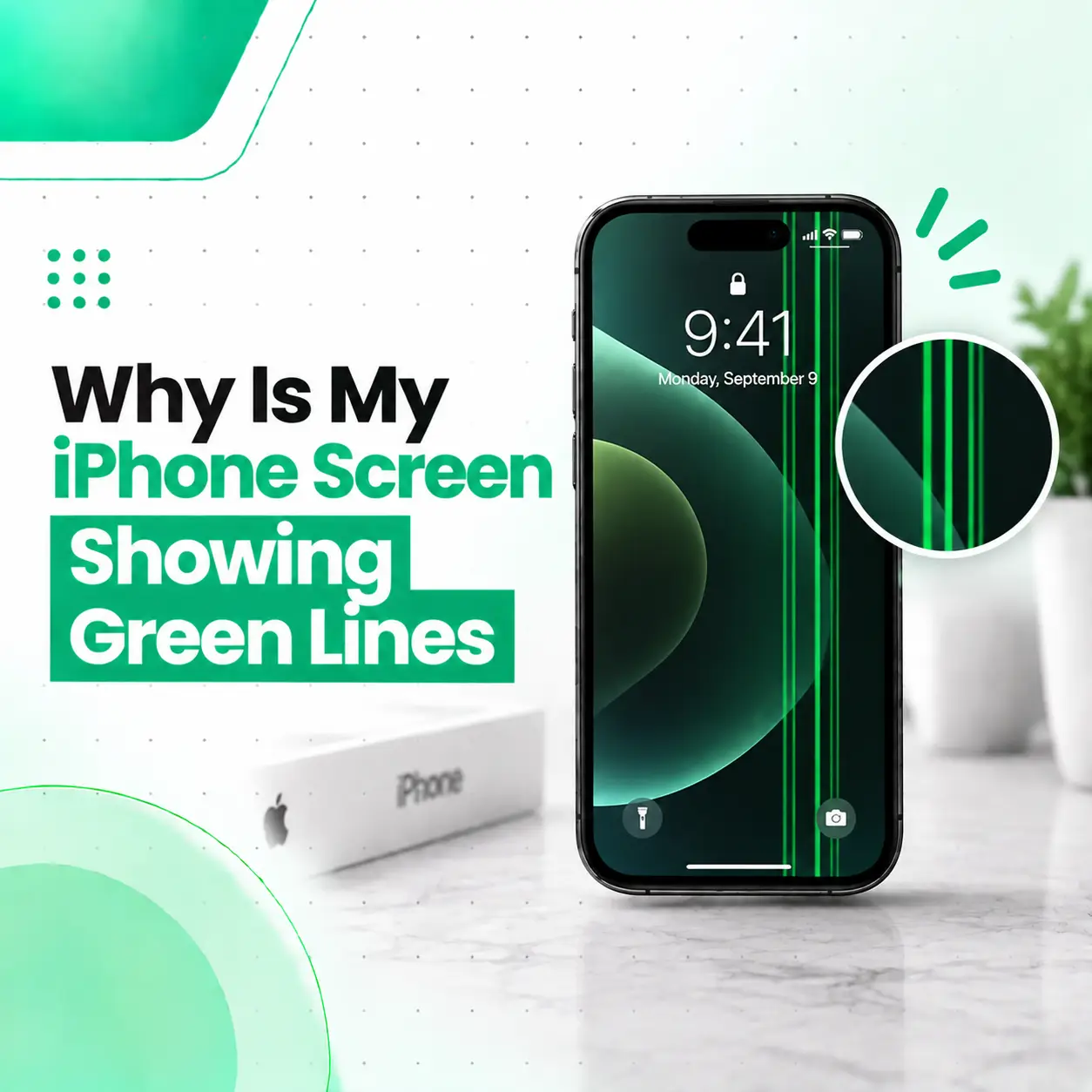
If your iPhone screen suddenly has a white line, the problem may be related to the display panel, display connection, physical impact, liquid exposure, previous screen repair, or a temporary software issue. A single thin line does not automatically mean your entire iPhone needs a new screen, but a line that stays in the same position across different apps is more concerning for a display-related hardware fault.
Before paying for a repair, there are a few safe checks you can perform to narrow down the cause. Restarting the iPhone, checking different screens, and taking a screenshot can help distinguish a temporary software or rendering problem from a physical display issue.
This guide explains why your iPhone screen has white lines, the common causes, how to troubleshoot the problem, what repair options may be available, what affects repair cost in Bangladesh, and when professional iPhone screen repair is appropriate.
Why Does My iPhone Screen Have White Lines?
A persistent white line on an iPhone screen is usually associated with a display-related problem, although software and connection issues can sometimes produce similar symptoms.
Common causes include:
- Display panel damage or failure
- Physical impact or pressure
- Liquid or moisture exposure
- Display connector or flex-cable problems
- Pixel or subpixel abnormalities
- Software or iOS-related display glitches
- Previous screen replacement
- Problems involving display-related circuitry
The exact cause cannot be confirmed simply by looking at the line. The pattern, timing, other symptoms, and diagnostic testing all matter.
Is a White Line Always Caused by a Damaged Screen?
No.
A temporary software or graphics-rendering problem can sometimes cause unusual lines or other visual artifacts. However, if the same white line remains after restarting and appears on the lock screen, Settings, and multiple apps, a hardware-related display issue becomes more likely.
Apple’s current Diagnostics Mode includes a Display pixel anomalies test designed to identify pixel anomalies and other display-panel issues on supported iPhones.
What Does a White Line on an iPhone Screen Look Like?
White-line problems can appear in different patterns depending on the underlying fault.
Vertical White Line
A vertical line may run from the top of the screen toward the bottom.
It may:
- Stay in exactly the same location
- Extend across most of the display
- Become more noticeable against dark backgrounds
- Appear suddenly
- Remain visible after restarting
A persistent full-height line deserves closer inspection.
Horizontal White Line
A horizontal line can extend from one side of the display to the other.
Like a vertical line, it may be caused by a display-panel or connection problem, although the appearance alone cannot identify the failed component.
Multiple White Lines
Several lines may appear together.
You may also notice:
- Screen flickering
- Unusual colours
- Bright or dark areas
- Touch problems
- Black sections of the display
- Intermittent display behavior
When multiple display symptoms occur together, professional diagnosis becomes more important.
What Causes White Lines on an iPhone Screen?
There are several possible explanations. The most useful clues are when the line appeared, whether it remains fixed, and whether other functions are affected.
Display Panel Damage
A fault within the display panel can create persistent lines, colour abnormalities, flickering, or pixel-related defects.
If the panel itself is damaged, restarting the iPhone or changing settings will not repair the physical defect.
Physical Impact or Pressure
A drop, bend, impact, or excessive pressure can damage the display assembly.
Importantly, the outer glass does not always need to be cracked.
An iPhone can have internal display damage while the front glass looks relatively normal.
If the white line appeared immediately after the phone was dropped, pressed, or bent, that timing is important information for a technician.
Display Connector or Flex-Cable Problems
The display connects to the iPhone’s internal hardware through connectors and flexible cables.
A problem involving these components can potentially cause abnormal display behavior.
Possible causes include:
- Physical damage
- Displacement
- Connector contamination
- Previous repair work
- Internal component damage
Because accessing these components requires opening the device, this is not a suitable DIY troubleshooting step for most users.
Liquid or Moisture Exposure
Liquid exposure can potentially affect display components and internal connections.
If white lines appeared after the iPhone became wet, do not assume that the display is the only affected component.
Other symptoms may include:
- Charging problems
- Speaker issues
- Camera problems
- Touch problems
- Unexpected restarts
- Battery abnormalities
Mention any liquid exposure when arranging a repair diagnosis.
Pixel or Subpixel Abnormalities
Displays use large numbers of pixels and subpixels to produce images.
Apple explains that pixel anomalies can occur when a transistor controlling a subpixel does not operate correctly, leaving a subpixel dark or bright. Apple also notes that some apparent pixel anomalies can be caused by foreign material.
A single bright pixel and a continuous white line are not necessarily the same problem. A long line across the display may indicate a broader panel or display-system issue.
Previous Screen Replacement
If your iPhone has had a screen replacement before, the previous repair is relevant to diagnosis.
Apple states that non-genuine displays can cause issues involving colour, brightness, Multi-Touch, True Tone, and other display functions. On supported iPhones, users can also check Parts and Service History in Settings.
A white line that appears after a previous screen repair should therefore be assessed rather than automatically treated as a new unrelated fault.
Software or iOS Problems
Software can occasionally create temporary visual abnormalities.
For example, a rendering issue may affect one application or disappear after restarting the device.
However, if a white line remains fixed across the operating system, it is less likely to be a simple app-specific issue.
How Can You Tell If the White Line Is a Software or Hardware Problem?
You can perform several safe checks before taking the iPhone for repair.
Restart the iPhone
Start with a normal restart.
After the phone starts again, check:
- Lock screen
- Home screen
- Settings
- Safari
- Photos
- Different apps
If the line disappears completely, a temporary software problem is possible.
If it remains in exactly the same position, a display-related hardware problem becomes more likely.
Take a Screenshot
Taking a screenshot can provide another useful clue.
View the screenshot on another device if possible.
- If the line appears in the screenshot: the issue may involve software or the image being rendered.
- If the line does not appear in the screenshot: the physical display becomes more suspicious.
This is only a troubleshooting clue, not a definitive diagnosis.
Check Different Backgrounds
Open both light and dark backgrounds.
For example, check the line against:
- White
- Black
- Grey
- Blue
- Red
- Green
If the line remains physically fixed regardless of the content displayed, that is useful information for diagnosis.
Check Touch Response
Carefully test whether touch works normally around the affected area.
Look for:
- Missed touches
- Delayed response
- Ghost touches
- Areas that do not respond
A display problem accompanied by touch issues may involve more than a simple visual anomaly.
How Do You Fix White Lines on an iPhone Screen?
The appropriate fix depends on the cause.
Start with basic troubleshooting before considering hardware repair.
Step 1: Restart the iPhone
Restart the device and check whether the line disappears.
If it disappears and does not return, continue monitoring the phone.
Step 2: Check for an iOS Update
If an appropriate iOS update is available, installing it can help rule out certain software-related issues.
An update should not be expected to repair physically damaged display hardware.
Step 3: Test Multiple Apps
If the line appears only inside one application, update or troubleshoot that application.
If it appears everywhere, the problem is more likely to involve the system or display hardware.
Step 4: Perform the Screenshot Test
Take a screenshot and view it on another device.
This can help distinguish an image-generation problem from a physical display-output problem.
Step 5: Seek Professional Diagnosis
If the white line remains after basic troubleshooting, professional inspection is appropriate.
On supported iPhones, Apple’s Diagnostics Mode can test display pixel anomalies and Multi-Touch, and Apple says that service may be needed if diagnostics identifies a problem.
Does a White Line Mean You Need a New iPhone Screen?
Not necessarily.
A white line indicates that the display system should be investigated; it does not automatically prove that the complete screen assembly needs replacement.
Depending on the diagnosis, the problem could involve:
| Possible cause | Possible approach |
| Temporary software issue | Software troubleshooting |
| App-specific rendering issue | App update or troubleshooting |
| Display connection problem | Professional inspection and repair |
| Pixel/display-panel fault | Display-level repair or replacement |
| Liquid-related problem | Liquid-damage diagnosis |
| Previous faulty display | Display inspection and possible replacement |
If the display panel itself is defective, screen replacement may ultimately be necessary.
Apple’s repair guidance also states that the device needs to be inspected to provide a personalized service estimate.
Can a White Line on an iPhone Screen Be Repaired?
Yes, depending on the underlying cause.
A software-related problem may be resolved without replacing hardware.
A connector-related issue may potentially be repairable without replacing the complete display, depending on the specific fault.
If the display panel itself is damaged, however, replacement may be the appropriate solution.
The important step is to diagnose the source of the line before replacing parts.
Can a Drop Cause White Lines Without Cracking the Screen?
Yes.
A visible crack is not required for display damage.
An impact can affect the internal display assembly or its connections while leaving the outer glass apparently intact.
If the line appeared immediately after a drop, pressure, or bending incident, that information should be provided during diagnosis.
Avoid pressing firmly on the affected area to see whether the line changes. Doing so can potentially make physical damage worse.
Can Water Damage Cause White Lines on an iPhone?
Yes, liquid exposure can contribute to abnormal display behavior.
Moisture can potentially affect internal components and connections, and display problems may appear alongside other symptoms.
If the white line appeared after liquid exposure, look for additional signs such as:
- Touch problems
- Charging issues
- Speaker problems
- Camera problems
- Flickering
- Unexpected shutdowns
- Battery abnormalities
If several symptoms appeared after liquid exposure, a broader inspection is more appropriate than assuming that a screen replacement alone will solve the problem.
Why Are White Lines More Visible on Some Backgrounds?
A white line may be easier to notice against a dark or uniform background because the contrast makes the abnormal pixels or display area more obvious.
For example, you may notice a faint line more clearly when:
- Dark Mode is enabled
- The screen shows a black image
- Brightness is high
- The display shows a single colour
Changes in visibility do not necessarily mean the underlying fault is changing.
Can a Screen Protector Cause White Lines?
A screen protector can sometimes create visual reflections, bubbles, pressure points, or surface artifacts that may look like display problems.
Before assuming the display is damaged, inspect the protector.
If the line is:
- On the surface
- Changes when viewed from different angles
- Moves with the protector
- Appears to be trapped under the protector
the protector itself may be responsible.
If the line remains visible after removing a damaged protector, the actual display should be assessed.
Apple also recommends removing cases or screen protectors when troubleshooting certain screen problems.
Does Screen Brightness Affect White Lines?
It can affect how noticeable the line appears.
A display defect may become more visible at higher brightness or against particular backgrounds.
However, brightness changing the visibility of a line does not establish the cause.
If the line remains in the same physical location across different brightness levels and screen content, professional diagnosis may be appropriate.
How Much Does iPhone White Line Repair Cost in Bangladesh?
There is no single repair price for every iPhone showing white lines.
The cost can depend on:
- iPhone model
- Display technology
- Cause of the problem
- Severity of damage
- Whether the display panel is affected
- Whether another component is involved
- Part availability
- Original/OEM or other replacement-part options
- Labor
- Repair versus complete display replacement
- Warranty or service terms
For example, a software problem may require no hardware replacement, while a defective display panel may require a substantially different repair.
For this reason, a professional diagnosis should come before giving a final repair recommendation or price.
How Long Does iPhone White Line Repair Take?
Repair time depends on the cause and the parts required.
A software-related issue may be resolved during troubleshooting. A display connection problem can require a different repair process from replacing the complete display assembly.
Part availability can also affect turnaround time.
A repair provider can give a more reliable time estimate after identifying the actual fault.
Is It Safe to Keep Using an iPhone With White Lines?
If the iPhone is otherwise working normally, a white line does not necessarily mean the device will immediately stop functioning.
However, continued use will not repair a damaged display.
Arrange professional inspection if:
- The line is spreading
- Additional lines appear
- Flickering starts
- Touch becomes unreliable
- Black areas develop
- The screen randomly turns off
- Other hardware problems appear
If the phone is still working reliably, backing up important data before repair is also a sensible precaution.
Can You Prevent White Lines on an iPhone Screen?
You cannot prevent every display fault, but you can reduce the risk of physical and liquid-related damage.
Helpful habits include:
- Use a suitable protective case.
- Avoid placing heavy objects on the phone.
- Do not bend or intentionally flex the device.
- Protect the screen from drops and impacts.
- Avoid unnecessary liquid exposure.
- Keep the phone away from excessive pressure.
- Have display problems checked instead of repeatedly pressing the affected area.
- Keep records of previous repairs and replacement parts.
Proper handling is particularly important after a screen replacement because the display assembly has already been serviced.
When Should You Get Professional iPhone Screen Repair?
Professional inspection is appropriate when the white line:
- Remains after restarting
- Appears on the lock screen
- Appears across multiple apps
- Does not disappear after an iOS update
- Appears after a drop or impact
- Appears after liquid exposure
- Is accompanied by flickering
- Is accompanied by touch problems
- Is becoming wider
- Is joined by additional lines
- Appears after a previous screen replacement
Apple recommends service when persistent screen problems remain, while its current Diagnostics Mode can help identify display pixel anomalies and other hardware or software issues on supported devices.
What Should You Tell a Repair Technician?
Before visiting a repair provider, note when and how the problem started.
Useful information includes:
- When the white line first appeared.
- Whether the iPhone was dropped.
- Whether it was exposed to water or another liquid.
- Whether the line appears on every screen.
- Whether it appears in screenshots.
- Whether touch still works normally.
- Whether the screen flickers.
- Whether the iPhone had a previous display replacement.
- Whether other functions have started failing.
These details can help the technician narrow down the possible cause.
What Should You Check Before Replacing the iPhone Screen?
Do not immediately assume that a white line means you need a replacement display.
Before approving a screen replacement, ask:
- What is causing the line?
- Is the display panel itself defective?
- Could the problem involve a connector?
- Is there evidence of liquid or impact damage?
- Does the device have a previous screen-repair history?
- What type of replacement display will be used if replacement is necessary?
- What warranty or service terms apply?
Apple notes that genuine iPhone displays are designed and tested for factors including colour accuracy, brightness, white balance, Multi-Touch, True Tone, and other display functions. Apple also warns that nongenuine displays can cause certain display and touch-performance issues.
Frequently Asked Questions
1. Why does my iPhone screen have white lines?
White lines can result from a display-panel problem, physical impact, liquid exposure, display-connection issues, pixel anomalies, previous repair work, or occasionally a temporary software problem. Restart the iPhone and check whether the line appears across different screens. If it remains fixed after restarting, a professional display diagnosis can help identify whether the issue is hardware-related.
2. How do I fix white lines on my iPhone screen?
Start by restarting the iPhone and checking whether the line appears in different apps and on the lock screen. You can also install an appropriate iOS update and perform a screenshot test. If the line remains consistently visible, professional inspection may be necessary. Depending on the cause, the solution could involve software troubleshooting, connection repair, or display replacement.
3. Can a white line on an iPhone screen go away by itself?
It can disappear if the cause is a temporary software or rendering problem. However, a line that remains in the same position across different screens is more suspicious for a display-related hardware fault. If it persists after restarting and continues to appear during normal use, it is better to have the iPhone assessed rather than assuming the problem will resolve itself.
4. Can water damage cause white lines on an iPhone?
Yes. Liquid exposure can potentially affect the display or its internal connections and may result in lines, flickering, colour abnormalities, or touch problems. If the white line appeared after the iPhone became wet, mention the exposure when seeking repair. Other affected components may also need inspection, so replacing the display without diagnosis may not address the complete problem.
5. How much does it cost to fix white lines on an iPhone in Bangladesh?
The cost depends on the iPhone model, display type, cause of the problem, damage severity, part availability, replacement-part quality, labor, and whether the display needs complete replacement. There is no single price that applies to every white-line problem. A technician should inspect the device first and then recommend the appropriate repair option.
6. Can I keep using my iPhone if it has a white line?
You may be able to continue using it if the phone works normally, but the line itself will not be repaired through continued use. If the line spreads, additional lines appear, touch becomes unreliable, or the screen starts flickering or going black, arrange professional inspection. If the phone is functioning normally, backing up important data before repair is a sensible precaution.
7. Does a white line always mean I need to replace my iPhone screen?
No. A white line does not automatically prove that the entire display must be replaced. The cause could involve software, a display connector, liquid exposure, or another component. If the display panel itself is defective, replacement may be required. Proper diagnosis should come first so that the repair addresses the actual source of the display problem.
Conclusion
If you are wondering why your iPhone screen has white lines, the cause may range from a temporary software problem to a display-panel fault, physical damage, liquid exposure, or a display connection issue. The first step is to restart the iPhone and determine whether the line appears consistently across different screens and applications.
A persistent line, especially one that appeared after a drop, liquid exposure, or previous screen repair, deserves professional diagnosis. Apple’s current diagnostic tools can test display pixel anomalies on supported iPhones, while persistent screen problems may require service.
If your iPhone continues showing white lines, iCareFix can assess the device and help determine whether the issue is related to the display, connection, or another component. The appropriate repair can then be recommended based on the actual condition of the phone rather than assuming that every line requires the same solution.