




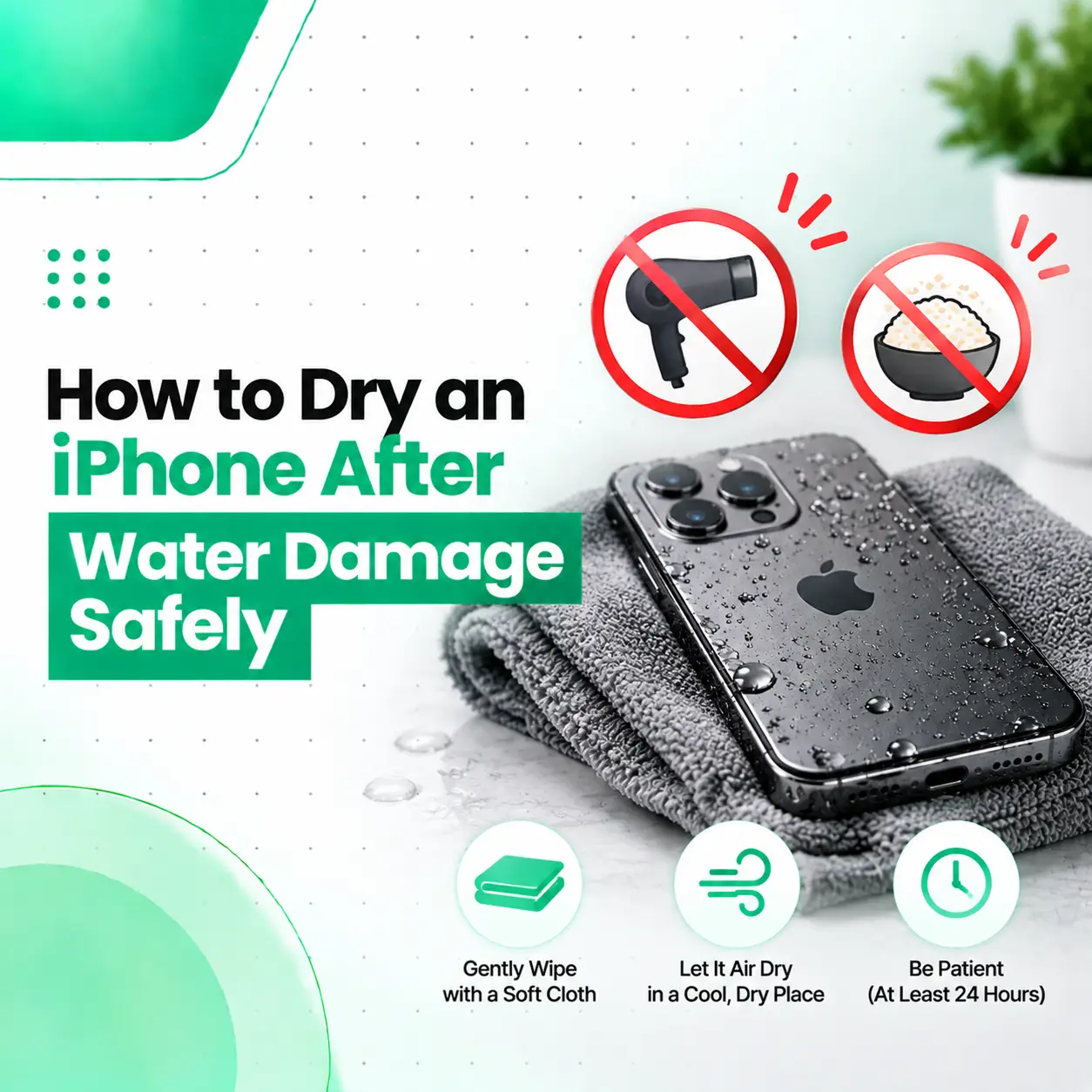
If your iPhone has been exposed to water, the safest approach is to disconnect it from power, remove excess liquid, and let it dry naturally with airflow. Do not use a hair dryer, external heat, compressed air, rice, or objects inside the charging port.
Knowing how to dry an iPhone after water damage can help prevent additional damage, especially around the Lightning or USB-C connector. Apple recommends keeping the device and cable disconnected until they are completely dry. For general liquid exposure, Apple advises waiting at least 5 hours before charging through a cable or connecting a wired accessory. If the iPhone specifically displays a liquid-detection alert, the connector may need substantially longer to dry—potentially up to 24 hours.
This guide explains what to do immediately, how to dry the phone safely, what methods to avoid, and when professional iPhone water damage repair may be necessary.
What Should You Do Immediately If Your iPhone Gets Wet?
If your iPhone gets wet, disconnect all cables and accessories immediately and avoid wired charging until the device is completely dry.
Follow these steps:
- Disconnect the charging cable or accessory.
- Remove the case if it is trapping moisture around the phone.
- Wipe the outside of the iPhone with a soft, lint-free cloth.
- Hold the iPhone with the charging connector facing downward.
- Gently tap the iPhone against your hand to help remove excess liquid.
- Place it in a dry area with some airflow.
- Avoid connecting a cable repeatedly to check whether it charges.
Apple specifically recommends a dry location with airflow and says a fan blowing cool air toward the connector may help the drying process.
Should You Turn Off Your iPhone After Water Exposure?
If the iPhone is functioning normally, the most important immediate action is to disconnect it from external power and stop unnecessary use while it dries.
If the phone is malfunctioning, overheating, repeatedly restarting, or showing other unusual behavior after liquid exposure, stop using it and arrange a professional inspection rather than repeatedly testing it.
How to Dry an iPhone After Water Damage Safely
The safest method is natural drying with airflow rather than applying heat.
Step 1: Disconnect the Charger
Remove the charging cable from the iPhone and disconnect the other end from the power adapter or accessory.
Do not reconnect it simply to see whether the phone still charges.
Liquid around the connector can interfere with electrical contact and may cause corrosion or connectivity problems if charging continues while the connector is wet.
Step 2: Wipe the Exterior
Use a clean, soft, lint-free cloth to remove visible moisture from:
- The screen
- Back glass
- Camera area
- Sides and buttons
- Charging-port area
- Speaker and microphone openings
Do not push the cloth into the charging port.
Step 3: Position the Charging Connector Downward
Hold the iPhone with the Lightning or USB-C connector facing downward.
Gently tap it against your hand to help remove excess liquid.
Do not shake the phone aggressively.
Step 4: Leave the iPhone in a Dry Area With Airflow
Place the iPhone somewhere dry with reasonable airflow.
A fan producing cool air can help circulate air around the connector. Avoid directing hot air at the phone. Apple specifically recommends airflow and says a cool fan may help with drying.
Step 5: Give It Enough Time
Drying time depends on where the liquid reached and how much moisture is present.
For general liquid exposure, Apple says to allow at least 5 hours before charging with a Lightning or USB-C cable or connecting a wired accessory. If a liquid-detection alert appears, Apple says to wait at least 30 minutes before trying again; if the alert returns, continue drying in a dry area with airflow, as complete drying can take up to 24 hours.
These are not guarantees that internal liquid damage has been eliminated. A phone can appear dry externally while moisture or corrosion-related damage remains internally.
How Long Does an iPhone Take to Dry?
An iPhone may need several hours to dry, and a liquid-detection warning can sometimes persist for up to 24 hours.
The exact drying time depends on:
- Amount of liquid exposure
- Location of the moisture
- Whether liquid entered the charging connector
- Type of liquid
- Environmental humidity
- Airflow around the device
- Condition of the phone’s seals and components
For a liquid-detection alert, Apple states that the connector may take up to 24 hours to dry completely.
30 Minutes vs 5 Hours: Which Waiting Time Applies?
These recommendations refer to slightly different situations.
| Situation | Apple guidance |
| Liquid exposure before wired charging | Allow at least 5 hours before charging or connecting a wired accessory |
| Liquid-detection alert | Wait at least 30 minutes before trying again |
| Alert returns | Continue drying; complete drying may take up to 24 hours |
| Wireless charging | The back of the iPhone should be dry before placing it on a compatible charger |
Apple’s liquid-detection guidance specifically addresses moisture in the Lightning or USB-C connector, while its broader wet-iPhone guidance recommends at least 5 hours before wired charging after liquid exposure.
What Should You Avoid When Drying a Wet iPhone?
Some popular drying methods can create additional problems.
Do Not Use a Hair Dryer
Avoid hair dryers and other external heat sources.
High heat can expose the phone’s internal components to unnecessary thermal stress and is not Apple’s recommended drying method.
Do Not Use Compressed Air
Compressed air can force moisture or debris further into openings and connectors.
Apple specifically advises against using compressed air to dry an iPhone.
Do Not Put the iPhone in Rice
Putting a wet iPhone in rice is a common internet recommendation, but Apple specifically advises against it because small rice particles can enter the device and cause damage.
Do Not Insert Objects Into the Charging Port
Do not use:
- Cotton swabs
- Paper towels
- Pins
- Toothpicks
- Metal objects
- Other foreign objects
inside the charging connector.
Apple specifically warns against inserting objects such as cotton swabs or paper towels into the connector.
Do Not Repeatedly Test the Charger
Repeatedly connecting a cable to a wet connector does not make the phone dry faster.
Instead, disconnect the cable and allow the connector to dry naturally.
What If Your iPhone Says “Liquid Detected”?
A liquid-detection alert generally means the iPhone has detected liquid in the Lightning or USB-C connector, or on the connected cable or accessory.
The safest response is:
- Disconnect the cable immediately.
- Disconnect the other end from the power adapter or accessory.
- Keep the cable disconnected.
- Position the connector downward.
- Gently tap the phone against your hand.
- Leave it in a dry location with airflow.
- Wait before attempting wired charging again.
Apple explains that charging while the connector is wet can cause corrosion of connector pins and potentially lead to permanent damage or connectivity problems.
What If the Liquid Alert Keeps Appearing?
If the alert returns after the phone has had time to dry, moisture may still be present in the connector or around the cable pins.
Try a different known-dry cable if appropriate. If the alert continues with a dry Apple cable or accessory, professional service may be necessary.
Can You Charge an iPhone After It Gets Wet?
Yes, but do not use wired charging until the iPhone and connector are completely dry.
For general liquid exposure, Apple recommends allowing at least 5 hours before using a Lightning or USB-C cable or connecting a wired accessory. If a liquid-detection alert is present, follow the alert-specific drying procedure and allow additional drying time if the warning returns.
Can You Use Wireless Charging?
Wireless charging can be an option if your iPhone supports it and the back of the device is completely dry.
Apple recommends wiping the phone with a soft, lint-free cloth and making sure it is dry before placing it on a compatible wireless charging mat.
Wireless charging does not mean the phone is safe from internal liquid damage, however. If the device is malfunctioning after exposure, professional inspection is still appropriate.
Does Water Resistance Mean an iPhone Cannot Get Water Damage?
No. Water resistance does not mean an iPhone is permanently waterproof.
Apple states that supported iPhone models have been tested under controlled laboratory conditions, but splash, water, and dust resistance are not permanent conditions and can decrease with normal wear. Apple also advises avoiding intentional submersion, high-velocity water, swimming or bathing with the device, and other situations that increase liquid exposure.
This means even a water-resistant iPhone should be treated carefully after liquid exposure.
What Symptoms Can Appear After iPhone Water Damage?
A water-damaged iPhone may initially appear normal and develop problems later.
Possible symptoms include:
- Charging problems
- Liquid-detection alerts
- Intermittent charging
- Unusual battery behavior
- Speaker or microphone problems
- Camera issues
- Display problems
- Random restarts
- Unexpected shutdowns
- Wi-Fi or Bluetooth problems
- Cellular connectivity problems
- Face ID or sensor issues
Water around the speaker or microphone can temporarily affect sound performance until the moisture evaporates.
If symptoms continue after the phone has dried, drying alone may not resolve the underlying problem.
Can You Repair an iPhone After Water Damage?
Yes, some liquid-damaged iPhones can be repaired, but the appropriate repair depends on what components were affected.
A professional inspection may involve checking:
External Condition
The technician can assess visible moisture, corrosion indicators, connector condition, and physical damage.
Charging System
If the phone does not charge after drying, the charging connector, cable, charging-related components, or other hardware may need examination.
Battery and Power Components
Liquid exposure can affect power-related components. If the iPhone shows unusual battery behavior, shuts down unexpectedly, or fails to turn on, further diagnosis may be necessary.
Logic Board
If liquid reached internal circuitry, board-level damage or corrosion may require more detailed inspection.
A repair shop should diagnose the actual fault rather than automatically replacing unrelated components.
How Is iPhone Water Damage Diagnosed?
Professional diagnosis generally focuses on identifying where the liquid reached and which functions are affected.
A technician may inspect:
- Charging behavior
- Charging-port condition
- Visible signs of liquid exposure
- Internal components
- Battery and power behavior
- Display and touch functionality
- Cameras
- Speakers and microphones
- Network and connectivity functions
- Other symptoms reported by the customer
Apple notes that many iPhones include Liquid Contact Indicators (LCIs), which can show whether the device has contacted water or a water-containing liquid.
A liquid indicator can provide useful evidence of exposure, but it does not by itself describe the full extent of internal damage.
How Much Does iPhone Water Damage Repair Cost in Bangladesh?
There is no single reliable price for iPhone water damage repair because the cost depends on the actual fault and the model.
Important cost factors include:
- iPhone model
- Extent of liquid exposure
- Type of liquid
- Charging-port condition
- Battery condition
- Logic-board damage
- Parts required
- Parts availability
- Repair versus component replacement
- Labor and diagnostic requirements
- Part quality
- Warranty or service terms offered by the repair provider
For example, cleaning or addressing a connector issue can involve a very different repair process from replacing a damaged component or addressing board-level damage.
A professional diagnosis is therefore more useful than assuming a fixed water-damage repair price.
Should You Try to Repair a Water-Damaged iPhone Yourself?
For simple external drying, following Apple’s guidance is reasonable. Opening the iPhone or attempting internal liquid-damage repair is a different matter and carries additional risk.
DIY internal repair can:
- Damage delicate components
- Affect seals or water resistance
- Cause accidental shorting or physical damage
- Complicate later professional diagnosis
- Increase the chance of losing data if the device is mishandled
Apple states that iPhone should be serviced by a trained technician and warns that disassembly can damage the device or result in loss of splash and water resistance on supported models.
If the phone has significant symptoms after liquid exposure, professional inspection is the safer route.
What About Data on a Water-Damaged iPhone?
Your data may remain accessible if the iPhone continues to function normally, but liquid damage can become more serious over time.
If the phone is still working reliably after exposure:
- Avoid unnecessary testing.
- Keep it dry.
- Back up important data when it is safe to do so.
- Avoid risky DIY disassembly.
- Seek professional diagnosis if problems begin.
If the iPhone no longer turns on, repeated attempts to power or charge it may not be the best approach. A technician can first assess the device and determine whether repair or data-preservation steps are appropriate.
When Should You Take a Wet iPhone to a Professional Repair Shop?
Professional inspection is recommended when the iPhone:
- Does not turn on
- Does not charge after sufficient drying
- Continues showing a liquid-detection alert
- Randomly restarts
- Shuts down unexpectedly
- Has a malfunctioning screen
- Has camera problems
- Has muffled or failed audio
- Shows unusual battery behavior
- Loses network connectivity
- Shows signs of internal liquid exposure
Persistent symptoms are especially important when the phone was exposed to something other than clean water, such as coffee, soft drinks, salt water, or other liquids.
Apple advises contacting service when liquid-related problems persist, and its support documentation notes that liquid damage is not covered by the Apple One-Year Limited Warranty.
How to Prevent Future iPhone Water Damage
You can reduce the risk of liquid damage by:
- Keeping the iPhone away from pools and bathtubs.
- Avoiding use in saunas and steam rooms.
- Keeping it away from high-pressure water.
- Avoiding intentional submersion.
- Keeping the charging connector dry.
- Avoiding charging when the connector is wet.
- Using a protective case when appropriate.
- Avoiding unnecessary exposure to liquids.
Apple also notes that normal wear and physical impacts can affect water resistance over time.
Frequently Asked Questions
1. How do I dry an iPhone after water damage?
Disconnect all cables, wipe the exterior with a soft lint-free cloth, hold the charging connector downward, and gently tap the phone to remove excess liquid. Leave it in a dry area with airflow. Avoid heat, compressed air, rice, and objects inside the charging port. If symptoms continue after drying, professional inspection may be needed.
2. How long does it take an iPhone to dry after getting wet?
Drying time varies depending on the amount and location of liquid. Apple recommends at least 5 hours before wired charging after liquid exposure. If a liquid-detection alert appears, the connector may require additional drying, and Apple says complete drying can take up to 24 hours.
3. Can I put my wet iPhone in rice?
No. Apple specifically advises against putting an iPhone in rice because small particles can enter the device and potentially cause damage. Instead, disconnect the phone from power, remove visible moisture with a lint-free cloth, position the connector downward, and allow the phone to dry naturally in a dry area with airflow.
4. Can I use a hair dryer to dry my iPhone?
No. A hair dryer or other external heat source is not recommended for drying a wet iPhone. Apple advises against external heat and compressed air. Use a dry location with airflow instead. A fan producing cool air can help circulate air around the charging connector without applying unnecessary heat.
5. Can I charge my iPhone after it gets wet?
Do not use wired charging while the phone or connector is wet. Apple recommends allowing at least 5 hours after liquid exposure before wired charging, while a liquid-detection alert may require additional drying time, potentially up to 24 hours. Wireless charging can be used when supported if the back of the iPhone is completely dry.
6. What should I do if my iPhone still does not work after drying?
If the iPhone remains unable to charge, power on, or function normally after sufficient drying, stop repeatedly testing it and arrange a professional inspection. The issue could involve the charging connector, battery, display, power circuitry, logic board, or another component affected by liquid exposure. Diagnosis is needed before choosing a repair.
7. Can a water-damaged iPhone be repaired?
Some water-damaged iPhones can be repaired, but the outcome depends on the model, liquid exposure, affected components, and severity of the damage. A technician may need to inspect the charging system, battery, internal components, and logic board. Repair cost and feasibility should be determined after diagnosis rather than assumed from the fact that the phone got wet.
Conclusion
Knowing how to dry an iPhone after water damage starts with avoiding actions that can make the situation worse. Disconnect the charger, remove visible moisture, keep the connector facing downward, and let the device dry naturally in a dry area with airflow. Avoid hair dryers, external heat, compressed air, rice, and objects inserted into the charging port.
Remember that an externally dry iPhone is not necessarily free from internal liquid damage. If your device still does not charge, will not turn on, repeatedly shows a liquid-detection alert, or develops other problems after exposure, professional diagnosis is appropriate.
For users seeking professional iPhone water damage repair in Bangladesh, iCareFix can assess the device, identify the affected component or system, and explain the available repair options based on the actual condition of the phone.