




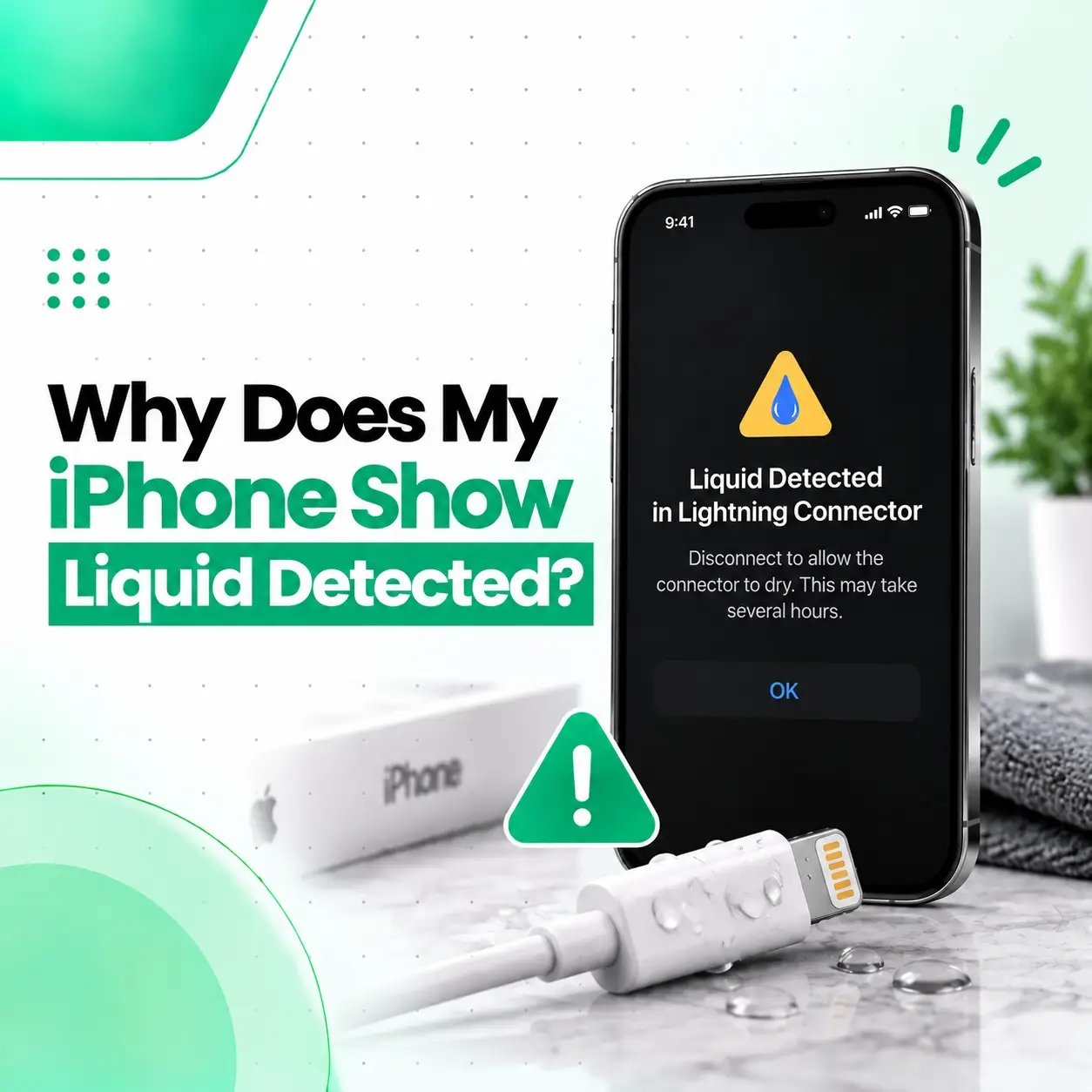
If your iPhone says “Liquid Detected in Lightning Connector,” it means the device has detected moisture or liquid in the Lightning connector, or potentially on the connected cable or accessory. The warning is designed to prevent charging while the connection may be wet because charging through moisture can damage the connector or cable.
This alert can appear after your iPhone is exposed to rain, water, humidity, a spill, or a damp charging cable. It can also continue appearing after the phone looks dry if moisture remains inside the connector or if the cable/accessory has a problem. This guide explains what the warning means, what you should do immediately, what you should avoid, and when professional iPhone repair may be necessary.
What Does “Liquid Detected in Lightning Connector” Mean?
The “Liquid Detected in Lightning Connector” message means your iPhone has detected liquid in the Lightning connector or associated charging connection. On supported iPhone models, the device can detect liquid when a Lightning cable or accessory is connected.
The warning is primarily a protective measure. When moisture is present, continuing to charge can create problems with the connector or cable pins, including corrosion and connectivity issues.
In simple terms:
Your iPhone is telling you not to charge through the Lightning port until the connection is dry.
The warning does not automatically mean that your iPhone has permanent water damage.
Why Does My iPhone Say Liquid Detected in Lightning Connector?
There are several possible reasons for the warning.
1. Moisture Is Inside the Lightning Port
The most common reason is actual moisture inside the charging port.
This can happen after:
- Rain or accidental splashes
- A drink spill
- Using the phone with wet hands
- High humidity
- Condensation
- Exposure to water near the charging port
Even a small amount of moisture can interfere with the electrical contacts.
2. The Lightning Cable Is Wet
The problem may not be inside your iPhone.
If the Lightning cable connector is damp, the iPhone can detect liquid in the charging connection and display the warning.
This is why it is important to check both:
- The iPhone’s Lightning port
- The Lightning cable connector
If the alert appears only with one particular cable or accessory, that cable or accessory may be the source of the problem. Apple specifically notes that a recurring alert with a particular cable or accessory can indicate that the accessory is damaged.
3. The Charging Port Has Not Fully Dried
Your iPhone may look completely dry from the outside while a small amount of moisture remains inside the connector.
The warning can therefore continue after the initial exposure.
Apple advises allowing the connector and cable to dry in a dry area with airflow rather than immediately reconnecting the cable.
4. Dirt or Debris May Be Affecting the Connection
Although the warning specifically concerns liquid detection, charging problems can also be caused by debris, contamination, or physical damage around the charging port.
If the alert continues after the device and cable are completely dry, the charging connection may need further inspection.
5. The Cable or Accessory May Be Damaged
A damaged charging cable or accessory can sometimes cause recurring connection problems.
A useful troubleshooting step is to determine whether the warning appears with:
- One specific cable
- Multiple cables
- One accessory
- Different charging accessories
If the warning consistently appears with one cable but not another, the cable should be treated as a possible cause.
What Should You Do When Your iPhone Detects Liquid?
The safest first step is to disconnect the Lightning cable and allow the connection to dry before attempting wired charging again. Apple recommends disconnecting the cable from the iPhone and the other end from the power adapter or accessory.
Follow these steps:
Step 1: Disconnect the Charging Cable
Remove the Lightning cable from your iPhone.
Also disconnect the other end from the charger or power adapter.
Do not repeatedly reconnect the cable just to check whether the warning has disappeared.
Step 2: Hold the Connector Facing Down
Gently tap the iPhone against your hand with the Lightning connector facing downward.
The purpose is to help remove excess liquid.
Do not shake the phone aggressively.
Step 3: Leave the iPhone in a Dry Area
Place the iPhone somewhere dry with reasonable airflow.
Allow it to dry naturally.
Apple says you can try charging again after at least 30 minutes, but if the alert returns, additional drying time may be needed. In some cases, complete drying can take up to 24 hours.
Step 4: Check the Cable
Make sure the Lightning cable connector is also dry before reconnecting it.
If the alert appears repeatedly with one particular cable or accessory, try a different known-good cable or accessory.
Step 5: Test Charging Again
Once the connector and cable are dry, reconnect the charger.
If the warning has disappeared and the phone charges normally, the issue may have been temporary moisture.
If the warning repeatedly returns despite the connection being dry, further diagnosis may be appropriate.
What Should You NOT Do When Liquid Is Detected?
Some common drying methods can cause additional problems.
Don’t Use a Hair Dryer or External Heat
Do not use an external heat source to dry the Lightning connector.
Excessive heat can potentially damage components.
Don’t Use Compressed Air
Avoid forcing compressed air into the charging port.
Apple specifically advises against using compressed air to dry the connector.
Don’t Insert Cotton Swabs or Paper Into the Port
Do not push cotton swabs, tissue, paper towels, pins, or other objects into the Lightning connector.
These can leave material behind or damage delicate components.
Don’t Put the iPhone in Rice
Putting your iPhone in a bag of rice is not recommended.
Apple warns that small rice particles can potentially damage the device.
Don’t Keep Plugging the Cable In
Repeatedly inserting the cable while moisture may still be present can increase the risk of connector or cable damage.
Can You Charge an iPhone When It Says Liquid Detected?
Normally, you should wait until the Lightning connector and cable are dry before charging through the port.
Apple warns that charging while the connector is wet can cause corrosion or permanent damage to the connector or cable.
What If You Need Emergency Charging?
Apple provides an option to override liquid detection in certain emergency situations.
However, overriding the warning means you are choosing to charge despite the potential risk associated with moisture.
It should not be treated as the normal solution.
If you have compatible wireless charging available, wireless charging can be an alternative while the Lightning connector is drying. The back of the iPhone should also be dry before placing it on a Qi-certified wireless charger.
How Long Does It Take for an iPhone Lightning Port to Dry?
There is no single drying time that applies to every situation.
Apple recommends waiting at least 30 minutes before trying again. If the warning returns, the connector may still contain moisture, and Apple says it can take up to 24 hours for the connector to fully dry.
The drying time can depend on:
- How much liquid entered the connector
- The type of liquid
- Humidity
- Airflow
- Whether the cable is also wet
- How much moisture remains inside the connector
Avoid using heat or inserting objects into the port to speed up the process.
Why Does My iPhone Say Liquid Detected When It Is Dry?
If your iPhone appears dry but continues showing the warning, several possibilities should be considered.
Moisture May Still Be Present
The outside of the connector may look dry while a small amount of moisture remains inside.
Give it additional time in a dry area with airflow.
The Cable Could Be the Problem
Try another compatible, dry charging cable.
If the warning disappears with a different cable, the original cable may be damaged or contaminated.
The Charging Port May Need Inspection
If multiple dry cables trigger the warning, the issue may be related to the iPhone’s connector or charging circuitry.
A professional technician can inspect the port rather than assuming that the battery or entire phone needs replacement.
Previous Liquid Exposure May Have Caused Corrosion
If the device was exposed to liquid and the warning continues long after drying, corrosion or another liquid-related problem may be involved.
In that situation, professional inspection can help determine whether the problem is limited to the connector or involves another component.
How Can You Tell Whether the Problem Is the Cable or the iPhone?
A simple comparison can help narrow down the cause.
| Test | What It May Indicate |
| One cable triggers the alert | Cable/accessory may be the problem |
| Several dry cables trigger the alert | iPhone connector may need inspection |
| Alert disappears after drying | Temporary moisture is more likely |
| Phone still will not charge after drying | Further diagnosis may be needed |
| Charging works wirelessly but not through Lightning | Wired charging path may need inspection |
This is not a substitute for professional diagnosis, but it can help identify whether the problem follows the cable or the phone.
Can Liquid Detected Damage the iPhone?
The warning itself is not damage; it is a protective response.
The concern is charging while liquid is present in the connector.
Moisture around electrical contacts can contribute to corrosion and connectivity problems. Apple warns that charging a wet Lightning or USB-C connection can cause permanent damage or cause the connector or cable to stop functioning.
That is why the safest response is to disconnect the cable and allow the connection to dry before attempting wired charging again.
What If Your iPhone Got Wet but Still Works?
A working iPhone should still be treated carefully after liquid exposure.
Do not assume that everything is fine simply because:
- The screen works
- The phone turns on
- The camera works
- The speakers work
- The battery appears normal
Liquid exposure can affect specific components or connectors without immediately causing obvious symptoms.
Apple recommends disconnecting cables and avoiding charging until the device is completely dry after liquid exposure.
If symptoms continue after drying, professional inspection can help identify whether there is underlying liquid-related damage.
Does Water Resistance Mean You Can Ignore the Warning?
No.
Some iPhone models have water and splash resistance, but that does not mean the charging port can safely be charged while wet.
Apple specifically advises not charging an iPhone through a wet Lightning or USB-C connection.
Water resistance also does not eliminate the possibility of damage from liquid exposure.
If the liquid-detection warning appears, treat it as a signal to stop wired charging and allow the connection to dry.
When Should You Get Professional iPhone Repair?
Professional inspection becomes more appropriate when the warning does not disappear after reasonable drying and basic troubleshooting.
Consider having the iPhone inspected if:
- The warning appears repeatedly with multiple dry cables.
- The phone will not charge after the connector has dried.
- Charging works only at certain angles.
- The Lightning connection repeatedly disconnects.
- The port appears physically damaged.
- The phone was exposed to significant liquid.
- Other functions began malfunctioning after liquid exposure.
- You notice corrosion or unusual behavior around charging.
A technician can inspect the charging port, cable connection, and relevant charging components to determine whether the problem is moisture-related, accessory-related, or hardware-related.
How Is a Liquid-Related Charging Problem Diagnosed?
A professional diagnosis should start with the simplest possibilities before recommending component replacement.
Visual Inspection
The charging port and cable connector can be inspected for visible contamination, corrosion, physical damage, or debris.
Cable and Charger Testing
Testing with known-good compatible charging accessories can help determine whether the issue follows the cable or remains with the iPhone.
Charging Port Testing
If multiple cables produce the same behavior, the iPhone’s charging connection may require closer inspection.
Further Hardware Diagnosis
If the port itself does not explain the problem, additional diagnostic work may be necessary to determine whether another charging-related component has been affected.
The appropriate repair depends on the actual fault found during diagnosis.
How Much Does Liquid Damage or Charging Port Repair Cost in Bangladesh?
There is no single repair price that applies to every iPhone with a liquid-detection warning.
The final cost can depend on:
- iPhone model
- Condition of the Lightning port
- Type and extent of liquid exposure
- Whether corrosion is present
- Whether the cable is defective
- Whether cleaning or port repair is sufficient
- Whether a component needs replacement
- Parts availability
- Part quality
- Labor and diagnostic requirements
A liquid warning alone is not enough reason to assume that a charging-port replacement is required.
A proper inspection should come before deciding on a repair.
Can You Fix a Liquid-Detected Lightning Connector Yourself?
For minor moisture exposure, the safest DIY approach is limited to disconnecting the cable and allowing the connector to dry naturally.
Avoid opening the iPhone or attempting internal liquid-damage repair without the appropriate tools and technical knowledge.
Opening the device can introduce additional risks, particularly if you are not familiar with iPhone components and sealing procedures.
If the alert continues after proper drying, professional diagnosis is a safer approach than repeatedly experimenting with the charging port.
How Can You Prevent Lightning Connector Moisture Problems?
A few habits can reduce the chance of recurring charging-port problems.
Keep the Charging Area Dry
Avoid connecting your iPhone immediately after handling water or when the charging area is visibly damp.
Keep Cables Dry
Store Lightning cables somewhere clean and dry.
A damaged or contaminated cable can also cause charging problems.
Avoid Charging in Wet Environments
Do not charge the phone where water can easily reach the connector, such as near sinks or during exposure to rain.
Don’t Force a Cable Into the Port
If the connector does not insert normally, investigate the cause rather than forcing it.
Address Recurring Alerts
If the liquid warning appears repeatedly even when the device and cable are dry, have the charging connection checked instead of repeatedly ignoring the alert.
When Should You Stop Troubleshooting and Visit a Repair Service?
If the warning disappears after drying and the iPhone charges normally, professional repair may not be necessary.
However, if the warning keeps returning, charging remains unavailable, or the phone developed other symptoms after liquid exposure, professional diagnosis becomes more useful.
For customers seeking iPhone repair in Bangladesh, iCareFix can inspect the device and determine whether the issue is related to the cable, Lightning connector, charging components, or possible liquid damage.
The goal should be to identify the actual fault before recommending a repair or replacement.
Frequently Asked Questions
1. Why does my iPhone say liquid detected in Lightning connector when it is not wet?
Your iPhone may continue displaying the alert if moisture remains inside the connector or on the cable. A damaged or problematic cable or accessory can also cause a recurring alert. Try allowing the connector to dry completely and testing with another dry, compatible cable. If multiple cables trigger the warning, the iPhone may need professional inspection.
2. Can I charge my iPhone when liquid is detected?
You should normally avoid wired charging while liquid may be present in the Lightning connector. Charging a wet connector can cause corrosion or other damage. Apple does provide an emergency override in supported situations, but it carries the risk associated with charging while moisture may remain. Wireless charging can be an alternative if the phone and its back are dry.
3. How long should I wait before charging my iPhone again?
Apple recommends waiting at least 30 minutes before trying again. If the warning returns, additional drying time is needed, and Apple notes that complete drying can take up to 24 hours. Keep the phone in a dry area with airflow and avoid heat, compressed air, or inserting objects into the Lightning connector.
4. Why does my iPhone keep showing the liquid warning with different cables?
If multiple known-dry cables trigger the same warning, the issue may be inside the iPhone’s charging connection rather than one particular cable. Previous liquid exposure, contamination, corrosion, or a hardware fault could be involved. A professional technician can inspect the Lightning port and charging system to determine what is actually causing the repeated alert.
5. Will liquid detection stop my iPhone from charging permanently?
Not necessarily. The warning is designed to prevent charging while a potentially wet connection is detected. If the problem is temporary moisture, normal charging may return after the connector and cable have dried. If charging remains unavailable after proper drying, the cable, charging port, or another hardware component may require diagnosis.
6. Can I use a hair dryer or rice to dry my iPhone charging port?
No. Apple advises against using external heat, compressed air, foreign objects such as cotton swabs or paper, and rice to dry the connector. Instead, disconnect the cable, hold the connector facing downward, and leave the iPhone in a dry area with airflow.
7. When should I take my iPhone to a repair shop for a liquid warning?
Consider professional inspection if the warning continues after the phone and cable have had sufficient time to dry, especially when multiple dry cables produce the same alert. Repair is also appropriate to investigate charging failure, recurring connection problems, visible port damage, or symptoms that appeared after liquid exposure.
Conclusion
The “Liquid Detected in Lightning Connector” warning usually means your iPhone has detected moisture in the Lightning connection, the cable, or an attached accessory. It is primarily a protective warning, not proof that your iPhone has permanent damage.
The safest response is to disconnect the cable, let the connector dry naturally, and avoid heat, compressed air, rice, or objects inserted into the port. If the warning disappears after drying, normal charging may resume. If it repeatedly returns with different dry cables or the iPhone still cannot charge, the charging port or another component may need professional diagnosis.
If you’re experiencing a persistent charging problem in Bangladesh, iCareFix can inspect the device and help determine whether the issue is related to the cable, charging port, liquid exposure, or another hardware problem before recommending an appropriate repair.