




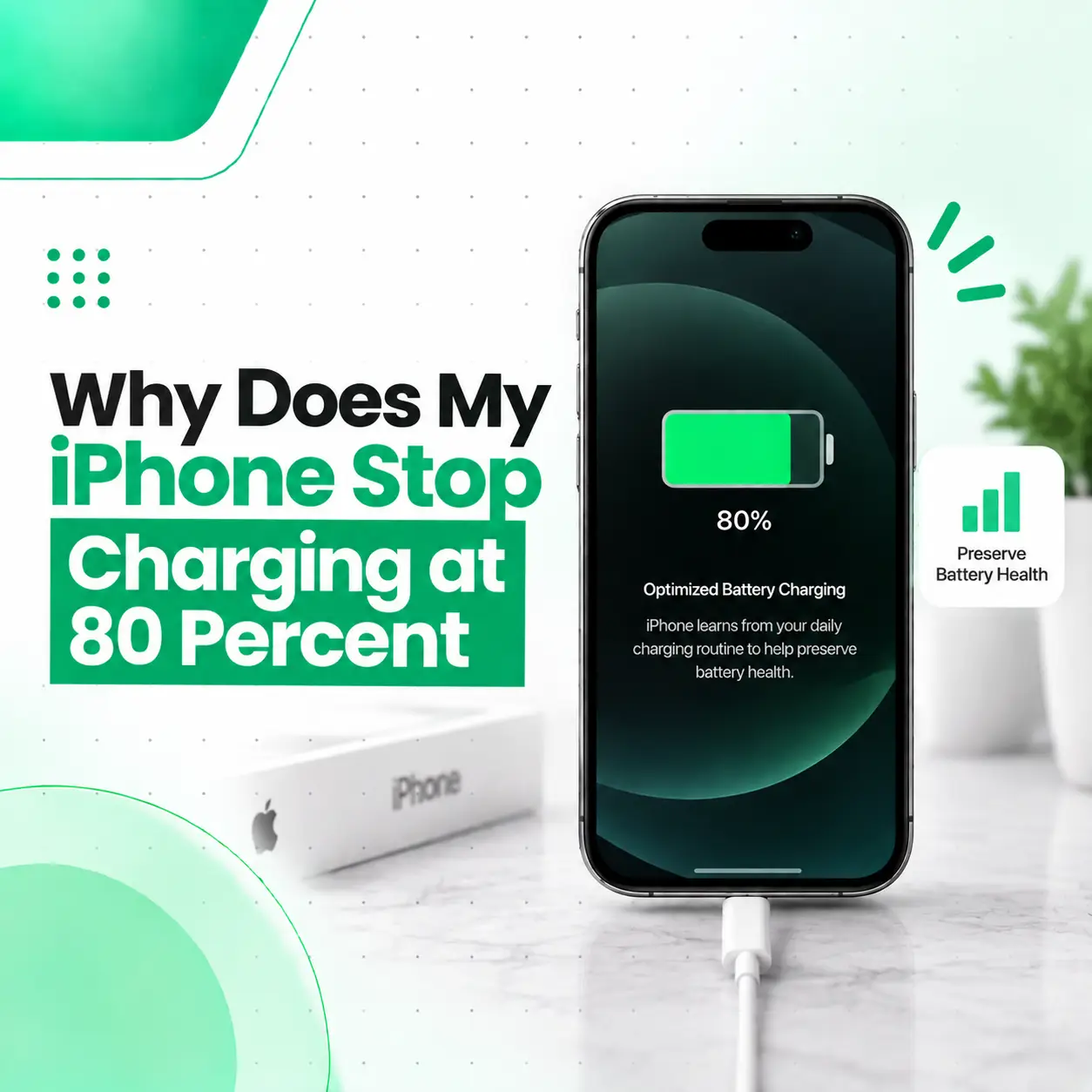
If your iPhone stops charging at 80 percent, it does not necessarily mean the battery or charger is faulty. In many cases, the iPhone is intentionally limiting charging to help reduce battery aging. Features such as Optimized Battery Charging and Charge Limit, depending on the iPhone model and iOS version, can prevent the battery from immediately charging to 100%.
Temperature can also temporarily limit charging. Apple explains that iPhone may pause or limit charging when the device becomes too warm or too cold.
This guide explains why your iPhone stops at 80%, how to check the relevant settings, what to do if you genuinely need a full charge, and when an 80% charging limit may indicate a problem requiring professional iPhone repair.
Why Does My iPhone Stop Charging at 80 Percent?
The most common reason an iPhone stops charging around 80 percent is charging optimization or a configured Charge Limit, rather than a defective battery.
Depending on the iPhone model and iOS version, Apple provides features designed to reduce the amount of time the battery remains fully charged. On supported models, you can set a Charge Limit between 80% and 100% in 5% increments.
Other possible reasons include:
- Optimized Battery Charging
- A manually selected Charge Limit
- Excessive device temperature
- Charging conditions that temporarily limit the battery
- Battery or charging hardware problems
The first step is therefore to check your charging settings before assuming the phone needs repair.
Is It Normal for an iPhone to Stop Charging at 80%?
Yes, it can be completely normal.
If your iPhone regularly stops at exactly 80% and otherwise works normally, a charging optimization feature is one of the first things to check.
Apple designed these features to reduce battery aging by managing when and how the battery reaches a high state of charge.
This is different from an iPhone that stops at random percentages such as 47%, 63%, or 72%. An inconsistent stopping point may require a different diagnosis.
What Is Optimized Battery Charging?
Optimized Battery Charging is an iPhone feature that reduces the time the battery spends fully charged.
When the feature is active, the iPhone may pause charging around 80% and complete the remaining charge closer to when it expects you will use the device.
Apple explains that the feature uses on-device learning to understand your charging routine and can delay charging beyond 80% under certain circumstances.
Why Does Apple Limit Charging?
Lithium-ion batteries experience chemical aging over time. Keeping a battery at a high state of charge for extended periods can contribute to aging.
Charging optimization is therefore intended to reduce unnecessary time at a high charge level.
Stopping at 80% is not, by itself, evidence that your battery is damaged.
What Is the iPhone Charge Limit?
On supported iPhone models, Charge Limit lets you choose the maximum percentage to which the iPhone normally charges.
For example, if a Charge Limit of 80% is selected, the iPhone can stop charging at 80% even though the charger remains connected.
Apple provides Charge Limit settings on supported iPhone models and allows the limit to be adjusted in 5% increments from 80% to 100%.
How Do I Check the Charge Limit?
Depending on your iPhone and iOS version, check:
Settings → Battery → Charging
You should see the available charging limit options if your model supports the feature.
If the limit is set to 80%, the behavior you’re seeing may be intentional.
How Do I Make My iPhone Charge Past 80 Percent?
If your iPhone has a Charge Limit enabled, you can increase the limit from the Battery settings.
On supported models:
- Open Settings.
- Tap Battery.
- Tap Charging.
- Check the selected Charge Limit.
- Increase the limit if you need the phone to charge further.
Apple also provides an option to temporarily override the selected limit and charge to 100% on supported devices.
The exact options can vary depending on your iPhone model and iOS version.
How Do I Turn Off Optimized Battery Charging?
If Optimized Battery Charging is responsible for the charging behavior, you can review its setting under the Battery section of Settings.
The exact menu location and available controls can vary by iPhone model and iOS version.
Before turning the feature off permanently, consider why it exists. If your normal routine does not require a full charge immediately, allowing charging optimization to remain enabled can help reduce unnecessary battery aging over time.
Should You Always Charge Your iPhone to 100%?
Not necessarily.
There are situations where having a full charge is useful—for example, before a long trip or a day when you expect limited access to a charger.
For everyday charging, however, Apple’s charging-management features are designed to help reduce battery aging.
Can Heat Make an iPhone Stop Charging at 80%?
Yes. Temperature can temporarily affect charging.
When an iPhone becomes too warm, charging may be paused or limited until the device returns to a suitable temperature. Apple states that iPhone may limit charging above 80% when the battery becomes too warm.
This can happen when the phone is:
- Exposed to direct sunlight
- Used heavily while charging
- Inside a hot environment
- Covered by materials that prevent heat from escaping
- Charging while performing demanding tasks
What Should You Do If Your iPhone Is Hot While Charging?
If the phone feels unusually warm:
- Move it to a cooler environment.
- Stop demanding tasks temporarily.
- Keep it away from direct sunlight.
- Remove anything that significantly traps heat around the device.
- Allow the iPhone to cool naturally.
Do not deliberately cool the phone with extreme methods such as placing it in a freezer.
Once the temperature returns to a suitable range, charging may resume normally.
What If My iPhone Says “Charging On Hold”?
A charging-on-hold message can indicate that the device has detected a temperature condition that is unsuitable for charging.
Apple explains that iPhone can pause charging when its temperature becomes too high or too low.
If charging resumes after the phone returns to a normal temperature, the behavior is generally different from a persistent battery or charging-port fault.
Does Stopping at 80% Mean My iPhone Battery Is Bad?
No. Stopping at exactly 80% does not automatically mean the battery is defective.
If the phone:
- Stops consistently around 80%
- Shows no charging warning
- Has normal battery performance
- Charges normally after changing the relevant setting
- Does not randomly shut down
then a charging-management feature is a likely explanation.
Battery health becomes more important when the iPhone also shows other symptoms.
How Do I Check My iPhone Battery Health?
You can review available battery information through:
Settings → Battery → Battery Health & Charging
Depending on the model and iOS version, you may see information such as Maximum Capacity and battery-related service or performance messages.
Battery Health can help you understand whether normal battery aging may be contributing to other charging or battery-life problems.
What Battery Health Symptoms Should You Watch For?
Pay attention if you notice:
- Significantly reduced battery life
- Unexpected shutdowns
- Rapid battery percentage changes
- Battery-related service messages
- Unusual heating
- Charging problems at multiple percentages
- Charging that stops unpredictably
An 80% stopping point by itself is not enough to diagnose battery failure.
What If My iPhone Won’t Charge Past 80% Even With the Limit Changed?
If you have checked the Charge Limit and the phone still consistently refuses to charge beyond 80%, look at the device’s temperature and charging conditions.
Also check:
- Whether Optimized Battery Charging is affecting the behavior
- Whether the phone is unusually warm
- Whether the charging cable is damaged
- Whether the adapter is functioning properly
- Whether the charging port contains debris
- Whether the behavior continues with another compatible charger
If the phone remains stuck at 80% under normal conditions and settings do not explain it, further diagnosis may be appropriate.
Could the Charging Cable Cause an 80% Charging Problem?
A cable can cause charging problems, but a perfectly consistent 80% stopping point is more commonly associated with charging management or temperature than a cable fault.
A damaged cable is more likely to cause symptoms such as:
- Charging disconnecting
- Slow charging
- No charging
- Intermittent charging
- Charging that stops when the cable moves
If possible, test with a known-good compatible cable and power adapter.
Could a Dirty Charging Port Cause the iPhone to Stop at 80%?
A dirty or damaged charging port can interfere with charging, but it does not specifically explain every case where charging stops at exactly 80%.
Debris may cause:
- Intermittent charging
- Poor cable connection
- Charging repeatedly starting and stopping
- Slow or unstable charging
If the port is visibly dirty, handle cleaning carefully. Avoid forcing sharp objects into the connector because internal contacts can be damaged.
If charging remains unreliable after basic troubleshooting, professional inspection is preferable.
What Is the Difference Between an 80% Limit and a Charging Fault?
The pattern of the problem provides an important clue.
| 80% Charging Limit | Possible Charging Fault |
| Usually stops at a consistent percentage | May stop at different percentages |
| Often linked to a Battery setting | May occur regardless of settings |
| Phone otherwise works normally | May include other charging symptoms |
| Can be intentional | Usually requires diagnosis |
| May resume after changing settings | May continue despite settings changes |
| Often no physical charging symptoms | May involve cable, port, battery, or hardware |
This is why checking the software settings should come before assuming that a repair is required.
What If My iPhone Stops at 80% Only When It Is Hot?
If the phone stops around 80% specifically when it becomes warm, temperature management is a strong possibility.
Apple states that iPhone may limit charging above 80% when battery temperature becomes too high.
Monitor whether charging returns to normal after the phone cools down.
If the phone repeatedly becomes unusually hot during ordinary charging, however, the situation deserves closer attention.
Can an Old iPhone Stop Charging at 80%?
An older iPhone can still use charging optimization features, but age alone does not mean it should permanently stop at 80%.
If an older iPhone suddenly develops a new charging limitation, check:
- Battery settings
- Battery Health
- Temperature
- Cable and adapter
- Charging port
- Recent software changes
If these checks do not explain the problem, professional diagnosis can determine whether battery or charging hardware is involved.
Does an iPhone Charge Faster From 80% to 100%?
Charging behavior can vary as the battery approaches a higher state of charge.
Lithium-ion batteries generally use different charging phases as they approach full capacity, and the final portion can take longer than earlier charging stages.
Therefore, if your iPhone is not actually stopping at 80% but simply charging more slowly after 80%, that can be different from a charging fault.
Can I Still Use My iPhone at 80%?
Absolutely.
An iPhone operating normally at 80% does not have to be charged to 100% before use.
If you need additional battery for a long day, travel, or another situation, you can use the available charging controls to allow a higher charge on supported models.
The important distinction is whether the phone is intentionally limiting charging or genuinely unable to charge beyond 80%.
When Should I Be Concerned About an iPhone That Stops at 80%?
Consider professional inspection if the 80% issue is accompanied by other symptoms, such as:
- Charging stops at different percentages
- The phone repeatedly disconnects from the charger
- The battery percentage changes abnormally
- The phone becomes unusually hot
- The iPhone shuts down unexpectedly
- Battery Health shows a service-related message
- The charging port is physically damaged
- The problem continues with different chargers
- The phone was exposed to liquid
- The issue began after a repair
These symptoms suggest that the problem may extend beyond a normal charging setting.
How Is an iPhone Charging Problem Diagnosed?
A professional technician can assess the problem systematically rather than replacing parts immediately.
A typical diagnostic process may include:
- Checking Battery Health and charging settings.
- Testing the charging cable and power adapter.
- Checking the charging port for debris or damage.
- Monitoring charging behavior.
- Checking battery condition where appropriate.
- Looking for signs of liquid or physical damage.
- Testing relevant charging hardware.
- Determining whether battery service or another repair is actually necessary.
This helps distinguish a software-controlled charging limit from a genuine hardware fault.
How Much Does iPhone Charging Repair Cost in Bangladesh?
There is no single repair price for an iPhone that stops charging at 80%.
If the cause is simply a Charge Limit or Optimized Battery Charging setting, there may be no hardware repair cost at all.
If a hardware problem is discovered, the cost can depend on:
- iPhone model
- Battery condition
- Charging-port condition
- Required replacement part
- Original/OEM/compatible part options
- Damage severity
- Labor
- Parts availability
- Warranty terms
- Whether additional damage is discovered
For that reason, an accurate repair estimate should follow diagnosis rather than be based only on the 80% symptom.
Should You Replace the iPhone Battery Because It Stops at 80%?
Not based on this symptom alone.
An iPhone stopping at exactly 80% can be normal behavior caused by charging-management features. Replacing the battery before checking the settings could be unnecessary.
Battery replacement becomes more relevant when Battery Health and other symptoms indicate that the battery itself has degraded or developed a fault.
Can You Fix an iPhone That Stops Charging at 80% Yourself?
If the cause is a charging setting or temporary temperature condition, basic troubleshooting can often be performed without opening the phone.
You can:
- Check Charge Limit settings.
- Review Optimized Battery Charging.
- Allow an overheated phone to cool naturally.
- Test another compatible cable.
- Check the charging adapter.
- Monitor Battery Health.
Avoid opening the iPhone or replacing the battery yourself unless you have the appropriate repair experience and tools.
Battery replacement and internal charging repairs require careful handling.
How Can You Prevent iPhone Charging Problems?
You cannot completely prevent battery aging, but good charging habits can help avoid unnecessary problems.
Keep the iPhone Away From Excessive Heat
Avoid charging the device in very hot environments or direct sunlight. Temperature can affect charging behavior and battery performance.
Use Reliable Charging Accessories
Use compatible, undamaged charging cables and adapters.
Keep the Charging Port Clean
Prevent significant lint and debris from accumulating in the connector.
Pay Attention to Battery Health
Checking Battery Health periodically can help you identify battery degradation or service-related messages.
Do Not Ignore Repeated Charging Problems
If your iPhone repeatedly stops charging at different percentages or develops additional symptoms, investigate the cause rather than repeatedly changing chargers.
When Should You Visit a Professional iPhone Repair Service?
Professional inspection is appropriate when:
- The iPhone will not charge beyond 80% despite checking its settings.
- Charging stops at unpredictable percentages.
- The phone becomes unusually hot.
- Charging repeatedly disconnects.
- The charging port appears damaged.
- The battery drains unusually quickly.
- The iPhone restarts or shuts down unexpectedly.
- A battery service message appears.
- The device has experienced liquid or physical damage.
A repair professional can determine whether the issue is a normal charging feature, environmental condition, battery problem, charging-port fault, or another hardware issue.
Frequently Asked Questions
1. Why does my iPhone stop charging at 80 percent?
Your iPhone may stop at 80% because a Charge Limit or Optimized Battery Charging is managing the battery. Temperature can also temporarily limit charging. If the phone otherwise charges normally and resumes charging under the appropriate conditions, this does not necessarily indicate a damaged battery. Check Settings → Battery first before considering hardware repair.
2. How do I make my iPhone charge past 80%?
Check Settings → Battery → Charging on supported iPhone models and review the selected Charge Limit. If an 80% limit is enabled, increasing the limit can allow the phone to charge further. Apple also provides ways to temporarily override the limit on supported devices. Menu options vary by model and iOS version.
3. Is it bad if my iPhone only charges to 80%?
No. An 80% limit can be an intentional battery-management feature rather than a fault. Apple provides charging controls designed to reduce battery aging by limiting how long the battery remains at a high state of charge. If your iPhone cannot exceed 80% even when settings and temperature do not explain the behavior, further troubleshooting may be appropriate.
4. Can heat stop an iPhone from charging at 80%?
Yes. iPhone can temporarily limit or pause charging when its temperature becomes too high or too low. If the device is warm while charging, move it away from direct sunlight and allow it to cool naturally. If charging returns to normal after the temperature drops, heat was likely contributing to the behavior.
5. Does stopping at 80% mean my iPhone battery needs replacement?
Not necessarily. An exact 80% stopping point is often related to charging-management settings rather than battery failure. Battery replacement should be considered when other evidence points to battery degradation, such as significantly reduced battery life, unexpected shutdowns, or battery service messages. A professional diagnosis can help avoid replacing a healthy battery unnecessarily.
6. Why won’t my iPhone charge past 80% even after checking the settings?
If the Charge Limit and other charging settings do not explain the problem, check the device temperature, charging cable, adapter, and port. Try another compatible charging setup and observe whether the problem remains. If the phone consistently stops at 80% under normal conditions or shows other charging symptoms, professional inspection can determine whether hardware is involved.
7. How much does it cost to fix an iPhone that stops charging at 80% in Bangladesh?
The cost depends entirely on the cause. If an 80% Charge Limit or charging optimization feature is responsible, no hardware repair may be needed. If the issue involves the battery, charging port, or another component, cost varies by iPhone model, parts, labor, damage, and repair requirements. An inspection is needed for an accurate estimate.
Conclusion
If your iPhone stops charging at 80 percent, do not assume the battery is defective. The most common explanations are Apple’s charging-management features, such as Optimized Battery Charging or a configured Charge Limit. Temperature can also temporarily restrict charging.
Start by checking Settings → Battery, reviewing the charging limit, checking Battery Health, and making sure the phone is not unusually hot. Test a reliable charging cable and adapter as well.
If the iPhone still cannot charge beyond 80% after these checks—or if you also notice overheating, rapid battery drain, unexpected shutdowns, intermittent charging, or physical damage—a professional diagnosis is appropriate.
If you need help identifying whether your iPhone has a settings-related charging limit or a genuine hardware problem, iCareFix can inspect the device and recommend the appropriate repair or battery service based on the actual diagnosis.