




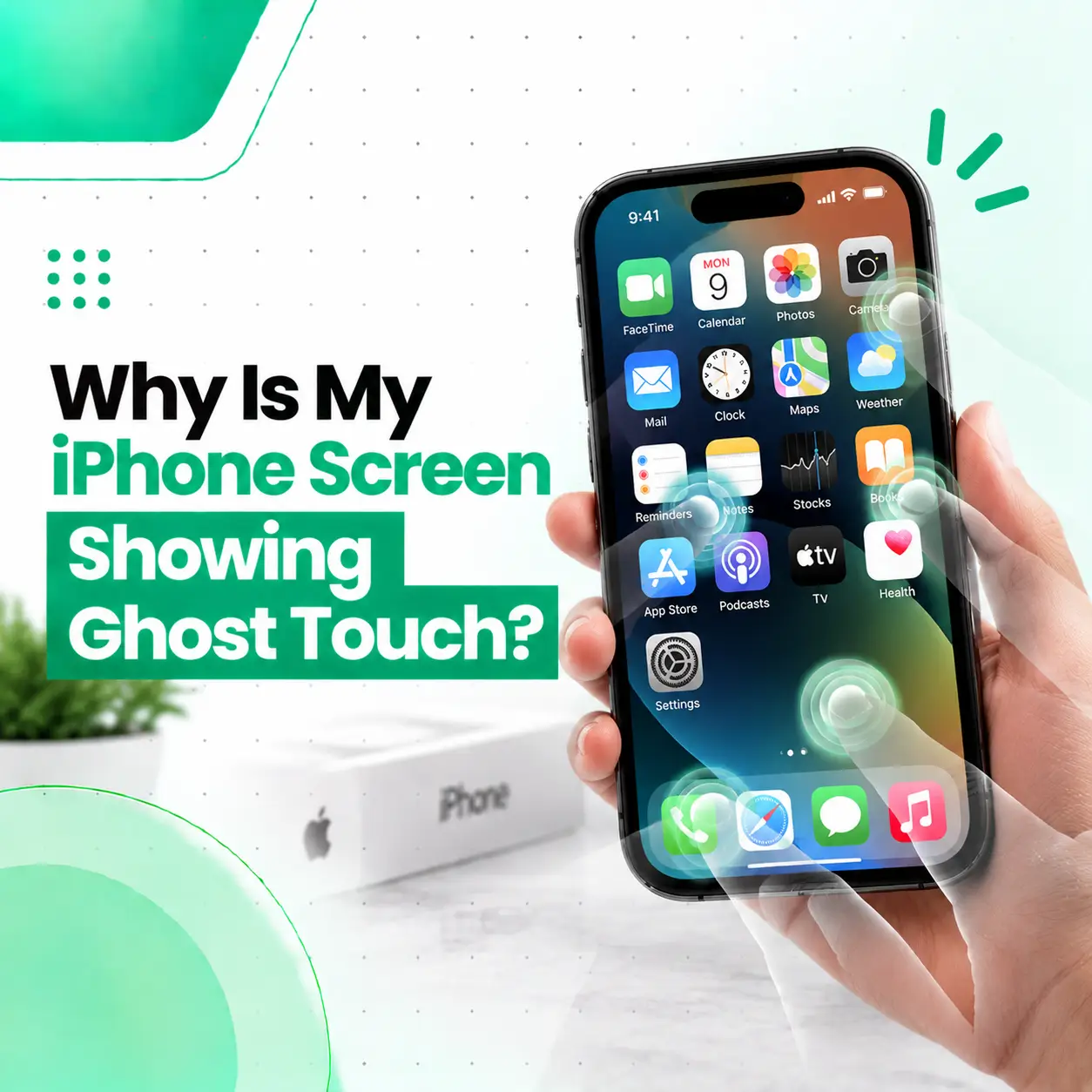
If your iPhone is opening apps, tapping buttons, typing characters, scrolling, or moving around the screen without you touching it, you may be experiencing ghost touch. The problem can be caused by a temporary software issue, moisture, a damaged or poorly fitted screen protector, a charging accessory, physical damage, a faulty touchscreen component, or a previous screen replacement.
The first step is not to replace the screen immediately. Try disconnecting the charger, cleaning and drying the display, removing a problematic screen protector, and restarting the iPhone. If the screen continues registering touches on its own, particularly after a drop, liquid exposure, or screen repair, the display assembly or touch-sensing hardware may need professional inspection.
What Is Ghost Touch on an iPhone?
Ghost touch is a touchscreen problem where an iPhone appears to register touches or gestures that you are not actually making.
The phone may behave as though an invisible finger is interacting with the screen.
Common Ghost Touch Symptoms
You may notice that your iPhone:
- Opens apps without being touched
- Types random letters
- Selects buttons by itself
- Scrolls automatically
- Swipes between screens
- Moves the cursor unexpectedly
- Opens Control Center or Notification Center
- Enters incorrect passcodes
- Makes selections repeatedly
- Becomes difficult or impossible to control
The behavior may happen constantly or only occasionally.
Why Is My iPhone Screen Showing Ghost Touch?
The most common causes include software problems, moisture, screen-protector issues, charging interference, physical display damage, faulty touch hardware, or a previous screen replacement.
A useful way to troubleshoot the problem is to start with external and software-related causes before assuming the touchscreen itself is defective.
Common causes include:
| Possible Cause | What You May Notice |
| Software glitch | Ghost touches appear temporarily or after a software change |
| Moisture or dirt | Touches become inconsistent or inaccurate |
| Screen protector | Touch response changes after installing or damaging the protector |
| Charging accessory | Ghost touch occurs mainly while charging |
| Physical damage | Problem starts after a drop or pressure |
| Display damage | Ghost touch may occur with lines, flickering, or other display issues |
| Previous screen replacement | Touch behavior changes after repair |
| Internal connector issue | Touch problems may be intermittent or persistent |
Not every case has the same cause, so diagnosis matters.
Can a Software Problem Cause Ghost Touch?
Yes. A temporary software or system issue can cause unusual touchscreen behavior.
Before assuming that the physical display is damaged, restart the iPhone and check whether the problem continues.
Restart Your iPhone
A restart can clear temporary system problems that may interfere with normal touchscreen behavior.
After restarting, use the phone normally for a few minutes and check whether the ghost touch returns.
If the problem disappears and does not return, a temporary software issue may have been involved.
Check Whether the Problem Happens Everywhere
Test several areas of the phone, including:
- Home Screen
- Settings
- Messages
- Safari
- Photos
- Lock Screen
If the touchscreen behaves incorrectly across multiple parts of iOS, the issue is less likely to be limited to one individual app.
If it happens only inside a particular app, update or troubleshoot that app before assuming there is a hardware fault.
Can a Screen Protector Cause Ghost Touch?
A screen protector can sometimes interfere with touch behavior, particularly when it is damaged, poorly fitted, contaminated, or creating unusual pressure against the display.
A protector is therefore worth checking before paying for a screen replacement.
Check the Screen Protector
Look for:
- Cracks
- Air bubbles
- Lifted edges
- Dust underneath
- Uneven adhesive
- Damage around the edges
- A protector that was recently installed
If the ghost touch started after installing a new protector, that timing is an important clue.
Remove or replace the protector only if you can do so safely. Avoid using excessive force against the display.
Can Water or Moisture Cause Ghost Touch?
Yes. Moisture on or around the touchscreen can interfere with touch input, and liquid exposure can also cause internal problems.
If ghost touch started after the iPhone became wet, do not assume that drying the visible screen has completely resolved the problem.
What to Do If Your iPhone Gets Wet
If there is visible moisture or the phone has recently been exposed to liquid:
- Disconnect the charging cable.
- Dry the exterior gently.
- Avoid repeatedly pressing the screen.
- Do not use high heat to dry the device.
- Avoid opening the phone without appropriate repair knowledge.
- Seek professional inspection if abnormal touchscreen behavior continues.
Liquid-related problems can involve more than the display surface, so persistent ghost touch after exposure deserves attention.
Can a Charger Cause Ghost Touch on an iPhone?
If ghost touch occurs mainly while the iPhone is connected to a charger, the charging setup is worth checking.
Try disconnecting the charger and using the phone normally.
Compare the Phone While Charging and Not Charging
If the ghost touch:
- Appears only while charging
- Stops when the cable is removed
- Started after changing a charger or cable
then test with a known-good, compatible charging setup.
This does not prove that the charger is the cause, but the pattern can provide a useful diagnostic clue.
If ghost touch continues even when the iPhone is disconnected from power, investigate other possible causes.
Can a Drop Cause Ghost Touch?
Yes. A drop or impact can potentially damage the display assembly or affect internal connections even when the outer glass does not appear badly cracked.
The touchscreen system can be affected without obvious cosmetic damage.
Signs of Possible Impact-Related Damage
Watch for ghost touch combined with:
- Cracked glass
- Display lines
- Flickering
- Black spots
- Unusual brightness
- Touch dead zones
- Random taps
- Part of the screen becoming unresponsive
If the problem began immediately after an impact, professional diagnosis is more appropriate than repeatedly changing software settings.
Can a Previous Screen Replacement Cause Ghost Touch?
Yes, a previous screen replacement is an important factor when investigating new touchscreen problems.
The display assembly contains components responsible for displaying images and detecting touch input. Problems can arise from the replacement part itself, installation, connections, compatibility, or damage elsewhere in the device.
Ghost Touch After Screen Replacement
If the issue started after a repair, tell the technician:
- When the screen was replaced
- Whether ghost touch started immediately
- Whether the entire screen is affected
- Whether touch works normally in some areas
- Whether the display has other abnormalities
- What type of replacement display was used, if known
Apple notes that nongenuine displays can have compatibility and performance issues, including potential problems involving touch and other display functions.
This does not mean every third-party replacement display will cause ghost touch. The actual cause needs to be diagnosed.
Is Ghost Touch a Hardware or Software Problem?
Ghost touch can be caused by either software or hardware, so the symptom alone does not provide a definitive diagnosis.
More Likely Software-Related Clues
A software-related issue becomes more plausible when:
- The problem is temporary.
- It disappears after restarting.
- It happens only in one app.
- No physical damage is present.
- The behavior began after a software change.
More Likely Hardware-Related Clues
A hardware problem becomes more suspicious when:
- Ghost touch happens across iOS.
- It continues after restarting.
- The phone was dropped.
- The phone was exposed to liquid.
- The screen was recently replaced.
- There are display lines or flickering.
- Some touch areas do not respond correctly.
- The problem gets worse over time.
These are diagnostic clues, not guarantees. A technician may need to inspect the device to identify the actual fault.
How Do You Fix Ghost Touch on an iPhone?
Start with simple troubleshooting before considering hardware repair.
Step 1: Disconnect the Charger
If the phone is charging, disconnect it and check whether the ghost touch continues.
Step 2: Clean and Dry the Screen
Use a soft, clean cloth to remove moisture, dirt, or residue from the display.
The screen should be clean and dry before you continue testing.
Step 3: Remove the Screen Protector
If the protector is cracked, lifting, contaminated, or recently installed, remove it or have it safely replaced and test the phone again.
Step 4: Restart the iPhone
Restart the device and check whether the touchscreen returns to normal behavior.
Step 5: Check for Software Updates
If an iOS update is available, updating the device may help when the problem is software-related.
An update should not, however, be treated as a guaranteed solution for physical touchscreen damage.
Step 6: Check the Pattern
Pay attention to when ghost touch happens.
Ask yourself:
- Does it happen while charging?
- Does it happen only in one app?
- Does it happen after the phone becomes warm?
- Does it happen after getting wet?
- Does it happen everywhere on the screen?
- Did it begin after a repair?
The pattern can help narrow down the cause.
Can an iPhone Diagnose Touchscreen Problems?
On supported iPhone models, Apple’s Diagnostics Mode includes tests related to display pixel anomalies and Multi-Touch. Apple currently documents Diagnostics Mode for iPhone 14 and later models, subject to its supported-device requirements.
If a supported diagnostic test identifies a problem, service may be appropriate.
Apple’s general screen troubleshooting guidance also recommends checking that the display is clean and free of water or debris, disconnecting accessories, removing cases or screen protectors, and restarting the device before seeking service for persistent screen problems.
How Do Repair Technicians Diagnose Ghost Touch?
A professional diagnosis should look beyond the symptom itself.
Visual Inspection
The technician can inspect the display for:
- Cracks
- Pressure damage
- Discoloration
- Display separation
- Signs of liquid exposure
- Previous repair evidence
Touchscreen Testing
The screen can be tested across different areas to determine whether touch input is consistently registering incorrectly.
Connector and Display Inspection
If appropriate, the technician may inspect the display connection and related components for signs of damage or improper connection.
Previous Repair Assessment
If the display was previously replaced, the repair history and installed component can become important parts of the diagnosis.
A proper diagnosis helps avoid replacing a screen when the actual cause lies elsewhere.
Does Ghost Touch Mean You Need a New iPhone Screen?
No. Ghost touch does not automatically mean the entire screen needs to be replaced.
If the cause is a temporary software issue, screen protector, moisture, or charging-related behavior, a display replacement may not be necessary.
Screen Replacement May Be Considered When:
- The touchscreen itself is faulty.
- The display assembly has physical damage.
- Ghost touch persists after basic troubleshooting.
- The issue affects multiple areas of the screen.
- The problem started after display damage.
- A previous replacement display is confirmed to be faulty.
The repair provider should explain why replacement is being recommended before the repair is performed.
Can Ghost Touch Be Repaired Without Replacing the Screen?
Sometimes. The required repair depends on the underlying cause.
Possible solutions can include:
- Removing a problematic screen protector
- Cleaning and drying the display
- Resolving a software issue
- Correcting an installation or connection problem
- Repairing a related component
- Replacing the display assembly when the touchscreen hardware is defective
There is no single fix that works for every ghost-touch problem.
How Much Does Ghost Touch Repair Cost in Bangladesh?
There is no universal price for fixing ghost touch because the repair cost depends on the cause and iPhone model.
Factors that can affect the cost include:
- iPhone model
- Display type
- Whether the display needs replacement
- Part availability
- Genuine Apple or other replacement-part options
- Damage severity
- Labor
- Internal component damage
- Previous repair condition
If the problem is caused by a screen protector or software issue, hardware replacement may not be necessary.
If the touchscreen assembly is damaged, the cost can be substantially different. For this reason, a repair estimate should be based on inspection rather than a generic Bangladesh-wide price.
How Long Does Ghost Touch Repair Take?
Repair time depends on the cause.
A simple software or accessory-related issue may be identified quickly. A hardware problem may require more detailed inspection, and display replacement depends on the correct part being available.
For an accurate time estimate, the device should first be diagnosed.
Is It Safe to Keep Using an iPhone With Ghost Touch?
It is better not to ignore persistent ghost touch, especially if the phone is becoming difficult to control.
Unexpected touches can cause unwanted actions, such as opening apps, sending messages, changing settings, or entering an incorrect passcode.
Back Up Important Data
If you can safely control the iPhone, consider backing up important information before professional repair.
This is a precaution rather than an indication that every screen repair causes data loss.
If the touchscreen is too unstable to use normally, avoid repeatedly entering passcodes or attempting complicated troubleshooting.
What Should You Do If Ghost Touch Is Entering the Wrong Passcode?
If the screen is registering touches by itself, the phone may accidentally enter incorrect characters or numbers.
Do not repeatedly attempt to unlock the device while the touchscreen is behaving unpredictably.
If you can safely control the phone, back up important data and arrange professional inspection.
This is particularly important if the ghost touch is severe enough that you cannot reliably control where the screen is being touched.
Can You Prevent Ghost Touch on an iPhone?
You cannot prevent every touchscreen fault, but careful handling can reduce some avoidable causes.
Protect the Display
Use a suitable case and avoid dropping, bending, or placing heavy pressure on the phone.
Keep the Screen Dry
Moisture and liquid exposure can create touchscreen problems, so keep the device away from situations where it may become wet.
Use Compatible Charging Accessories
If ghost touch repeatedly appears during charging, investigate the charging setup rather than ignoring the pattern.
Be Careful With Screen Protectors
Use a properly fitted protector and replace it if it becomes cracked, lifted, or damaged.
Choose Repair Parts Carefully
If the display needs replacement, ask what type of part is being installed and whether the repair provider can explain the relevant service terms.
When Should You Get Professional iPhone Screen Repair?
You should consider professional inspection when ghost touch continues after basic troubleshooting or when the problem follows physical or liquid damage.
Professional assessment is particularly appropriate when:
- The screen touches itself repeatedly.
- Restarting does not help.
- The problem occurs across multiple apps.
- Ghost touch continues without the charger connected.
- The phone was recently dropped.
- The phone was exposed to liquid.
- The display was previously replaced.
- Touch dead zones appear.
- Flickering or lines appear with ghost touch.
- You cannot reliably control the device.
A professional can determine whether the problem is related to the display assembly, touch-sensing hardware, connector, software, or another component.
Frequently Asked Questions
1. Why is my iPhone screen showing ghost touch?
Your iPhone may show ghost touch because of a software issue, moisture, a damaged screen protector, charging-related behavior, physical display damage, a faulty touchscreen component, or a previous screen replacement. Start by disconnecting the charger, cleaning the screen, checking the protector, and restarting the device. If the problem continues, professional diagnosis can identify whether the cause is hardware-related.
2. How do I fix ghost touch on my iPhone?
Start by disconnecting the charger, cleaning and drying the screen, checking or removing a problematic screen protector, restarting the iPhone, and checking for software updates. If ghost touch continues across different apps and screens, the problem may involve the display or touch hardware. Avoid pressing or bending the screen and consider professional inspection instead of immediately replacing parts.
3. Can a charger cause ghost touch on an iPhone?
Ghost touch that occurs only while the iPhone is charging can make the charging setup worth investigating. Disconnect the charger and check whether the touchscreen returns to normal. If the problem stops, test with a compatible, known-good charging setup. If ghost touch continues when the phone is disconnected from power, the cause may be unrelated to charging.
4. Can a screen protector cause ghost touch?
A damaged, poorly fitted, contaminated, or improperly installed screen protector can interfere with touchscreen behavior in some situations. Check for cracks, bubbles, lifted edges, or debris underneath the protector. If the problem began soon after installing one, it is worth testing the phone without it. If ghost touch remains, investigate software or hardware causes.
5. Does ghost touch mean I need a new iPhone screen?
No. Ghost touch does not automatically mean the display needs replacement. The cause may be software, moisture, a screen protector, charging behavior, or another issue. If the problem persists after basic troubleshooting and especially if the phone has physical damage or previous screen-repair history, the display assembly may need professional testing before a replacement decision is made.
6. How much does it cost to fix ghost touch on an iPhone in Bangladesh?
The cost depends on the iPhone model, cause of ghost touch, display condition, part availability, labor, and whether a display or another component needs repair. A software or protector-related problem may not require hardware replacement. Because the cause varies significantly, an inspection is needed before giving a reliable repair estimate.
7. Can I keep using an iPhone with ghost touch?
You can potentially use the phone temporarily, but persistent ghost touch should not be ignored. Unexpected touches can open apps, change settings, send unintended messages, or enter incorrect passcodes. If the problem is severe, back up important data if possible and arrange an inspection. Avoid repeatedly using a malfunctioning touchscreen when you cannot control its input reliably.
Conclusion
Ghost touch on an iPhone can come from several different causes, including software glitches, moisture, screen protectors, charging behavior, physical damage, faulty touchscreen hardware, or a previous screen replacement. The symptom alone does not tell you whether the screen needs replacement.
Start with the simple checks: disconnect the charger, clean and dry the display, inspect the screen protector, restart the iPhone, and observe whether the problem occurs across different apps. If ghost touch continues—or started after a drop, liquid exposure, or screen repair—professional diagnosis is the next sensible step.
If the problem is affecting normal use, iCareFix can inspect the device and help determine whether the issue is related to the display, touch hardware, connector, software, or another component before recommending an appropriate repair option.