




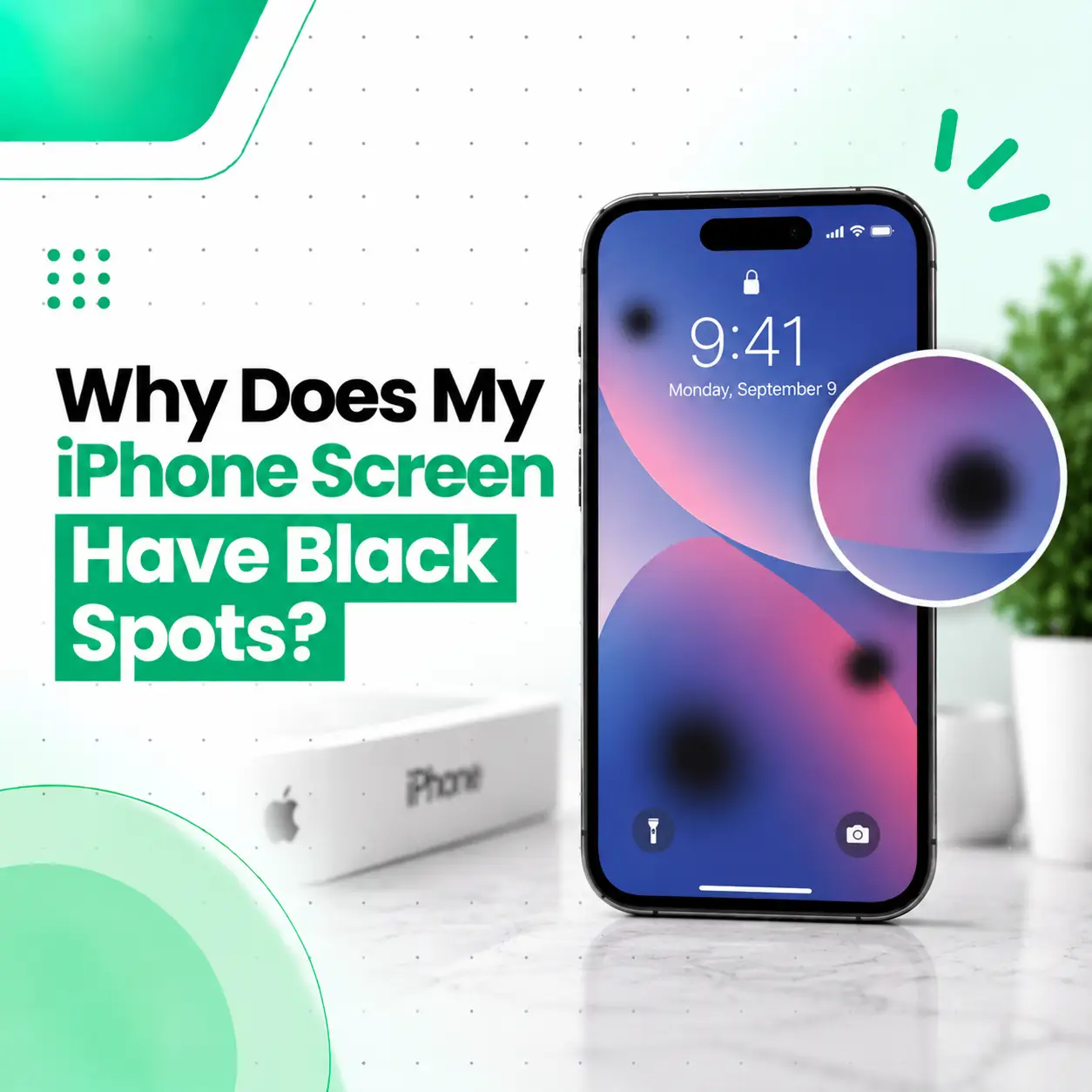
If you notice black spots on your iPhone screen, the cause may be anything from an isolated dead pixel to damage affecting the display panel. A small black dot that stays in exactly the same place can behave differently from a larger dark blotch that appears after a drop, pressure, or liquid exposure.
Black spots are usually a display-related issue rather than something that can be fixed simply by changing brightness or restarting the iPhone. Apple also recognizes display pixel anomalies as a potential display issue and provides diagnostics that can identify display-pixel abnormalities on supported iPhone models.
This guide explains the common causes of black spots, how to tell different display problems apart, whether a black spot can spread, what you can safely check at home, and when iPhone screen repair in Bangladesh may be necessary.
Why Does My iPhone Screen Have Black Spots?
Black spots can appear on an iPhone screen because individual pixels or part of the display panel are no longer producing the expected image. Physical impact, pressure, liquid exposure, display defects, or internal panel damage can all be possible causes.
Common possibilities include:
- Dead pixels
- Damaged display pixels
- Pressure or impact damage
- Cracked or internally damaged display
- Liquid-related display damage
- Display panel failure
- Damage that occurred during a previous repair
- Foreign material or another display anomaly
The appearance of the spot provides useful clues, but you cannot always determine the exact cause just by looking at it.
What Does a Black Spot on an iPhone Screen Look Like?
The appearance of the mark can help distinguish between different types of display problems.
Small Black Dot
A tiny, sharply defined black dot that remains in one location may indicate a pixel-related problem.
If it appears consistently regardless of what is displayed on the screen, the issue is more likely to be associated with the display rather than an individual app.
Large Black Blotch
A larger irregular dark area can indicate damage to the display panel.
This type of mark may appear after:
- A drop
- Pressure on the screen
- Bending or impact
- Liquid exposure
- Internal display damage
If the dark area changes size or is accompanied by lines or flickering, professional inspection is advisable.
Black Spot With Colored Lines
A black area combined with green, pink, white, or other lines can indicate a more significant display problem.
Other symptoms may include:
- Flickering
- Discoloration
- Touch problems
- Parts of the screen becoming dark
- Brightness irregularities
These symptoms are more consistent with a display assembly problem than a simple surface mark.
Are Black Spots on an iPhone Screen Dead Pixels?
Sometimes, but not every black spot is necessarily a dead pixel.
A dead pixel is a pixel that is not displaying correctly and may remain dark. Apple explains that display panels can experience pixel anomalies in which individual subpixels may remain off or on.
However, a larger black area can involve more than a single pixel. Physical damage to the display panel, for example, may create a dark region that is much larger than an individual pixel.
The distinction matters because the appropriate repair can differ.
What Causes Black Spots on an iPhone Screen?
1. Dead or Damaged Pixels
Individual pixels or subpixels can develop abnormalities.
A pixel-related black spot is often:
- Small
- Clearly defined
- Located in one position
- Visible across different apps and backgrounds
A single pixel anomaly does not necessarily mean the entire screen is failing.
2. Impact or Drop Damage
A hard impact can damage the display even if the outer glass does not appear badly cracked.
For example, an iPhone dropped onto a hard surface may develop a dark area beneath the glass. The screen may continue working initially while the damaged region becomes more noticeable over time.
If the black spot appeared immediately after an impact, physical display damage should be considered.
3. Pressure Damage
Heavy pressure against the screen can damage the display panel.
This can happen if the phone is:
- Sat on
- Compressed inside a bag
- Bent
- Pressed against a hard object
- Subjected to significant pressure during an incident
The resulting damage may appear as a dark patch, line, or irregular black area.
4. Liquid Damage
Liquid exposure can affect internal components, including the display assembly.
If black spots appeared after the iPhone became wet, do not assume that the problem is only cosmetic.
Liquid-related problems may develop alongside:
- Flickering
- Touch issues
- Display discoloration
- Random shutdowns
- Charging problems
A device exposed to liquid should be assessed rather than repeatedly powered or tested unnecessarily.
5. Internal Display Damage
The visible glass and the underlying display components are not exactly the same thing.
An iPhone can have relatively minor external glass damage while the underlying display panel is significantly affected.
This is one reason a black spot should not automatically be treated as a simple scratch on the glass.
6. Previous Screen Repair
If the black spot appeared after a previous display replacement, the repair history is relevant.
Apple notes that display parts and repair quality can affect display performance, and its supported iPhone diagnostics can test display pixel anomalies. Apple also provides Parts and Service History on supported devices so users can see certain repair-related information.
A technician may need to inspect the replacement display and its connections to determine the cause.
How Can I Tell if the Black Spot Is on the Screen or Inside the Display?
A useful first check is to clean the external glass gently with a soft, lint-free cloth.
If the mark disappears, it may have been surface contamination.
If the mark remains in exactly the same position and is visible against different backgrounds, it may be part of the display itself.
You can also:
- Open a white image or webpage.
- Check the area carefully.
- Open a black image.
- Compare the same area on different colors.
- Look for lines, flickering, or changes around the spot.
Do not press hard on the black area to see whether it changes. Pressure can potentially make physical display damage worse.
Will a Black Spot on an iPhone Screen Spread?
A black spot may remain stable, but some forms of physical display damage can become larger or develop additional symptoms.
There is no reliable way to predict from appearance alone whether a particular spot will spread.
Pay attention if you notice:
- The spot becoming larger
- New dark areas appearing
- Lines developing around it
- Flickering
- Touch problems
- Increasing discoloration
- More of the display becoming unusable
If the affected area is growing, professional inspection is a sensible next step.
Can You Fix Black Spots on an iPhone Screen?
It depends on what is causing the black spot.
Surface Dirt or Foreign Material
If the mark is simply on the outer surface, cleaning may resolve it.
Apple notes that some apparent display anomalies can be caused by foreign material and recommends appropriate cleaning for material on the front surface.
Software-Related Display Issue
If the problem is caused by software rather than the physical panel, restarting or updating the device may help.
However, a fixed black area that remains in the same location across different screens is more suggestive of a display-related problem.
Damaged Display Panel
If the display panel itself is damaged, software troubleshooting will not repair the physical panel.
In that situation, a professional technician may recommend display repair or replacement depending on the device and damage.
What Should You Do if Your iPhone Screen Has a Black Spot?
Before arranging a repair, you can perform a few basic checks.
Step 1: Clean the Screen
Use a clean, soft, lint-free cloth.
Do not pour liquid directly onto the display.
Step 2: Restart the iPhone
A restart can help rule out a temporary software issue.
After restarting, check whether the black spot remains in exactly the same location.
Step 3: Test Different Backgrounds
Check the display using white, black, red, green, and blue backgrounds if available.
This can help you see whether the issue affects individual pixels or a larger area.
Step 4: Check for Physical Damage
Look carefully for:
- Cracks
- Chips
- Screen separation
- Pressure marks
- Signs of impact
Step 5: Consider Recent Events
Ask yourself whether the problem started after:
- Dropping the phone
- Applying pressure
- Liquid exposure
- A screen replacement
- Another repair
This information can be useful during diagnosis.
How Does a Technician Diagnose Black Spots?
A professional diagnosis can help determine whether the issue is a pixel anomaly, display-panel damage, or another problem.
Display Pattern Testing
Different colors and patterns can be displayed to identify abnormal areas.
On supported iPhone models, Apple’s Diagnostics Mode includes a Display Pixel Anomalies test designed to help identify pixel and display-panel issues.
Physical Inspection
The technician can inspect the screen for:
- Impact damage
- Cracks
- Pressure damage
- Liquid-related signs
- Display separation
Display and Connector Inspection
If appropriate, the display assembly and relevant connections can be checked for signs of damage or improper installation.
Repair History Review
If the screen was replaced previously, the technician can take that history into account when diagnosing the problem.
Does a Black Spot Mean I Need an iPhone Screen Replacement?
Not always. The appropriate repair depends on the cause and severity of the display problem.
A technician may determine that:
- No repair is necessary for a minor stable anomaly.
- Cleaning resolves the problem if it is external contamination.
- Further diagnosis is needed if the cause is unclear.
- Display replacement is appropriate if the panel is physically damaged.
Apple’s own repair guidance emphasizes inspection before determining the appropriate service and notes that service providers provide estimates after inspecting the device.
How Much Does iPhone Screen Repair Cost in Bangladesh?
There is no single price for repairing black spots because the required service depends on the iPhone model and the actual cause.
Factors that can affect iPhone screen repair cost in Bangladesh include:
| Factor | Why It Matters |
| iPhone model | Different models use different display assemblies |
| Display type | OLED and LCD assemblies can differ in repair requirements |
| Damage severity | Larger or more complex damage may require more extensive service |
| Part availability | Replacement availability can affect the repair option |
| Part quality | Different replacement-part options can have different characteristics |
| Labor | Diagnosis and installation require technician time |
| Additional damage | Liquid or impact damage may involve more than the screen |
A technician should inspect the device before providing a specific repair recommendation.
Can You Fix an iPhone Black Spot Yourself?
Basic inspection and cleaning are reasonable. Internal display repair is different.
Avoid:
- Pressing repeatedly on the black area
- Applying heat to the screen
- Opening the iPhone without appropriate tools and knowledge
- Attempting to repair display connectors yourself
- Using liquids directly on the device
- Trying to “massage” the black spot away
A display panel is a delicate component, and improper repair can create additional problems.
When Should You Get Professional iPhone Screen Repair?
Professional inspection is particularly appropriate when the black spot:
- Appeared after a drop
- Appeared after liquid exposure
- Is getting larger
- Is accompanied by lines or flickering
- Is affecting touch response
- Covers a significant portion of the display
- Appeared after a previous screen replacement
- Is accompanied by other hardware problems
If the display is becoming increasingly difficult to use, backing up important data before service is also a sensible precaution when the phone is still functional.
How Can You Prevent Black Spots on an iPhone Screen?
Not every display anomaly can be prevented, but careful handling can reduce the risk of physical damage.
- Use a suitable protective case.
- Avoid placing heavy objects on the phone.
- Keep the iPhone away from liquids.
- Do not carry it in situations where it can be heavily compressed.
- Have a cracked display inspected promptly.
- Use a qualified repair provider for display replacement.
- Avoid attempting complex internal repairs without the required tools and experience.
Frequently Asked Questions
1. Why does my iPhone screen have black spots?
Black spots can result from dead or damaged pixels, impact, pressure, liquid exposure, internal display damage, or problems with a previous screen repair. A small fixed dot may be a pixel-related anomaly, while a larger irregular dark area can indicate display-panel damage. The exact cause usually requires examining the display and the circumstances in which the spot appeared.
2. Are black spots on an iPhone screen dead pixels?
They can be, but not every black spot is a dead pixel. A dead or abnormal pixel is typically a very small, fixed point. A larger black blotch, spreading dark area, or mark accompanied by lines may indicate broader display-panel damage. Testing the screen against different colors and patterns can help identify the nature of the problem.
3. Can black spots on an iPhone screen be fixed?
It depends on the cause. Surface contamination may be removable, while a software-related issue may respond to troubleshooting. A physically damaged display panel generally requires professional repair or display replacement rather than a software fix. A technician can inspect the device and determine whether the screen itself is damaged.
4. Will a black spot on my iPhone screen spread?
It may remain unchanged, but some forms of physical display damage can become larger or develop additional symptoms. If the black area is growing, new spots appear, or lines and flickering develop, the display should be inspected. There is no reliable way to predict the progression of a specific spot without examining the device.
5. Can water cause black spots on an iPhone screen?
Yes. Liquid exposure can affect the display and other internal components. If black spots appeared after the phone became wet, watch for additional symptoms such as flickering, discoloration, touch problems, charging issues, or unexpected shutdowns. Professional inspection is advisable because liquid-related damage may not always be visible from the outside.
6. Does a black spot mean I need an iPhone screen replacement?
Not necessarily. The spot could be caused by a minor pixel anomaly or an external issue rather than a damaged display assembly. However, if the display panel is physically damaged, replacement may be the appropriate repair. A professional diagnosis can determine whether replacement is actually necessary instead of assuming it from the appearance alone.
7. How much does it cost to repair black spots on an iPhone in Bangladesh?
The cost depends on the iPhone model, display type, damage severity, replacement-part availability, part quality, and whether the display needs replacement. There is no reliable single price for every black-spot problem. Having the device inspected first allows the repair provider to identify the cause and recommend the appropriate service.
Conclusion
Black spots on an iPhone screen can have several causes, from an isolated pixel anomaly to physical damage affecting the display panel. A tiny fixed dot may behave differently from a large dark blotch that appeared after a drop, pressure, or liquid exposure.
Start by cleaning the display, restarting the iPhone, and checking the affected area against different backgrounds. Avoid pressing or applying heat to the spot. If the mark persists, grows, or appears alongside flickering, lines, discoloration, or touch problems, professional diagnosis is the safer approach.
For customers seeking professional iPhone screen repair in Bangladesh, iCareFix can inspect the device and determine whether the issue is related to the display panel, physical damage, a previous repair, or another component. The appropriate repair option can then be selected based on the actual condition of the iPhone.