




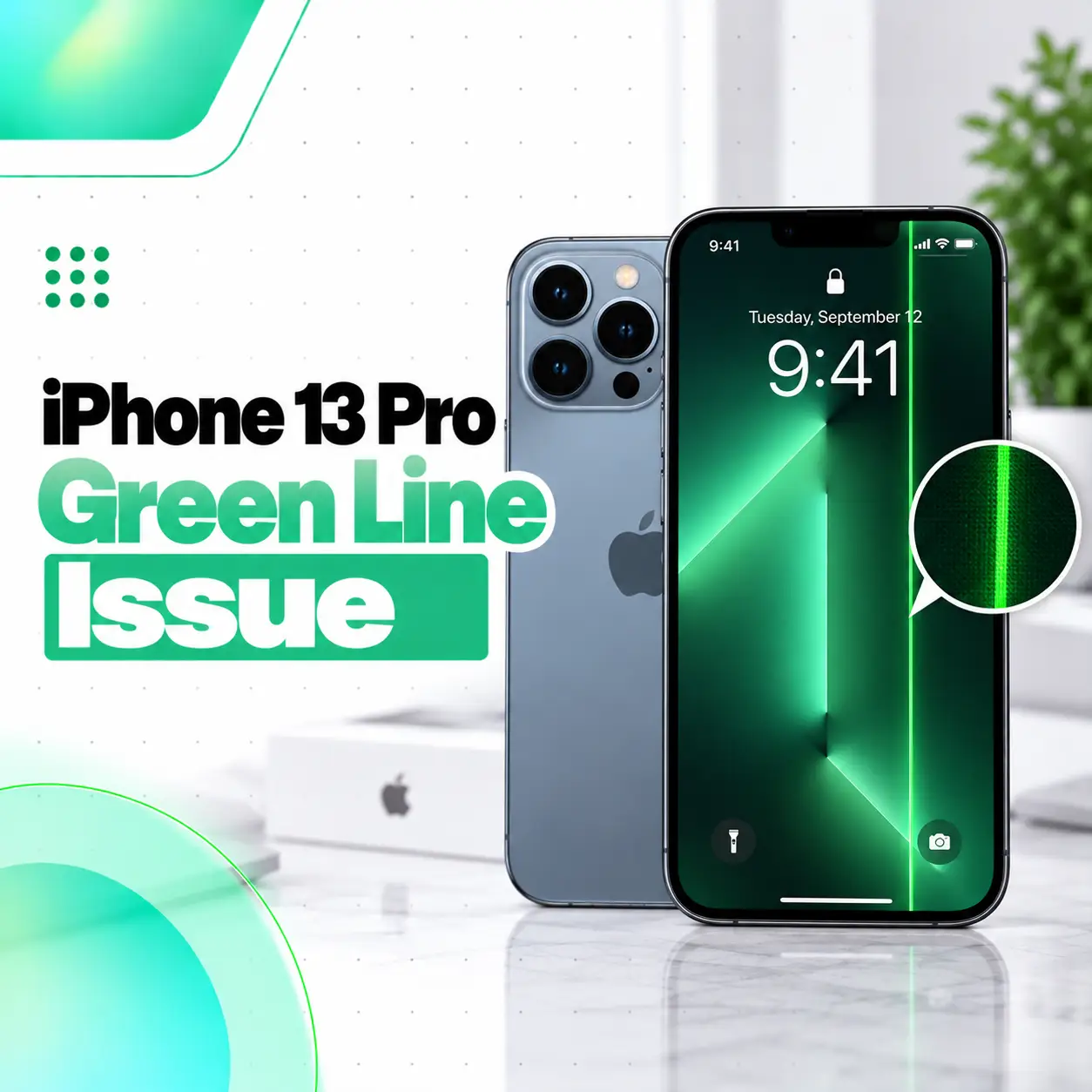
The iPhone 13 Pro green line issue usually appears as a thin or bright vertical green line running from the top to the bottom of the display. It may appear suddenly, after a drop, following previous screen repair, or without an obvious external crack. Because the iPhone 13 Pro uses a 6.1-inch OLED Super Retina XDR display with ProMotion, a persistent line can indicate a problem somewhere in the display system rather than a simple wallpaper or color-setting issue.
Some basic troubleshooting is worth trying first, but a line that remains through restarts and normal use often needs professional inspection. This guide explains likely causes, safe checks, repair options, cost factors in Bangladesh, and when iCareFix may be appropriate for hardware diagnosis.
What Is the iPhone 13 Pro Green Line Issue?
The iPhone 13 Pro green line issue is a display symptom where one or more green vertical lines remain visible on the OLED screen.
The line may be:
- Thin or thick
- Bright or faint
- Constant or intermittent
- Visible at every brightness level
- Present on the Lock Screen and Home Screen
- More noticeable on dark backgrounds
A persistent line should not be confused with Apple’s normal green privacy indicator, which appears as a small dot when an app is using the camera.
Why Does My iPhone 13 Pro Have a Green Line?
A persistent green line can be associated with the display panel, display connection, previous repair, physical damage, or—in less common situations—a temporary software/display-rendering problem.
The exact cause cannot be confirmed reliably without checking the phone.
OLED Display Panel Failure
The iPhone 13 Pro uses an OLED display.
OLED screens control individual pixels electronically. If a column of pixels or the circuitry controlling that section of the panel stops operating correctly, a colored vertical line can remain visible.
A panel-level fault is one reason a green line may stay on screen even after restarting the phone.
Impact or Pressure Damage
A phone does not need a badly cracked screen to have internal display damage.
Possible triggers include:
- Dropping the iPhone
- Heavy pressure on the display
- Bending or chassis stress
- Impact near the edge of the phone
The outer glass can look normal while the OLED layer underneath has been affected.
Previous Display Replacement
If the iPhone 13 Pro has already had a screen replacement, the quality and condition of that repair matter.
Apple warns that nongenuine or improperly functioning displays may have issues involving:
- Color
- Brightness
- Touch response
- True Tone
- Uniform illumination
That does not mean every replacement display will develop a green line, but previous repair history is important during diagnosis.
Display Connection or Internal Damage
A problem involving the display assembly or its connection to the logic board can also cause abnormal screen behavior.
Possible factors include:
- Drop damage
- Liquid exposure
- Connector damage
- Previous repair
- Internal corrosion
The phone needs to be opened and inspected before a technician can confirm an internal connection problem.
Temporary Software Problem
A temporary software glitch can sometimes cause unusual display behavior.
That is why restarting or updating iOS is worth trying before assuming the screen must be replaced.
However, a fixed green line that remains in exactly the same physical position after restarts is more suspicious for a display-related hardware fault.
How to Tell Whether the Green Line Is Software or Hardware
You can perform a few simple checks before seeking repair.
Restart the iPhone
Start with a normal restart.
If the screen or phone is unresponsive, force restart it:
- Press and quickly release Volume Up.
- Press and quickly release Volume Down.
- Press and hold the Side button.
- Release the button when the Apple logo appears.
If the green line disappears completely and does not return, the problem may have been temporary.
If it remains unchanged, continue checking.
Take a Screenshot
Take a screenshot while the green line is visible.
Then view that screenshot on another phone or computer.
If the green line is not present in the screenshot viewed elsewhere, that suggests the rendered image itself may be normal and the physical display path deserves closer inspection.
This is a useful diagnostic clue, but it is not a complete hardware test.
Check Different Screens and Apps
Look for the line on:
- Lock Screen
- Settings
- Photos
- Safari
- Dark background
- Bright background
If the line stays in exactly the same physical position regardless of what is displayed, the display itself becomes more suspect.
Can Restarting Fix the iPhone 13 Pro Green Line?
It can fix a temporary software-related display glitch, but it will not repair a physically damaged OLED panel.
Apple recommends restarting an iPhone when the screen is behaving abnormally or responding intermittently. Apple also recommends making sure the display is clean, disconnecting accessories, and removing cases or screen protectors during troubleshooting.
Restarting is therefore worth trying once.
Repeatedly restarting a phone with a permanent line is unlikely to repair a damaged panel.
Should You Update iOS?
Yes, if the phone is otherwise stable and you have an available iOS update.
An update can eliminate software bugs that may affect display behavior.
Before updating:
- Back up important data.
- Charge the iPhone.
- Connect to reliable Wi-Fi.
- Install the available iOS update.
- Restart and check the display again.
If the same fixed line remains after updating, software becomes a less likely explanation.
Should You Reset the iPhone?
A full factory reset should not be your first response to a green line.
Before erasing the phone, try:
- Restart
- Force restart if necessary
- iOS update
- Screenshot test
- Display inspection
- Parts and Service History check
If the symptom strongly points to display hardware, erasing personal data will not repair the OLED panel.
Back up the phone before any major troubleshooting or repair.
How to Check Whether the iPhone 13 Pro Display Was Replaced
On an iPhone 13 Pro running a supported iOS version, open:
Settings > General > About
Look for:
Parts and Service History
Apple supports display repair-history information on iPhone 12 models and later.
Genuine
If the repair was completed using genuine Apple parts and recognized processes, Apple can show Genuine next to the display.
Unknown
Apple may show Unknown when the display:
- Is not genuine
- Is not functioning as expected
- Was not properly verified after repair
- Was modified or cannot be verified
An Unknown message does not automatically prove that the current green line was caused by the replacement screen, but it is relevant information for diagnosis.
Does Every iPhone 13 Pro Green Line Need Screen Replacement?
No. The cause should be diagnosed first.
A screen replacement becomes more likely when:
- The line remains after restart
- It remains after an iOS update
- It stays in exactly the same location
- The line does not appear in screenshots viewed elsewhere
- The phone has impact damage
- The display has previous repair history
- Additional screen symptoms are present
Those additional symptoms may include:
- Flickering
- Black areas
- Touch problems
- Multiple vertical lines
- Abnormal brightness
- Screen going completely black
A technician should inspect the device before deciding that display replacement is necessary.
What If the Green Line Appeared Without Dropping the Phone?
A lack of visible impact does not prove that the problem is software.
Electronic display components can develop faults without cracked glass.
Possible factors still include:
- OLED panel failure
- Previous unnoticed stress
- Earlier repair
- Internal connection problem
- Liquid or moisture exposure
- Component deterioration
Diagnosis should focus on the actual symptoms and repair history rather than assuming a cause.
What If the Green Line Appeared After an iOS Update?
The timing alone does not prove that the update physically damaged the screen.
If the line appears after an update:
- Restart the iPhone.
- Check whether the line appears throughout iOS.
- Take a screenshot.
- Check for another available update.
- Review Parts and Service History.
- Seek display diagnosis if the line remains.
A persistent physical line should be evaluated based on its behavior, not only on when it first appeared.
Can a Green Line Spread or Become Worse?
It can.
A display problem may remain unchanged, but damaged OLED panels can also develop additional symptoms over time.
Possible progression includes:
- More vertical lines
- Flickering
- Screen discoloration
- Black areas
- Touch problems
- Partial display failure
There is no reliable way to predict how quickly a specific damaged screen will worsen.
If important data is not backed up, make a backup while the device is still usable.
Can You Keep Using an iPhone 13 Pro With a Green Line?
You may be able to use it temporarily if:
- Touch still works
- The screen remains readable
- The phone is not overheating
- There is no exposed broken glass
- The device is otherwise stable
However, continued usability does not mean the display is healthy.
Back up important data and arrange an inspection if the line persists.
If the screen begins flickering badly, becomes black, or loses touch functionality, repair becomes more urgent.
Is the Green Line Related to ProMotion?
There is not enough evidence to assume that ProMotion itself is the cause merely because the iPhone 13 Pro supports adaptive refresh rates up to 120Hz.
Apple confirms that the iPhone 13 Pro uses a Super Retina XDR OLED display with ProMotion, but a green-line symptom still requires diagnosis rather than attributing it automatically to the refresh-rate feature.
Changing refresh-related settings is therefore not a substitute for checking a persistent display fault.
Can a Screen Protector Cause a Green Line?
A normal screen protector does not usually create a fixed vertical line inside the OLED image.
However, Apple recommends removing cases and screen protectors during screen troubleshooting because accessories can sometimes interfere with touch or screen behavior.
If the line remains after the protector is removed, the issue is unlikely to be caused simply by the protector.
Can a Charger Cause the Green Line?
A charger is not the first likely explanation for a permanent green vertical line.
Still, Apple recommends disconnecting Lightning accessories during screen troubleshooting. If the behavior changes after removing an accessory, try another cable, charger, or power source.
If the line remains with nothing connected, the display itself should be examined.
How Is an iPhone 13 Pro Green Line Diagnosed?
A proper diagnosis should separate a temporary software problem from a physical display fault.
Visual Inspection
A technician can check:
- Exact line position
- Number of lines
- Flickering
- Touch response
- Brightness
- Screen damage
- Frame condition
Repair History Check
Check:
Settings > General > About > Parts and Service History
This can reveal whether a display repair has previously been recorded.
Software Check
The phone should also be checked for:
- Current iOS version
- Restart behavior
- Whether the line is constant
- Whether screenshots contain the line
Internal Inspection
If necessary, a repair technician can inspect for:
- Display assembly damage
- Connector issues
- Evidence of liquid exposure
- Previous repair work
- Internal physical damage
Do not open the phone unless you have appropriate repair knowledge and equipment.
What Are the Repair Options?
The correct repair depends on diagnosis.
Software Troubleshooting
If the issue is temporary or software-related, the solution may involve:
- Restart
- Force restart
- iOS update
- Software troubleshooting
This is the lowest-risk starting point.
Display Inspection and Reconnection
If there is reason to suspect a display connection problem, a technician may inspect the display assembly and internal connection.
This should not be assumed to fix every green line.
Display Replacement
A persistent OLED panel fault may require display replacement.
Apple states that professional repair providers can use genuine Apple parts and that Apple Authorized Service Providers can perform Apple-certified repairs.
The appropriate part choice depends on availability, repair approach, warranty, and customer requirements.
Genuine vs Nongenuine Replacement Display
Display quality matters on an iPhone 13 Pro.
Apple warns that nongenuine displays may have problems with:
- Multi-Touch
- Brightness
- Color calibration
- True Tone
- Ambient-light behavior
- Uniform brightness
When considering repair, ask what display will be used and what warranty the repair provider offers.
How Much Does iPhone 13 Pro Green Line Repair Cost in Bangladesh?
There is no responsible single price to quote without inspecting the device and knowing the repair option.
The cost can depend on:
- Whether the display actually needs replacement
- Replacement-display type and quality
- Genuine/OEM/aftermarket part availability
- Previous repair history
- Additional frame or connector damage
- Labor
- Warranty offered with the repair
Apple also notes that final screen-service costs can depend on inspection and that Authorized Service Providers may set their own service fees.
For Bangladesh, ask for a diagnosis and current quote instead of relying on an old online price.
Does Warranty Cover the Green Line Issue?
Coverage depends on the device’s warranty or AppleCare status and the cause of the problem.
Apple’s service-coverage information is based on the device’s warranty and AppleCare records, while consumer-law rights can vary by country or region.
Before paying for repair:
- Check your Apple coverage.
- Keep the purchase receipt if available.
- Ask whether the problem qualifies for coverage.
- Confirm whether accidental damage is involved.
Do not assume a display problem will automatically receive free service.
Can You Fix the Green Line Yourself?
Basic troubleshooting is reasonable.
You can safely try:
- Restarting
- Updating iOS
- Removing accessories
- Removing the screen protector temporarily
- Checking Parts and Service History
- Backing up data
Opening the iPhone and attempting display-level repair is different.
Apple notes that improper or untrained repairs and nongenuine parts can affect functionality, safety, security, and privacy.
For most users, physical screen repair is better handled by a qualified technician.
How to Protect Your Data Before Screen Repair
Before repair, back up important information if the phone remains usable.
Consider backing up:
- Photos
- Contacts
- Messages
- Notes
- Documents
- Authentication information
Do not wait until the display becomes completely unusable.
If the line is getting worse, make the backup a priority.
How to Reduce the Risk of Future Display Damage
Not every display failure is preventable, but basic care can reduce physical stress.
Use sensible precautions:
- Use a protective case
- Avoid bending or sitting on the phone
- Protect the phone from hard impacts
- Avoid excessive heat
- Keep the phone away from liquids
- Use reliable charging accessories
- Have damaged screens inspected promptly
These steps cannot guarantee that an OLED panel will never fail, but they reduce avoidable physical risks.
When Should You Visit a Professional Repair Shop?
Professional inspection is appropriate when:
- The green line remains after restarting
- The line is always in the same position
- Multiple lines appear
- The display flickers
- Touch stops responding
- The phone was dropped
- The device has liquid exposure
- The display was previously replaced
- The screen becomes partly or completely black
Apple states that a screen that continues to malfunction after basic troubleshooting may need service.
For users in Bangladesh, iCareFix can inspect an iPhone 13 Pro to determine whether the symptom points to the OLED display, a previous repair, an internal connection, or another hardware issue before recommending a repair option.
Frequently Asked Questions
1. Why does my iPhone 13 Pro have a green line?
A persistent green vertical line can be associated with the OLED display panel, impact damage, an internal connection problem, previous screen repair, or occasionally temporary software behavior. Because several causes can produce similar symptoms, the phone should be tested rather than assuming one specific fault. The iPhone 13 Pro uses a Super Retina XDR OLED display.
2. Can the iPhone 13 Pro green line issue be fixed?
Yes, in many cases the symptom can be addressed, but the correct fix depends on the cause. Start with a restart and software checks. If the line remains permanently in the same location, professional display diagnosis is appropriate. A damaged OLED panel may require display replacement, while a temporary software problem may not require hardware repair.
3. Can software cause a green line on iPhone 13 Pro?
Temporary software or rendering problems can cause unusual display behavior, so restarting and updating iOS are reasonable first steps. However, a line that remains fixed in the same physical position across apps and after restarts is more suspicious for display hardware. Software should not be blamed—or ruled out—without basic troubleshooting.
4. Will restarting remove the green line?
Restarting may remove the line if the problem is caused by a temporary software state. For an unresponsive iPhone, Apple supports the Volume Up, Volume Down, then Side-button force-restart sequence. If the green line immediately returns after restart and stays in the same location, further display inspection is advisable.
5. Does an iPhone 13 Pro green line require screen replacement?
Not automatically. Diagnosis should come first. Screen replacement becomes more likely when the line remains after software troubleshooting, is consistently visible in one physical position, or appears alongside flickering, black areas, touch problems, impact damage, or previous display issues. A technician should inspect the phone before confirming that replacement is necessary.
6. How much does iPhone 13 Pro green line repair cost?
The cost depends on the diagnosis, display type, part availability, previous damage, labor, warranty, and whether another component is involved. A fixed price should not be assumed before inspection. Apple also states that final screen-service pricing can depend on inspection and that Authorized Service Providers may set their own fees.
7. Can I keep using my iPhone 13 Pro with a green line?
You may be able to use it temporarily if touch, visibility, charging, and other functions remain normal. However, a damaged OLED display can worsen unpredictably. Back up important data while the phone is usable and arrange an inspection if the line persists, spreads, flickers, or is joined by black areas or touch problems.
Conclusion
The iPhone 13 Pro green line issue should be treated as a display symptom that needs diagnosis rather than automatically being blamed on software or assuming immediate screen replacement.
Start with:
- Restart or force restart the iPhone.
- Update iOS if an update is available.
- Check whether the line appears everywhere.
- Take a screenshot and view it on another device.
- Check Parts and Service History.
- Back up important data.
- Arrange professional inspection if the line remains.
Apple confirms that iPhone 13 Pro uses an OLED Super Retina XDR display, and its current guidance recommends service when a screen continues to malfunction after basic troubleshooting.
If you are in Bangladesh and the line remains after basic checks, iCareFix can inspect the device and determine whether the OLED display, previous repair, internal connection, or another hardware problem is responsible before recommending an appropriate repair option.