




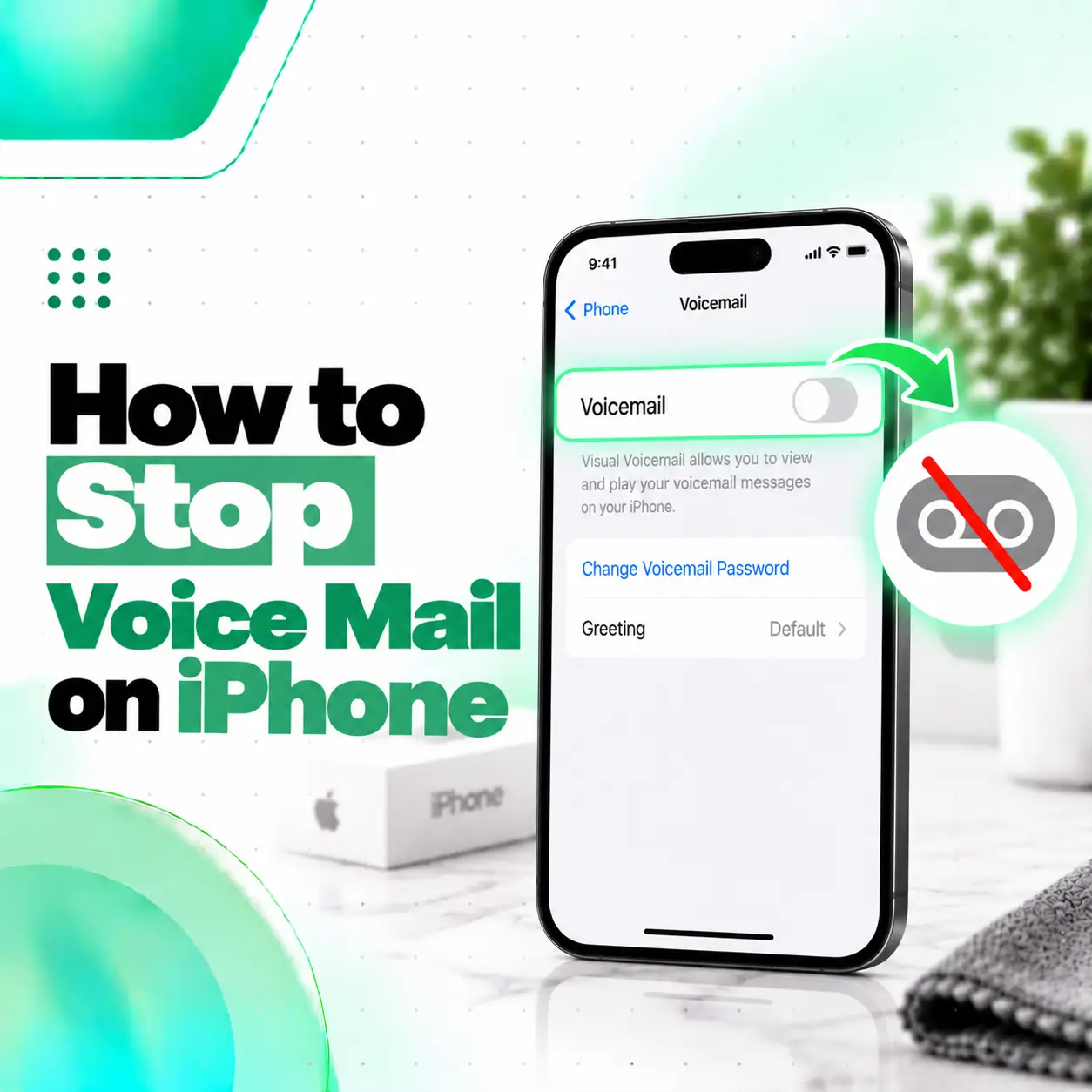
If you want to know how to stop voice mail on iPhone, first identify which type of voicemail you are trying to disable. An iPhone may use Apple’s Live Voicemail, voicemail provided by your mobile carrier, or both. These are not the same service.
Where Live Voicemail is available, you can control it from Settings > Apps > Phone > Live Voicemail. However, switching off Live Voicemail does not necessarily deactivate the voicemail service provided by your mobile network. Apple states that if an iPhone is switched off or outside the carrier’s network range, calls can still be sent to carrier voicemail if the carrier provides it.
This guide explains each option, what happens after you disable it, and what users in Bangladesh should know before changing carrier or call-forwarding settings.
Can You Completely Turn Off Voicemail on an iPhone?
Yes in some cases, but there is no universal iPhone switch that disables every type of voicemail on every mobile network.
You need to distinguish between:
- Live Voicemail, which is an iPhone feature
- Carrier voicemail, which is controlled by your mobile operator
- Visual Voicemail, which depends on carrier support
Turning off one does not automatically disable the others.
| Voicemail Type | Who Controls It? | Can iPhone Settings Disable It? |
| Live Voicemail | Apple/iPhone | Yes, where available |
| Carrier Voicemail | Mobile operator | Usually not completely |
| Visual Voicemail | Carrier + iPhone integration | Depends on carrier |
| Voicemail call forwarding | Carrier/network | Carrier-dependent |
Apple specifically notes that Voicemail, Visual Voicemail, and Live Voicemail availability varies by carrier, country, and region.
How to Turn Off Live Voicemail on iPhone
If your goal is to stop Apple’s Live Voicemail feature, turn it off from the Phone settings.
Steps to Turn Off Live Voicemail
- Open Settings.
- Scroll down and tap Apps.
- Tap Phone.
- Find Live Voicemail.
- Turn Live Voicemail off.
Apple’s current iPhone guide places the Live Voicemail setting under Settings > Apps > Phone.
Quick Path
Settings > Apps > Phone > Live Voicemail > Off
After disabling the feature, your iPhone should no longer provide Apple’s real-time voicemail transcription through Live Voicemail.
However, your mobile carrier may still send unanswered calls to its own voicemail service.
What Is Live Voicemail on iPhone?
Live Voicemail is an iPhone feature that can display a real-time transcription while someone is leaving a voicemail.
You can watch the transcription and choose to answer the call while the caller is still leaving the message.
Apple explains that the caller cannot hear you and you cannot hear the caller during Live Voicemail unless you choose to answer the call.
Turning off this feature affects Apple’s Live Voicemail experience, not necessarily your network operator’s voicemail system.
Why Do Calls Still Go to Voicemail After Turning Off Live Voicemail?
Calls may still go to voicemail because carrier voicemail operates separately from Live Voicemail.
Apple states that when an iPhone is switched off or outside the carrier network’s range, calls can be sent to carrier voicemail if that service is available.
Carrier voicemail may also handle calls when:
- You do not answer
- Your phone is switched off
- Your number is busy
- Your phone has no network coverage
- Conditional call forwarding is configured
Therefore, turning off Live Voicemail does not guarantee that callers will never reach a voicemail box.
How to Disable Carrier Voicemail on iPhone
Carrier voicemail generally needs to be disabled through your mobile network provider, not through a universal Apple setting.
The correct process may involve:
- Carrier customer service
- A carrier app
- A USSD code
- Call-forwarding settings
- An account-level service change
Because these methods vary between operators, avoid assuming that a code found online will work for every SIM.
Safest Method
Contact your carrier and ask:
“Please disable voicemail service on this number, including voicemail forwarding if it is enabled.”
This makes it clear that you want the network-level voicemail service disabled rather than simply hiding voicemail notifications.
How to Stop Voicemail on iPhone in Bangladesh
For iPhone users in Bangladesh, voicemail behavior depends largely on the mobile operator.
Apple’s current Asia-Pacific carrier feature page lists:
- Banglalink
- Grameenphone
- Robi
for Bangladesh. Its feature table does not currently list Visual Voicemail among the supported iPhone carrier features for these operators.
That does not necessarily mean a carrier cannot provide any voicemail-related service. It means you should confirm the exact voicemail configuration directly with your operator rather than following instructions intended for carriers in the United States, Canada, or another market.
For Grameenphone Users
Grameenphone publishes network call-forwarding controls, including separate forwarding rules for:
- No answer
- Busy
- Unreachable
- All calls
It also documents a code for cancelling all call forwarding.
However, do not cancel all call forwarding simply to stop voicemail unless you understand what other forwarding services are active.
Removing all forwarding can affect more than voicemail.
If you specifically want voicemail removed, confirming the service with Grameenphone customer support is safer.
For Robi Users
Robi currently provides customer support through its official support channels, including its call center and live support options.
If your Robi number continues sending unanswered calls to voicemail, ask customer service whether network voicemail or conditional forwarding is enabled on your line.
For Banglalink Users
Carrier-specific settings can vary by package and account configuration. If unanswered Banglalink calls are being forwarded to a voicemail-type service, confirm the active service through Banglalink’s current official customer-support channels rather than using a generic international voicemail code.
Should You Use ##002# to Disable Voicemail?
You may see websites recommending codes such as ##002# as a universal voicemail-disable method.
Be careful.
This type of GSM code can be associated with cancelling call forwarding, not specifically with turning off voicemail.
For example, Grameenphone’s official information identifies the equivalent call-forwarding cancellation function as cancelling all forms of call forwarding.
That means using it could interfere with other forwarding arrangements you intentionally use.
Better Approach
Before entering network codes:
- Check what forwarding rules are active.
- Confirm what your carrier uses for voicemail.
- Ask the carrier specifically how to disable voicemail.
- Avoid copying codes intended for another country’s carrier.
This reduces the risk of accidentally changing unrelated calling features.
How to Check Whether Call Forwarding Is Sending Calls to Voicemail
Carrier voicemail frequently relies on conditional call forwarding.
Different forwarding conditions can apply when your phone is:
- Busy
- Not answered
- Unreachable
- Completely forwarded to another number
If voicemail keeps receiving calls after you disable Live Voicemail, carrier forwarding is one of the settings worth checking.
The exact codes and menus depend on the network provider.
Do not assume that disabling all forwarding is necessary. The carrier may be able to remove only the voicemail-related forwarding rule.
What Happens After You Disable Voicemail?
What happens depends on which voicemail system you disabled.
If You Disable Live Voicemail
Your iPhone stops using the Live Voicemail feature where supported, but carrier voicemail may remain active.
If Your Carrier Disables Voicemail
Unanswered calls may:
- Keep ringing until the network ends the call
- Disconnect without accepting a message
- Follow another forwarding rule
The exact behavior depends on your carrier.
Your Normal Calling Still Works
Disabling voicemail does not normally mean disabling:
- Incoming calls
- Outgoing calls
- Mobile data
- SMS
- FaceTime
Voicemail is a separate calling feature.
How to Stop Unknown Calls Going Straight to Live Voicemail
If unknown numbers are going directly to Live Voicemail without ringing, check Silence Unknown Callers.
Apple notes that when Silence Unknown Callers is enabled, calls from unknown numbers can go directly to Live Voicemail without ringing first.
If you want unknown callers to ring normally, check the relevant Phone settings and determine whether Silence Unknown Callers is enabled.
Turning off Live Voicemail alone may not address the underlying call-screening preference.
Why Does My iPhone Go Straight to Voicemail?
If callers are being sent straight to voicemail when you actually want the phone to ring, disabling voicemail may not be the correct solution.
Possible causes include:
- Poor or unavailable cellular signal
- Focus mode settings
- Silence Unknown Callers
- Call forwarding
- Carrier network issues
- SIM or eSIM problems
- The phone being switched off
- Network registration problems
Check Cellular Signal
If your iPhone cannot connect properly to the mobile network, callers may be routed elsewhere by the carrier.
Check Focus Settings
Focus modes can silence incoming call alerts depending on your configuration.
Check:
Settings > Focus
Review active Focus modes and allowed callers.
Check Silence Unknown Callers
If calls from numbers outside your contacts behave differently, inspect the Phone app’s unknown-caller settings.
Check Carrier Settings
If all calls or unanswered calls consistently go to voicemail, carrier call forwarding may be involved.
How to Stop Voicemail Notifications Without Disabling Voicemail
If your real problem is the notification, you may not need to disable voicemail itself.
You might simply want to reduce alerts from the Phone app.
Check:
Settings > Notifications > Phone
Depending on your iOS version and settings, you can control how Phone notifications appear.
Be aware that reducing notifications does not delete messages or disable the voicemail service itself.
Can You Delete Voicemail Without Disabling It?
Yes.
If you only want to remove old voicemail messages, disabling the entire service is unnecessary.
Apple’s Phone app can display voicemail messages where supported, allowing you to review and delete them individually. Apple notes that Visual Voicemail presents voicemail messages as a list so users can choose which messages to play or delete.
Deleting messages and turning off voicemail are two different actions.
Is Visual Voicemail the Same as Live Voicemail?
No.
Although both involve voicemail, they perform different functions.
Visual Voicemail
Visual Voicemail presents voicemail messages in a list so you can select individual messages instead of calling a traditional voicemail inbox.
Live Voicemail
Live Voicemail can display a transcription while the caller is currently leaving the message.
Apple lists Voicemail, Visual Voicemail, and Live Voicemail as separate features whose availability may vary by country, region, and carrier.
Can You Remove the Voicemail Button From the Phone App?
Generally, turning off carrier voicemail does not necessarily remove every voicemail-related interface element from the Phone app.
The Phone app is part of iOS, and its interface may still include voicemail-related controls depending on:
- iOS version
- Phone app layout
- Region
- Carrier configuration
- Available voicemail features
The more important question is whether incoming calls can actually leave messages, not whether a voicemail tab or icon remains visible.
Why Is the Live Voicemail Setting Missing?
Live Voicemail is not available in every country, region, language, or carrier configuration.
Apple explicitly states that Live Voicemail availability varies geographically.
If you cannot find:
Settings > Apps > Phone > Live Voicemail
possible explanations include:
- The feature is unavailable in your region
- Your current configuration does not support it
- Your iOS version or interface differs
- You are using carrier voicemail rather than Live Voicemail
In that case, the voicemail behavior you are seeing may be primarily carrier-controlled.
Does Turning Off Live Voicemail Delete Existing Messages?
Turning off Live Voicemail should not be treated as a method for deleting existing voicemail messages.
Feature settings and stored voicemail are separate issues.
If you want old messages removed:
- Open the Phone app.
- Open the voicemail area available on your device.
- Select the message.
- Delete it if that option is available.
If messages are stored through your carrier, retention and deletion behavior may depend on the carrier.
Do You Need iPhone Repair to Stop Voicemail?
Usually, no.
Voicemail is primarily a software, network, or carrier-service feature. Turning it off generally does not require hardware repair.
Start by checking:
- Live Voicemail settings
- Call forwarding
- Silence Unknown Callers
- Focus modes
- Carrier voicemail settings
- Your mobile operator’s customer support
A repair service becomes relevant only when a hardware problem is affecting calls themselves.
For example, professional inspection may be appropriate if your iPhone has:
- Persistent No Service errors
- SIM or eSIM hardware-related problems
- Damage after a drop
- Liquid damage
- Microphone or speaker failure
- Cellular connectivity problems affecting normal calls
In those situations, iCareFix can inspect the device to determine whether the problem is actually hardware-related rather than a voicemail configuration issue.
Frequently Asked Questions
1. How do I stop voicemail on my iPhone?
First turn off Live Voicemail from Settings > Apps > Phone > Live Voicemail if that feature is available. If callers can still leave messages, your carrier’s voicemail service is probably active separately. Contact the carrier and request that voicemail or the related voicemail forwarding be disabled.
2. Can I completely disable voicemail using only iPhone settings?
Not always. iPhone settings can control Apple’s Live Voicemail where supported, but traditional carrier voicemail is managed by your mobile network. Therefore, switching off Live Voicemail may not prevent unanswered calls from reaching the carrier’s voicemail box. Carrier support may be required to completely deactivate the network-level service.
3. Why are calls still going to voicemail after I turned off Live Voicemail?
Live Voicemail and carrier voicemail are separate systems. Apple states that calls can still be sent to carrier voicemail when the iPhone is switched off or outside network coverage if the carrier provides voicemail. Conditional call forwarding may also send unanswered or busy calls to a carrier voicemail system.
4. Should I dial ##002# to turn off voicemail?
Do not use it blindly. Codes of this type can cancel call-forwarding settings rather than specifically disabling voicemail. Grameenphone, for example, documents a network command for cancelling all forwarding conditions. Removing all forwarding could affect other services, so confirm the correct voicemail-deactivation method with your mobile operator first.
5. Why can’t I find Live Voicemail in my iPhone settings?
Live Voicemail is not available in every country, region, language, or carrier configuration. Apple explicitly notes these availability limitations. If the setting is missing, your calls may be using traditional carrier voicemail instead. Contact your mobile operator if you need to disable the network-level voicemail service.
6. Will turning off voicemail stop normal calls from coming through?
Normally, no. Voicemail handles unanswered or redirected calls rather than disabling incoming calling itself. If your carrier completely disables voicemail, unanswered callers may simply hear ringing, a network message, or disconnection depending on the operator. Normal incoming and outgoing calling should otherwise continue unless separate call settings are changed.
7. Why does my iPhone send unknown callers straight to voicemail?
One possible reason is Silence Unknown Callers. Apple states that when this feature is enabled, unknown callers can be sent directly to Live Voicemail without the iPhone ringing normally. Review your Phone settings if you want unknown numbers to ring instead of being screened or redirected.
Conclusion
Learning how to stop voice mail on iPhone starts with identifying whether you are dealing with Apple’s Live Voicemail or voicemail provided by your mobile carrier.
If Live Voicemail is available, check:
Settings > Apps > Phone > Live Voicemail
and switch it off.
If callers can still leave voicemail afterward, the service is probably controlled by your mobile operator. In that situation, contact the carrier rather than experimenting with random forwarding or USSD codes, because those codes can alter unrelated call-routing settings.
For users in Bangladesh, voicemail support and network behavior can differ between operators, so current carrier guidance should take priority over instructions written for overseas networks. If calls are being redirected because of a genuine cellular, SIM/eSIM, or hardware problem rather than a service setting, iCareFix can inspect the iPhone and recommend the appropriate next step.