




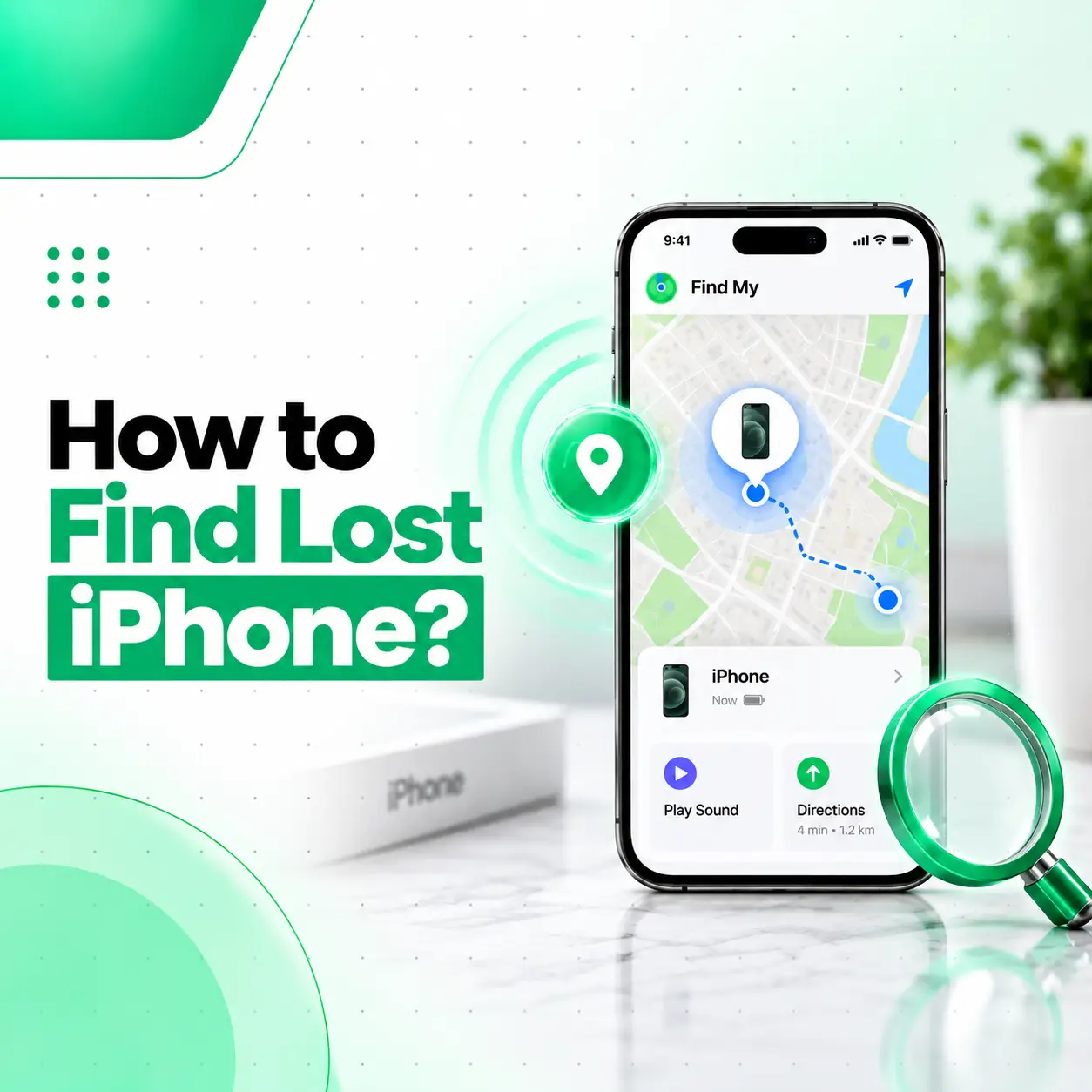
If your iPhone has disappeared, act quickly rather than immediately assuming it has been stolen. The first thing to do is check Apple’s Find My service, which can show the device’s current or last known location and provide options such as playing a sound or marking the iPhone as lost.
If you cannot immediately recover the phone, securing your personal information becomes equally important. You may need to enable Lost Mode, contact your mobile carrier, report the loss when appropriate, and avoid sharing your passcode or verification codes with anyone claiming to have found the device.
This guide explains how to find a lost iPhone, what to do when it is offline, how Lost Mode works, what information you should have available, and when professional assistance may help.
What Should You Do First When Your iPhone Is Lost?
The quickest first step is to use Find My from another Apple device or through Apple’s supported Find My web access.
If the iPhone appears on the map:
- Check its displayed location.
- If it appears nearby, use Play Sound when available.
- If you cannot safely retrieve it immediately, enable Lost Mode.
- Do not share your device passcode or Apple Account verification codes with anyone who contacts you.
If the location suggests the iPhone may be somewhere unfamiliar or potentially unsafe, do not put yourself at risk trying to recover it.
How to Find a Lost iPhone Using Find My
Apple’s Find My system is the primary tool for locating a lost iPhone.
Use Another Apple Device
If you have another Apple device signed in to your Apple Account, open the Find My app.
Then:
- Open Find My.
- Select the Devices section.
- Choose your missing iPhone.
- Review the location shown on the map.
- Select an available action, such as Play Sound or Mark As Lost.
The available options can depend on the iPhone’s connection, power state, and Find My configuration.
Use Find My From Another Device
If you do not have another Apple device available, Apple’s web-based Find My access can be used from a suitable browser.
Sign in using the Apple Account associated with the missing iPhone and select the device to check its available location and security options.
What If the Lost iPhone Is Nearby?
If Find My shows that the iPhone is close to you, Play Sound can help you locate it.
This can be particularly useful when the iPhone is:
- Under furniture
- Inside a bag
- In another room
- Left in a vehicle
- Buried under clothing
- Somewhere nearby but out of sight
If you find it, unlock the device and confirm that everything is functioning normally.
What Is Lost Mode on iPhone?
Lost Mode is a Find My feature designed to help protect a missing device.
When you mark an iPhone as lost, you can provide contact information that may allow someone who finds the device to reach you.
Lost Mode can also help protect access to the device by requiring the existing passcode.
What Happens When You Mark an iPhone as Lost?
Depending on the device’s state and available connectivity, Lost Mode can:
- Lock the iPhone
- Display a message and contact information
- Help protect your personal information
- Allow you to monitor available location information
- Suspend certain payment-related functionality associated with Apple Pay
If you believe the iPhone is stolen, Lost Mode should generally be considered before taking more drastic actions.
Can You Find an iPhone If It Is Offline?
Sometimes, yes. Apple’s Find My network can help locate supported devices even when they are not connected to the internet, provided the relevant Find My features were enabled beforehand and the device meets the required conditions.
The location information you see may not always represent the phone’s exact current position. It could instead represent a recent or last known location.
What If the iPhone Is Turned Off?
A compatible iPhone may still provide location information through Apple’s Find My network for a period after it has been turned off, depending on the model and configuration.
However, you should not assume that an iPhone can always be located after being powered off.
If the device cannot provide a new location, Find My may show its last known location instead.
What If Find My Shows an Unknown or Old Location?
An old location does not necessarily mean the iPhone is still there.
The displayed location may represent:
- Its last reported location
- A location obtained before the battery ran out
- A location from the Find My network
- A location that has not yet updated
Refresh the device information when possible and pay attention to the time associated with the location.
If the phone moves to another location, avoid confronting anyone yourself. Consider contacting the appropriate authorities if you believe it has been stolen.
Can You Find a Lost iPhone Without Find My Enabled?
Finding a lost iPhone is significantly more difficult if Find My was not enabled before the device went missing.
There is no legitimate method that allows you to simply enter an iPhone’s serial number or IMEI into a public service and obtain its live location.
If Find My was not available, focus on protecting your accounts and personal information.
You can also contact your carrier about the lost device and consider reporting the loss if appropriate.
Can You Track a Lost iPhone Using Its IMEI Number?
An IMEI number is an identifier for a mobile device; it is not a public GPS tracking tool.
You should be cautious of websites or individuals claiming that they can provide a live iPhone location simply from an IMEI number.
Your IMEI can still be useful when reporting a lost or stolen phone to a carrier or authorities, depending on local procedures.
Where Can You Find Your iPhone’s IMEI?
If you recorded the IMEI before losing the phone, you may find it in places such as:
- The original device packaging
- Your purchase documentation
- Your Apple Account device information
- Previously saved device records
Keeping this information somewhere secure can be useful if your phone is lost or stolen.
What Should You Do If You Think Your iPhone Was Stolen?
If you believe someone deliberately took your iPhone, prioritize your safety and personal information.
1. Mark the iPhone as Lost
Use Find My to activate Lost Mode as soon as possible.
2. Do Not Confront the Person
If Find My displays an unfamiliar location, do not attempt to recover the phone by confronting someone yourself.
3. Contact Your Mobile Carrier
Tell your carrier that the device has been lost or stolen. They can explain available options for your mobile service and SIM or eSIM.
4. Report the Theft When Appropriate
Depending on the circumstances and local procedures, you may report the incident to the relevant authorities.
Your IMEI and other device information may be useful for the report.
5. Protect Important Accounts
If you have concerns about account access, review your Apple Account and other important accounts from a trusted device.
Be particularly careful about unexpected password-reset messages or requests for verification codes.
Be Careful of “Your iPhone Has Been Found” Scams
People who steal or find phones may sometimes attempt to trick owners into revealing sensitive information.
Be suspicious of messages that ask you to:
- Enter your Apple Account password on an unfamiliar website
- Provide a verification code
- Remove the iPhone from Find My
- Share your device passcode
- Click an unexpected tracking link
- Confirm personal information through an unknown sender
Never provide your Apple Account password or verification codes simply because someone claims to have found your iPhone.
If you receive a message about your missing device, independently verify the information through Apple’s official services rather than trusting the link or instructions in the message.
Should You Erase a Lost iPhone Remotely?
Remote erasure is an important security option, but it should not necessarily be your first action.
If you still hope to locate and recover the iPhone, consider using Mark As Lost first.
Remote erasure becomes more relevant when protecting the information stored on the device is more important than recovering the phone.
Before erasing it, understand that remote erasure can affect your ability to locate the device afterward.
Lost Mode vs Remote Erase
| Feature | Lost Mode | Remote Erase |
| Locks the device | Yes | Device is erased |
| Helps with recovery | Yes | Recovery becomes more limited |
| Protects personal data | Yes | Removes data from the device |
| Should be considered early | Yes | Usually a later security decision |
The exact behavior can depend on the iPhone’s state and connectivity.
What Happens to Activation Lock After You Lose an iPhone?
Activation Lock is a security feature associated with Find My that helps prevent someone else from activating and using a protected iPhone.
If you lose your iPhone, keeping it associated with your Apple Account is important for maintaining these protections.
If you erase the device, be careful not to remove it from Find My simply because someone claims that doing so will help you recover it.
Removing the device from your account can weaken or remove important ownership protections.
What If You Find Your Lost iPhone After Marking It as Lost?
If you recover your iPhone, unlock it using your normal device passcode and verify that the device and your important accounts are secure.
You can then follow the appropriate Find My options to stop Lost Mode.
If you had contacted your carrier or reported the device as stolen, update them as appropriate.
How Can You Prevent Losing Your iPhone Again?
A few simple habits can make future recovery easier.
Keep Find My Enabled
Check that Find My is enabled while you still have access to the device.
Enable Find My Network
Where supported, keeping the Find My network feature enabled can improve the chances of locating a compatible device when it is offline.
Keep Your Contact Information Accessible
Having appropriate recovery information associated with your device can help someone who finds it contact you.
Record Your IMEI
Keep a secure record of the iPhone’s IMEI and purchase information.
This information can be useful for carrier or loss reports.
Use a Strong Device Passcode
A strong passcode adds another layer of protection if the physical device is lost.
Can a Repair Shop Help Find a Lost iPhone?
A repair shop generally cannot remotely locate a lost iPhone just because you provide its model or IMEI number.
Location and security features are primarily controlled through Apple’s device and account systems.
However, a professional repair service may help after you recover the device if it has been physically damaged.
For example, a recovered iPhone may have:
- A cracked display
- Damaged charging hardware
- Water damage
- Battery problems
- Camera damage
- Speaker or microphone issues
If the device has physical damage after being recovered, professional inspection can determine whether repair is appropriate.
For customers in Bangladesh, iCareFix can assess a recovered iPhone for physical faults and explain available repair options.
Frequently Asked Questions
1. How do I find my lost iPhone?
Use Apple’s Find My service from another Apple device or supported web access. Select the missing iPhone to view its available location and actions such as Play Sound or Mark As Lost. If the device is nearby, Play Sound may help you locate it. If you suspect theft, prioritize Lost Mode and personal safety.
2. Can I find my iPhone if it is offline?
Potentially, yes. Supported iPhones can use Apple’s Find My network to help report their location even when they are not connected to the internet, provided the relevant features were enabled beforehand. However, location updates are not guaranteed, and Find My may instead show a previous or last known location.
3. Can I track a lost iPhone using its IMEI number?
No, an IMEI is primarily a device identifier rather than a public location-tracking system. Be cautious of websites claiming they can provide a live location simply from an IMEI. The IMEI can still be useful when communicating with your mobile carrier or making an appropriate loss or theft report.
4. What should I do if someone has my lost iPhone?
If you believe the iPhone was stolen, mark it as lost using Find My and avoid confronting the person yourself. Contact your carrier and, where appropriate, report the incident to authorities. Never share your device passcode, Apple Account password, or verification codes with someone claiming they can return the phone.
5. Can I find an iPhone after it has been turned off?
A supported iPhone may remain findable through Apple’s Find My network for a period after being powered off, depending on the model and configuration. However, this is not guaranteed. If no new location can be obtained, Find My may display the last available location instead.
6. Should I erase my lost iPhone remotely?
Remote erasure can protect personal information when recovery is no longer the priority. However, consider using Mark As Lost first if you still want to locate the device. Remote erasure can affect your ability to locate it afterward, so the decision should be made carefully based on the circumstances.
7. What should I do if I recover a damaged lost iPhone?
Do not continue using a device that has significant physical or liquid damage without checking its condition. If the recovered iPhone has a cracked screen, charging problem, battery issue, water damage, or other hardware fault, a professional inspection can identify the affected component and determine whether repair is appropriate.
Conclusion
When learning how to find a lost iPhone, the most important tool is Apple’s Find My system. Check the device’s location, use Play Sound when appropriate, and activate Lost Mode if you cannot immediately recover it. If the phone appears to have been stolen, prioritize your safety rather than attempting to retrieve it yourself.
Also be cautious of messages claiming that your iPhone has been found. Never give anyone your Apple Account password, device passcode, or verification codes.
If you recover the iPhone and discover that it has suffered screen, battery, charging, water, or other physical damage, iCareFix can inspect the device and explain the appropriate professional repair options in Bangladesh.