




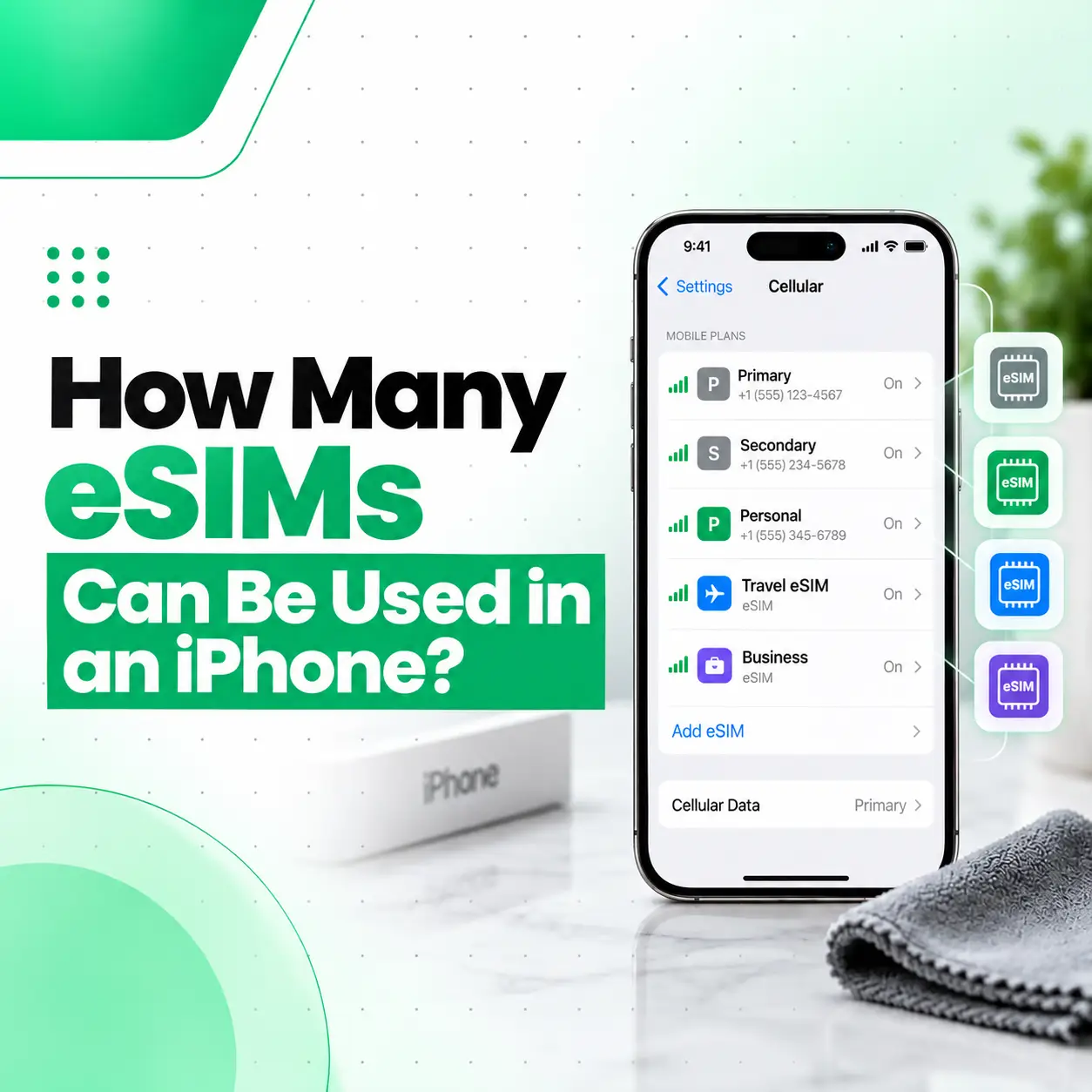
Most compatible iPhones can have two active eSIMs at the same time, but the number of eSIM profiles they can store depends on the model. Some models can store eight or more eSIMs, while other models or regional variants have different limits.
Apple Support (BY)
+1
An eSIM is a digital SIM that lets you activate a mobile plan without inserting a physical SIM card. It can be useful if you want separate personal and business numbers or need a different plan when travelling. However, storing several eSIM profiles does not mean that all those numbers can be active simultaneously.
If you’re using an iPhone in Bangladesh, check your exact model, regional variant and mobile operator’s eSIM support before activating a plan. This guide explains the difference between stored and active eSIMs and how to check compatibility.
How Many eSIMs Can You Use on an iPhone at Once?
A compatible iPhone can generally use two active eSIMs simultaneously. The number of eSIM profiles you can store for later use may be higher and varies by model.
Apple Support (BY)
+1
There are two important terms to understand:
- Stored eSIMs: Profiles saved on your iPhone that can be selected or activated when needed.
- Active eSIMs: Cellular lines currently enabled for calls, messages and cellular service.
For example, you might store eSIM profiles for your regular number, work number and travel plan. You can keep profiles for future use, but a compatible iPhone generally supports only two active cellular lines at once.
How Many eSIM Profiles Can Different iPhones Store?
The exact limit depends on the model. Apple’s current iPhone Air specifications, for example, state that it supports two active eSIMs and stores eight or more eSIMs. That figure should not be assumed for every iPhone.
Apple Support (BN)
| iPhone capability | What it means |
| Two active eSIMs | Two cellular lines can be enabled at the same time on supported models. |
| Multiple stored eSIMs | You can save profiles for plans you may want to use later. |
| One physical SIM + one eSIM | Supported by compatible models that have a SIM tray and eSIM functionality. |
| Two physical SIMs | Available only on specific regional iPhone variants. |
Remember: The maximum number of stored eSIMs is different from the maximum number of active lines. Check Apple’s specifications for your exact model rather than relying on a general limit.
What Is an eSIM on an iPhone?
An eSIM is a digital SIM built into a compatible device. Instead of inserting a removable nano-SIM card, you activate a cellular plan using a supported process provided by your mobile operator.
An eSIM can help you:
- Keep a personal number and a work number on one iPhone.
- Add a compatible travel plan.
- Switch between stored plans when needed.
- Avoid swapping physical SIM cards when using supported digital plans.
The exact activation process depends on the iPhone, iOS version and carrier. Not every operator or regional model supports every eSIM feature.
Apple Support (SG)
+1
What Is the Difference Between an eSIM and a Physical SIM?
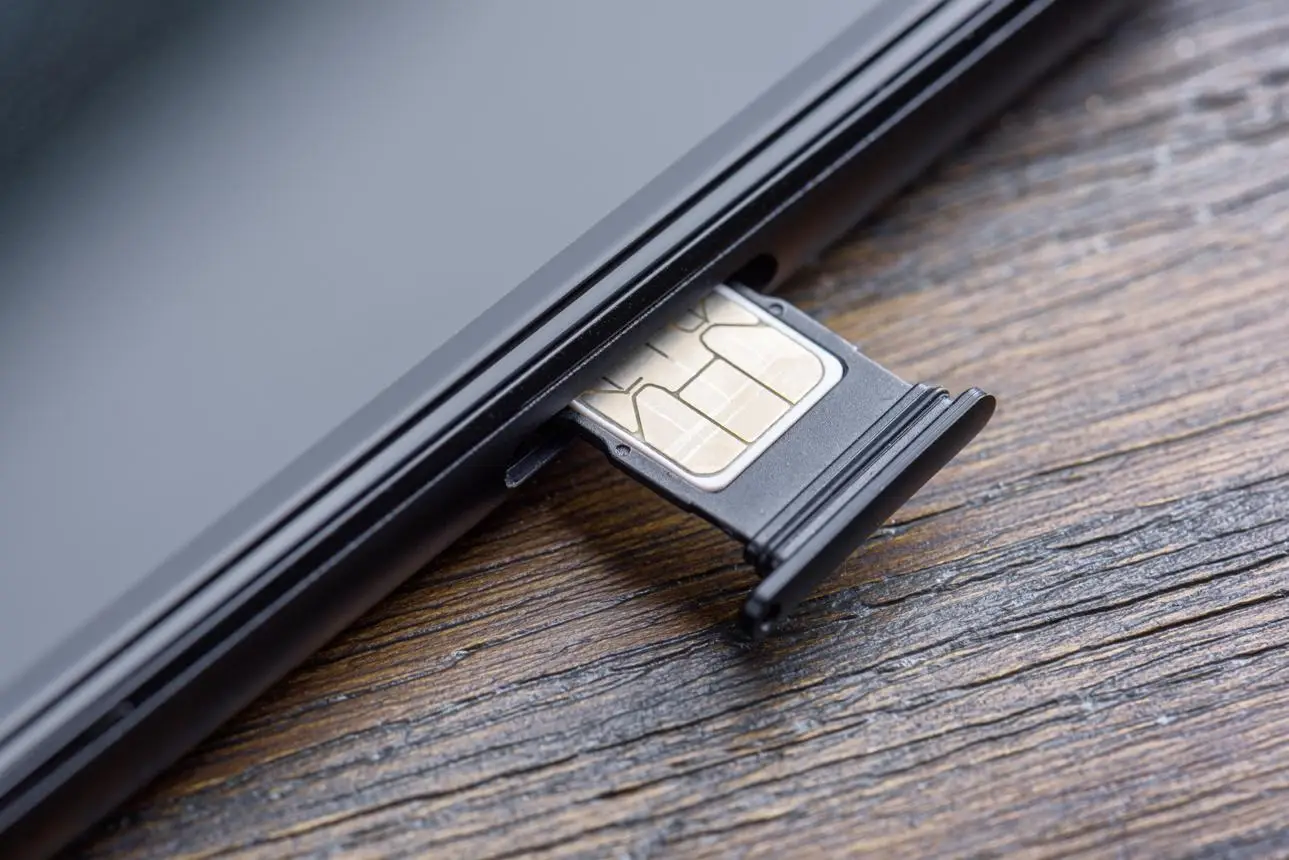
Physical SIM
A removable nano-SIM card inserted into a compatible iPhone’s SIM tray. The phone must have a physical SIM slot to use this type of card.
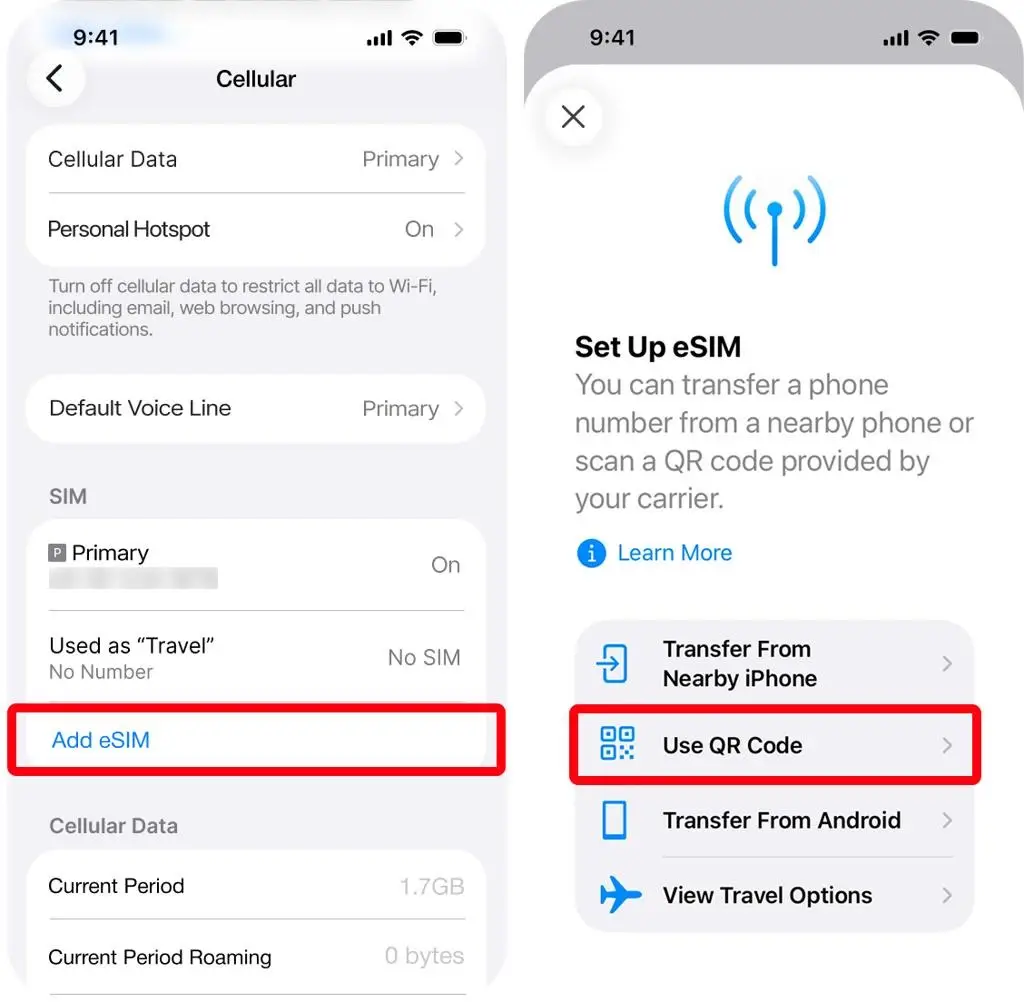
eSIM
A digital SIM profile activated on a compatible iPhone. It does not require a removable card, but the device and mobile operator must support eSIM service.
Which iPhones Support Two Active eSIMs?
Apple’s Dual SIM guidance lists iPhone 13 and later, along with the iPhone SE (3rd generation), as supporting two eSIMs. Regional availability and specific model capabilities can differ, so verify the exact device before activating a plan.
Apple Support (BY)
Does Every iPhone Support eSIM?
No. eSIM support depends on the iPhone model and the region where it was sold. Some models use a physical SIM and an eSIM, while others are eSIM-only. Certain regional variants also have different SIM arrangements.
Before purchasing an iPhone, check:
- The exact model name and model number.
- Whether it supports eSIM.
- Whether it has a physical SIM tray.
- Whether your operator supports the eSIM plan you want to activate.
- Whether the phone is unlocked if you plan to use different operators.
Apple’s official Dual SIM and eSIM guidance provides additional details on supported configurations.
Apple Support (SG)
+1
Can You Use an eSIM and a Physical SIM Together?
Yes. Compatible iPhones with a physical SIM tray can use one physical SIM and one eSIM as two active cellular lines. Newer supported models may also offer two active eSIMs, so you do not necessarily need a physical SIM to use two numbers.
Apple Support (BY)
For example, you could keep your regular number on a physical SIM and activate a work number through an eSIM. Alternatively, you could use two eSIM plans if your model and carrier support that setup.
Using two different mobile operators generally requires an unlocked iPhone. If the phone is locked to one carrier, check the carrier’s unlocking policy before purchasing a second plan.
Apple Support (SG)
Does iPhone eSIM Work in Bangladesh?
eSIM availability depends on both your iPhone and your mobile operator. Before relying on an eSIM in Bangladesh, confirm that your carrier supports eSIM activation for your specific device and plan.
Use this checklist:
- Check the model: Some imported iPhones have different SIM configurations.
- Check eSIM support: Confirm the device supports eSIM in its sales region.
- Contact your operator: Ask about eSIM eligibility, activation and plan requirements.
- Check carrier lock status: A locked device may restrict use with another operator.
- Confirm network compatibility: Ensure the device supports the network services you need.
Do not assume that an iPhone supports eSIM simply because it is a recent model. Apple’s guidance notes that eSIM availability varies by country or region and that a compatible wireless carrier is required.
Apple Support (BY)
+1
How to Check Whether Your iPhone Supports eSIM
You can check your iPhone’s model information and cellular settings before contacting your operator.
Step 1: Find Your iPhone Model
- Open Settings.
- Tap General.
- Tap About.
- Find the model name and model number.
Use this information to check the SIM features listed for your exact model and region.
Step 2: Check Cellular Settings
- Open Settings.
- Select Cellular, Mobile Data or Mobile Service, depending on your iOS version and region.
- Look for an option such as Add eSIM or Add Cellular Plan.
The wording varies across iOS versions and regions. Seeing an eSIM option does not by itself confirm that your mobile operator will activate the plan.
Step 3: Confirm With Your Mobile Operator
Ask your operator whether your iPhone model can activate an eSIM on your intended plan. If you want to use two numbers from different operators, also check that your device is unlocked.
Do not delete an existing eSIM profile simply to test compatibility. If you are unsure how to manage a profile, contact your operator first.
Can Two Active eSIMs Use Mobile Data at the Same Time?
No. Although a compatible iPhone can have two active cellular lines, it uses one cellular data network at a time. You can choose which line handles mobile data in your iPhone settings.
Apple Support (SG)
+1
Both lines can support calls and messages, subject to network coverage, carrier support and the phone’s settings. Availability during an ongoing call can depend on the carrier and features such as Wi-Fi Calling.
What Should You Check Before Activating Multiple eSIMs?
Before activating a second eSIM or keeping several profiles on your iPhone, confirm the following:
- The phone supports two active cellular lines.
- Your mobile operator supports the plan and activation method.
- You know which line is set as the default for calls and messages.
- You have selected the intended line for cellular data.
- You understand any charges, roaming fees or plan conditions.
- You know how to reactivate a stored plan if you switch lines.
These checks help you avoid confusion between saved eSIM profiles and active phone numbers.
Frequently Asked Questions
1. How many eSIMs can be used in an iPhone at once?
A compatible iPhone can generally use two active eSIMs simultaneously. This lets you use two cellular lines on one device, provided the model and mobile operator support the configuration. The number of eSIM profiles you can store for later use varies by iPhone model.
Apple Support (BY)
+1
2. How many eSIMs can an iPhone store?
The storage limit depends on the model. Apple’s iPhone Air specifications state that it can store eight or more eSIMs while supporting two active eSIMs. Do not assume this storage capacity applies to every iPhone; check the official specifications for your exact model.
Apple Support (BN)
3. Can I use two eSIMs and one physical SIM on an iPhone?
You should not assume that an iPhone can use three cellular lines simultaneously. Standard Dual SIM functionality supports two active lines. The availability of physical SIM and eSIM combinations depends on the model and region, so check the specifications for your exact device.
Apple Support (BY)
4. Which iPhones support two active eSIMs?
Apple lists the iPhone 13 series and later, as well as the iPhone SE (3rd generation), among models that support two eSIMs. However, regional variations can affect eSIM availability. Verify your exact model before buying or activating an eSIM plan.
Apple Support (BY)
5. Can I use two different mobile operators with eSIMs?
Yes, if your iPhone supports the required configuration and is unlocked for use with different carriers. Both operators must support the relevant eSIM plans. If your device is carrier-locked, contact the carrier to understand your options before activating a second operator’s plan.
Apple Support (SG)
6. Does eSIM work on every iPhone in Bangladesh?
No. eSIM support depends on the iPhone’s model and regional version, as well as the operator’s supported plans. If you purchased an imported iPhone, check its exact model and contact your mobile operator to confirm activation eligibility in Bangladesh before relying on eSIM service.
7. Can I switch between stored eSIMs on my iPhone?
You can manage stored eSIM profiles and select a supported line when needed. However, switching between profiles and activating a new plan are not always the same process. Check your carrier’s instructions before deleting a profile, because you may need the operator’s help to activate it again.
Conclusion
A compatible iPhone can generally use two active eSIMs at the same time, while its capacity for storing additional eSIM profiles varies by model. This distinction is important if you want separate personal and business numbers or plan to use a travel eSIM.
Before activating an eSIM in Bangladesh, verify your iPhone’s exact model, regional compatibility and operator support. If you experience cellular connectivity problems or need help identifying your device model, iCareFix can assess your iPhone and recommend an appropriate next step.