




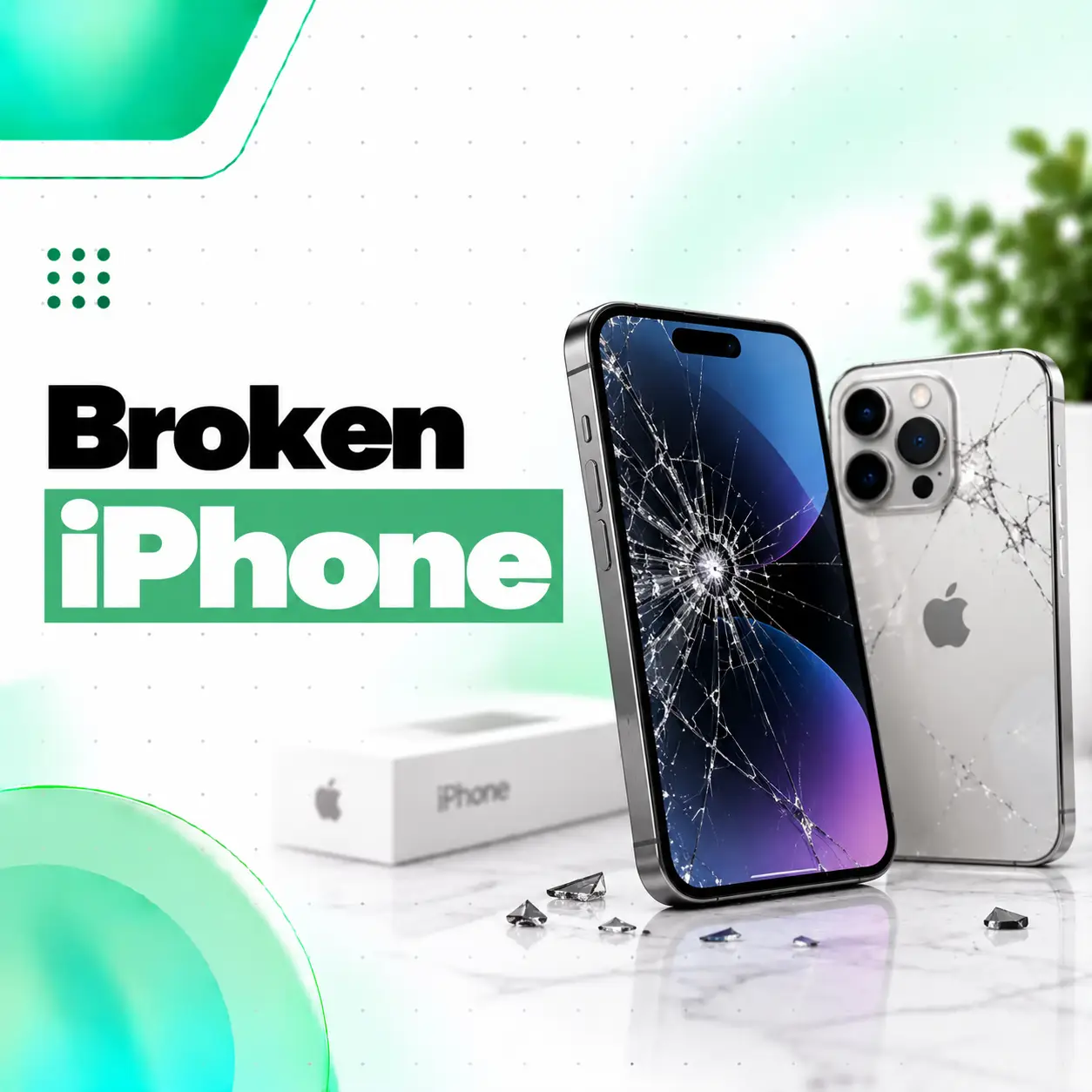
A broken iPhone does not always mean the device is beyond repair. Damage can range from cracked front glass and a malfunctioning display to charging problems, broken cameras, back-glass damage, liquid exposure, battery issues, or internal component failure.
What you should do next depends on what was damaged, whether the phone still works, and whether continuing to use it could cause additional problems.
Start by checking for obvious physical damage, back up your data if the phone remains usable, and avoid charging or repeatedly testing a device that appears swollen, severely damaged, or wet. Apple also recommends backing up an iPhone before service whenever possible because a backup protects your information if the device needs replacement or its data is erased during service.
This guide explains common types of iPhone damage, safe first steps, repair options, cost factors in Bangladesh, and when professional diagnosis from a repair provider such as iCareFix may be appropriate.
What Does a Broken iPhone Mean?
A broken iPhone can refer to physical, electrical, software-related, or internal hardware damage that prevents the phone from functioning normally.
The phone does not need to be completely dead to be considered damaged.
Common examples include:
- Cracked front glass
- Broken or unresponsive display
- Green or vertical screen lines
- Black screen
- Damaged back glass
- Battery problems
- Charging failure
- Broken camera lens
- Face ID problems
- Speaker or microphone failure
- Liquid damage
- Bent frame
- Broken buttons
- Internal motherboard or logic-board faults
Some damage is mainly cosmetic, while other problems can affect usability, safety, or data access.
What Should You Do Immediately If Your iPhone Is Broken?
If your iPhone has just been damaged, stop and assess its condition before continuing to use or charge it.
Follow these steps.
1. Check for Serious Physical Damage
Look for:
- Cracked or shattered glass
- A bent frame
- Screen separation
- Exposed internal components
- Severe camera damage
- Signs of battery swelling
- Liquid inside or around the device
If the phone appears severely damaged, avoid squeezing, bending, or applying pressure to it.
2. Check Whether the iPhone Still Works
If it appears safe, check basic functions:
- Does it power on?
- Does the screen display normally?
- Does touch work?
- Can it charge?
- Do the cameras work?
- Can it connect to Wi-Fi or cellular networks?
- Can you hear sound?
- Does Face ID work?
Do not repeatedly force a damaged phone to operate if it becomes unusually hot or shows signs of battery damage.
3. Back Up Your Data
If the phone remains usable, create a backup as soon as practical.
Apple supports backing up an iPhone through iCloud or a computer. A backup provides a copy of important information that can be restored if the damaged phone eventually needs replacement.
For an iCloud backup:
Settings > Your Name > iCloud > iCloud Backup > Back Up Now
Stay connected to Wi-Fi while the backup completes.
4. Avoid DIY Disassembly
Opening an iPhone without the correct tools and experience can create additional problems.
You may damage:
- Display flex cables
- Battery
- Cameras
- Face ID components
- Internal connectors
- Adhesive seals
- Logic-board components
Basic troubleshooting is reasonable. Internal repair is a different matter.
What Are the Most Common Types of Broken iPhone Damage?
Different types of damage require different repair approaches.
| Damage | Common Symptoms | Possible Repair |
| Cracked front glass | Visible cracks but phone may work | Screen/glass repair depending on damage |
| Broken display | Lines, black areas, flickering | Display replacement or diagnosis |
| Touch failure | Taps or swipes not recognized | Display diagnosis/replacement |
| Back glass damage | Cracked rear surface | Back-glass or housing repair |
| Battery problem | Swelling, shutdowns, poor runtime | Battery inspection/replacement |
| Charging issue | Cable not detected or intermittent charging | Port cleaning, repair or replacement |
| Camera damage | Blurry image, shaking, black camera | Camera/lens inspection |
| Liquid damage | Random faults, no power, corrosion | Internal diagnosis and cleaning/repair |
| Bent frame | Screen separation or alignment issues | Housing/frame assessment |
| Logic-board issue | No power or multiple failures | Board-level diagnosis |
A technician should identify the underlying fault before recommending replacement parts.
What Should You Do With a Broken iPhone Screen?
If the screen is cracked but still working, back up your data and avoid further pressure or exposure to moisture.
A cracked screen can have different levels of damage.
Cracked Glass but Display Still Works
You may still have:
- Normal image quality
- Working touch
- Normal brightness
- No lines or black spots
Even then, broken glass can continue spreading and may expose the display to additional damage.
Cracked Screen With Display Damage
More serious symptoms include:
- Black areas
- Green lines
- White lines
- Flickering
- Color distortion
- No visible image
- Touch failure
- Ghost touch
These symptoms suggest that damage may extend beyond the outer glass.
Should You Keep Using a Cracked iPhone?
Minor cracks may not stop the phone from working immediately, but continued use carries risks.
Broken glass can:
- Become sharper
- Spread further
- Allow contaminants into damaged areas
- Make touch operation unreliable
- Increase the chance of further OLED/display damage
If the display starts separating from the frame, stop pressing it back into place and arrange an inspection.
Can a Broken iPhone Screen Be Repaired?
Yes, many broken iPhone screens can be repaired or replaced. The appropriate method depends on whether only the outer glass is damaged or whether the display and touch layers are also affected.
Glass-Only Damage
Specialized refurbishment may sometimes be possible when:
- The display image is perfect
- Touch works everywhere
- There are no lines
- There are no black spots
- The OLED/LCD panel is undamaged
Not every cracked display qualifies for glass-only refurbishment.
Complete Display Damage
A full display replacement is more likely when the phone has:
- OLED or LCD failure
- Severe touch problems
- Black spots
- Permanent lines
- No image
- Major physical damage
Diagnosis should come before replacement.
What If Your iPhone Screen Is Broken but the Phone Still Works?
If the iPhone still functions, prioritize data backup and preventing additional damage.
You should:
- Back up important data.
- Avoid moisture.
- Avoid pressing on damaged areas.
- Do not peel off loose screen layers.
- Keep the device away from children if sharp glass is exposed.
- Arrange repair before the damage spreads.
If touch begins operating on its own or important parts of the screen stop responding, discontinue unnecessary use.
What If Your Broken iPhone Will Not Turn On?
An iPhone that does not power on after being dropped may have a display, battery, connector, charging, or internal hardware problem.
A black screen does not always mean that the entire phone is dead.
Check whether you notice:
- Vibration
- Notification sounds
- Incoming calls
- Charging sounds
- Computer recognition
If the phone makes sounds but shows no picture, the display may be the primary problem.
If there is no response at all, the battery, charging system, internal connections, or logic board may need diagnosis.
Avoid repeatedly charging a device that is physically deformed or showing battery-related damage.
What Should You Do If Your iPhone Is Broken After a Drop?
A drop can cause visible and hidden damage.
After a significant impact, inspect:
- Screen
- Back glass
- Frame
- Cameras
- Camera lenses
- Buttons
- Charging port
- Speakers
- Microphones
- Face ID
- Wireless connectivity
- Battery behavior
Some internal problems may appear later rather than immediately.
For example, a phone may initially work after a drop and later develop screen lines, touch instability, camera shaking, intermittent charging, or unexpected shutdowns.
What Should You Do With a Water-Damaged iPhone?
If your broken iPhone has been exposed to liquid, avoid unnecessarily powering or charging it while moisture may still be present.
Liquid exposure can affect:
- Connectors
- Charging components
- Display circuitry
- Cameras
- Battery connections
- Logic-board components
Apple states that iPhones include Liquid Contact Indicators on applicable models to help identify contact with water or water-containing liquid. Apple also notes that liquid damage is not covered by its standard one-year limited warranty, although consumer-law rights may differ by region.
Avoid Common Liquid-Damage Mistakes
Do not:
- Apply excessive heat
- Insert objects into ports
- Repeatedly try to power on a malfunctioning phone
- Assume that working temporarily means there is no internal damage
If unusual behavior develops after liquid exposure, professional inspection is advisable.
Can a Broken iPhone Back Glass Be Repaired?
Yes, damaged iPhone back glass can often be repaired, although the repair method depends on the model and extent of damage.
Back-glass damage may range from:
- Hairline cracks
- Shattered rear glass
- Broken glass around camera lenses
- Housing deformation
- Damage affecting wireless-charging components
If the frame or internal components are also damaged, a simple rear-glass repair may not be sufficient.
A technician should check the housing before recommending a repair method.
What If the iPhone Camera Is Broken?
Camera damage can affect either the external lens glass or the internal camera module.
Common symptoms include:
- Blurry photos
- Camera shaking
- Failure to focus
- Black camera preview
- Visible lens cracks
- Spots in images
- Camera app switching problems
A cracked camera-lens cover does not necessarily mean the camera module itself has failed.
Inspection can help determine whether the phone needs:
- Lens-glass replacement
- Camera-module replacement
- Connector repair
- Additional internal diagnosis
What If a Broken iPhone Will Not Charge?
Charging problems after physical damage can involve the cable, charger, charging port, battery, connector, or internal charging circuitry.
First try safe external checks:
- Test a known-good compatible cable
- Test a suitable charger
- Check the charging port for visible debris
- Restart the device if possible
Do not scrape the charging port with metal tools.
If the phone stopped charging immediately after a fall or liquid exposure, internal diagnosis may be necessary.
How Is a Broken iPhone Diagnosed?
A professional diagnostic process should identify what actually failed before parts are replaced.
The inspection may include:
Physical Inspection
The technician checks:
- Glass condition
- Display
- Frame
- Back housing
- Camera lenses
- Buttons
- Port condition
Functional Testing
Depending on the condition of the phone, testing may cover:
- Display
- Touch
- Cameras
- Speakers
- Microphones
- Charging
- Wi-Fi
- Bluetooth
- Cellular connectivity
- Face ID
- Buttons
- Battery behavior
Internal Inspection
If necessary, internal inspection may identify:
- Damaged connectors
- Torn flex cables
- Corrosion
- Battery damage
- Previous repair issues
- Board-level faults
The purpose is to determine whether the device needs one repair or multiple repairs.
Can All Broken iPhones Be Repaired?
No. Many damaged iPhones are repairable, but not every repair is technically practical or economically sensible.
Repairability depends on:
- Model
- Damage severity
- Parts availability
- Logic-board condition
- Frame condition
- Liquid damage
- Battery condition
- Previous repairs
- Number of damaged components
- Overall device value
For example, a phone with a single broken display may be relatively straightforward to repair, while a severely bent, liquid-damaged device with board failure and multiple damaged components requires a different evaluation.
Broken iPhone Repair vs Replacement: Which Is Better?
Repair is generally worth considering when the repair restores useful life at a reasonable cost compared with replacing the phone.
Repair May Make Sense When
- Only one or two components are damaged
- The phone otherwise performs well
- The device still meets your needs
- Important data remains on the phone
- Replacement would cost significantly more
- Quality parts are available
Replacement May Make More Sense When
- Multiple major components are damaged
- The frame is severely deformed
- Extensive liquid damage is present
- Repair cost approaches the value of a suitable replacement
- The phone already has several unrelated faults
- The device no longer meets your needs
The decision should be based on the total repair requirement rather than the appearance of one damaged part.
How Much Does Broken iPhone Repair Cost in Bangladesh?
The broken iPhone repair cost in Bangladesh varies depending on the model, damaged component, part quality, severity of damage, and required labor.
There is no reliable single price for a “broken iPhone” because the term can describe many different faults.
Factors That Affect Repair Cost
iPhone Model
Parts for different generations have different costs and availability.
Type of Damage
Screen repair, battery replacement, back-glass repair, charging-port work, camera replacement, and board-level repair have different requirements.
Replacement Part Quality
Available options may differ by component and provider.
Depending on the repair, you may encounter:
- Genuine/service parts
- Original-pull or refurbished components
- OEM-equivalent options
- Aftermarket parts
Ask the repair provider what type of component is being quoted.
Extent of Damage
A cracked screen alone is different from a phone that also has:
- Bent frame
- Damaged camera
- Broken back glass
- Battery issues
- Liquid damage
Part Availability
Availability in Bangladesh can affect both cost and repair time.
Labor and Repair Complexity
Straightforward part replacement and board-level microsoldering require different levels of work.
Warranty Terms
Ask what the repair warranty covers and what it excludes before proceeding.
For accurate pricing, a repair provider should first know the iPhone model and actual fault.
How Long Does Broken iPhone Repair Take?
Repair time depends on the type of damage, diagnosis, part availability, and repair complexity.
A straightforward component replacement may take less time than:
- Liquid-damage repair
- Board-level diagnosis
- Multiple-component repair
- Frame reconstruction
- Data-recovery-related work
- Repairs requiring parts that are not immediately available
Ask for an estimated timeframe after the phone has been inspected.
Avoid treating generic repair-time promises as guaranteed for every damaged device.
Will Repairing a Broken iPhone Delete Your Data?
Many hardware repairs do not inherently require deleting user data, but you should still back up your iPhone before repair whenever possible.
Apple specifically recommends backing up before a service appointment and notes that a device may sometimes be erased during service, in which case an existing backup can be used to restore it.
If your phone is still functional, back up important data before handing it over.
Protect Your Privacy Before Repair
Apple’s current service-preparation guidance also states that users should not give their Apple Account password, device passcode, or account security details to another person unnecessarily. If credentials must be entered for troubleshooting, Apple recommends that the user remain present.
Good practices include:
- Back up the device
- Sync important information
- Keep your Apple Account credentials private
- Ask why access is required before sharing device access
- Follow the service provider’s preparation instructions
Can Data Be Recovered From a Completely Broken iPhone?
Sometimes, but it depends heavily on the condition of the phone.
Data recovery may be more feasible when the storage and critical logic-board components remain functional.
For example, an iPhone with:
- Broken screen
- Failed battery
- Damaged charging port
may have a different data-recovery outlook than a phone with severe logic-board or storage damage.
Do not erase, restore, or repeatedly experiment with the device if the data is more important than restoring normal operation.
Tell the repair provider that data preservation is the priority before repair work begins.
Can You Repair a Broken iPhone Yourself?
Basic external troubleshooting may be appropriate, but internal iPhone repair carries meaningful risk without the correct tools, parts, documentation, and experience.
DIY repair can result in:
- Damaged flex cables
- Broken connectors
- Battery damage
- Lost screws or brackets
- Display damage
- Camera problems
- Face ID-related issues
- Poor sealing
- Additional board damage
A repair that appears simple in a video may still require model-specific procedures.
If your goal is to protect important data or avoid increasing repair cost, professional diagnosis is generally safer for significant hardware damage.
Is a Broken iPhone Dangerous to Use?
Some types of damage deserve more caution than ordinary cosmetic cracks.
Stop using the device and seek appropriate help if you notice:
- Battery swelling
- Screen lifting from the frame
- Severe overheating
- Smoke or unusual odor
- Major structural deformation
- Exposed battery
- Significant liquid exposure combined with abnormal behavior
Do not intentionally puncture, compress, or bend a damaged battery.
How Can You Prevent Further Damage Before Repair?
If you cannot repair the phone immediately:
- Keep it dry.
- Do not expose damaged glass to additional pressure.
- Avoid bending the device.
- Back up your data if it remains safe and usable.
- Keep shattered glass covered safely without forcing pressure onto the display.
- Avoid repeated charging if the battery or housing looks damaged.
- Store the device away from excessive heat.
- Do not attempt random internal repairs.
Preventing further damage may improve the chances of a simpler repair.
How to Choose a Broken iPhone Repair Service
A good repair decision should be based on diagnosis, transparency, part quality, and warranty terms, not price alone.
Before approving repair, ask:
- What component is actually damaged?
- Does it need replacement or can it be repaired?
- What type of replacement part will be used?
- What functions will be tested afterward?
- Is there a repair warranty?
- Does the warranty cover the part, labor, or both?
- Could any other damage affect the repair?
- How will personal data be handled?
- What is the total quoted cost?
- Will you be contacted before additional work is performed?
A clear diagnosis helps you compare repair options more accurately.
When Should You Take a Broken iPhone for Professional Repair?
Professional inspection is recommended when the damage affects normal operation or may involve internal hardware.
Arrange diagnosis if:
- The screen is shattered or nonfunctional
- Touch has stopped working
- The phone will not turn on
- The display has permanent lines
- The device will not charge
- Back glass is badly shattered
- A camera has stopped working
- Face ID stopped working after impact
- The phone has liquid exposure
- The frame is bent
- The battery appears swollen
- Several functions failed after a drop
A repair technician can determine whether the fault is limited to one component or whether additional internal damage is present.
Frequently Asked Questions
1. What should I do first if my iPhone is broken?
First, inspect the iPhone for serious physical damage, battery swelling, liquid exposure, or severe deformation. If it appears safe and still works, back up your important data. Avoid pressing damaged glass or opening the device yourself. If the display, charging system, battery, cameras, or other major functions are affected, arrange a professional diagnosis.
2. Can a completely broken iPhone be repaired?
It depends on what “completely broken” means. An iPhone with a dead screen or battery may still be repairable, while severe logic-board, structural, liquid, or multi-component damage can make repair significantly more difficult. A proper diagnostic inspection is needed before deciding whether repair is technically possible and financially sensible.
3. How much does it cost to repair a broken iPhone in Bangladesh?
The cost depends on the iPhone model, damaged components, replacement-part quality, part availability, labor, and severity of damage. A cracked display, broken camera, damaged back glass, battery fault, and logic-board problem all have different repair requirements. For this reason, an accurate quotation should be based on the specific device and diagnosis rather than a generic price.
4. Is it worth repairing a broken iPhone?
Repair can be worthwhile when the device otherwise meets your needs and the repair cost is reasonable compared with replacement. Consider the phone’s age, overall condition, number of damaged components, repair cost, part quality, and expected useful life. If several major components are damaged, compare the total repair cost with the price of a suitable replacement.
5. How long does it take to repair a broken iPhone?
Repair time varies according to the problem. A standard component replacement may be relatively straightforward, while liquid damage, board-level faults, multiple damaged components, or unavailable parts can require more time. The most reliable repair-time estimate should be provided after diagnosis and confirmation that the required parts are available.
6. Can I fix a broken iPhone myself?
You can perform basic troubleshooting, such as restarting the phone or testing an external charging cable, but internal repair requires appropriate tools, knowledge, and model-specific procedures. Incorrect disassembly can damage the battery, display, flex cables, connectors, cameras, or other components. Significant physical or internal damage is generally better handled by an experienced repair technician.
7. Can my data be saved from a broken iPhone?
Possibly. Data may still be accessible if the critical storage and logic-board components remain functional, even when the display, battery, or another replaceable component has failed. If your data is important, tell the repair provider that data preservation is the priority. Avoid unnecessary resets or restores, and create a backup immediately if the device is still usable.
Conclusion
A broken iPhone can mean anything from cracked glass to display failure, battery problems, liquid damage, charging faults, camera damage, or serious internal hardware issues. The correct response depends on both the type and severity of damage.
If the device remains safe to use, back up important information first. Then avoid unnecessary DIY disassembly and have significant hardware problems properly diagnosed before replacing parts.
For customers in Bangladesh, iCareFix can inspect a damaged iPhone, identify the affected components, and explain suitable repair options based on the phone’s actual condition. A diagnosis also helps you decide whether repairing the device makes more sense than replacing it.