




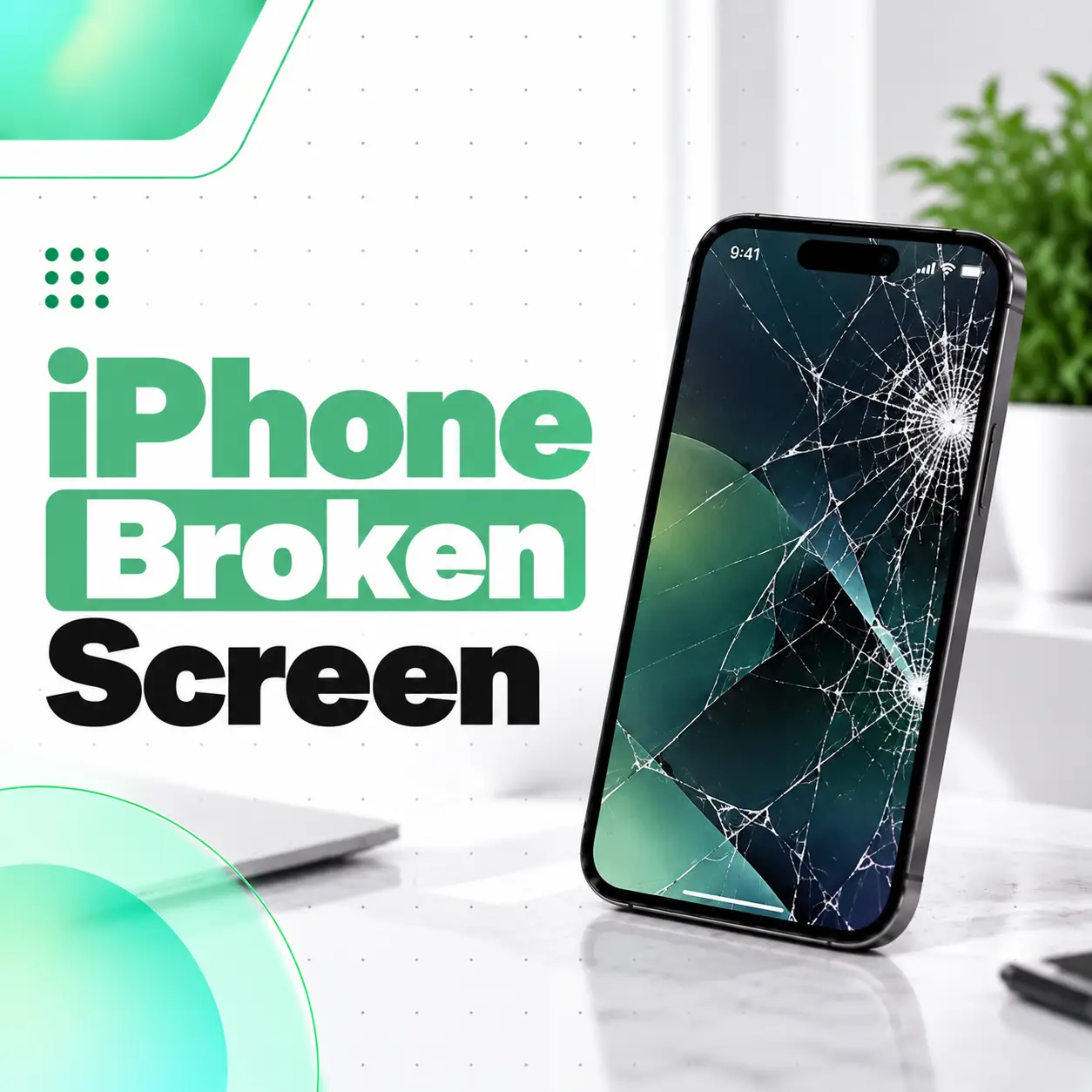
A broken iPhone screen can mean anything from a small crack in the front glass to a completely damaged display that shows black patches, coloured lines, or no image at all. Even when an iPhone still turns on and responds to touch, internal display damage may be present.
The right repair depends on the type of damage, your iPhone model, and whether the glass, display panel, or touch-sensitive components are affected. Acting carefully after the screen breaks can also help prevent further damage and protect your personal data.
This guide explains how to identify screen damage, what to do immediately, which repair options are available, and what affects iPhone screen replacement costs in Bangladesh. It also explains when professional inspection from a mobile repair provider such as iCareFix can help you determine the appropriate next step.
What Does a Broken iPhone Screen Mean?
A broken iPhone screen is a damaged front display assembly or its outer glass. The damage may affect only the glass surface, or it may extend to the display panel and touch-sensitive components beneath it.
Modern iPhones use different display technologies depending on the model, including OLED and LCD. A cracked outer surface does not always mean the entire display has failed, but visible cracks can sometimes hide more extensive internal damage.
Common types of iPhone screen damage include:
- Cracked glass: Visible fractures across the front of the phone.
- Black spots: Dark areas that may indicate damage to the display panel.
- Coloured lines: Green, white, pink, or other lines appearing vertically or horizontally.
- Unresponsive touch: The display shows an image, but some areas do not respond to tapping.
- Black screen: The iPhone may still vibrate or make sounds, but no image appears.
- Ghost touch: The phone registers touches or opens apps without being touched.
- Flickering display: The image flashes, dims unexpectedly, or becomes unstable.
Identifying the symptoms helps a technician determine whether the repair requires a display assembly replacement, further diagnostic testing, or attention to another damaged component.
What Should You Do Immediately After Breaking Your iPhone Screen?
If your iPhone screen breaks after a fall, pressure, or impact, avoid pressing the damaged area and assess the device carefully before continuing to use it.
Follow these steps to reduce the risk of further damage.
1. Check for Loose or Sharp Glass
Inspect the screen without rubbing your fingers over the cracks. Broken glass can cause cuts, especially when small fragments have separated from the surface.
If the glass is loose or severely shattered, stop using the touchscreen and keep the device away from children.
2. Check Whether the Display Still Works
Look for the following signs:
- Is the screen showing a clear image?
- Does touch work across the entire display?
- Are there black spots, coloured lines, or flickering?
- Does the screen respond by itself?
- Does the iPhone appear to turn on even when the display remains black?
These observations can help you describe the problem accurately when arranging a repair.
3. Back Up Your Data if Possible
If the iPhone still works and can be operated safely, back up important information using iCloud or a computer.
Do not repeatedly press a badly cracked screen just to access settings. If touch is unreliable, the device may need professional attention before you can complete a backup.
4. Avoid Water and Excessive Pressure
A cracked screen can compromise the phone’s original sealing. Avoid exposing the device to rain, splashes, or moisture, even if the model originally had a water-resistance rating.
Do not squeeze the display, bend the phone, or attempt to push broken glass back into place.
5. Arrange an Inspection if the Damage Is Significant
If the screen is completely black, touch behaves unpredictably, or the display shows spreading black patches, seek professional diagnosis. If the phone is unusually hot, swollen, smoking, or emitting an unusual smell, stop using or charging it and keep away from it; a damaged battery may require urgent attention.
What Are the Signs That Your iPhone Screen Needs Repair?
A broken iPhone screen may need repair even when the phone continues to function.
Cracked Glass but a Working Display
If the image remains clear and touch works normally, the damage may be limited to the outer glass. However, this cannot be confirmed by appearance alone.
Depending on the iPhone model and the replacement process available, a technician may recommend replacing the display assembly rather than separating and replacing only the glass.
Black Spots or Coloured Lines on the Display
Black patches, vertical green lines, or white streaks can indicate internal display damage. These symptoms commonly occur after the phone is dropped or exposed to pressure.
A screen protector will not repair damage inside the display panel. If the affected area spreads or the image becomes difficult to see, arrange a diagnostic inspection.
Touchscreen Not Responding
If the screen displays an image but ignores taps or swipes, the touch-sensitive layer or associated display components may be damaged.
Before assuming the display is faulty, consider whether the problem began immediately after an impact. If it did, hardware damage is a strong possibility.
Ghost Touch or Uncontrolled Inputs
Ghost touch occurs when the iPhone registers inputs without intentional contact. A damaged display, touch-related hardware fault, or another device issue may cause this behaviour.
If it repeatedly opens apps, enters incorrect passcodes, or makes unwanted selections, stop interacting with the device and arrange an inspection. Repeated incorrect passcodes can lead to security lockouts.
Completely Black Screen
A black screen does not always mean the entire iPhone has failed. The cause could be a damaged display, a display connection problem, a depleted battery, or a separate hardware fault.
If the phone still rings, vibrates, or produces notification sounds, the display may be the main issue. These signs are useful clues, but they do not confirm the diagnosis.
Why Do iPhone Screens Break?
Most broken iPhone screens result from physical impact or pressure, although environmental exposure and previous repairs can also contribute to display problems.
Accidental Drops and Impacts
Dropping an iPhone onto concrete, tiles, or another hard surface can crack the glass or damage the panel underneath. Damage severity depends on the impact angle, force, case design, and exact point of contact.
A seemingly minor drop may also cause internal display problems without producing extensive external cracks.
Pressure on the Display
Sitting on a phone, carrying it in a tightly packed pocket, or placing heavy objects on it can apply pressure to the display.
This can crack the glass or damage the panel beneath it, particularly when the device already has small fractures.
Existing Cracks Getting Worse
A small crack may expand after repeated impacts, twisting, or everyday handling. Changes in temperature can also contribute to stress in already damaged materials.
A screen that initially appears usable may develop touch problems or display abnormalities later.
Water or Moisture Exposure
A cracked display can make the phone more vulnerable to moisture entering the enclosure. Liquid exposure may cause corrosion or damage beyond the screen itself.
If the iPhone gets wet, do not charge it until it has been assessed and any charging-related safety concerns have been addressed.
Poor-Quality Previous Repairs
An unsuitable replacement display or an improperly completed repair may cause problems with fit, touch response, image quality, or other functions.
This does not mean every non-original display will fail. Quality varies by part and supplier, so the replacement specification and installation process matter.
How Is a Broken iPhone Screen Diagnosed?
A professional diagnosis helps distinguish damage to the screen from problems involving the battery, internal connections, or other hardware.
Visual Inspection
The technician examines the glass, display, frame, and signs of impact. A bent frame or damaged housing may affect how a replacement display fits.
Display and Touch Testing
If the device can be operated safely, the technician checks image quality, brightness, touch response, and any visible lines or dark areas.
The inspection may also consider whether the problem affects the entire display or only specific regions.
Hardware and Connection Checks
When symptoms suggest a deeper problem, further inspection may be needed to assess display connections or other affected components.
A black screen, for example, should not automatically lead to screen replacement without considering other possible causes.
Additional Functionality Checks
Depending on the model and damage, the technician may check relevant functions such as the front camera, proximity sensor, or Face ID.
These checks help identify problems that may not be obvious from the cracked glass alone.
Broken iPhone Screen Repair Options
The appropriate repair depends on the damage, the iPhone model, available parts, and the condition of other components.
The following options are general repair approaches; not every option is suitable for every iPhone.
Option 1: Glass-Only Repair
Glass-only repair involves separating the damaged outer glass from a functioning display panel and installing replacement glass.
It may be suitable for certain displays when the image and touch functions remain intact and the panel can be safely refurbished. The process requires specialised equipment and technical skill.
It is not appropriate when the underlying display panel is already damaged.
Option 2: Complete Display Assembly Replacement
A complete display assembly replacement replaces the damaged screen unit with a compatible replacement assembly.
It is often considered when the display has black spots, coloured lines, no image, or persistent touch problems caused by physical damage.
The exact components included in an assembly depend on the model and part specification.
Option 3: Further Hardware Repair
If testing reveals a damaged connector, bent frame, liquid damage, or another hardware issue, additional work may be necessary.
In these cases, replacing the screen alone may not resolve every symptom. The technician should explain any additional findings before proceeding with extra repairs.
How Do Original and Aftermarket Replacement Displays Differ?
Replacement displays can differ in construction, image quality, brightness, touch response, compatibility, and cost.
| Replacement type | What to consider |
| Original or genuine service part | Confirm the part’s provenance, compatibility, and service process. |
| Refurbished original display | May reuse an original panel with repaired or replaced glass; condition and refurbishment quality matter. |
| Aftermarket replacement | Quality varies by manufacturer, specification, and supplier. |
| Glass-only refurbishment | Generally depends on the original display panel remaining suitable for reuse. |
The term “OEM” is sometimes used loosely in repair markets. Ask what the part actually is rather than relying on the label alone.
Also ask whether the repair affects True Tone, Face ID, automatic brightness, or other relevant functions. The outcome depends on the model, the part, the repair procedure, and any required configuration or calibration.
How Much Does a Broken iPhone Screen Repair Cost in Bangladesh?
The cost of repairing a broken iPhone screen in Bangladesh depends primarily on the model, the replacement part, the extent of damage, and the work required.
There is no single price that applies to every iPhone. A repair quote should be based on the actual device and its condition rather than a generic estimate.
Factors That Affect iPhone Screen Replacement Cost
- iPhone model: Different generations use different display assemblies and technologies.
- Part type: Genuine service parts, refurbished displays, and aftermarket replacements may have different prices.
- Damage severity: A damaged frame, connector, or additional component may require extra work.
- Part availability: Availability and sourcing can affect both price and turnaround time.
- Labour and repair method: Glass refurbishment and complete display replacement require different processes.
- Warranty terms: Ask what is covered, for how long, and which conditions or exclusions apply.
How to Get an Accurate Repair Quote
Before approving a repair, provide the exact iPhone model and explain the symptoms. Ask the repair provider to confirm:
- Whether the repair requires glass-only work or a complete display replacement.
- Which replacement part will be installed.
- Whether additional damage has been identified.
- The total cost, including labour and any extra work.
- The expected turnaround time and warranty conditions.
For a professional iPhone screen repair in Bangladesh, iCareFix can be considered as a repair option. Confirm the available part, final quote, and applicable service terms before authorising the work.
How Long Does iPhone Screen Replacement Take?
The repair time depends on the iPhone model, the replacement method, parts availability, and whether additional damage is discovered.
A straightforward display replacement may be completed more quickly than a repair involving frame damage, liquid exposure, or other faulty components. Glass-only refurbishment may also require a different process and turnaround time.
Before handing over the device, ask the repair provider for an estimated completion time. If a replacement part must be sourced, the repair may take longer.
Can You Fix a Broken iPhone Screen at Home?
DIY screen replacement is possible for people with appropriate repair skills, tools, and model-specific instructions, but it is not a simple glass-repair task.
Opening an iPhone can damage delicate cables, connectors, sensors, or the battery if the procedure is performed incorrectly.
Risks of DIY Screen Repair
- Damaging the display cables or internal components.
- Puncturing or bending the battery.
- Installing an incompatible or low-quality replacement part.
- Affecting water resistance or the device’s original sealing.
- Losing access to certain features if the repair or required configuration is incomplete.
Adhesive removal, heating, and opening procedures also vary by model. Do not improvise with excessive heat, sharp tools, or pressure.
When Professional Repair Is the Better Option
Professional repair is worth considering if the display is completely black, touch is unreliable, the frame is bent, the device has been exposed to liquid, or you lack suitable tools and experience.
It is also a sensible option when you need help choosing a compatible replacement display or want the repair checked for related component damage.
Will Replacing a Broken iPhone Screen Delete Your Data?
A screen replacement does not ordinarily require erasing the iPhone’s stored data, but no repair process should be treated as a guarantee that data will remain accessible.
If the device still works, create a backup before repair whenever possible. If it does not, tell the technician that preserving the existing data is important and ask before any troubleshooting step that might erase the device.
Protect Your Privacy During Repair
- Back up your data if possible.
- Do not share your Apple Account password or device passcode unnecessarily.
- Ask why access to the device is needed for any requested test.
- Understand any diagnostic or data-handling procedures before authorising them.
- Keep your repair receipt and any relevant service documentation.
A technician may need to test certain functions after the screen has been replaced, but access requirements depend on the work involved. Agree on an appropriate testing process before handing over the device.
How Can You Prevent Further iPhone Screen Damage?
You cannot eliminate every risk of screen damage, but a few practical precautions can reduce the likelihood of another break.
Use a Suitable Case and Screen Protector
A well-fitted case with raised edges may help protect the screen during some drops. A compatible screen protector can reduce surface scratches and may help limit certain types of minor damage.
Neither accessory guarantees that the screen will survive an impact.
Avoid Pressure and Unsafe Storage
Keep your iPhone in a secure pocket or compartment. Avoid sitting on it, placing it beneath heavy items, or carrying it loosely with keys and other hard objects.
Repair Existing Cracks Promptly
If the screen is already cracked, avoid unnecessary pressure and arrange an inspection. A damaged screen can deteriorate further, and loose glass can create a handling hazard.
Keep the Device Away From Moisture
Do not assume that a water-resistant iPhone remains protected after its screen or enclosure has been damaged. Avoid wet environments until the device has been assessed and appropriately repaired.
When Should You Visit a Professional iPhone Repair Shop?
You should arrange professional inspection when screen damage interferes with normal use, creates a safety concern, or suggests internal hardware damage.
Seek repair advice if:
- The display is black or has large dark patches.
- Green, white, or coloured lines appear.
- Touch is unresponsive or behaves unpredictably.
- The screen is badly shattered or loose.
- The display separates from the frame.
- The phone was dropped into water after the screen cracked.
- Face ID or another function stops working after impact.
- The iPhone shows signs of battery swelling or unusual heat.
For severe battery-related warning signs, stop using and charging the device rather than continuing routine troubleshooting.
What Should You Ask Before Approving the Repair?
A transparent repair process should explain the diagnosis, recommended work, part type, total price, estimated turnaround, and warranty conditions.
Ask whether the repair includes post-repair function checks and whether any additional work will require your approval. This helps you understand what is being replaced and what the service does—and does not—cover.
Frequently Asked Questions
1. Can I use my iPhone if the screen is broken?
You may be able to use an iPhone with a minor crack if the display and touchscreen still function normally. However, broken glass can cause cuts, and further impact may worsen the damage. Avoid pressing cracked areas or exposing the device to moisture. If touch becomes unreliable, the screen separates from the frame, or the display develops dark patches, arrange a professional inspection.
2. How do I know whether my iPhone screen or only the glass is damaged?
If the image is clear and touch works throughout the display, the damage may be limited to the outer glass. Black spots, coloured lines, flickering, or unresponsive touch can indicate damage to the display assembly. These symptoms are not conclusive on their own, so a technician may need to inspect the device before recommending glass refurbishment or complete screen replacement.
3. How much does a broken iPhone screen repair cost in Bangladesh?
The cost depends on your iPhone model, replacement display type, damage severity, part availability, and labour. Repairs involving additional components may cost more than a straightforward screen replacement. Because prices vary between models and repair providers, request a quote for your exact device. Confirm the replacement part, total price, estimated turnaround time, and warranty conditions before approving the repair.
4. Should I replace the screen or buy a new iPhone?
Screen replacement may be worthwhile when the rest of the iPhone works properly and the repair cost is reasonable compared with the device’s value. If the phone also has battery, motherboard, frame, or liquid-damage problems, compare the total repair cost with the cost of replacing the device. A professional diagnosis can help you make a more informed decision.
5. How long does it take to repair a broken iPhone screen?
The turnaround depends on the iPhone model, part availability, repair method, and any additional damage. A straightforward replacement may take less time than glass refurbishment or repairs involving other components. If a compatible display is unavailable, sourcing it can extend the process. Ask the repair provider for an estimated completion time after the device has been inspected.
6. Can I replace my broken iPhone screen myself?
DIY replacement is possible with appropriate tools, technical skills, and model-specific repair instructions. However, opening the phone can damage delicate connectors, sensors, or the battery. An unsuitable display may also affect image quality or functionality. If you lack repair experience, or if the screen is severely damaged, professional repair is generally the safer and more practical option.
7. Will my photos and other data be lost during screen replacement?
A standard screen replacement does not ordinarily require erasing stored data, but data preservation cannot be guaranteed if the device has existing faults or another problem occurs during repair. Back up your iPhone before handing it over whenever possible. If the screen is unusable, explain that preserving your data is important and ask the repair provider to discuss any steps that could affect it.
Conclusion
A broken iPhone screen can involve cracked outer glass, internal display damage, touchscreen failure, or a combination of hardware problems. Identifying the symptoms, protecting the device from further damage, and backing up your data when possible are important first steps.
The right repair depends on your iPhone model, the severity of the damage, replacement part quality, and whether other components are affected. Comparing the repair options and understanding the total cost can help you decide whether screen replacement is worthwhile.
If your iPhone has black spots, coloured lines, an unresponsive touchscreen, or severely cracked glass, iCareFix is a professional repair option to consider in Bangladesh. Arrange an inspection to understand the likely cause, available replacement options, expected cost, and applicable warranty terms before proceeding.