




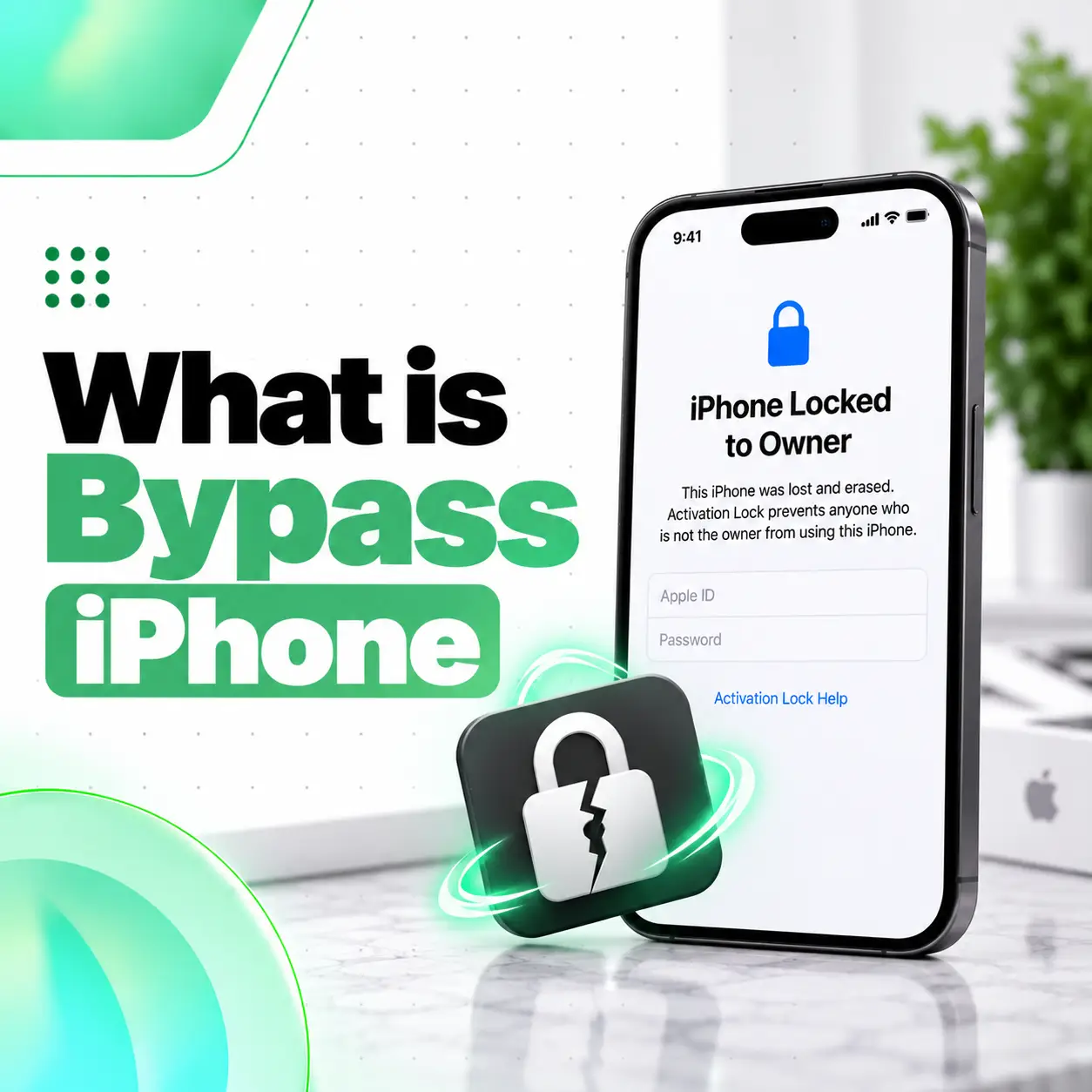
If you are asking what is bypass iPhone, the term usually refers to an iPhone that was protected by Activation Lock but has been modified or configured in some way to get past part of the normal setup process without properly removing the previous owner’s Apple Account.
That is different from a legitimately unlocked used iPhone.
Apple’s Activation Lock is designed to stop anyone other than the owner from using or reactivating a lost or stolen iPhone. Apple specifically advises buyers not to take ownership of a used iPhone if Activation Lock is still enabled.
A “bypass” phone may appear usable, but important functions can be limited, unstable, or lost after a reset or update. This guide explains what the term means, common risks, what to check before buying, and the safer alternatives.
What Does Bypass iPhone Mean?
A bypass iPhone generally means an iPhone that still has an ownership or activation problem but has been made partially usable without properly resolving that issue through the original owner.
In many second-hand phone markets, “bypass” commonly refers to an iPhone affected by:
- Activation Lock
- Previous owner Apple Account
- iPhone Locked to Owner
- Incomplete device activation
- Modified activation process
The exact condition can vary from phone to phone.
That is why the phrase “bypass iPhone” should be treated as a warning label, not as a standardized Apple product category.
Apple does not sell or officially recognize “bypass iPhones” as a normal device type.
What Is Activation Lock on iPhone?
Activation Lock is an Apple security feature connected to Find My.
Its purpose is to prevent another person from setting up or reactivating an iPhone without the Apple Account credentials of the legitimate owner.
Apple explains that if an iPhone is protected by Activation Lock, users may see:
iPhone Locked to Owner
during setup or when waking the device.
If the device requests the previous owner’s Apple Account information during setup, it is still linked to that owner.
Why Does Activation Lock Exist?
Activation Lock helps protect an iPhone if it is:
- Lost
- Stolen
- Misplaced
- Erased remotely
- Resold without being properly removed from the owner’s account
Even after the phone is erased, Activation Lock can remain associated with the previous owner’s Apple Account.
This makes stolen or improperly transferred iPhones less useful to unauthorized users.
What Is the Difference Between a Normal Used iPhone and a Bypass iPhone?
The key difference is ownership status and normal activation.
| Type | Normal Activation? | Previous Owner Removed? | Recommended to Buy? |
| Properly erased used iPhone | Yes | Yes | Generally acceptable after inspection |
| Activation Locked iPhone | No | No | No |
| “Bypass” iPhone | Partially/abnormally | Often no | High risk |
| Refurbished iPhone | Normally yes | Should be yes | Depends on condition/seller |
| Carrier-locked iPhone | Yes | Yes | Can be legitimate |
A carrier lock and Activation Lock are not the same thing.
A carrier-locked phone may be completely legitimate but restricted to one mobile network.
A bypass iPhone usually involves a more serious ownership or activation issue.
Is an iCloud Bypass iPhone the Same as an Activation Lock Bypass iPhone?
In everyday marketplace language, these terms are often used to mean roughly the same thing.
People may say:
- iCloud bypass
- iPhone bypass
- Activation Lock bypass
- Hello bypass
- Locked iPhone bypass
The wording varies, but the underlying concern is usually that the phone was not properly removed from the previous owner’s Apple Account.
Do not assume that a different seller term means the phone is safe.
Is a Bypass iPhone Fully Functional?
Not necessarily.
A bypass iPhone may look normal on the Home Screen but still have significant limitations.
Possible limitations include:
- SIM or cellular service not working
- Apple Account sign-in problems
- iCloud limitations
- FaceTime or iMessage problems
- App Store issues
- Notification problems
- Reset restrictions
- Update risks
- Reactivation problems after erase
- Loss of access after restart or software change
The exact limitations depend on what was done to the device.
Because “bypass” is not an official Apple condition, there is no universal feature list.
Can a Bypass iPhone Use a SIM Card?
Sometimes yes, sometimes no.
Some bypassed devices may have:
- Wi-Fi access only
- No cellular activation
- No voice calls
- No mobile data
- Limited SIM functionality
Other devices may appear to have working cellular service temporarily.
Do not assume that one working feature means the phone is legitimately activated.
If you are buying a used iPhone, test:
- Calls
- SMS
- Mobile data
- SIM/eSIM
- Signal
- Carrier settings
before paying.
Can You Sign In to an Apple Account on a Bypass iPhone?
It depends on the device condition and method used.
Some bypassed iPhones may block or limit normal Apple Account functionality.
Possible problems can include:
- iCloud not syncing
- Find My not working normally
- App Store authentication problems
- Apple services unavailable
- Account sign-in failing after restart
A legitimate used iPhone should be properly erased and ready for the new owner to complete normal Apple setup.
Apple says the device should no longer be linked to the previous owner’s account before ownership changes.
Can a Bypass iPhone Be Reset?
This is one of the biggest risks.
A bypass iPhone that appears usable may return to the Activation Lock screen after an erase or factory reset.
That means the phone could become unusable again unless the original owner properly removes it from their account.
For that reason, do not treat “working now” as proof that the ownership problem has been solved.
What Happens If You Update a Bypass iPhone?
Software updates can sometimes expose or restore activation-related restrictions on modified devices.
Possible outcomes include:
- Loss of bypassed functionality
- Return to setup screen
- Apple Account problems
- Cellular functions stopping
- Device requiring the previous owner’s credentials
The exact result varies.
A properly owned and activated iPhone should not depend on avoiding normal iOS updates to remain usable.
Can You Restart a Bypass iPhone?
Some devices may continue working after restart, while others may experience activation-related problems.
Again, the exact behavior depends on how the device was configured.
A seller saying:
“Do not restart,”
“Do not reset,” or
“Do not update”
is a major warning sign.
A normal used iPhone should not require these restrictions for basic ownership.
Why Are Bypass iPhones Often Cheaper?
They are often cheaper because they carry significant limitations and ownership risks.
Possible reasons include:
- Activation Lock still exists
- No SIM support
- Reset risk
- Update risk
- Apple services may not work
- No proper warranty
- Unknown ownership history
- Lower resale value
A very low price can be attractive, but the phone may be far less useful than a normally activated iPhone.
Is It Safe to Buy a Bypass iPhone?
For most buyers, a bypass iPhone is a high-risk purchase.
Apple specifically advises users not to buy an iPhone that remains protected by Activation Lock.
Potential concerns include:
- Unknown ownership
- Possible stolen-device history
- Future Activation Lock
- Lost access after reset
- Limited Apple services
- No reliable resale value
- Missing cellular functions
- Modified software state
If you cannot verify normal ownership and activation, it is safer to avoid the device.
How to Check if an iPhone Has Activation Lock Before Buying
Apple provides a straightforward process.
Step 1: Ask the Seller to Erase the iPhone
The seller should remove their personal data and unlink the phone from their account.
Step 2: Start Setup
Turn on the iPhone and begin normal setup.
Step 3: Watch for Previous Owner Credentials
If the device asks for the previous owner’s Apple Account information, it is still linked to them.
Apple says you should not take ownership until the previous owner removes the device from their account.
Step 4: Confirm Normal Setup
You should be able to proceed through setup normally with your own account.
What Does “iPhone Locked to Owner” Mean?
It means Activation Lock is active.
The device is still associated with another person’s Apple Account.
Apple specifically advises:
Do not buy an iPhone if Activation Lock is enabled.
If you already bought the phone online and see this screen, Apple recommends returning it.
Can the Seller Remove Activation Lock?
Yes, if the seller is the legitimate owner and still has access to the Apple Account connected to the device.
The correct solution is for the owner to remove the iPhone from their account.
That is very different from “bypassing” Activation Lock.
A legitimate ownership transfer resolves the problem at Apple’s account level rather than attempting to work around the lock.
What If the Previous Owner Is Not Present?
Ask the seller or previous owner to remove the device from their Apple Account using Apple’s supported account-management process.
Do not accept explanations such as:
- “The previous owner forgot the password”
- “It works as long as you never reset it”
- “Only Wi-Fi works”
- “Just don’t update”
- “Activation is bypassed”
These indicate that the ownership issue has not been properly resolved.
What If You Are the Original Owner but Forgot the Apple Account Password?
Use Apple’s official account-recovery options.
If you legitimately own the device, the proper route is to recover access to your Apple Account or work with Apple using appropriate ownership documentation.
Do not rely on unknown third-party “bypass” services.
They may create:
- Security risks
- Privacy problems
- Malware exposure
- Payment fraud
- Device instability
Can Apple Remove Activation Lock?
Apple may be able to help in eligible circumstances when legitimate ownership can be demonstrated through appropriate documentation.
The exact support process depends on the account and device situation.
For a second-hand phone, the safest route remains having the previous owner properly remove it from their account before you complete the purchase.
How to Check a Used iPhone Beyond Activation Lock
Even if Activation Lock is removed, inspect the rest of the device.
Check Parts and Service History
Open:
Settings > General > About
On supported iPhones with relevant repairs, Apple shows Parts and Service History.
Depending on model and repair history, you may see:
- Genuine
- Used
- Unknown
- Unverified
Genuine
The repair was performed using genuine Apple parts and recognized processes.
Used
The component had previously been installed in another iPhone.
Unknown
Apple says this can appear if the component:
- Is not genuine
- Is not working as expected
- Was not properly verified
- Has been modified
- Cannot otherwise be verified
Unverified
Apple currently uses this status in certain logic-board replacement situations and notes that some functionality, including Apple Pay, may be affected.
Why Parts and Service History Matters on a Bypass iPhone
A bypass device may also have undergone significant repairs.
For example, the phone may have:
- Replacement display
- Changed battery
- Replaced logic board
- Used camera
- Unknown part
This matters because a low-priced bypass phone with major previous repairs carries even more uncertainty.
Apple notes that repair history information can help a future owner understand the device’s condition.
How to Check the Display
Test:
- Brightness
- Touch response
- True Tone
- Dead pixels
- Green lines
- Black spots
- Flickering
- Ghost touch
Apple notes that nongenuine or problematic replacement displays may affect brightness, color, touch behavior, sensors, and other display functions.
How to Check Face ID or Touch ID
Make sure biometric security works normally.
Test:
- Face ID setup
- Face unlock
- Touch ID enrollment
- App authentication
If Face ID or Touch ID cannot be configured, ask about previous repair history.
Do not automatically assume it is a minor software issue.
Check the Cameras
Test:
- Main camera
- Ultra Wide
- Telephoto where available
- Front camera
- Autofocus
- Video
- Stabilization
On supported iPhones, camera replacement information can also appear in Parts and Service History.
Check IMEI and Serial Number
Open:
Settings > General > About
Check:
- Serial number
- IMEI
- Model number
- Carrier Lock
- Storage
Compare the information with:
- Box
- Invoice
- Seller documentation
An IMEI check does not remove Activation Lock, but it is still useful for verifying device identity.
Check Battery Health
Open:
Settings > Battery
and review battery information available for your model and iOS version.
Check:
- Maximum capacity
- Charging behavior
- Service warnings
- Unexpected shutdowns
A heavily worn battery adds another future expense.
Bypass iPhone vs Carrier-Locked iPhone
These are very different.
Bypass iPhone
Usually relates to an Activation Lock or ownership issue.
Carrier-Locked iPhone
The iPhone may be properly owned and activated but restricted to one mobile network.
A carrier lock can be legitimate.
Do not confuse “SIM locked” with “iCloud locked.”
Bypass iPhone vs Refurbished iPhone
A refurbished iPhone is not automatically bypassed.
A legitimate refurbished device should still:
- Activate normally
- Allow normal Apple Account setup
- Be removed from the previous owner
- Support normal reset and update processes
“Refurbished” refers to condition or repair history.
“Bypass” refers to an unresolved or worked-around activation/ownership restriction.
Bypass iPhone vs Unlocked iPhone
An unlocked iPhone normally means it is not restricted to a specific mobile carrier.
It should still:
- Activate normally
- Use the owner’s Apple Account
- Reset normally
- Update normally
A bypass iPhone can be completely different.
Do not assume “unlocked” and “bypass” mean the same thing.
Can You Use a Bypass iPhone Only on Wi-Fi?
Some bypassed phones are sold as Wi-Fi-only devices.
They may be used for limited tasks such as:
- Browsing
- Video streaming
- Some apps
- Camera
- Offline media
But functionality can still be unstable or restricted.
A Wi-Fi-only bypass phone should not be valued like a fully working iPhone.
Does a Bypass iPhone Have Resale Value?
Usually much less than a normally activated iPhone.
Future buyers may refuse it because of:
- Activation uncertainty
- SIM limitations
- Reset risk
- Apple Account restrictions
- Unknown ownership history
A legitimate, fully activated used iPhone generally has much stronger resale value.
Should You Buy a Bypass iPhone in Bangladesh?
For most users in Bangladesh, it is safer to avoid a bypass iPhone unless the device can first be returned to a normal, legitimate activation state by the rightful owner.
Before buying any second-hand iPhone, confirm:
- Activation Lock removed
- Your Apple Account can be used
- SIM/eSIM works
- Mobile data works
- Calls work
- iPhone can restart normally
- iOS update functions normally
- Parts and Service History checked
- IMEI checked
- Seller provides documentation
A cheap price should not outweigh unresolved ownership and usability problems.
Common Red Flags When a Seller Offers a Bypass iPhone
Be cautious if the seller says:
- “Never reset it.”
- “Never update iOS.”
- “SIM does not work.”
- “Only Wi-Fi works.”
- “You cannot sign into iCloud.”
- “Old owner is unavailable.”
- “Activation is bypassed.”
- “No need to check Activation Lock.”
These are not normal conditions for a properly transferred used iPhone.
Can iCareFix Remove iCloud or Activation Lock?
A professional repair business should distinguish between hardware repair and account ownership security.
Activation Lock is an Apple account-security feature, not a damaged hardware component.
If an iPhone is legitimately owned but has a hardware problem preventing access, iCareFix can inspect issues such as:
- Broken display
- Touch failure
- Charging problem
- Battery failure
- Camera issues
- Network-related hardware faults
However, the proper solution to an Apple Account ownership lock is to resolve ownership through the legitimate owner and Apple-supported account processes.
Frequently Asked Questions
1. What is a bypass iPhone?
A bypass iPhone usually means a device affected by Activation Lock that has been made partially usable without properly removing the previous owner’s Apple Account. It is not an official Apple device category. Such phones can have limitations involving cellular service, Apple Account access, resetting, updating, or reactivation. Apple advises buyers not to purchase Activation-Locked devices.
2. Is a bypass iPhone safe to buy?
Generally, it is a high-risk purchase. A bypassed phone may stop working normally after a reset, software update, or activation check. It can also have uncertain ownership history and limited Apple services. A safer used iPhone is one that has been erased and completely removed from the previous owner’s Apple Account before purchase.
3. Can a bypass iPhone use SIM cards and mobile data?
It depends on the device and the type of bypass. Some bypass phones are sold as Wi-Fi-only and cannot use normal cellular service, while others may temporarily have partial cellular functionality. Test calls, SMS, mobile data, SIM/eSIM, and signal before purchasing. Do not assume a phone is fully functional simply because the Home Screen opens.
4. Can I factory reset a bypass iPhone?
A factory reset can cause a bypassed iPhone to return to the Activation Lock screen if the previous owner’s Apple Account was never properly removed. This is one of the major risks of buying such a device. A normally transferred used iPhone should be able to erase, activate, and set up again using the new owner’s account.
5. How can I tell if an iPhone is still Activation Locked?
Ask the seller to erase the iPhone and begin setup. If setup requests the previous owner’s Apple Account credentials or displays iPhone Locked to Owner, Activation Lock is still active. Apple says you should not take ownership until the previous owner properly removes the device from their account.
6. Is a bypass iPhone the same as a refurbished iPhone?
No. A refurbished iPhone has typically been inspected, repaired, or reconditioned for resale. A bypass iPhone has an unresolved or worked-around activation/ownership restriction. A legitimate refurbished iPhone should still activate normally, allow the new owner’s Apple Account, and operate through normal erase and update procedures.
7. What should I do if I already bought a locked iPhone?
Contact the seller or previous owner and ask them to properly remove the device from their Apple Account. If you bought it online and it displays iPhone Locked to Owner, Apple recommends returning the device. If you are the legitimate original owner, use Apple’s official account-recovery or support process rather than an unofficial bypass service.
Conclusion
So, what is bypass iPhone? It usually means an iPhone with an unresolved Activation Lock or previous-owner Apple Account issue that has been made partially usable without properly completing Apple’s normal ownership transfer.
That can create serious limitations involving:
- SIM and cellular service
- Apple Account access
- iCloud
- Updates
- Factory reset
- Reactivation
- Resale value
Apple’s guidance is clear: do not take ownership of a used iPhone while Activation Lock is enabled. The seller should erase the device and properly remove it from their Apple Account before you buy it.
For buyers in Bangladesh, a low price can make a bypass iPhone look attractive, but a normally activated used iPhone with clear ownership, working cellular service, and transparent repair history is generally a much safer purchase.
If you are checking a used iPhone and are unsure about its hardware condition, iCareFix can inspect the display, battery, cameras, charging system, network hardware, and available Parts and Service History. Account ownership or Activation Lock, however, should be resolved through the legitimate owner and Apple-supported processes.