




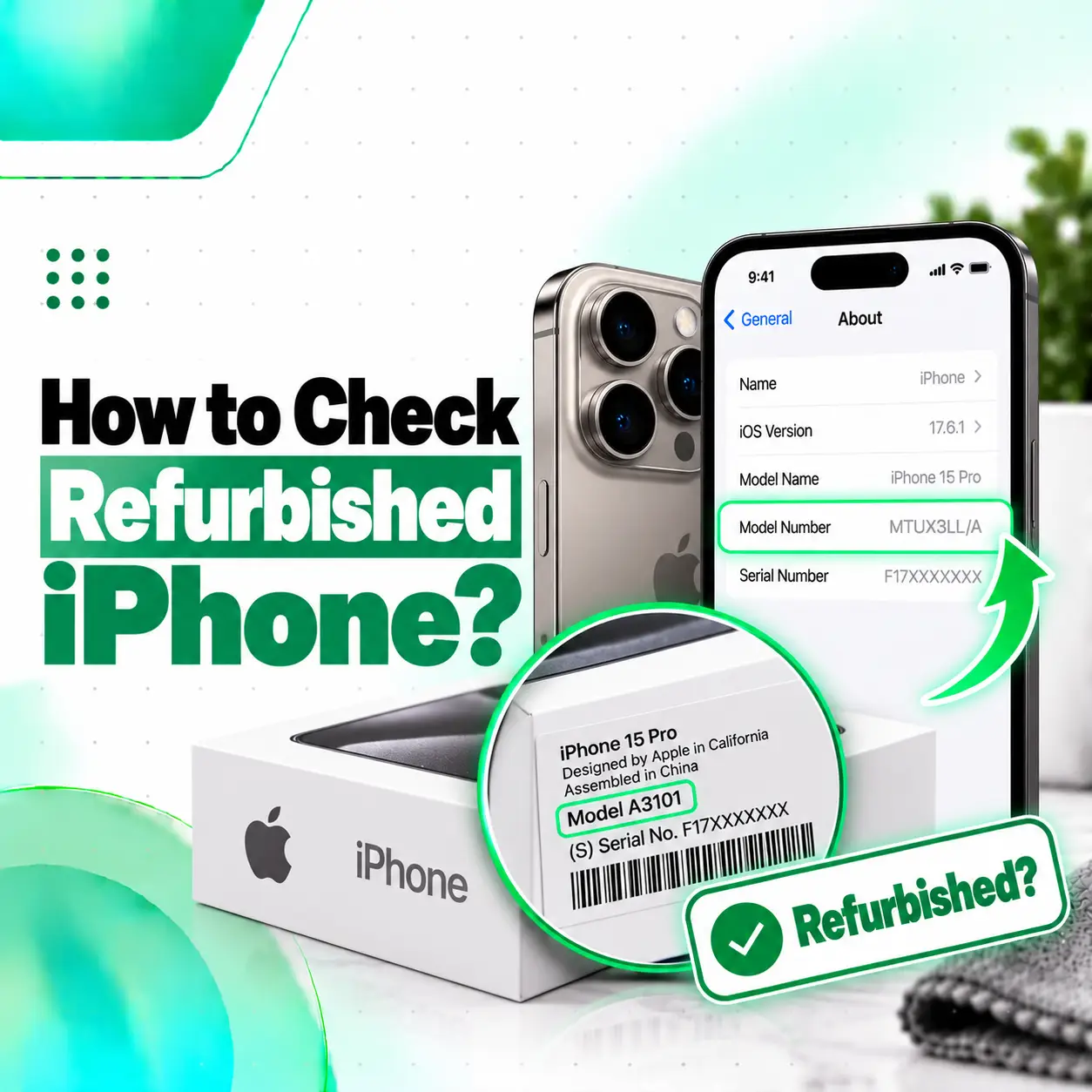
If you want to know how to check a refurbished iPhone, do not rely on a single model-number trick or seller claim. A proper check should cover the iPhone’s Parts & Service History, battery condition, Activation Lock status, IMEI and model information, display, cameras, Face ID, charging, network functions, and seller documentation.
Apple’s current guidance for buying a pre-owned iPhone recommends checking physical condition, battery health, repair history, Activation Lock, and key hardware functions before purchase. Apple also provides Parts and Service History in Settings on supported iPhones, allowing you to see whether certain components have been replaced and whether iOS recognizes them as Genuine, Used, Unknown, or Unverified.
For buyers in Bangladesh, these checks are especially useful when comparing refurbished, used, open-box, or imported iPhones.
What Is a Refurbished iPhone?
A refurbished iPhone is generally an iPhone that has previously been used, returned, repaired, inspected, restored, or prepared for resale.
However, the term “refurbished” does not always mean the same thing.
A phone advertised as refurbished may have been:
- Returned by a previous customer
- Used and cosmetically restored
- Repaired after damage
- Fitted with replacement parts
- Tested and cleaned for resale
- Reconditioned by a third-party seller
- Officially refurbished through a manufacturer-supported process
That is why the seller’s refurbishment standard matters.
A refurbished device should not automatically be assumed to be faulty, but you should understand exactly what has been repaired or replaced before paying for it.
How to Check If an iPhone Is Refurbished
There is no single on-device test that proves the entire history of every iPhone.
The most reliable approach is to combine several checks:
- Review Parts and Service History.
- Verify Activation Lock is removed.
- Check battery health.
- Confirm IMEI, serial number, and model information.
- Inspect the display and body.
- Test Face ID or Touch ID.
- Test all cameras.
- Test charging and connectivity.
- Confirm carrier-lock status.
- Review seller warranty and return policy.
Each test answers a different question.
Can the iPhone Model Number Tell You If It Is Refurbished?
You may see online guides claiming that the first letter of an iPhone’s part number—such as M, F, N, or P—can definitively tell you whether the phone is new, refurbished, replaced, or personalized.
Be careful with this method.
Apple’s current support documentation explains how to find the part number and model number, but it does not currently publish this letter-prefix method as a definitive consumer test for identifying refurbished devices. Apple says you can find the part number under Settings > General > About > Model Number, then tap it to view the hardware model number.
Therefore:
Do not use the first letter of the model/part number as your only proof that an iPhone is refurbished.
Instead, check actual repair and condition information.
How to Check Parts and Service History on iPhone
One of the most useful checks is Apple’s Parts and Service History.
Steps
- Open Settings.
- Tap General.
- Tap About.
- Scroll down.
- Look for Parts and Service History.
Apple states that on iOS 15.2 or later, repaired supported iPhones can display this section in About.
If the phone has no recorded supported replacement part, the section may not appear.
What Does Genuine Mean in Parts and Service History?
If a component shows Genuine, Apple says the repair was completed using genuine Apple parts and Apple-recognized repair processes.
Depending on the iPhone model, the section may provide information about:
- Battery
- Display
- Logic board
- Front camera
- Rear cameras
The exact components shown vary by model.
A Genuine label does not mean the phone has never been repaired.
It means the listed replacement component is recognized by Apple as genuine and properly serviced.
What Does Used Mean on an iPhone?
A Used label means the component was previously installed in another iPhone before being installed in the current device.
Apple notes that used genuine parts may still function properly, but their quality can vary depending on previous use or modification.
This distinction is important when buying a refurbished iPhone.
A phone may contain:
- New genuine replacement parts
- Previously used genuine Apple parts
- Third-party parts
- Original factory-installed parts
These are not the same thing.
What Does Unknown Part Mean?
An Unknown message deserves closer inspection.
Apple says an Unknown message may appear when a replacement component:
- Is not a genuine Apple part
- Is not functioning as expected
- Has not been properly verified or linked after repair
- Has been modified
- Cannot otherwise be verified by the device
An Unknown message does not automatically mean the iPhone is unusable.
However, it is an important factor when evaluating:
- Price
- Reliability
- Resale value
- Warranty expectations
- Display performance
- Camera behavior
- Battery performance
Ask the seller what was replaced and why.
What Does Unverified Mean?
Apple currently uses Unverified in relation to certain logic-board repair situations.
Apple states that an Unverified logic board may have previously been used in another iPhone and may affect some functionality, including features such as Apple Pay.
If you see an Unverified message while checking a used or refurbished iPhone, ask for a clear explanation of the repair history before purchasing.
Which iPhones Show Parts and Service History?
Support depends on the model and component.
Apple’s current documentation says:
- iPhone XR, XS, XS Max, and SE 2nd/3rd generation: battery information may be available.
- iPhone 11 models: battery and display service information may be available.
- iPhone 12 and later: battery, display, logic board, front camera, and rear-camera information can be available depending on repair history.
The phone must also be running a supported iOS version.
Do not assume that the absence of one particular entry proves the phone was never repaired.
How to Check Activation Lock Before Buying
Never buy a used or refurbished iPhone that is still Activation Locked to someone else’s Apple Account.
Apple states that Activation Lock is automatically associated with Find My and helps prevent unauthorized reuse of lost or stolen devices.
What to Look For
If the screen says:
iPhone Locked to Owner
do not complete the purchase.
Apple explicitly advises buyers not to take ownership of a used iPhone while Activation Lock remains enabled.
Proper Check
Ask the seller to:
- Sign out of their Apple Account.
- Turn off Find My.
- Erase the iPhone.
- Restart the setup process.
During setup, make sure the phone does not ask for the previous owner’s Apple Account credentials.
The device is safer to purchase only after it is fully removed from the previous owner’s account.
How to Check the IMEI and Serial Number
Go to:
Settings > General > About
Here you can view:
- Model Name
- Model Number
- Serial Number
- IMEI
- EID
- Carrier Lock status
- Storage information
Apple lists these items as part of the iPhone’s About information.
Why Check the IMEI?
Use the IMEI to confirm that:
- The phone information matches the seller’s documentation.
- The box matches the device where relevant.
- The device information is consistent.
- Appropriate local network or registration checks can be completed.
Do not rely on an IMEI lookup alone to determine whether a phone is refurbished.
Does IMEI Tell You If an iPhone Is Refurbished?
No.
An IMEI identifies the cellular device, but it does not provide a complete repair or refurbishment history by itself.
A third-party IMEI website may claim to show extensive information, but results can vary in accuracy.
For repair history, Apple’s Parts and Service History is more directly relevant.
For ownership security, check Activation Lock.
For condition, test the actual hardware.
How to Check Battery Health on a Refurbished iPhone
Battery condition is one of the most important checks because a refurbished iPhone may still have its original battery or may have had the battery replaced.
Check:
Settings > Battery > Battery Health & Charging
depending on your iOS version.
Look at:
- Maximum Capacity
- Peak performance information
- Battery-related service messages
- Charging behavior
Is 100% Battery Health Proof of a New Battery?
Not necessarily.
A phone showing 100% battery health may have:
- A genuinely new battery
- A recently replaced battery
- A battery that has seen little use
You should combine battery-health information with Parts and Service History where available.
How Much Battery Health Is Acceptable?
There is no single percentage that automatically determines whether a refurbished phone is good or bad.
However, lower maximum capacity generally means the battery has experienced more aging and may provide less runtime than when new.
When comparing two refurbished iPhones at similar prices, consider:
- Battery capacity
- Whether the battery has been replaced
- Whether iOS recognizes the replacement
- Seller warranty
- Expected replacement cost
A cheaper phone with a heavily worn battery may not be the better overall value.
How to Inspect the Display
The display is one of the most expensive and commonly replaced parts on an iPhone.
Check for:
- Dead pixels
- Green or white lines
- Black spots
- Uneven brightness
- Color tint
- Screen flickering
- Ghost touch
- Delayed touch response
- Poor viewing angles
- Screen separation
Check Touch Response
Open an app and drag your finger across all areas of the display.
You can also:
- Type on the keyboard
- Drag app icons
- Scroll slowly
- Test multi-touch gestures
If part of the screen fails to respond, the display assembly may have a problem.
Check True Tone
If the model normally supports True Tone, verify whether the feature is available under display settings.
A missing True Tone option can sometimes be associated with display replacement or repair configuration issues, but it should not be treated as standalone proof of a non-genuine display.
Always combine this check with Parts and Service History and actual display performance.
How to Check the Cameras
Test every camera lens available on the iPhone.
Open Camera and check:
- Main camera
- Ultra Wide
- Telephoto where available
- Front camera
- Video recording
- Autofocus
- Portrait mode
- Stabilization
Look for:
- Shaking
- Focus hunting
- Black preview
- Blurry images
- Dust spots
- Lens scratches
- Strange color shifts
On supported models, Parts and Service History can also indicate camera replacement information. Apple currently provides camera repair-history visibility on iPhone 12 models and later.
How to Check Face ID
Face ID is important because problems can sometimes be costly or difficult to correct.
Test:
- Unlocking the phone
- Face ID enrollment
- Authentication in supported apps
If Face ID cannot be configured or repeatedly fails, do not assume that a simple software reset will fix it.
Ask whether the phone experienced:
- Screen replacement
- Front-camera repair
- Water damage
- Drop damage
- Logic-board repair
How to Check Touch ID
For iPhones with Touch ID:
- Open Settings.
- Check Touch ID settings.
- Add a fingerprint if possible.
- Test unlocking several times.
A nonfunctional Home button or Touch ID sensor can affect usability and resale value.
Check the Charging Port
Connect a known-good compatible cable and charger.
Check whether:
- Charging starts immediately
- Charging remains stable
- The connector feels unusually loose
- The phone disconnects when the cable moves slightly
Do not assume that intermittent charging is caused only by dust.
Possible causes can include:
- Port contamination
- Worn connector
- Damaged charging port
- Cable problem
- Internal hardware issue
Test Wireless Charging
If the model supports wireless charging:
- Place it on a compatible wireless charger.
- Confirm charging begins.
- Test MagSafe alignment where supported.
This is useful because a phone with rear-housing or charging-component repairs may behave differently from an undamaged device.
Check Speakers and Microphones
Play music or video through the speakers.
Listen for:
- Distortion
- Crackling
- Very low volume
- One speaker not working
Then record a voice memo and play it back.
Also make a test call if possible.
Microphone problems can affect:
- Calls
- Video recording
- Voice memos
- Siri
- Messaging apps
Check Wi-Fi, Bluetooth, and Cellular Service
A good refurbished-iPhone inspection should include connectivity.
Test:
- Wi-Fi
- Bluetooth
- Cellular signal
- Mobile data
- SIM or eSIM
- GPS where practical
Apple’s About page also displays Carrier Lock information, which can help determine whether the phone is restricted to a specific carrier.
How to Check Carrier Lock
Open:
Settings > General > About
Look for Carrier Lock.
If you want an unlocked phone, confirm that the status is consistent with that expectation.
Do this before paying, especially when buying an imported iPhone.
Check Physical Condition Carefully
A refurbished iPhone may look excellent at first glance but still show evidence of prior damage.
Inspect:
Frame
Look for:
- Dents
- Deep scratches
- Bent corners
- Uneven gaps
Back Glass
Check for:
- Hairline cracks
- Replacement glass
- Camera-area damage
Camera Lenses
Look for:
- Cracks
- Deep scratches
- Dust under lens glass
Display Fit
The display should sit evenly within the frame.
A screen that lifts or has irregular gaps deserves further inspection.
Check Water or Liquid Damage Signs
Liquid damage may not always be visible externally.
Look for suspicious symptoms such as:
- Camera fogging
- Corrosion around ports
- Unstable charging
- Random shutdowns
- Speaker distortion
- Face ID problems
- Multiple unrelated faults
A phone can appear functional during a quick test while still having corrosion-related issues.
If the device has an unclear damage history and the purchase value is significant, professional inspection can be worthwhile.
Refurbished vs Used iPhone: What Is the Difference?
A used iPhone is simply a previously owned device.
A refurbished iPhone has usually undergone some form of inspection, cleaning, repair, replacement, or reconditioning before resale.
However, seller definitions differ.
| Type | Typical Meaning |
| Used iPhone | Previously owned, may be sold as-is |
| Refurbished iPhone | Inspected/repaired/reconditioned before resale |
| Open-box iPhone | Packaging opened or returned, condition varies |
| Certified refurbished | Seller/manufacturer follows a documented refurbishment process |
| Repaired used iPhone | Used phone with one or more replaced components |
Ask exactly what the seller means by “refurbished.”
Is a Refurbished iPhone the Same as an Apple Refurbished iPhone?
No.
A seller saying “refurbished iPhone” does not automatically mean the device was refurbished by Apple.
Third-party refurbishers may use their own:
- Testing standards
- Replacement components
- Grading system
- Warranty
- Cosmetic refurbishment methods
Before buying, ask:
Who refurbished this iPhone?
That answer matters more than the word “refurbished” alone.
Can Parts and Service History Prove a Phone Was Refurbished?
Not completely.
Parts and Service History can show that supported components were replaced, but a refurbished phone may not necessarily show every aspect of its history.
For example:
- Cosmetic work may not appear.
- Housing replacement may not always be represented the way you expect.
- Older iPhone models provide less parts-history detail.
- Only supported tracked components appear.
- Apple states that if a part has been serviced more than once, only the most recent service may be shown.
Therefore, use the feature as one part of a broader inspection.
How to Check a Refurbished iPhone Before Buying Online
Buying online requires additional caution because you cannot immediately inspect the phone.
Apple recommends buying pre-owned devices from reliable sellers and understanding the seller’s return and certification policies.
Before ordering, ask for:
- Exact model
- Storage capacity
- Battery health
- IMEI or serial information where appropriate
- Parts and Service History screenshot
- Photos of all sides
- Display condition
- Warranty details
- Return policy
- Refurbishment grade
- Repair history
Do not rely solely on stock photos.
What Should You Check When the Phone Arrives?
Test it during the return period.
Apple’s own pre-owned iPhone guidance recommends checking the phone physically and testing its functionality once you have access to the Home Screen.
A practical checklist includes:
- Activation Lock
- Parts and Service History
- Battery health
- Display
- Touch
- Face ID or Touch ID
- Cameras
- Charging
- Speakers
- Microphones
- Wi-Fi
- Bluetooth
- Cellular service
- Buttons
- Storage/model information
How to Check a Refurbished iPhone in Bangladesh
For buyers in Bangladesh, the same Apple checks apply, but imported and independently refurbished devices are common enough that several additional checks are sensible.
Verify IMEI
Check:
Settings > General > About > IMEI
Compare it with available paperwork and packaging.
Confirm Region Variant
Check the model information so you understand:
- SIM configuration
- eSIM support
- Regional differences
- Carrier compatibility
Check Network Use
Insert or activate a compatible Bangladeshi SIM/eSIM where practical.
Test:
- Calls
- SMS
- Mobile data
- Signal reception
Verify Seller Warranty
Ask whether the warranty is:
- Seller warranty
- Service warranty
- International warranty
- Component-specific warranty
Get the terms in writing if possible.
Ask About Replacement Parts
A seller should ideally disclose whether important components were changed.
Ask specifically about:
- Display
- Battery
- Camera
- Back glass
- Charging port
- Face ID-related components
- Logic board
Red Flags When Buying a Refurbished iPhone
Be cautious if:
- The seller refuses to show Parts and Service History.
- Activation Lock is still active.
- The phone asks for another person’s Apple Account.
- IMEI information does not match provided documentation.
- Face ID does not work.
- The display has ghost touch or unusual colors.
- Battery behavior is inconsistent.
- Several features fail simultaneously.
- The seller cannot explain repair history.
- The advertised price is unusually low without a clear reason.
- There is no reasonable return policy.
- The seller claims the phone is “100% original” despite obvious replacement-part records.
None of these automatically proves fraud, but they justify additional verification.
Is an Unknown Part Message a Reason Not to Buy?
Not necessarily, but it should affect your decision.
An Unknown message means Apple cannot verify the component in the normal way or the part may not be genuine or may not be functioning as expected.
Consider:
- Which component is affected?
- Does the component function correctly?
- How much cheaper is the phone?
- What warranty does the seller offer?
- How important is resale value to you?
An Unknown battery and an Unknown logic-board-related issue should not necessarily be treated as equivalent risks.
Is a Refurbished iPhone Worth Buying?
It can be.
A refurbished iPhone may offer good value if:
- The price is appropriate
- Battery condition is acceptable
- Activation Lock is removed
- Core hardware works properly
- Repair history is transparent
- The seller provides a reasonable warranty
- Replacement parts are clearly disclosed
The main risk is not refurbishment itself.
The bigger problem is unclear refurbishment quality.
A well-inspected refurbished iPhone can be a better purchase than a cheaper used phone with unknown damage.
Should You Get a Refurbished iPhone Professionally Inspected?
Professional inspection may be worthwhile when:
- The phone is expensive
- Repair history is unclear
- Parts and Service History shows Unknown or Used components
- Face ID behaves abnormally
- The screen appears replaced
- Battery behavior seems unusual
- The device has signs of drop or liquid damage
- You are buying from an individual seller
A technician can evaluate the hardware beyond what Settings alone reveals.
iCareFix can inspect relevant components such as the display, battery, cameras, charging system, housing, and other hardware if you want a clearer picture of a used or refurbished device’s condition.
Frequently Asked Questions
1. How do I check if an iPhone is refurbished?
There is no single definitive switch that identifies every refurbished iPhone. Check Settings > General > About > Parts and Service History, battery health, Activation Lock, IMEI, display, cameras, Face ID, charging, connectivity, and seller documentation. Apple specifically recommends inspecting repair history, physical condition, battery health, and Activation Lock when buying a pre-owned iPhone.
2. Can the model number tell if an iPhone is refurbished?
Do not rely on the model-number prefix alone. Apple documents how to view an iPhone’s part number and hardware model number but does not currently publish the common M/F/N/P prefix rule as a definitive refurbished-device test. Use Parts and Service History, Activation Lock, battery health, hardware testing, and seller records instead.
3. How can I see if an iPhone has replacement parts?
On supported devices running iOS 15.2 or later, open Settings > General > About and look for Parts and Service History. Depending on the model, it may show information about the battery, display, logic board, front camera, and rear cameras, along with labels such as Genuine, Used, Unknown, or Unverified.
4. What does Unknown Part mean on a refurbished iPhone?
Apple says an Unknown message can appear when a part is nongenuine, is not functioning as expected, has not been properly verified after repair, has been modified, or otherwise cannot be verified. It does not automatically make the phone unusable, but it should be considered when evaluating reliability, price, warranty, and resale value.
5. Should I buy a refurbished iPhone with Activation Lock?
No. Apple explicitly advises buyers not to take ownership of an iPhone that is Activation Locked. The seller should remove the device from their Apple Account and erase it before you buy. If setup requests the previous owner’s Apple Account information, return the phone or ask the seller to remove the lock first.
6. Is 100% battery health proof that a refurbished iPhone has a new battery?
No. A 100% Maximum Capacity reading by itself does not fully explain the battery’s history. Check Parts and Service History where supported, review battery-related messages, test real-world charging and runtime, and ask the seller whether the battery was replaced. Battery health should be evaluated together with the phone’s repair record.
7. Is it safe to buy a refurbished iPhone in Bangladesh?
It can be, provided you verify the device carefully. Check Activation Lock, IMEI, Parts and Service History, battery condition, display, Face ID, cameras, charging, SIM/eSIM compatibility, network operation, warranty terms, and seller reputation. If repair history is unclear or the purchase value is high, professional inspection can reduce the risk of buying a phone with hidden hardware problems.
Conclusion
Learning how to check refurbished iPhone properly means going beyond cosmetic condition or a model-number shortcut.
Start with:
Settings > General > About
Then review:
- Parts and Service History
- Serial and IMEI information
- Carrier Lock
- Battery condition
- Display
- Face ID or Touch ID
- Cameras
- Charging
- Network functions
Most importantly, make sure Activation Lock has been completely removed before purchasing. Apple explicitly recommends not buying a used iPhone that remains linked to the previous owner’s account.
For buyers in Bangladesh, also compare the region variant, SIM/eSIM compatibility, local network operation, seller warranty, and any disclosed replacement parts.
If you are uncertain about a refurbished iPhone’s actual hardware condition, iCareFix can inspect the relevant components and help identify display, battery, camera, charging, or previous-repair issues before you make a purchase or repair decision.