




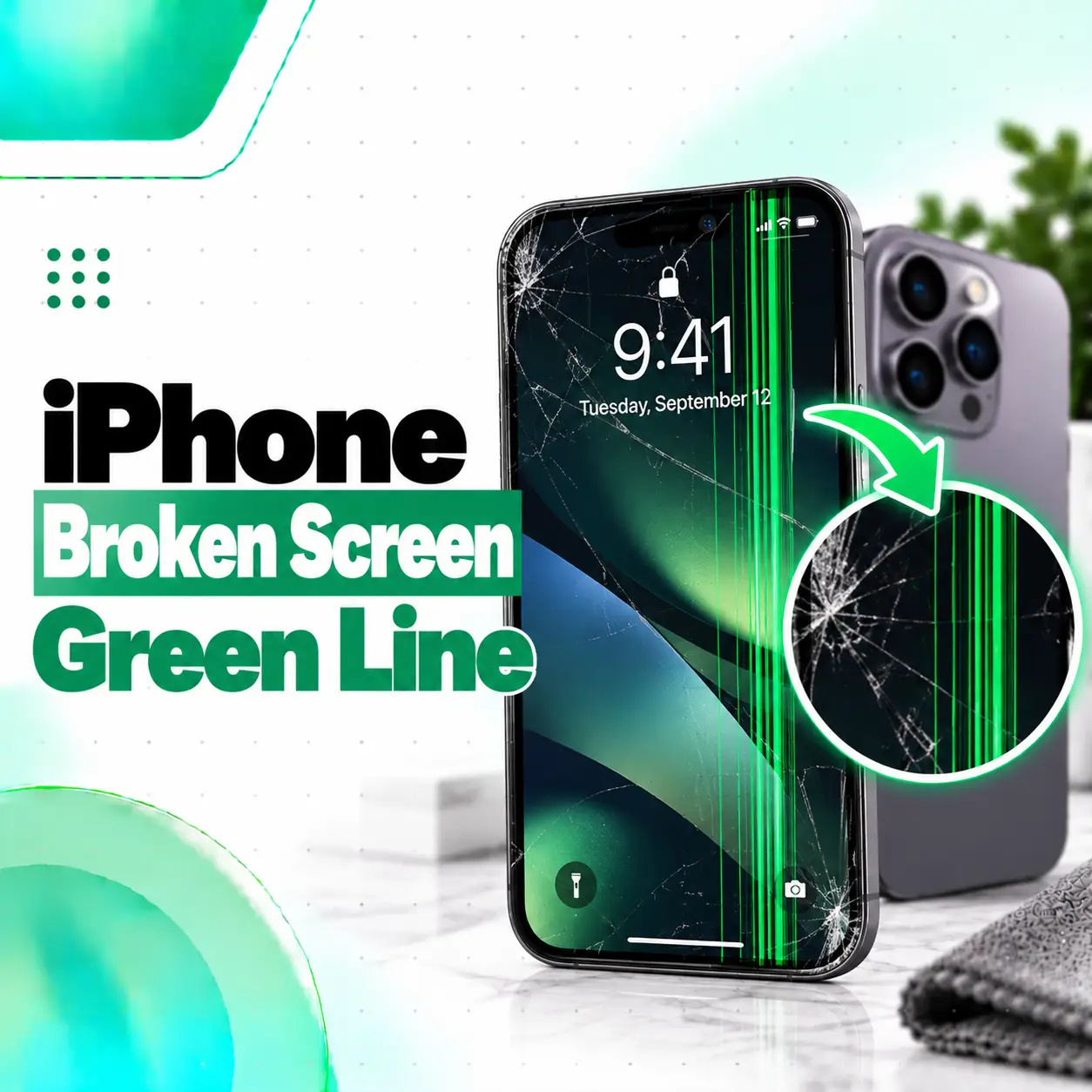
An iPhone broken screen green line wallpaper search often starts with one simple question: is the green line actually part of the wallpaper, or has the iPhone display developed a fault?
A real display-related green line usually remains visible when you change wallpapers, open different apps, or move through Settings. If the line appears only on one specific wallpaper or image, the image itself may be responsible. A screenshot test can help distinguish the two.
Persistent vertical green lines can be associated with display-panel damage, impact, internal connection problems, or a previously replaced display. Apple also provides Parts and Service History on supported iPhones so users can check whether the display has been replaced.
This guide explains how to identify the problem, what may cause it, what you can safely test, and when professional screen repair may be necessary.
Is the Green Line Part of the Wallpaper or the iPhone Screen?
The fastest way to tell is to change the wallpaper and take a screenshot.
If the green line disappears when you change the image, the wallpaper was probably responsible.
If the line stays in exactly the same physical position across apps, menus, and different wallpapers, a display fault is more likely.
Use these checks:
| Test | If Line Disappears | If Line Remains |
| Change wallpaper | Wallpaper/image issue likely | Display issue more likely |
| Open Settings | Image-specific issue likely | Screen hardware may be involved |
| Open several apps | App/image problem possible | Persistent display fault more likely |
| Take screenshot | Helps isolate image/software | Physical screen may be the problem |
| Restart iPhone | Temporary software issue possible | Hardware diagnosis may be needed |
No single test is perfect, but combining them usually gives a clear indication.
How to Check Whether the Green Line Is in Your Wallpaper
Start with the simplest possibility before assuming the display is damaged.
1. Change Your Wallpaper
Open:
Settings > Wallpaper
Choose a completely different image, ideally one with a plain background.
If the green line disappears, the original wallpaper may simply contain a line, visual artifact, editing effect, or damaged image data.
If the line remains in the same physical location, continue testing.
2. Open a Plain Screen
Open a screen with a mostly solid background, such as:
- Settings
- Notes
- Safari blank page
- Photos with a plain white image
- A solid-color wallpaper
A hardware-related vertical line is usually easier to see against simple colors.
3. Take a Screenshot
Take a screenshot while the line is visible.
Then view that screenshot on another device if possible.
If the Green Line Appears in the Screenshot
The problem may originate from:
- The image
- An app
- Software rendering
- The content being displayed
If the Green Line Does Not Appear in the Screenshot
But you can still physically see the line on your iPhone screen, the display hardware becomes much more suspicious.
A screenshot records what iOS is rendering. It does not photograph a physically damaged OLED panel.
What Does a Vertical Green Line on an iPhone Mean?
A persistent vertical green line usually indicates an issue affecting the display panel or the way the display is receiving or producing image data.
Possible causes include:
- OLED panel damage
- Physical impact
- Display connector problems
- Flex-cable damage
- Previous screen replacement
- Display manufacturing or component failure
- Liquid-related damage
- Internal hardware damage
The exact cause cannot always be identified simply by looking at the line.
Professional diagnosis may be required before replacing the display.
Why Does an iPhone Get a Green Line on the Screen?
There are several possible causes.
Physical Impact
Dropping the iPhone can damage internal screen layers even when the outer glass remains intact.
You may notice:
- One vertical green line
- Several colored lines
- Black areas
- Flickering
- Touch problems
- Screen discoloration
Visible cracks are not required for internal OLED damage to occur.
OLED Panel Damage
Many modern iPhones use OLED display technology.
Individual display components or pixel-driving circuitry can fail and produce a persistent colored line.
Common colors include:
- Green
- White
- Pink
- Purple
The line may run from the top of the display to the bottom.
Display Connector or Flex-Cable Problem
The display communicates with the rest of the iPhone through internal connectors and flexible cables.
Impact, previous repair, or internal damage may affect this connection.
Symptoms can include:
- Lines
- Flickering
- Intermittent image
- Black screen
- Touch failure
Opening the phone simply to “reseat” a connector is not recommended for an inexperienced user because further damage can occur.
Previous Screen Replacement
A green line may appear on an iPhone that has already had its display replaced.
Apple states that nongenuine or improperly functioning replacement displays can cause issues involving touch response, brightness, color calibration, sensor behavior, and other display performance.
That does not mean every third-party display will develop a green line, but repair history should be considered during diagnosis.
Liquid Exposure
Liquid or internal corrosion can sometimes affect display connectors or other circuitry.
If the green line appeared after the phone was exposed to water or another liquid, professional inspection may be appropriate.
Does a Green Line Mean the iPhone Screen Is Broken?
A persistent green line usually suggests a display-related fault, but it does not automatically prove that the entire screen assembly must be replaced.
Diagnosis matters.
Possible scenarios include:
- Temporary software rendering problem
- Display connector issue
- Damaged OLED panel
- Replacement-screen problem
- Internal board-level fault
A technician should determine which component is responsible before recommending repair.
Can Restarting an iPhone Fix a Green Line?
Sometimes a restart can remove a temporary visual glitch, but it will not repair physical display damage.
Try a normal restart first.
If the iPhone is unresponsive, a force restart may also help determine whether the issue is temporary.
For many recent Face ID iPhones:
- Press and quickly release Volume Up.
- Press and quickly release Volume Down.
- Press and hold the Side button.
- Release it when the Apple logo appears.
After the restart, check whether the green line remains.
If the Line Disappears
A temporary software or rendering issue may have been involved.
Monitor the phone to see whether the line returns.
If the Line Remains
A persistent hardware-related display issue becomes more likely.
Will Updating iOS Fix the Green Line?
An iOS update can potentially address software-related display behavior, but it cannot repair a physically damaged OLED panel.
If:
- The phone has no physical damage,
- The line appeared after a software issue,
- And the display remains otherwise functional,
checking for an available stable iOS update may be reasonable.
However, do not expect software updates to repair:
- Cracked displays
- Damaged OLED layers
- Failed screen components
- Torn flex cables
- Impact damage
How to Tell If the iPhone OLED Screen Is Damaged
Green lines are only one possible symptom.
Other signs include:
- Vertical white or pink lines
- Black spots
- Ink-like spreading areas
- Screen flickering
- Green tint
- White screen
- Uneven brightness
- Partial image loss
- Ghost touch
- Unresponsive touch
- Display that turns black while the phone remains powered
If multiple symptoms appear together, display damage becomes more likely.
Does a Cracked Screen Cause Green Lines?
Yes, a significant impact can cause both cracked glass and internal display damage.
However, the outer glass and the actual display panel are separate layers.
This means you can have:
Cracked Glass Without Display Failure
The phone may still have:
- Normal image
- Normal colors
- Working touch
- No lines
Internal Display Damage Without Cracked Glass
The screen may look physically intact while showing:
- Green lines
- Black spots
- Flickering
- Color distortion
Therefore, an uncracked outer surface does not guarantee that the internal display is healthy.
Can Pressure Make an iPhone Green Line Worse?
Yes, pressing, twisting, or bending a damaged screen can potentially make physical display damage worse.
Avoid:
- Pressing directly on the line
- Bending the phone
- Twisting the frame
- Massaging the display
- Hitting the screen
- Using heat
Online “press the screen until the line disappears” techniques can create further damage.
If the line is caused by a damaged panel, physical pressure does not constitute a reliable repair.
Can a Green Line on iPhone Be Fixed Without Replacing the Screen?
It depends on the cause.
Software Issue
If the line is generated by software, restarting or correcting the software issue may solve it.
Connection Issue
If diagnosis confirms a repairable internal connection problem, full display replacement may not always be necessary.
OLED Panel Failure
If the line originates inside the OLED display itself, replacing the display assembly is generally the practical repair solution.
The correct approach depends on diagnosis.
When Does an iPhone Green Line Need Screen Replacement?
Screen replacement becomes more likely when:
- The line remains after restarting
- It appears on every screen and app
- It does not appear in screenshots viewed elsewhere
- The phone was dropped before the line appeared
- Additional lines begin appearing
- The screen flickers
- Touch stops responding
- Black spots develop
- The OLED panel is confirmed damaged
Do not replace a screen solely because a wallpaper contains a green line.
Verify the symptom first.
How to Check Whether Your iPhone Display Was Previously Replaced
On supported iPhones, check:
Settings > General > About > Parts and Service History
Apple says iPhones running supported iOS versions can show display repair information in this section.
You may see labels such as:
Genuine
The repair used genuine Apple parts and recognized processes.
Used
On supported newer models, the display may be identified as a genuine part that had previously been installed in another iPhone.
Unknown
Apple says this can appear when the display:
- Is not a genuine Apple part
- Is not functioning as expected
- Was not properly verified after repair
- Was modified or cannot otherwise be verified
An Unknown message does not automatically prove that the green line comes from the replacement display, but it is relevant information for diagnosis.
How Is an iPhone Green Line Problem Diagnosed?
A proper diagnosis usually considers both software and hardware.
Visual Inspection
Check for:
- Cracks
- Frame damage
- Screen separation
- Liquid exposure
- Pressure marks
Screenshot Test
This helps distinguish rendered content from physical display defects.
Display Testing
A technician may test:
- Solid colors
- Brightness
- Touch response
- Flickering
- Display uniformity
- Multiple sections of the OLED panel
Repair History
Parts and Service History can indicate whether the display was previously changed.
Internal Inspection
Where necessary, a technician may inspect:
- Display connectors
- Flex cables
- Corrosion
- Impact damage
- Previous repair quality
This is why diagnosis should come before automatically ordering a replacement screen.
iPhone Green Line Repair Cost in Bangladesh
There is no single accurate iPhone green line repair cost in Bangladesh because the required repair depends on the model and actual fault.
Important factors include:
- iPhone model
- Display technology
- Damage severity
- Whether full screen replacement is required
- Display-part quality
- Part availability
- Previous repair condition
- Frame damage
- Additional touch problems
- Labor
- Repair warranty
For example, the cost of replacing a display on an older iPhone can differ significantly from replacing an OLED panel on a newer Pro or Pro Max model.
Do not choose a repair solely based on the lowest quoted price.
Ask what display type is being installed and what warranty applies.
Does Replacement Display Quality Matter?
Yes.
Replacement-display quality can affect:
- Brightness
- Color accuracy
- Touch response
- True Tone behavior
- Ambient-light sensing
- Maximum brightness
- Battery consumption
Apple specifically notes that nongenuine displays may show color, brightness, sensor, and touch-performance issues.
When comparing screen replacement options, ask:
- What type of display will be installed?
- Is it new, refurbished, used, or aftermarket?
- What warranty is provided?
- Will touch and brightness be tested afterward?
- Will Parts and Service History show a repair message?
Transparency is more useful than vague terms such as “original quality.”
Should You Back Up Your iPhone Before Green Line Repair?
Yes, if the phone is still usable.
A display line can remain stable for some time or worsen unexpectedly.
Back up important data while you can still operate the phone.
Possible backup methods include:
- iCloud
- Mac
- Windows PC
A normal display replacement does not inherently mean that data must be erased, but backing up before hardware service is still good practice.
Is It Safe to Keep Using an iPhone With a Green Line?
If the phone otherwise works normally, a single green line is not necessarily an immediate emergency.
However, continued use depends on the underlying damage.
Arrange inspection sooner if:
- More lines appear
- Touch starts failing
- The display flashes
- The phone was badly dropped
- The screen is separating
- The device becomes unusually hot
- The phone has liquid damage
- Black areas begin spreading
Back up important information before the display condition worsens.
Can a Wallpaper Hide an iPhone Green Line?
A wallpaper can sometimes make a line less noticeable, but it does not fix a damaged display.
For example, a dark or green wallpaper may visually disguise the defect.
This may be useful temporarily for appearance, but it does not change the underlying hardware condition.
If the green line is physically produced by the screen, it will still exist in:
- Apps
- Settings
- Videos
- Games
- Other wallpapers
Using a matching wallpaper is a cosmetic workaround, not a repair.
Should You Download an iPhone Broken Screen Green Line Wallpaper?
You can use a novelty “broken screen” or green-line wallpaper if you intentionally want that visual effect.
However, if you are trying to diagnose a real display problem, using such a wallpaper can make troubleshooting confusing.
Instead:
- Switch to a plain wallpaper.
- Open Settings.
- Test a white screen.
- Test a black screen.
- Take a screenshot.
- Compare the result on another device.
Once you know the physical display is healthy, you can safely use any decorative broken-screen wallpaper you like.
When Should You Visit a Professional Repair Shop?
Professional inspection is appropriate when:
- The green line remains after changing wallpapers
- It appears on every app
- It does not appear in screenshots
- The device was dropped
- The display has cracks
- Touch is failing
- Flickering occurs
- Black spots appear
- The display was previously replaced
- Liquid exposure occurred
If the problem is simply a wallpaper image, hardware repair is unnecessary.
If the screen itself is producing the line, a technician can determine whether the fault involves the panel, connector, or another component.
Frequently Asked Questions
1. Why does my iPhone suddenly have a green line on the screen?
A persistent green line can result from OLED panel damage, physical impact, an internal display connection issue, liquid exposure, or a previously replaced display. First change the wallpaper, restart the iPhone, and perform a screenshot test. If the line stays in the same physical position across every screen, hardware diagnosis is advisable.
2. How do I know if the green line is part of my wallpaper?
Change to a completely different or plain wallpaper and open several apps. If the green line disappears, the original image was probably responsible. You can also take a screenshot and view it on another device. A physical OLED line generally will not become embedded in the screenshot because the screenshot records rendered image data rather than screen damage.
3. Can an iPhone green line be fixed without replacing the display?
Sometimes, but only if the underlying problem is not the OLED panel itself. A temporary software issue may resolve after restarting, and some connection-related faults may require a different repair. If the OLED panel has physically failed, display replacement is usually the practical solution. Diagnosis should determine the cause before parts are replaced.
4. Will an iPhone green line get worse over time?
It can. Some display lines remain stable, while others are followed by additional lines, flickering, black spots, or touch problems. The progression depends on the cause. If the phone has been dropped, exposed to liquid, or already shows multiple display symptoms, back up important data and arrange professional inspection.
5. Does an Unknown display message mean my iPhone screen is fake?
Not necessarily. Apple says an Unknown message can appear when a display is nongenuine, is not working as expected, was not properly verified after repair, has been modified, or otherwise cannot be verified. Check Settings > General > About > Parts and Service History for available repair information.
6. How much does an iPhone green line repair cost in Bangladesh?
There is no single price because the cost depends on the iPhone model, display type, damage severity, part quality, availability, labor, previous repairs, and warranty. If the OLED panel requires replacement, the price can be significantly different between models. Get a diagnosis and confirm the exact display option before approving repair.
7. Can I use a green wallpaper to hide the broken screen line?
You can make the line visually less noticeable with a similar-colored or dark wallpaper, but this does not repair the screen. A real hardware line will remain visible in apps, Settings, video, and other content. Treat wallpaper as a temporary cosmetic workaround only and diagnose the display if the line is persistent.
Conclusion
An iPhone broken screen green line wallpaper problem should first be separated into two possibilities: an image-related line or a genuine display defect.
Start with three simple checks:
- Change the wallpaper.
- Open several apps and plain-color screens.
- Take a screenshot and view it elsewhere.
If the green line exists only in one image, your screen may be fine. If the line remains fixed across everything you display and does not appear in the screenshot itself, a physical display problem is more likely.
Persistent green lines can be associated with OLED damage, impact, display connections, liquid exposure, or previous screen replacement. On supported iPhones, Settings > General > About > Parts and Service History can also provide useful information about previous display service.
If the line remains after basic checks, iCareFix can inspect the device and determine whether the issue involves the display panel, connector, previous repair, or another component before recommending an appropriate repair option.