




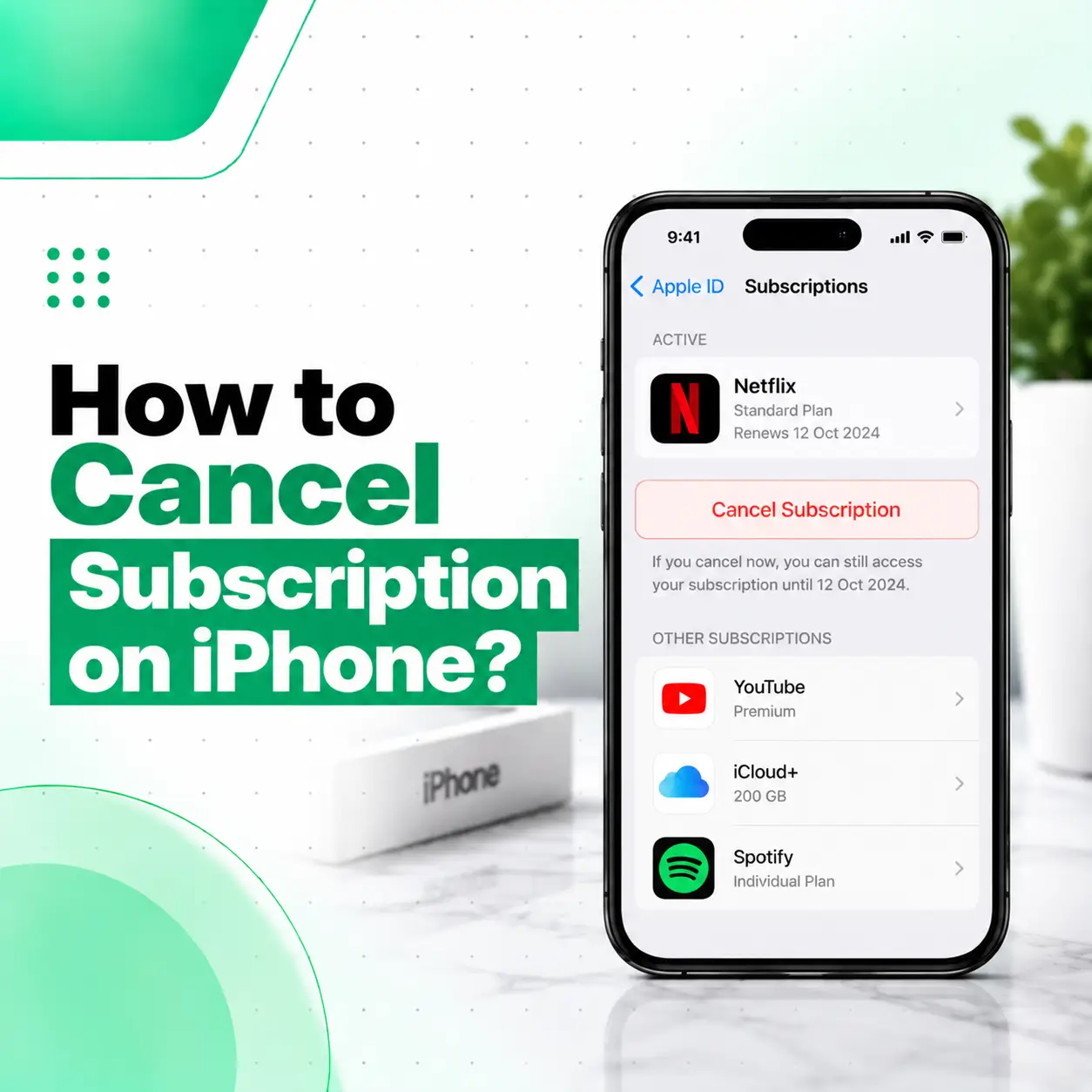
If you want to know how to cancel subscription on iPhone, you can usually do it directly from the Settings app. Open Settings, tap your name, select Subscriptions, choose the subscription you want to stop, and tap Cancel Subscription.
This process works for subscriptions billed through Apple, including subscriptions purchased through apps on the App Store. If you cannot find the subscription, the billing may be connected to a different Apple Account or another company. This guide explains how to cancel an iPhone subscription, check its status, troubleshoot missing subscriptions, and understand what happens after cancellation.
How to Cancel a Subscription on iPhone
The quickest way to cancel an Apple-billed subscription is through your iPhone’s Settings app.
Follow these steps:
- Open Settings on your iPhone.
- Tap your name at the top of the screen.
- Tap Subscriptions.
- Find and select the subscription you want to cancel.
- Tap Cancel Subscription.
- Follow any instructions shown on the screen to confirm the cancellation.
You may need to scroll down on the subscription page to find the cancellation option.
How to Check Whether a Subscription Is Canceled
After opening the subscription, look for its current status.
If there is no Cancel Subscription button or you see an expiration message in red, Apple indicates that the subscription has already been canceled.
This is useful if you are unsure whether you already stopped a recurring payment.
Where Are Subscriptions on an iPhone?
Your Apple-managed subscriptions are found under your Apple Account settings.
The path is:
Settings → Your Name → Subscriptions
From this screen, you can view active and expired subscriptions and manage eligible subscription plans. Apple also allows users to change certain subscription plans from this area.
What You Can See in the Subscriptions Section
Depending on your account and subscriptions, you may see:
- Active subscriptions
- Expired subscriptions
- Subscription plans
- Renewal information
- Cancellation options
- Options to change certain plans
If a subscription does not appear here, don’t assume that it is not billing you. The subscription may have been purchased using another Apple Account or billed directly by the service provider.
What Happens When You Cancel an iPhone Subscription?
Canceling a subscription stops its future renewal, but the exact access period can depend on the subscription and its terms.
For a normal recurring subscription, cancellation generally prevents the next renewal. If you are using a free trial, Apple advises canceling at least 24 hours before the trial ends if you do not want it to renew.
Does Canceling Delete the App?
No. Canceling an app subscription and deleting an app are separate actions.
You can cancel the subscription while keeping the app installed. Likewise, deleting an app does not necessarily cancel its subscription.
If you no longer want the app, you can delete it separately after checking that the subscription has been canceled.
Will I Lose Access Immediately?
Not necessarily.
The access period depends on the subscription’s terms. For some subscriptions, you can continue using the service until the end of the current billing period.
Apple also notes special rules for certain subscription arrangements, including subscriptions with payment commitments.
How to Cancel a Free Trial on iPhone
If you started a free trial through Apple and don’t want it to become a paid subscription, you can cancel it from the same Settings → Your Name → Subscriptions section.
Steps to Cancel a Free Trial
- Open Settings.
- Tap your name.
- Select Subscriptions.
- Choose the trial.
- Tap Cancel Subscription.
- Confirm the cancellation if prompted.
Apple recommends canceling a trial at least 24 hours before it ends if you do not want it to renew.
Why Can’t I Find the Subscription on My iPhone?
If you cannot find a subscription under Settings → Your Name → Subscriptions, there are several possible explanations.
The subscription may have been purchased with:
- A different Apple Account
- A family member’s Apple Account
- The service provider directly
- A mobile carrier or another provider
- Another billing platform
Apple recommends searching your email for “receipt from Apple” or “invoice from Apple” to determine which Apple Account was used.
Check Which Apple Account Was Used
If you use more than one Apple Account, check the Apple receipt associated with the subscription.
If the receipt shows another Apple Account that belongs to you, sign in with that account and check its subscriptions.
If the receipt belongs to a family member, that family member may need to manage the subscription. Apple states that you cannot cancel another family member’s subscription from your own account.
What If There Is No Apple Receipt?
If you cannot find an Apple receipt, the subscription may have been purchased directly from another company.
Check your bank or card statement to identify the company charging you. Apple advises contacting the company that bills you to cancel a subscription that was not billed through Apple.
How to Check Your Apple Purchase History
If you are unsure what you have been charged for, checking your purchase history can help identify subscriptions and other Apple purchases.
Apple provides an online purchase-history service where you can sign in with your Apple Account and review purchases.
On your iPhone, you can also:
- Open the App Store.
- Tap your photo or account icon.
- Tap Apps & Purchase History.
- Tap Purchase History.
You can search or filter the purchase history to help locate a particular transaction.
How to Stop an App From Charging You on iPhone
If an app is charging you regularly, first determine whether Apple or the app company is processing the payment.
If Apple handles the subscription, open:
Settings → Your Name → Subscriptions
Then select the subscription and choose Cancel Subscription.
If the subscription does not appear there, check your Apple purchase history and email receipts. If the payment was made directly to the company, cancellation normally has to be handled through that company’s account or support system.
What If You See an Unexpected Apple Charge?
An unfamiliar Apple charge does not necessarily mean that someone made a single unauthorized purchase. Apple notes that multiple purchases or subscriptions can sometimes be grouped into one bill. Family members may also have made purchases if Family Sharing is enabled.
Check your purchase history before deciding what the charge represents.
Can You Cancel a Subscription Without the iPhone?
Yes. Apple provides other ways to manage subscriptions.
You can use Apple’s account management options on the web, while subscriptions billed through Apple can also be managed on compatible Mac and Windows setups.
This can be useful if your iPhone is unavailable or you are having difficulty accessing Settings.
What If the Cancel Subscription Button Is Missing?
If you open a subscription and cannot find the Cancel Subscription button, check whether Apple shows an expiration message instead.
If an expiration message appears in red, Apple says the subscription has already been canceled.
If neither a cancellation option nor an expiration status is clear, check:
- Whether you are signed into the correct Apple Account.
- Your Apple purchase history.
- Your Apple email receipts.
- Your bank or card statement.
- Whether the service is billed by another company.
How to Avoid Unwanted Subscription Renewals
A few simple habits can make subscription management easier:
- Review your subscriptions regularly.
- Check trial expiration dates.
- Cancel trials you do not intend to continue.
- Keep Apple receipts for unfamiliar purchases.
- Check which Apple Account is being used.
- Review your purchase history if a charge seems unfamiliar.
- Don’t assume deleting an app cancels its subscription.
Keeping track of renewal dates is particularly useful for free trials and services that automatically renew.
When Should You Get Professional iPhone Help?
Canceling a subscription normally does not require phone repair. It is an account and billing task that can usually be completed through Apple’s software settings.
However, if your iPhone has a separate problem—such as a damaged touchscreen, Settings app that repeatedly crashes, severe software problems, or a device that cannot be operated properly—a professional phone repair technician may be able to diagnose the device issue.
For software or account problems, Apple Support is the appropriate source for account-specific assistance.
If your iPhone has a physical or software-related device problem that prevents normal use, iCareFix Phone Repair can assess the device and help determine whether professional repair is appropriate.
Frequently Asked Questions
1. How do I cancel a subscription on my iPhone?
Open Settings, tap your name, select Subscriptions, choose the subscription you want to stop, and tap Cancel Subscription. If the Cancel Subscription option is not available and an expiration message appears instead, Apple indicates that the subscription has already been canceled.
2. Does deleting an app cancel its subscription?
No. Deleting an app does not automatically mean that its subscription has been canceled. If the subscription is billed through Apple, check Settings → Your Name → Subscriptions and cancel it there. This helps prevent an unwanted renewal.
3. Why can’t I find a subscription on my iPhone?
The subscription may be connected to another Apple Account or may be billed directly by the service provider. Search your email for an Apple receipt or invoice and check which account was used. If there is no Apple receipt, check your bank or card statement to identify the billing company.
4. Can I cancel a free trial on my iPhone?
Yes. Open Settings → Your Name → Subscriptions, select the trial, and choose Cancel Subscription. If you don’t want the trial to renew, Apple recommends canceling it at least 24 hours before the trial ends.
5. Will canceling an iPhone subscription immediately stop my access?
Not necessarily. The access period depends on the subscription’s terms. Some subscriptions may remain available until the end of the current billing period. Check the subscription screen for its current status and expiration information.
6. How can I check what subscriptions I am paying for?
Go to Settings → Your Name → Subscriptions to view subscriptions managed through Apple. You can also review your Apple purchase history to identify purchases and charges associated with your Apple Account.
7. What should I do if my iPhone won’t let me manage a subscription?
First, check that you are signed into the correct Apple Account and that your iPhone is functioning normally. Review your Apple purchase history and receipts if the subscription is missing. If the problem is caused by a device issue such as a malfunctioning touchscreen or software problem, professional diagnosis may help determine the underlying issue.
Conclusion
Knowing how to cancel subscription on iPhone can help you stop unwanted renewals without deleting your apps or changing unrelated settings. In most cases, the process is straightforward: Settings → Your Name → Subscriptions → Select the subscription → Cancel Subscription.
If the subscription is missing, check your Apple Account, purchase history, email receipts, and billing statement to determine who is charging you. For Apple Account or billing-specific problems, Apple Support is the appropriate source of account assistance.
If your subscription problem is connected to a separate iPhone hardware or software issue that makes the device difficult to use, iCareFix Phone Repair can inspect the device and recommend an appropriate repair option.