




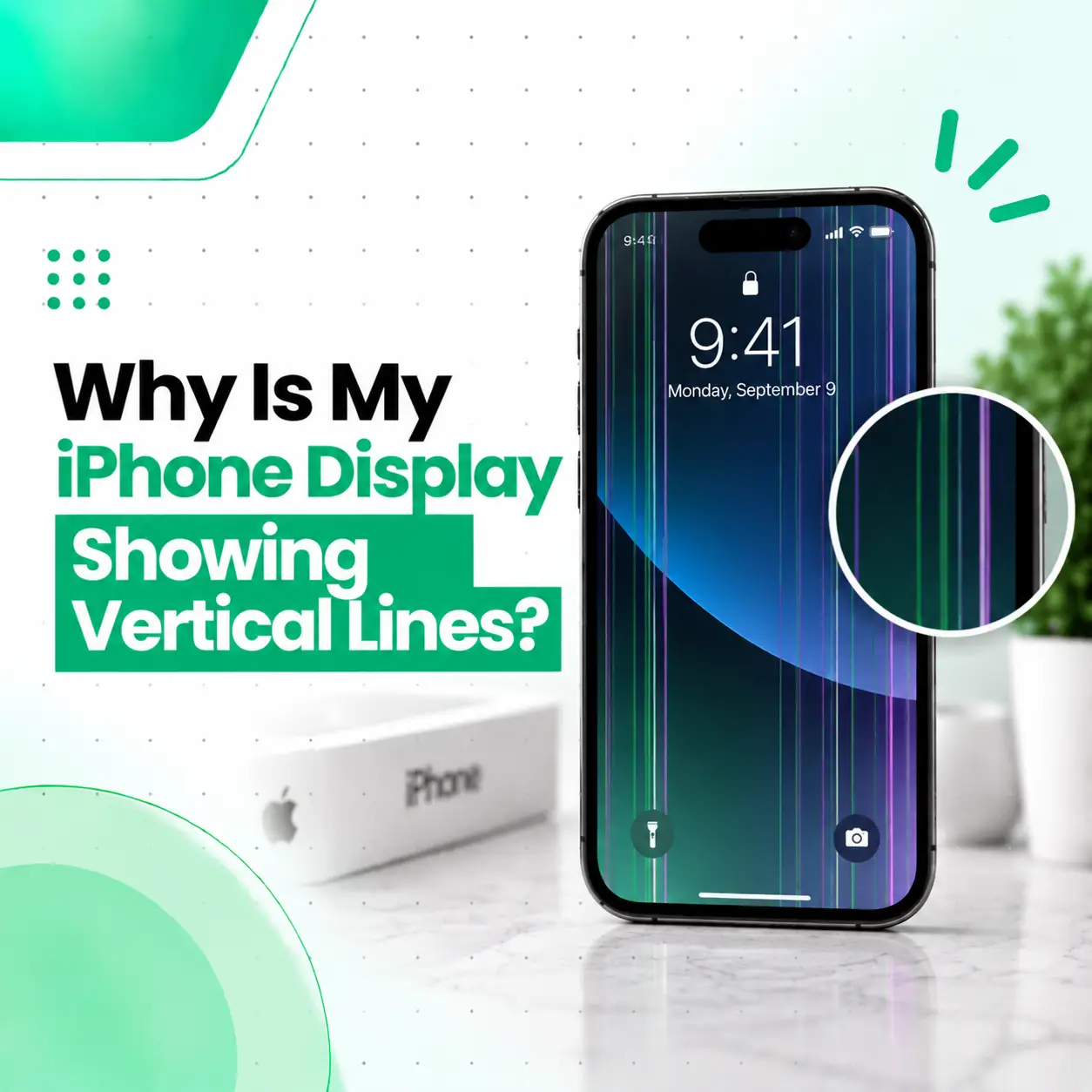
If your iPhone display is showing vertical lines, the problem may be caused by a damaged display panel, a loose or damaged display connection, physical impact, moisture, pressure, or less commonly a software-related issue. The lines may appear as thin colored stripes, black lines, flickering lines, or multiple bands across the screen.
In some cases, a simple restart or software check can help determine whether the problem is temporary. However, persistent vertical lines usually require closer inspection of the display assembly and its connections. This guide explains the common causes, troubleshooting steps, repair options, cost factors in Bangladesh, and when it is better to have your iPhone professionally inspected by a repair service such as iCareFix.
Why Is My iPhone Display Showing Vertical Lines?
Persistent vertical lines usually indicate a problem involving the display assembly or its connection to the phone. Physical damage, pressure, moisture, a failing display panel, or a damaged display flex connection can all produce this symptom.
The exact cause cannot always be identified from the appearance of the line alone. For example, a single thin line after a drop may have a different cause from multiple flickering lines that appeared after moisture exposure.
Common Causes of Vertical Lines on an iPhone Screen
Damaged Display Panel
The display panel can develop internal damage after a drop, impact, bending, or excessive pressure. Even when the outer glass looks intact, the underlying display can be damaged.
Depending on the type of panel and the extent of the damage, this may produce:
- One or more vertical lines
- Colored lines
- Black or white lines
- Flickering areas
- Distorted portions of the screen
- Touch problems alongside display problems
When the panel itself is damaged, software troubleshooting generally will not remove the lines.
Loose or Damaged Display Connection
The display communicates with the iPhone through internal connectors and flex cables. If a connection is damaged, displaced, or affected by impact, the screen may show abnormal lines or intermittent display behavior.
This is one reason professional diagnosis is useful: the visible symptom does not always mean that the entire display panel is necessarily the only component involved.
Physical Impact or Pressure
A drop does not have to visibly crack the screen to cause internal display damage. Pressure from a fall, bending, or impact against a hard surface can affect the display layers underneath the glass.
If the vertical lines appeared immediately after an accident, physical damage should be considered a likely possibility.
Moisture or Liquid Exposure
Liquid entering a phone can affect display connections and other internal components. Display problems may appear immediately or develop later.
If the lines appeared after water or liquid exposure, avoid repeatedly charging or using the device until it has been properly assessed. Continued operation can complicate diagnosis if internal corrosion or electrical damage is present.
Display Component Failure
A display panel can develop a hardware fault without obvious external damage. If vertical lines gradually appeared during normal use, the display assembly itself may need to be inspected.
The likelihood of a hardware issue becomes greater when the lines remain visible after restarting the iPhone.
Software or Temporary System Issues
Not every display abnormality is necessarily caused by physical damage. Temporary software problems can sometimes cause unusual graphical behavior.
However, if the same vertical lines remain consistently visible across different screens, during startup, or after restarting, a hardware-related issue becomes more likely.
What Do Vertical Lines on an iPhone Screen Look Like?
Vertical display problems can appear in several ways depending on the underlying fault.
Common symptoms include:
| Symptom | Possible indication |
| One thin vertical line | Display panel or connection issue |
| Several vertical lines | Display damage or connection problem |
| Colored vertical lines | Display panel or signal issue |
| Black vertical lines | Damaged display pixels or panel |
| Lines that flicker | Display connection, panel, or software issue |
| Lines after a drop | Possible physical display damage |
| Lines after liquid exposure | Possible moisture-related damage |
| Lines with touch problems | Possible display assembly damage |
These symptoms are useful for diagnosis, but they cannot identify the exact failed component by themselves.
Can You Fix Vertical Lines on an iPhone Screen?
You may be able to rule out a temporary software problem with basic troubleshooting, but persistent vertical lines often require professional hardware inspection.
Start with the least invasive steps before considering repair.
Restart Your iPhone
A restart can help determine whether the display problem is temporary.
If possible, restart the iPhone normally. If the issue prevents normal operation, use the appropriate force-restart procedure for your iPhone model.
After restarting, check whether the lines remain visible.
Check Whether the Lines Appear Everywhere
Open different parts of the phone, such as:
- Home Screen
- Settings
- Photos
- Safari
- Video playback
- Lock Screen
If the lines remain in the same physical location regardless of the content displayed, the issue is more consistent with a display-related hardware problem.
Take a Screenshot
A screenshot can sometimes help distinguish between a software-generated graphical problem and a physical display problem.
Take a screenshot and view it on another device if possible.
- Lines visible in the screenshot: the issue may involve software or graphics processing.
- Lines not visible in the screenshot but visible on the iPhone: the physical display path becomes more likely.
This is not a definitive diagnostic test, but it can provide useful information.
Check for Recent Physical or Liquid Damage
Think about when the problem started.
Ask yourself:
- Was the iPhone dropped recently?
- Was it squeezed or bent?
- Was the screen exposed to pressure?
- Did the problem start after liquid exposure?
- Was the screen previously repaired?
- Did the lines appear after another repair or component replacement?
The timing can help a technician narrow down the possible cause.
When Do Vertical Lines Mean You Need Screen Repair?
If the lines remain after restarting and appear consistently across the interface, professional inspection is appropriate.
Screen repair or replacement becomes more likely when:
- The lines remain permanently.
- The number of lines is increasing.
- The display is flickering.
- Part of the screen has become black.
- Touch response is affected.
- The screen has visible cracks.
- The problem started after a drop.
- The phone was exposed to liquid.
- The display becomes intermittently unusable.
Display Repair vs Screen Replacement
Not every display problem automatically means the same repair.
A technician may determine that the problem involves:
- The display panel
- The display assembly
- A display connector
- A flex cable
- Another internal component
If the display panel itself has failed, replacing the display assembly may be the practical repair option. If another component or connection is responsible, the appropriate repair may be different.
How Is an iPhone Vertical-Line Problem Diagnosed?
A professional repair technician can inspect the device before recommending a repair.
Visual Inspection
The technician can look for:
- Cracks
- Frame damage
- Signs of impact
- Screen separation
- Liquid indicators or evidence of moisture
- Unusual display behavior
Display and Touch Testing
The screen can be tested for:
- Consistent vertical lines
- Flickering
- Dead areas
- Touch response
- Brightness abnormalities
- Color distortion
Internal Inspection
If necessary, the device may be opened to examine relevant internal connections and components.
A proper diagnosis helps avoid replacing parts unnecessarily.
Can Vertical Lines on an iPhone Screen Be Fixed Without Replacing the Screen?
Sometimes, but it depends on the cause.
If the problem is caused by a temporary software issue or a connection problem, screen replacement may not be necessary. However, if the display panel has internal damage, software troubleshooting cannot physically repair the damaged panel.
A professional inspection is therefore important before deciding whether the appropriate solution is a connection repair, component-level repair, or display replacement.
Does the iPhone Model Affect the Repair?
Yes. iPhone models use different display technologies, assemblies, connectors, and internal designs.
Depending on the model, the device may use an OLED or LCD-based display system, and repair procedures and replacement components can differ.
The availability and type of replacement part can also affect the repair process and cost.
How Much Does iPhone Screen Repair Cost in Bangladesh?
There is no single repair price that applies to every iPhone with vertical lines.
The cost can depend on:
- iPhone model
- Display technology
- Extent of damage
- Whether the display assembly needs replacement
- Part availability
- Part quality
- Labor involved
- Whether another internal component is damaged
For example, a display replacement and a connector-related repair are different types of service and may have very different costs.
If you are considering iPhone screen repair in Bangladesh, ask the repair provider to diagnose the problem and explain which component requires attention before approving the repair.
Is It Safe to Keep Using an iPhone With Vertical Lines?
If the phone is otherwise functioning normally, a small display issue may not immediately prevent use. However, persistent lines can sometimes be accompanied by worsening display or touch problems.
Be more cautious if you notice:
- Screen flickering
- Rapidly increasing lines
- Touch failure
- Screen lifting or separation
- Unusual heat
- Signs of liquid exposure
- A damaged or swollen device
If the phone has suffered physical or liquid damage, professional inspection is preferable to continuing to use it without checking the underlying condition.
Can You Repair Vertical Lines Yourself?
DIY repair is generally not recommended if the issue may involve the display assembly or internal connectors.
Opening an iPhone requires appropriate tools and careful handling of delicate components. An incorrect repair attempt can create additional damage or make the original problem harder to diagnose.
If the phone contains important data, consider backing it up before service when the device is still usable. Also choose a repair provider that can explain what will be inspected or replaced and what warranty, if any, applies to the repair.
How to Prevent iPhone Display Problems
You cannot prevent every display failure, but you can reduce avoidable risks.
Protect the Screen From Impact
Use a suitable protective case and screen protector to reduce the likelihood of damage from everyday drops and impacts.
Avoid Excessive Pressure
Do not place heavy objects on the phone or keep it in situations where the display can be repeatedly bent or compressed.
Keep Liquid Away
Avoid exposing the iPhone to unnecessary moisture. If liquid exposure occurs, do not assume that the phone is fine simply because the display still works immediately afterward.
Address Display Problems Early
If a line appears and remains visible, having the phone inspected early can help determine whether the issue is limited to the display or connected to another component.
When Should You Visit a Professional iPhone Repair Service?
You should consider professional inspection when basic troubleshooting does not remove the lines or when the problem follows physical or liquid damage.
Professional diagnosis is especially useful if:
- The vertical lines remain after restarting.
- The display is flickering.
- Touch response is failing.
- The screen has been dropped or damaged.
- The phone has experienced liquid exposure.
- The display is becoming progressively worse.
- You need to know whether repair or replacement is appropriate.
For customers seeking professional phone repair in Bangladesh, iCareFix can inspect the device and help identify the likely source of the display problem before recommending an appropriate repair option.
Frequently Asked Questions
1. Why is my iPhone display showing vertical lines?
Vertical lines can result from display panel damage, physical impact, pressure, moisture, damaged display connections, or a failing display component. A temporary software issue is also possible, particularly if the lines are not consistently present. If the lines remain after restarting and appear across different screens, professional inspection can help determine whether the problem is hardware-related.
2. Can vertical lines on an iPhone screen go away by themselves?
They can disappear if the underlying issue is temporary, such as a software or connection-related problem. However, persistent lines are more concerning for a hardware fault. If a line remains in the same position after restarting the phone, especially after a drop or liquid exposure, it is worth having the device professionally assessed.
3. Do vertical lines mean my iPhone screen needs replacement?
Not necessarily. The problem could involve a connector, flex cable, software issue, or another component. If the display panel itself is damaged, however, screen or display assembly replacement may be necessary. A technician should diagnose the device before recommending replacement so that unnecessary parts are not changed.
4. Can a software update fix vertical lines on an iPhone?
A software update may help if the display problem is caused by a software-related bug, but it cannot repair physical damage to the display panel or internal hardware. If the lines appeared after physical damage or remain consistently visible across the interface, software troubleshooting alone is unlikely to resolve a hardware fault.
5. How much does it cost to repair vertical lines on an iPhone in Bangladesh?
The cost depends on the iPhone model and the actual cause of the display problem. A connector-related issue, display repair, and complete screen replacement involve different parts and labor. Part quality and availability can also affect the final cost. A diagnosis is therefore needed before giving an accurate repair estimate.
6. Can I use my iPhone if vertical lines are appearing?
You may be able to use it if the phone remains responsive and there are no other signs of damage. However, worsening lines, flickering, touch problems, screen separation, unusual heat, or liquid exposure should be treated as reasons for professional inspection. Backing up important data while the phone is still usable is also sensible.
7. How can I prevent vertical lines from appearing on my iPhone screen?
Protect the iPhone from drops, excessive pressure, and unnecessary moisture. A protective case and screen protector can reduce some types of physical damage. If you notice a new line, flickering, or touch problem, having the device checked early can help identify the cause before the display issue becomes more extensive.
Conclusion
Vertical lines on an iPhone display can have several causes, ranging from temporary software behavior to display-panel damage, physical impact, moisture, or internal connection problems. A restart and basic checks can help rule out simple issues, but lines that persist usually deserve professional inspection.
Avoid opening the phone yourself unless you have the appropriate repair experience and equipment. If your iPhone continues to show vertical lines, iCareFix can assess the device, identify the likely source of the display problem, and explain whether the appropriate solution involves repair, a component replacement, or display replacement.