




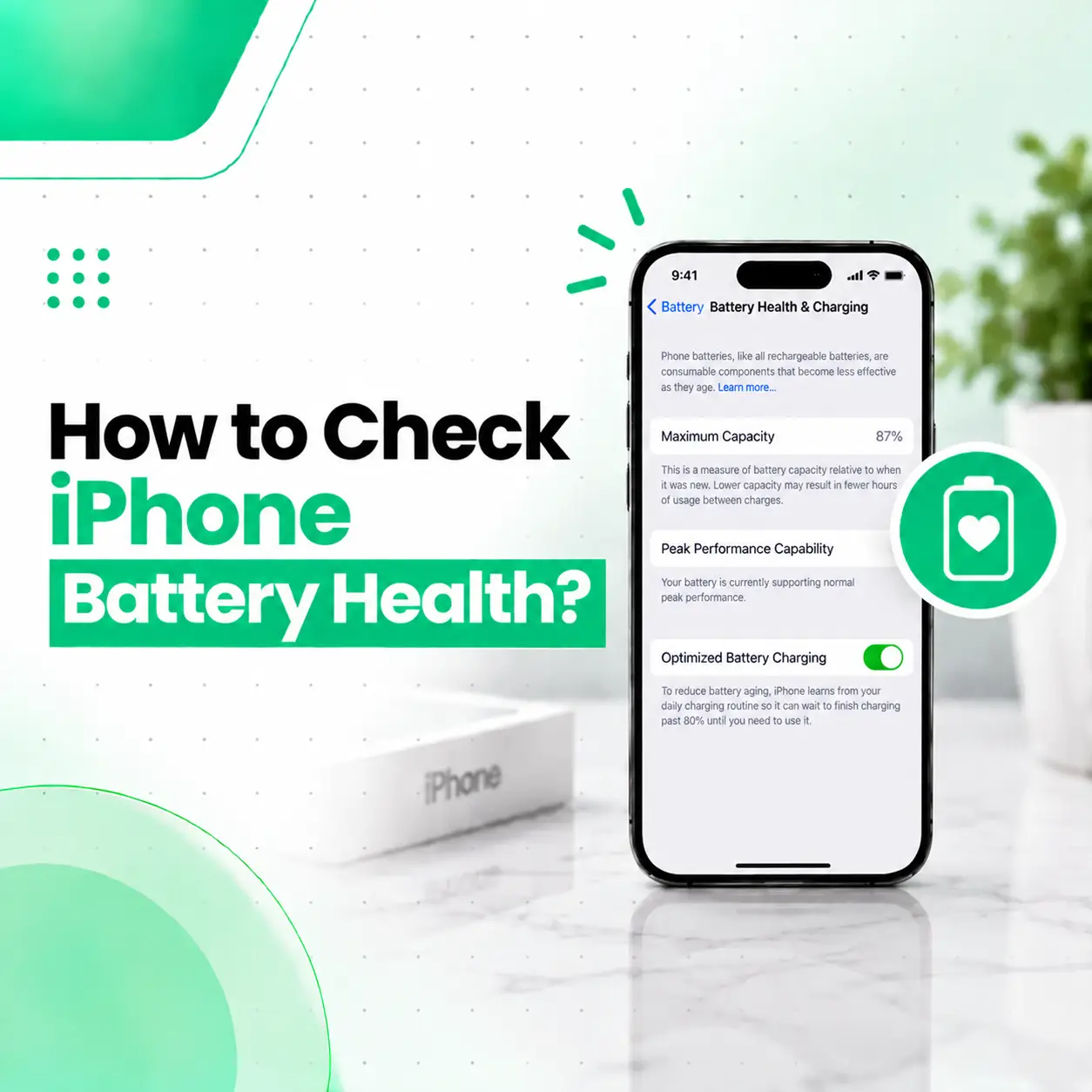
If you want to know how to check iPhone battery health, you can find important battery information directly in the iPhone Settings app. Depending on your iPhone model and iOS version, you may be able to see Maximum Capacity, Peak Performance Capability, cycle count, battery service recommendations, and other battery information.
On iPhone 15 models and later running iOS 17.4 or later, Apple provides additional information such as cycle count, battery manufacture date, and first-use date. On iPhone 11 through iPhone 14 models, battery information is available through Battery Health & Charging.
This guide explains where to find these details, what they mean, how battery health affects everyday use, and when it may be worth having your iPhone battery professionally inspected or replaced.
How Do You Check iPhone Battery Health?
The quickest way to check your iPhone battery health is through Settings → Battery. The exact menu depends on your iPhone model and software version.
On iPhone 15 and Later
For iPhone 15 models and later with iOS 17.4 or later:
- Open Settings.
- Tap Battery.
- Tap Battery Health.
You can see information including:
- Maximum Capacity
- Cycle Count
- Battery manufacture date
- Date of first use
- Whether battery replacement is recommended
Apple provides these details specifically to help users understand battery condition and usage.
On iPhone 11, 12, 13, and 14
On these models, the menu is generally:
Settings → Battery → Battery Health & Charging
Here you can check:
- Maximum Capacity
- Peak Performance Capability
- Battery service information
- Optimized Battery Charging settings
Apple identifies rechargeable batteries as consumable components, meaning their capacity and performance gradually decline as they chemically age.
What About Older iPhone Models?
The available battery-health information varies by iPhone generation and iOS version.
If your iPhone does not show the same Battery Health information as a newer model, that does not necessarily mean there is a battery fault. Older devices can have fewer built-in battery-health indicators.
If you are unsure about the condition of an older iPhone battery, a professional diagnostic check can provide additional information.
What Does iPhone Battery Health Mean?
iPhone Battery Health describes the battery’s current condition and its ability to hold and deliver power compared with when the battery was new.
The most familiar measurement is Maximum Capacity.
For example, if an iPhone displays a Maximum Capacity of 90%, this means the system estimates that the battery can currently hold around 90% of the capacity it could hold when new.
It does not mean the phone is automatically defective.
Battery capacity naturally decreases as a rechargeable lithium-ion battery chemically ages.
What Is Maximum Capacity on iPhone?
Maximum Capacity is the estimated capacity of your battery relative to its capacity when it was new.
As a battery ages, its ability to hold charge decreases. This can mean:
- Shorter time between charges
- More frequent charging
- Reduced battery runtime
- Potentially reduced peak performance in some situations
The percentage should therefore be viewed as one indicator of battery condition, rather than a complete diagnosis by itself.
Is 100% Battery Health Always Necessary?
No.
A battery does not need to remain at 100% Maximum Capacity to function normally.
Rechargeable batteries naturally lose some capacity through use and chemical aging. A lower percentage can still represent a usable battery, particularly when the device provides normal runtime and does not show a service recommendation.
Is 90% Battery Health Good?
A Maximum Capacity of 90% indicates that the battery’s estimated capacity has decreased from its original level.
Whether that requires replacement depends on the overall condition of the device, your usage requirements, battery runtime, performance, and any service recommendation shown in Settings.
There is no single percentage that automatically means every user needs a replacement.
What Is Peak Performance Capability?
Peak Performance Capability indicates whether the battery can currently support normal peak performance requirements.
On supported iPhones, the Battery Health screen can provide information about whether the battery is supporting normal peak performance or whether battery aging has affected performance management.
This is important because battery condition is not only about how long the phone lasts between charges.
A chemically aged battery can also have a reduced ability to provide the instantaneous power required by the device under certain conditions.
What Is an iPhone Battery Cycle Count?
A charge cycle is completed when you have used an amount of battery power equivalent to 100% of the battery’s capacity, even if that usage happens over multiple charging sessions.
For example, using 50% of the battery one day and another 50% later represents approximately one complete cycle.
On iPhone 15 models and later with iOS 17.4 or later, the Battery Health screen can display the cycle count.
Why Does Cycle Count Matter?
Cycle count provides additional context about battery usage.
However, it should not be interpreted alone.
Battery aging also depends on factors such as:
- Temperature history
- Charging patterns
- Usage
- Chemical aging
- Overall battery condition
Apple notes that the exact battery capacity depends on how the device is regularly used and charged.
How Many Charge Cycles Can an iPhone Battery Handle?
Apple states that batteries in iPhone 14 models and earlier are designed to retain 80% of their original capacity at 500 complete charge cycles under ideal conditions.
For iPhone 15 models and later, Apple states that the batteries are designed to retain 80% of their original capacity at 1,000 complete charge cycles under ideal conditions.
These are design targets under ideal conditions, not a guarantee that every individual battery will reach exactly those figures. Actual capacity depends on usage and charging behavior.
What Battery Health Percentage Means
The following table provides a practical way to interpret Maximum Capacity without treating a single percentage as an automatic repair threshold.
| Maximum Capacity | General Interpretation |
| 95–100% | Relatively close to the battery’s original capacity |
| 90–94% | Some normal capacity reduction may be present |
| 85–89% | Noticeable aging may be present |
| 80–84% | Battery capacity has declined significantly from new |
| Below 80% | Consider battery service, especially if runtime or performance is affected |
These ranges are practical guidance, not official Apple replacement thresholds. Battery condition should also be considered alongside runtime, performance, cycle count, and any service message displayed by the device.
Apple’s published design information uses 80% capacity as a reference point for battery retention under specified ideal cycle conditions.
What Are the Signs of a Worn iPhone Battery?
Battery Health gives you a useful starting point, but everyday symptoms can provide additional context.
Common signs of battery aging may include:
- Battery draining faster than expected
- Needing to charge more frequently
- Unexpected shutdowns
- Reduced peak performance in certain situations
- Battery service recommendations
- Significant reduction in usable battery time
However, fast battery drain does not always mean the battery itself is defective.
Other factors, such as software activity, network conditions, screen usage, temperature, and app behavior, can affect battery life.
Why Is My iPhone Battery Draining Fast Even With Good Battery Health?
A relatively high Maximum Capacity does not guarantee long battery life in every situation.
Battery usage can increase because of:
- High screen brightness
- Video streaming
- Gaming
- GPS/location activity
- Background app activity
- Poor cellular signal
- Frequent camera use
- Hot or cold temperatures
- Recent software changes
Therefore, checking Battery Health should be combined with checking Battery Usage in Settings.
If one app or activity is consuming an unusually large amount of power, the issue may be related to usage or software rather than battery degradation.
How to Check Which Apps Are Using the Most Battery
To investigate battery drain:
- Open Settings.
- Tap Battery.
- Review the battery usage information.
- Identify apps or activities using a significant amount of power.
- Compare usage with your normal routine.
This helps distinguish between a battery-health issue and unusually high power consumption.
For example, an iPhone with relatively healthy battery capacity may still drain quickly during extended gaming, video recording, navigation, or poor-signal conditions.
When Should You Replace an iPhone Battery?
Battery replacement becomes more relevant when the battery’s reduced capacity is affecting everyday use or the iPhone displays a service recommendation.
Consider professional battery assessment if:
- Battery runtime has become significantly shorter.
- Your iPhone shuts down unexpectedly.
- Battery Health shows substantial degradation.
- Peak performance is affected.
- The device recommends battery service.
- The battery appears physically swollen or damaged.
Apple notes that chemically aged batteries can have reduced capacity and may also have reduced ability to deliver peak power.
Does 80% Battery Health Mean You Must Replace the Battery?
Not automatically.
The 80% figure is an important reference because Apple uses it in its battery-retention specifications, but it should not be treated as a universal rule requiring immediate replacement.
Your actual decision should consider:
- Battery runtime
- Performance
- Unexpected shutdowns
- Service messages
- Usage requirements
- Device age
- Cost of battery replacement
A professional inspection can help determine whether replacement is actually appropriate.
How to Check if Your iPhone Battery Needs Service
The Battery Health screen can provide a useful indication of whether service may be needed.
Look for:
- Maximum Capacity
- Peak Performance Capability
- Battery service recommendations
- Cycle Count on supported newer models
- Other battery-related warnings
If the phone recommends service or your battery performance has become problematic, consider having the device assessed before purchasing a replacement battery yourself.
How to Extend iPhone Battery Lifespan
Battery health naturally declines over time, but charging and environmental habits can influence battery aging.
Avoid Excessive Heat
Temperature is an important factor in battery aging.
Apple recommends avoiding charging or leaving an iPhone in hot environments, including direct sunlight, for extended periods.
Use Optimized Battery Charging
Optimized Battery Charging is designed to reduce the amount of time an iPhone spends fully charged.
On supported devices, the feature learns your charging routine and can delay charging beyond 80% in certain circumstances.
Use Charge Limit on Supported iPhones
On iPhone 15 models and later, you can set a Charge Limit through:
Settings → Battery → Charging
You can select a maximum charge percentage, depending on the options available on your iPhone. Apple says this feature can help reduce battery wear, particularly for users who frequently charge their phones or leave them connected to power for extended periods.
Do You Need to Keep Your iPhone Between 20% and 80%?
There is no need to treat a specific 20–80% range as a strict rule for every charging session.
Modern iPhones include charging-management features designed to help manage battery aging.
For supported newer models, Charge Limit can also be used when it suits your charging habits.
What Is the Difference Between Battery Life and Battery Lifespan?
These two terms are often confused.
Battery life refers to how long your iPhone operates before it needs to be charged.
Battery lifespan refers to how long the battery remains usable before it needs replacement.
A phone can have reduced battery life because of heavy daily usage while still having a relatively healthy battery.
Battery lifespan, meanwhile, is influenced by chemical aging, charging patterns, temperature, and other factors.
Can Battery Health Be Wrong?
Battery Health is an estimate rather than a direct laboratory measurement of every aspect of battery condition.
Apple has also documented situations involving battery-health reporting recalibration on certain iPhone 11 models. During recalibration, the displayed Maximum Capacity may remain unchanged while the system updates its estimate over time.
This is one reason why a battery-health percentage should be interpreted together with actual device behavior.
If the percentage appears inconsistent with severe battery symptoms, professional diagnosis can provide additional context.
Can You Check iPhone Battery Health Without Opening the Phone?
Yes.
For supported iPhone models, Apple’s built-in Settings provide battery-health information without opening the device.
This is the safest first step because you can check the battery condition without physically accessing the battery.
Opening an iPhone simply to inspect the battery is unnecessary for a basic battery-health check and can create additional risks if done without appropriate repair experience.
Does Low Battery Health Affect iPhone Performance?
It can.
As lithium-ion batteries chemically age, their ability to hold charge decreases. In some circumstances, aging can also affect the battery’s ability to deliver peak power.
Apple’s Battery Health system can show information about Peak Performance Capability and performance management when relevant.
This means battery health is relevant not only to how long your iPhone lasts between charges but also to how the device manages performance under certain conditions.
iPhone Battery Health Check in Bangladesh
For iPhone users in Bangladesh, the built-in Battery Health screen is a useful first step before considering battery replacement.
If your iPhone shows reduced capacity but still provides acceptable battery life, immediate replacement may not be necessary.
On the other hand, if you experience:
- Rapid battery drain
- Unexpected shutdowns
- Significant performance changes
- Battery service warnings
- Physical battery damage
a professional mobile repair service can inspect the device and determine whether battery replacement is appropriate.
This is especially useful when you want to avoid replacing a battery when the actual problem may involve charging hardware, software, or another component.
How Professionals Check an iPhone Battery
A professional battery assessment can involve more than reading the percentage displayed in Settings.
Battery Health Review
The technician can review:
- Maximum Capacity
- Cycle Count where available
- Service recommendations
- Performance information
Physical Inspection
The device can be checked for signs of:
- Battery swelling
- Physical damage
- Liquid exposure
- Previous repair
- Charging-port problems
Charging and Power Testing
If the battery is draining unusually fast or charging incorrectly, additional testing may help determine whether the battery is actually responsible.
Battery Replacement Assessment
If replacement is appropriate, the technician can discuss available replacement options, part quality, compatibility, and warranty considerations.
The goal is to identify the cause of the problem before replacing a component unnecessarily.
How Much Does iPhone Battery Replacement Cost in Bangladesh?
There is no single accurate price for every iPhone battery replacement.
The final cost can depend on:
- iPhone model
- Battery type
- Part availability
- Part quality
- Labor
- Repair method
- Device condition
- Warranty terms
Older and newer iPhone models can require different battery parts and repair procedures.
For this reason, an exact battery-replacement price should be based on the specific iPhone model and the replacement part being offered rather than a generic online estimate.
Is It Safe to Replace an iPhone Battery Yourself?
Battery replacement is possible as a repair procedure, but it is not a good DIY project for most users.
An iPhone contains a compact lithium-ion battery and tightly integrated internal components. Improper opening, battery handling, or installation can cause additional damage.
Professional repair can also help address issues such as:
- Battery adhesive
- Internal connectors
- Display handling
- Battery recognition
- Post-repair testing
- Device sealing considerations
If the battery is swollen or physically damaged, avoid attempting to puncture, bend, or remove it yourself.
When Should You Visit a Professional iPhone Repair Service?
Consider professional inspection when the Battery Health information and your actual experience do not match, or when the device shows clear signs of battery failure.
Professional diagnosis is particularly useful when:
- Battery drain is unusually severe.
- The phone shuts down unexpectedly.
- Battery health is significantly degraded.
- The phone does not charge normally.
- The device becomes unusually hot during charging.
- The battery appears swollen.
- The iPhone has experienced physical or liquid damage.
- A battery replacement has already been attempted.
A technician can determine whether the battery itself needs replacement or whether another component is responsible for the symptoms.
Frequently Asked Questions
1. How do I check iPhone battery health?
Open Settings → Battery. On iPhone 15 models and later with iOS 17.4 or later, tap Battery Health. On iPhone 11 through iPhone 14 models, tap Battery Health & Charging. The available information can include Maximum Capacity, performance information, and, on supported newer models, cycle count and battery dates.
2. What is a good iPhone battery health percentage?
There is no single percentage that determines whether every iPhone battery needs replacement. A higher Maximum Capacity generally means the battery can hold more charge relative to when it was new. Apple uses 80% as a reference in its battery-retention specifications under ideal conditions, but actual battery condition also depends on usage, charging, temperature, performance, and service recommendations.
3. How do I check the battery cycle count on an iPhone?
On iPhone 15 models and later with iOS 17.4 or later, open Settings → Battery → Battery Health. Apple includes Cycle Count among the available battery information on supported models. Earlier iPhone models may not display cycle count directly in the same Battery Health screen.
4. Does 80% battery health mean I need a new battery?
Not necessarily. Eighty percent is an important reference point because Apple states that certain iPhone batteries are designed to retain 80% of their original capacity after a specified number of complete charge cycles under ideal conditions. Your actual need for replacement depends on battery runtime, performance, unexpected shutdowns, service messages, and your usage requirements.
5. Why is my iPhone battery draining quickly even though Battery Health looks good?
Battery drain can be affected by much more than Maximum Capacity. High screen usage, gaming, video, location services, background activity, poor cellular signal, temperature, and other factors can increase power consumption. Check Settings → Battery to identify which apps or activities are using the most power before assuming the battery needs replacement.
6. Can I improve my iPhone battery health?
You cannot restore lost chemical capacity through a setting, but you can take steps to reduce unnecessary battery wear. Avoid prolonged exposure to high temperatures, and use charging-management features such as Optimized Battery Charging. On iPhone 15 models and later, Charge Limit can also be configured to help reduce battery wear based on your charging habits.
7. When should I get my iPhone battery professionally checked?
Consider professional inspection when the battery drains unusually quickly, the phone shuts down unexpectedly, charging behaves abnormally, the device shows a service recommendation, or the battery appears physically damaged. A technician can determine whether the battery itself needs replacement or whether another component is causing the symptoms.
Conclusion
Knowing how to check iPhone battery health can help you understand whether your device’s shorter battery life is related to normal aging or a more significant problem. Start with Settings → Battery and review the information available for your particular iPhone model.
Pay attention to Maximum Capacity, Peak Performance Capability, cycle count on supported models, and any battery service recommendation. Remember that battery health is only one part of the overall picture; actual battery runtime, charging behavior, temperature, and device performance also matter.
If your iPhone has significantly degraded battery performance, unusual shutdowns, charging problems, or signs of physical battery damage, professional diagnosis can help determine the appropriate repair. iCareFix can assess the device and help identify whether battery replacement or further inspection is appropriate for the specific iPhone.