




Series


Choose a Mac category or model to browse available repair and support services.
Choose a MacBook Repair category or model to continue to the available repair services.





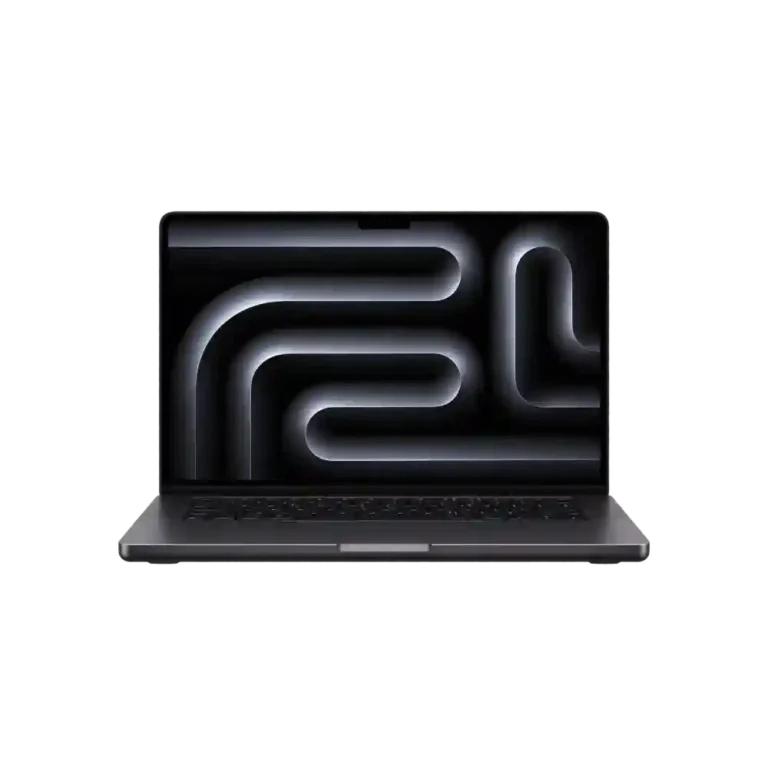
A MacBook can develop hardware or software problems that affect its display, battery life, charging, keyboard, trackpad, performance, or ability to turn on. Identifying the actual cause is important because similar symptoms can originate from different internal components.
iCareFix provides professional MacBook Repair in Bangladesh, with diagnostic and repair support for supported MacBook Air and MacBook Pro models. Available services include display and battery replacement, charging and power issue diagnosis, keyboard and trackpad repair, overheating troubleshooting, liquid damage cleaning, storage upgrades, software support, and logic board-related repairs.
Our approach starts with device inspection, followed by diagnosis, repair recommendations, and cost confirmation before approved work begins. Customers in Chattogram can visit an iCareFix service center to discuss their MacBook problems and available repair options.
| Service Information | Details |
| Repair Category | MacBook Repair |
| Supported Device Families | MacBook Air and MacBook Pro |
| Supported Generations | Supported Intel and Apple silicon models, subject to confirmation |
| Repair Types | Hardware, software, component replacement and board-level diagnosis |
| Display Options | Original-sourced and high-quality options, subject to availability |
| Battery Services | Original and high-quality replacement options, subject to availability |
| Diagnostics | Device inspection and fault diagnosis |
| Warranty | Depends on the repair and replacement component; confirm before approval |
| Service Location | Finlay Square and Finlay South City, Chattogram |
| Repair Provider | iCareFix |
The exact repair options depend on the MacBook model, configuration, device condition, technical feasibility, and availability of compatible components.
MacBook problems do not always point to a single faulty component. For example, a MacBook that does not charge may have a damaged charging port, battery problem, power-related fault, or logic board issue. Similarly, a blank display does not automatically mean the screen needs replacement.
iCareFix provides the following repair and diagnostic services for supported MacBook models.
The display is one of the most important components of a MacBook. Screen damage, image abnormalities, and display failures can affect normal use and may require component inspection or replacement.
The appropriate option depends on the display condition, MacBook generation, and available replacement components.
Battery and power problems can affect portability, startup, charging, and everyday performance.
A MacBook that fails to power on may have a battery, charging, power management, or logic board-related issue. The actual cause needs to be identified before recommending a repair.
Charging issues can make a MacBook unreliable or prevent it from powering on.
Charging faults may involve the adapter, cable, charging port, internal connectors, battery, or power circuitry. Testing the relevant components helps narrow down the problem.
Input and audio components are essential for normal MacBook operation. Damage, liquid exposure, and component faults can affect these functions.
The repair method depends on the exact model and whether the fault involves an individual component, its connection, or another internal issue.
Thermal and liquid-related problems can affect several internal components, sometimes without immediately causing complete device failure.
Liquid exposure can affect the keyboard, trackpad, battery, connectors, and logic board. Continuing to power or charge a liquid-damaged MacBook can increase the risk of further damage. Professional inspection is recommended.
Not all MacBook problems require physical component replacement. Some involve macOS, storage configuration, or software-related performance issues.
Storage upgrade possibilities vary considerably between MacBook generations. Many Apple silicon and newer Intel MacBooks have integrated or soldered storage configurations, so an upgrade must never be assumed possible without checking the exact model.
The logic board is responsible for coordinating many of a MacBook's internal functions. Problems involving power, charging, startup, and other hardware systems may require more advanced investigation.
- MacBook Logic Board / Motherboard Diagnosis and Repair: Investigation and repair of suitable board-level faults where technically feasible.
A logic board problem does not automatically mean the entire board needs replacement. Depending on the fault, component-level repair may be possible. The appropriate recommendation follows inspection and diagnosis.
iCareFix provides MacBook repair support for two main product families:
MacBook Air models are designed for everyday computing, portability, and professional use. Different generations have different internal configurations, display assemblies, battery designs, and repair requirements.
Common MacBook Air repair requirements include:
MacBook Pro models are built for more demanding computing workloads. Depending on the generation, they may have different display technologies, cooling systems, battery configurations, ports, and internal hardware.
Available repair categories include:
MacBook repair requirements can differ between Intel-based devices and Apple silicon generations.
Before selecting a service, identify the exact MacBook model:
You can also find additional model information through the MacBook's system information.
Important: Not every repair is compatible with every MacBook generation. Component availability, internal design, and technical feasibility determine which services can be performed.
Understanding the symptoms can help you describe the problem more accurately when requesting a repair.
A MacBook may show a black screen, flickering, lines, distorted colours, or no visible image. Possible causes include display damage, internal connections, or other hardware faults. The display assembly and related components should be inspected before replacement is recommended.
If the battery loses charge unusually quickly or the MacBook shuts down unexpectedly, battery condition may be a factor. However, background processes, charging problems, and power-related hardware faults can also contribute.
A MacBook that does not charge may have a faulty cable or adapter, damaged port, battery problem, or internal power circuitry fault. Testing the charging accessories and inspecting the device can help identify the source.
Excessive heat can be associated with demanding applications, restricted airflow, cooling-system problems, background processes, or internal hardware faults. Persistent overheating should be investigated rather than ignored.
Unresponsive keys, repeated inputs, trackpad movement problems, or liquid-related damage can affect normal operation. The cause may involve the input component, its connections, or other internal hardware.
A MacBook that shows no startup activity may have a battery, charging, power management, or logic board-related fault. A proper diagnosis is necessary before deciding whether component replacement or board-level repair is appropriate.
Spilled water, tea, coffee, or other liquids can affect internal connections and electronic components. Corrosion may develop even when the device initially appears functional. Disconnect power and arrange professional inspection rather than repeatedly attempting to turn it on.
Connection drops, unavailable networks, or inconsistent wireless performance may involve macOS settings, software, network configuration, or hardware. Diagnosis helps distinguish between software and hardware-related causes.
MacBook hardware is compact and interconnected. A symptom-based replacement can be costly if the actual problem originates from another component. Inspection helps establish a more appropriate repair direction.
iCareFix provides repair support for both MacBook Air and MacBook Pro families. Available services depend on the exact generation, configuration, and condition.
Different MacBook models require compatible display assemblies, batteries, and other components. Available original-sourced and high-quality replacement options can be discussed before approving the repair.
Customers should know what has been identified, which repair is recommended, and the estimated cost before additional paid work begins.
MacBooks contain delicate display assemblies, batteries, connectors, storage components, and logic boards. Careful handling during inspection and repair is important, particularly for liquid-damaged and board-level cases.
Relevant functions should be checked after the approved repair. Depending on the service, this may involve testing display output, charging, keyboard input, trackpad operation, battery behaviour, and other affected functions.
The repair process follows a clear sequence so customers can understand what happens before their MacBook is returned.
Determine whether you have a MacBook Air or MacBook Pro and share the exact model information with the team.
Describe the symptoms, when they started, and whether the device experienced physical damage, liquid exposure, or previous repair work.
Bring the device to an iCareFix service center in Chattogram for inspection and diagnosis.
The technician examines the reported problem and investigates relevant hardware or software components.
The repair options, required components, and estimated cost are discussed. The work proceeds after the customer approves the recommendation.
The required repair is performed, followed by relevant functional checks to assess the result.
Once the repair and applicable testing are completed, the customer can arrange collection and discuss any applicable warranty conditions.
MacBook components differ across generations. A display, battery, or other replacement part must match the specific model and configuration. Component quality and compatibility can influence repair options, performance, and overall cost.
Before approving a MacBook repair, consider the following:
Not every MacBook repair uses an original replacement component, and different component options should not be treated as equivalent. Ask the team to explain the available options for your particular model.
Customers should also back up important files before submitting a MacBook for repair. This is especially important for storage, software, and logic board-related work, where data preservation cannot always be guaranteed.
Modern MacBooks use tightly integrated hardware and software systems. A display problem, power failure, charging fault, or startup issue may involve more than one component.
Professional diagnosis helps identify the source of a fault before replacement work begins. It also helps determine whether the appropriate solution involves software troubleshooting, component replacement, cleaning, or board-level repair.
This is particularly important for Apple silicon models and liquid-damaged devices, where internal architecture and repair feasibility can differ from older MacBook generations.
A suitable repair process should include:
This approach gives customers a clearer understanding of their MacBook's condition and helps avoid unnecessary component replacement.
You can get MacBook repair support from iCareFix in Bangladesh. Our service centers are located at Finlay Square and Finlay South City in Chattogram. Customers can visit a branch for device inspection, diagnosis, and discussion of available repair options.
iCareFix provides repair support for supported MacBook Air and MacBook Pro models, including compatible Intel-based and Apple silicon generations. The exact repair options depend on the model, configuration, parts availability, and technical feasibility.
Available services include display repair and replacement, battery replacement, charging and power diagnosis, keyboard and trackpad repair, speaker and Wi-Fi troubleshooting, overheating diagnosis, liquid damage cleaning, storage upgrades, software support, and logic board-related repairs.
MacBook repair costs depend on the model, damaged component, replacement part, and complexity of the repair. A display replacement and a logic board repair have different requirements. Contact iCareFix with your MacBook model and reported problem to discuss the estimated cost.
Repair time depends on the type of fault, diagnostic requirements, model, and availability of compatible parts. Some repairs may be completed sooner than complex liquid damage or logic board cases. The expected timeframe should be confirmed after diagnosis.
Warranty terms depend on the replacement component and repair service. MacBook-specific warranty periods and coverage should be confirmed with the iCareFix team before approving the repair. Ask about applicable exclusions and conditions as well.
You can contact iCareFix at 01842-524480 or visit a service center in Chattogram. Share your MacBook model and the problem you are experiencing so the team can guide you regarding diagnosis, repair availability, and the next steps. You can also use the online repair booking page.
Get your MacBook Air or MacBook Pro inspected by the repair team at iCareFix. Discuss the problem, explore available repair options, and confirm the estimated cost before proceeding. Visit a Chattogram service center or contact our team to arrange your repair.