




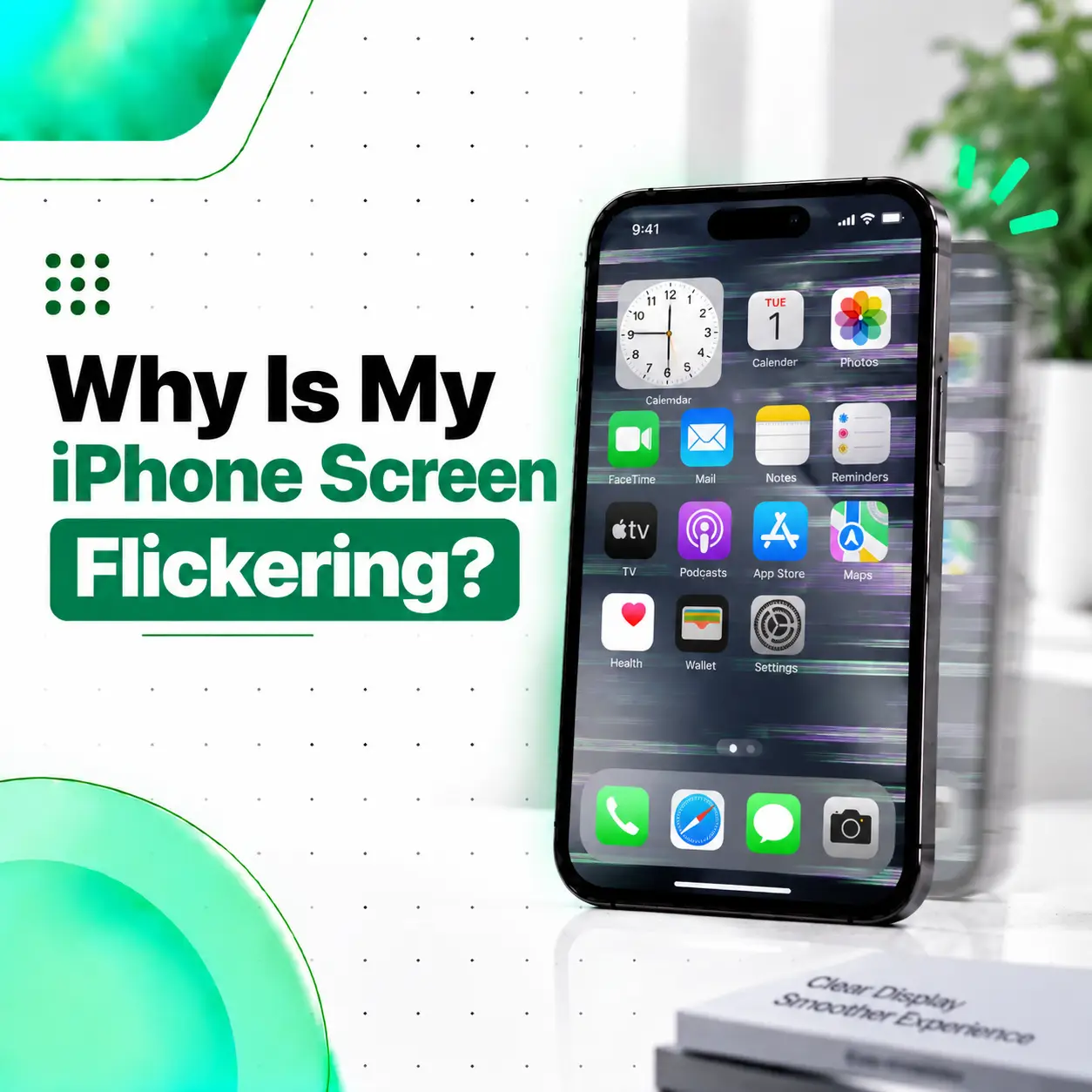
If you are wondering, “Why is my iPhone screen flickering?”, the cause can range from a temporary software problem to a damaged display assembly. Flickering may appear as rapid brightness changes, flashing, horizontal or vertical lines, intermittent black screens, or a display that repeatedly turns on and off.
Before replacing the screen, it is worth checking whether the problem is caused by software settings, an app, overheating, a charging accessory, or a temporary system glitch. However, if the flickering started after a drop, liquid exposure, or previous screen repair, a hardware problem becomes more likely.
This guide explains the common causes of iPhone screen flickering, safe troubleshooting steps, how technicians diagnose the issue, repair options, cost factors in Bangladesh, and when professional inspection is recommended.
Why Is My iPhone Screen Flickering?
An iPhone screen can flicker because of a temporary software glitch, display settings, an unstable app, overheating, physical damage, liquid exposure, a faulty display assembly, or an internal connection problem.
The most useful clue is when the flickering happens.
For example:
| Flickering behavior | Possible cause |
| Flickers only in one app | App or software issue |
| Flickers after an iOS change | Software-related issue |
| Flickers while charging | Charging accessory or electrical issue |
| Flickers after a drop | Display or internal hardware damage |
| Flickers after liquid exposure | Moisture or internal damage |
| Flickers across the entire system | Display or system-level issue |
| Shows lines or black areas | Possible display hardware damage |
| Started after screen replacement | Screen assembly or connection issue |
These symptoms do not provide a definitive diagnosis by themselves, but they can help determine what to check first.
What Does iPhone Screen Flickering Look Like?
Screen flickering can appear in several different ways.
You may notice:
- The display rapidly becomes brighter and darker.
- The screen flashes intermittently.
- Horizontal or vertical lines appear.
- Parts of the display briefly turn black.
- The entire screen turns off and comes back on.
- Brightness appears unstable.
- Flickering happens only at certain brightness levels.
- The screen flickers while using a particular application.
- Touch continues working even though the display flickers.
- Flickering becomes worse when the phone gets warm.
Identifying the exact symptom can help a technician distinguish between a software issue and a display-related fault.
What Causes an iPhone Screen to Flicker?
Several different problems can produce similar symptoms. The most common possibilities are below.
Temporary Software Glitch
A temporary iOS or application problem can sometimes cause unusual display behavior.
If the flickering began suddenly without a drop, liquid exposure, or repair, restart the iPhone and check whether the issue continues.
If the problem occurs only inside one application, update or reinstalling that app may also be worth considering.
Display or Brightness Settings
Certain display settings can affect how brightness appears.
If the screen seems to flicker primarily when brightness changes automatically, check the display and accessibility settings.
You can test whether the behavior changes by temporarily adjusting settings such as:
- Auto-Brightness
- True Tone
- Night Shift
- Display-related accessibility settings
These checks are useful for troubleshooting, but changing settings will not repair physically damaged display hardware.
Problematic App or Software
If the screen flickers only while using a specific application, the app may be contributing to the problem.
Try using other apps and the Home Screen.
If everything else works normally, check whether the affected app has an available update.
Overheating
An iPhone that becomes unusually hot may experience performance or display-related abnormalities.
Heavy gaming, demanding applications, direct sunlight, high ambient temperatures, or intensive background activity can increase device temperature.
If flickering appears when the phone becomes hot, stop demanding tasks and allow the device to return to a normal temperature before testing again.
If the phone repeatedly becomes excessively hot together with display problems, professional inspection is advisable.
Physical Screen Damage
A drop or impact can damage the display even when the outer glass does not appear severely cracked.
Possible signs of display damage include:
- Flickering
- Lines across the screen
- Black patches
- Discoloration
- Touch problems
- Intermittent display failure
- Display completely turning off
If the flickering began immediately after an impact, hardware damage should be considered.
Liquid or Moisture Damage
Liquid exposure can affect the display and other internal components.
If your iPhone began flickering after contact with water or another liquid, the issue may not be limited to the screen.
Avoid continuing to charge or heavily use a device that may have liquid inside it. Professional inspection can help determine whether moisture has affected the display or internal electronics.
Damaged Display Connector
The display assembly connects to the iPhone’s internal circuitry through delicate connectors.
If a connector or related component has been damaged, improperly connected, or affected by impact or liquid, the display may behave intermittently.
This is not something most users should attempt to diagnose by opening the phone.
Flickering After a Screen Replacement
If flickering started after a screen replacement, the replacement display, connector, installation, or compatibility of the part should be checked.
Do not assume that the iPhone needs another replacement immediately. A technician should inspect the installation and test the display first.
How to Fix an iPhone Screen That Is Flickering
Start with the least invasive troubleshooting steps.
1. Restart the iPhone
A restart can resolve temporary software problems that affect display behavior.
If the touchscreen is responsive, use the normal power-off procedure and turn the phone back on.
If the device is frozen, a force restart may be necessary.
For most recent iPhone models:
- Quickly press and release Volume Up.
- Quickly press and release Volume Down.
- Press and hold the Side button.
- Release it when the Apple logo appears.
The exact procedure varies by iPhone model.
2. Check Whether Only One App Causes the Flickering
Use the Home Screen and several different applications.
If flickering appears only inside one app, the problem may be software-related rather than a display failure.
Try:
- Updating the application.
- Closing and reopening it.
- Restarting the iPhone.
- Installing the latest available version of iOS.
- Checking whether the problem occurs elsewhere.
3. Adjust Display Settings
If the flickering appears related to brightness changes, temporarily test relevant display settings.
You can check:
- Auto-Brightness
- True Tone
- Night Shift
- Display Zoom
- Accessibility display settings
If changing a setting appears to stop the flickering, monitor the phone to determine whether the behavior returns.
4. Disconnect the Charger
If the iPhone flickers mainly while charging, disconnect the charger and test the phone again.
Also consider testing with a reliable charging cable and adapter.
If the flickering disappears when the phone is disconnected from power, the charging setup may be contributing to the behavior.
5. Let an Overheated iPhone Cool Down
If the phone is noticeably hot, stop demanding activities and let it return to a normal temperature.
Avoid deliberately cooling the device with extreme methods such as placing it in a freezer or against very cold surfaces.
If overheating and flickering repeatedly occur together, professional diagnosis is recommended.
6. Check for Physical or Liquid Damage
Look carefully at the device.
Check for:
- Cracked glass
- Display lines
- Black spots
- Unusual discoloration
- Signs of liquid exposure
- Damage around the frame
If the issue began after an accident, the likelihood of hardware damage is higher.
Can an iPhone Screen Flicker Because of a Software Problem?
Yes. Software problems can sometimes produce temporary display abnormalities, particularly when the issue is associated with a specific application or occurs after a system change.
However, persistent flickering across the entire operating system is not something that should automatically be treated as a software issue.
If restarting the device and checking software-related causes do not resolve the problem, the display hardware should be considered.
Why Is My iPhone Screen Flickering After a Drop?
An iPhone screen that starts flickering after being dropped may have physical damage to the display assembly or an internal connection.
The impact may damage:
- The display panel
- Display circuitry
- Internal connectors
- Other components associated with the display
Even if the glass looks intact, internal damage can still exist.
If flickering began immediately after the drop, avoid pressing on the screen or repeatedly bending the phone to test it. Professional inspection is a better way to identify the actual fault.
Why Is My iPhone Screen Flickering After a Screen Replacement?
Flickering after a screen replacement can be related to the replacement display, installation, connector, or another hardware issue.
Possible explanations include:
- A faulty replacement display
- A connector problem
- Incorrect installation
- Damage to another component during repair
- Compatibility issues with the replacement part
A repair technician should test the device and inspect the display connection before recommending another repair.
Can a Flickering iPhone Screen Be Repaired?
Yes, an iPhone with a flickering screen may be repairable, but the appropriate repair depends on the cause.
Possible solutions include:
- Software troubleshooting
- Application troubleshooting
- Display adjustment
- Charging accessory replacement
- Connector inspection
- Display repair
- Screen assembly replacement
- Further internal hardware diagnosis
A screen replacement is not automatically required for every flickering problem.
When Is Screen Replacement Necessary?
Screen replacement may be appropriate when the display assembly itself is damaged or malfunctioning and cannot be reliably repaired through simpler troubleshooting.
The correct replacement part depends on the iPhone model and the repair requirements.
How Do Technicians Diagnose iPhone Screen Flickering?
A proper diagnosis should focus on reproducing the problem and identifying its source.
Visual Inspection
The technician checks for:
- Cracks
- Impact damage
- Liquid indicators or signs of exposure
- Display abnormalities
- Previous repair work
Display Testing
The display is tested under different conditions to determine whether flickering is constant, intermittent, localized, or triggered by specific actions.
Connector Inspection
If hardware damage is suspected, the relevant display connections can be inspected for damage or installation problems.
Software Testing
The technician can also determine whether the issue appears to originate from the operating system or an application.
This process helps prevent unnecessary replacement of components that are still functioning correctly.
How Much Does iPhone Screen Repair Cost in Bangladesh?
There is no universal price for fixing a flickering iPhone screen in Bangladesh because the required repair can vary considerably.
The cost may depend on:
- iPhone model
- Display type
- Extent of damage
- Whether the screen needs replacement
- Part availability
- Original/OEM/aftermarket component options
- Labor involved
- Additional internal damage
- Warranty terms
For example, a software issue may require no replacement part, while a damaged display assembly may require a screen replacement.
For an accurate repair estimate, the specific iPhone should be assessed before the final repair option is selected.
Is It Safe to Keep Using an iPhone With a Flickering Screen?
It depends on the cause and severity.
If the flickering is caused by a temporary software issue, continued use may not present the same concerns as a physically damaged device. However, persistent flickering after a drop, liquid exposure, or hardware repair should not be ignored.
Back up important data when possible and arrange an inspection if the problem continues.
What About Important Data on the iPhone?
Before a repair, back up important information whenever the device is functional enough to do so.
A screen repair does not inherently mean that your personal data should be erased, but repair procedures and device conditions can vary. Ask the repair provider about data handling and whether any reset is expected before service.
Never share your device passcode unnecessarily. If a technician needs access for testing, clarify why access is required and what will be done with your device.
Can You Fix a Flickering iPhone Screen Yourself?
You can safely attempt basic troubleshooting such as restarting the device, checking applications, disconnecting the charger, and reviewing display settings.
However, opening an iPhone to inspect the display or connectors is a different matter.
DIY internal repair can result in:
- Damaged connectors
- Additional display damage
- Incorrect installation
- Damage to other components
- Loss of water resistance
- More expensive subsequent repairs
If the flickering appears to be hardware-related, professional diagnosis is usually the more appropriate option.
How Can You Prevent iPhone Screen Flickering Problems?
Not every display failure can be prevented, but good device care can reduce avoidable damage.
- Use a suitable protective case.
- Protect the screen from impacts and excessive pressure.
- Keep the phone away from unnecessary liquid exposure.
- Avoid using damaged charging accessories.
- Keep iOS and important applications updated.
- Do not ignore recurring display abnormalities.
- Use qualified repair services for display replacement or internal repairs.
- Back up important data regularly.
When Should You Take Your iPhone to a Repair Professional?
Professional inspection is recommended when:
- Flickering continues after restarting the phone.
- The entire display repeatedly flashes.
- Lines or black areas appear.
- Flickering started after a drop.
- The iPhone has been exposed to liquid.
- The problem began after a screen replacement.
- Touch and display problems occur together.
- The phone becomes unusually hot.
- Flickering repeatedly returns.
- The screen becomes difficult to use or read.
A technician can determine whether the problem is software-related, display-related, or caused by another internal component.
Frequently Asked Questions
1. Why is my iPhone screen flickering suddenly?
A suddenly flickering iPhone screen can be caused by a temporary software glitch, an application problem, display settings, overheating, charging-related interference, or hardware damage. Restart the iPhone and check whether the problem occurs across the entire system or only in one app. If flickering continues, particularly after physical or liquid damage, professional diagnosis is advisable.
2. How do I stop my iPhone screen from flickering?
Start by restarting the iPhone, checking display settings, disconnecting the charger, and testing whether the problem occurs only in one application. If the phone is hot, allow it to cool naturally before testing again. Persistent flickering, especially after a drop or previous screen repair, may require inspection of the display and internal connections.
3. Can a software update fix a flickering iPhone screen?
It can if the underlying problem is software-related. Check whether the issue occurs only in a particular app or under a specific software condition. Keeping iOS and applications updated can address some software bugs. However, an update cannot repair a physically damaged display, connector, or other hardware component.
4. Why does my iPhone screen flicker after I dropped it?
Flickering after a drop can indicate damage to the display assembly or an internal connection. The visible glass does not always show the full extent of impact damage. If flickering started immediately after the drop, avoid pressing or bending the device and have it professionally inspected to determine whether display repair or replacement is necessary.
5. How much does it cost to fix a flickering iPhone screen in Bangladesh?
The cost depends on the iPhone model, cause of the flickering, display type, part availability, damage severity, labor, and whether repair or complete screen replacement is needed. Because these factors vary, a fixed price cannot be accurately given without knowing the device and diagnosis. A repair provider can assess the phone and provide the applicable repair option.
6. Can I use my iPhone if the screen is flickering?
You may be able to use it, but persistent flickering should not be ignored. If the issue follows liquid exposure, physical damage, unusual heat, or another hardware symptom, reduce use and arrange an inspection. Back up important data when possible. Continuing to use a device with an unresolved hardware fault may make troubleshooting more difficult if the condition changes.
7. Should I replace my iPhone screen if it is flickering?
Not necessarily. Screen replacement is appropriate when the display assembly is confirmed to be damaged or faulty, but flickering can also result from software, charging accessories, settings, connectors, or other components. Proper diagnosis should come before replacement so that the actual cause can be identified and unnecessary parts replacement avoided.
Conclusion
If you are asking “Why is my iPhone screen flickering?”, the cause could be something relatively simple, such as a software glitch or charging accessory, or it could indicate a damaged display or internal component.
Start with basic troubleshooting: restart the iPhone, check whether a particular app triggers the problem, review relevant display settings, disconnect the charger, and allow an overheated device to cool naturally. If flickering persists—or began after a drop, liquid exposure, or screen replacement—professional diagnosis is the safer next step.
If you need professional iPhone repair in Bangladesh, iCareFix can assess the device and determine whether the problem is related to the display, connector, software, or another internal component before recommending an appropriate repair option.