




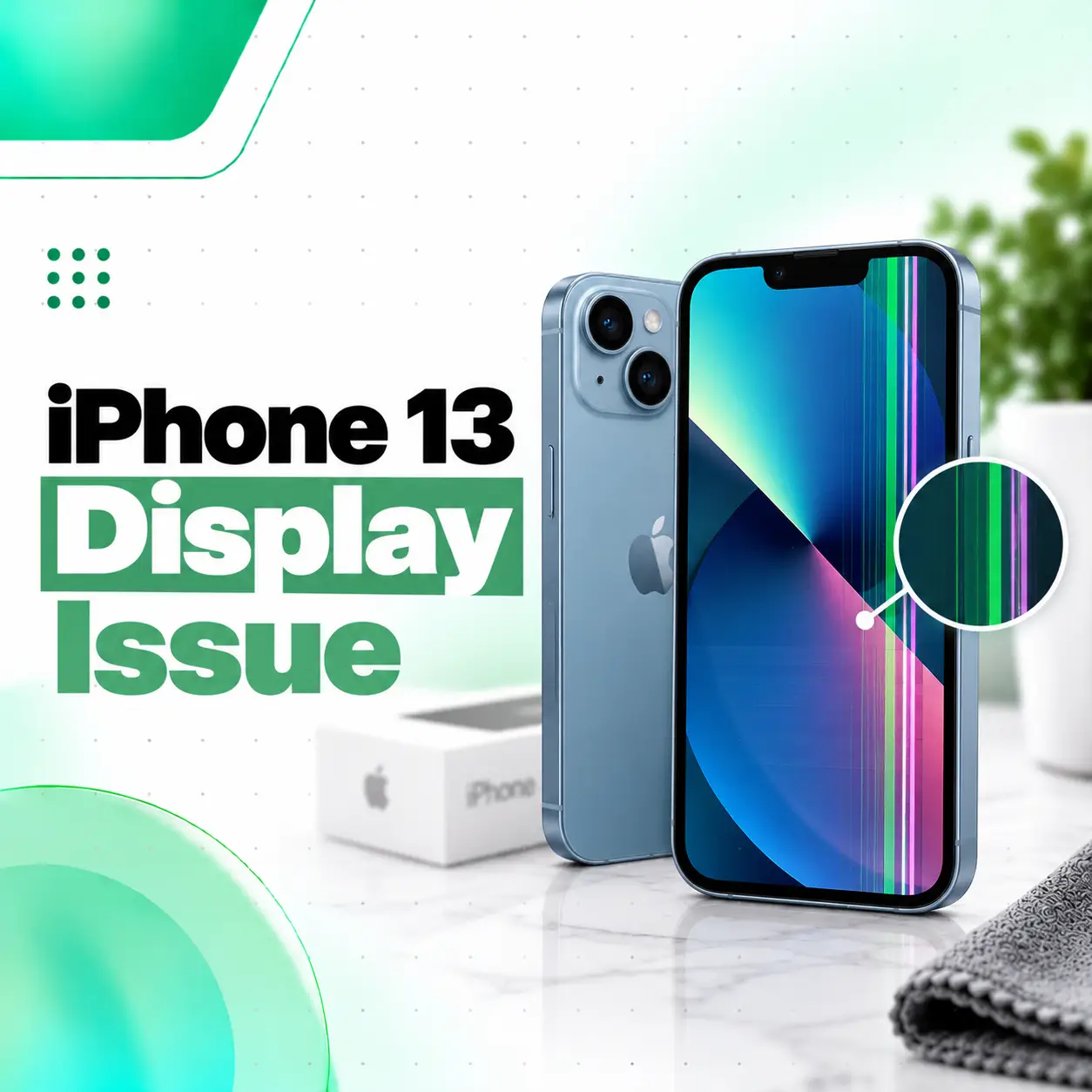
An iPhone 13 display issue can appear as flickering, green or vertical lines, a black screen, incorrect colors, reduced brightness, unresponsive touch, or a completely blank display. Some problems are temporary and may be related to software, accessories, moisture, or a screen protector, while others can indicate physical damage to the OLED panel, display connections, or related hardware.
The iPhone 13 uses a 6.1-inch Super Retina XDR OLED display with a 2532 × 1170 resolution, True Tone, HDR, and wide-color support. Because the display assembly combines visual output with touch functionality, different faults can produce very different symptoms.
This guide explains how to identify common iPhone 13 screen problems, what may cause them, which troubleshooting steps are safe to try, and when professional diagnosis from a repair provider such as iCareFix may be appropriate.
What Are the Common iPhone 13 Display Issues?
Common iPhone 13 display problems include screen flickering, green or white screens, vertical lines, black screens, touch failures, abnormal brightness, discoloration, and physical screen damage.
The symptom itself can provide useful clues, although accurate diagnosis may still require inspection.
| Display Problem | What You May Notice | Possible Cause |
| Flickering screen | Brightness or image repeatedly flashes | Software issue, display connection, OLED fault |
| Green screen or tint | Entire display appears green | OLED/display fault, software or connection issue |
| Vertical lines | Green, white, pink, or other lines | Panel or connector damage |
| Black screen | Phone appears powered but image is absent | Display failure, connection issue, software crash |
| Touch not responding | Taps or swipes fail | Display assembly, screen protector, moisture, software |
| Ghost touch | Screen reacts without intentional input | Screen damage, poor replacement display, contamination |
| Dim screen | Display remains unusually dark | Settings, sensor behavior, software, display hardware |
| Color distortion | Yellow, blue, green, or inconsistent colors | Display calibration, panel fault, replacement-part quality |
These symptoms can sometimes overlap, so a screen showing lines should not automatically be assumed to need replacement without diagnosis.
Why Does the iPhone 13 Have Display Problems?
An iPhone 13 display issue can result from physical impact, OLED panel damage, moisture exposure, a damaged display connection, software malfunction, an improperly fitted screen, or a previous replacement display.
Physical Impact or Drop Damage
Dropping an iPhone can damage more than the outer glass.
A screen may look uncracked while the OLED layer beneath it has been damaged. Symptoms may include:
- Green or white lines
- Black spots
- Flickering
- Touch failure
- Partial image loss
- A completely black display
Impact can also affect internal connectors or surrounding components.
OLED Panel Damage
The iPhone 13 uses an OLED display rather than a traditional LCD. Apple specifies the iPhone 13 as having a 6.1-inch Super Retina XDR OLED panel.
If the OLED panel is damaged, you may see:
- Bright vertical lines
- Colored tint
- Black sections
- Flashing or flickering
- Uneven brightness
- No visible image
A damaged OLED layer generally cannot be corrected through settings.
Software or iOS Problems
Not every unusual screen behavior means the hardware is damaged.
A temporary iOS problem may cause:
- Frozen display
- Delayed touch
- Black screen
- App-specific visual glitches
- Intermittent flickering
Restarting the device can therefore be a useful first diagnostic step.
Water or Moisture Exposure
Moisture can affect touch response, display connectors, or internal circuitry.
Even when the outside of the phone looks dry, liquid exposure can sometimes create intermittent symptoms such as:
- Flickering
- Touch instability
- Display lines
- Unexpected black screen
- Random screen behavior
Avoid charging or opening a wet device unless you know it is safe to do so.
Damaged or Loose Display Connection
The screen communicates with the phone through internal flex cables and connectors.
Impact, previous repair work, or internal damage may affect these connections. Apple’s current iPhone 13 display repair documentation specifically instructs technicians to inspect display clips and flex cables during display servicing, highlighting the importance of correct assembly and connector condition.
This type of fault requires the phone to be opened properly and should generally be handled by someone experienced in device repair.
Previous Screen Replacement
Display quality can also matter if the iPhone has been repaired before.
Apple states that non-genuine displays may potentially cause problems involving Multi-Touch response, brightness, color calibration, ambient-light-sensor behavior, True Tone, and maximum brightness.
That does not mean every third-party replacement will fail, but the type, quality, compatibility, and installation of a replacement display should be considered when diagnosing a previously repaired iPhone.
What Are the Signs of a Damaged iPhone 13 Display?
A damaged display may still produce an image, so a completely black screen is not the only sign of failure.
Watch for the following symptoms.
Green or White Screen
The entire display may suddenly appear green, white, or another abnormal color.
Try restarting the device first. If the problem remains persistent, particularly after impact or liquid exposure, the display or related hardware may require diagnosis.
Vertical Green, Pink, or White Lines
A persistent line across the screen often indicates a panel, flex cable, connection, or display-related hardware problem.
If the line remains after restarting the device, professional inspection is advisable.
Screen Flickering
Flickering can range from subtle brightness changes to rapid flashing.
Possible causes include:
- iOS or application problems
- Display panel failure
- Connector problems
- Physical damage
- Replacement-display compatibility issues
Persistent flickering should not be ignored if it becomes progressively worse.
Why Is My iPhone 13 Touch Screen Not Responding?
An iPhone 13 touchscreen may stop responding because of water or debris on the display, a problematic screen protector or case, a connected accessory, software instability, or physical display damage.
Apple recommends several initial steps when an iPhone screen responds intermittently:
- Restart the iPhone.
- Make sure the screen is clean and free from water or debris.
- Disconnect connected accessories.
- Remove the case or screen protector and test again.
If the screen remains unresponsive, Apple recommends arranging service.
Remove the Screen Protector
A damaged, poorly fitted, or unusually thick protector can interfere with touch sensitivity.
Remove it temporarily and test the phone.
Clean and Dry the Display
Use a clean, soft cloth to remove moisture, oil, and debris.
Do not pour liquid directly onto the screen or push objects into openings.
Disconnect Charging Accessories
If the touch problem occurs mainly while charging, disconnect the cable and charger.
Apple specifically recommends disconnecting Lightning or USB-C accessories when troubleshooting intermittent touch response. If the problem disappears, another outlet, cable, or charger may be worth testing.
Why Does My iPhone 13 Screen Have Green Lines?
Green lines on an iPhone 13 can be associated with OLED panel damage, display connection problems, impact damage, moisture exposure, or another hardware fault.
The pattern matters.
A line that appears briefly during a software glitch may disappear after restarting. A permanent line that remains on the lock screen, Home Screen, and across multiple apps is more consistent with a display-level problem.
What Should You Do?
- Restart your iPhone.
- Check whether the line appears in every app.
- Note whether the phone was recently dropped or exposed to moisture.
- Back up important data if the screen is still usable.
- Have the device professionally diagnosed if the line remains.
Avoid repeatedly pressing or twisting the screen. Physical pressure can worsen an already damaged OLED panel.
Why Is My iPhone 13 Screen Flickering?
An iPhone 13 screen may flicker because of temporary software problems, display hardware damage, internal connection problems, or an incompatible/replacement display.
Start by determining whether the problem occurs:
- Only inside one application
- At a particular brightness level
- While charging
- After an impact
- After a recent repair
- Continuously across the entire interface
If flickering affects only one app, update or troubleshoot that app first. Apple recommends reopening a malfunctioning app, restarting the device, and checking for app and iOS updates when an app behaves unexpectedly.
If flickering occurs throughout iOS and persists after restarting, the device may need inspection.
What Should You Do If the iPhone 13 Screen Is Black?
If your iPhone 13 display is black, determine whether the phone itself is unresponsive or the device is operating without producing a visible image.
You might still hear notifications, feel vibration, or receive calls even though nothing appears on the screen.
Force Restart the iPhone 13
Try these steps:
- Press and quickly release the Volume Up button.
- Press and quickly release the Volume Down button.
- Press and hold the Side button.
- Continue holding until the Apple logo appears.
Apple provides this button sequence for restarting a nonresponsive modern iPhone.
If the phone appears to operate but the display stays completely black, a display or internal hardware issue becomes more likely.
How Can You Troubleshoot an iPhone 13 Display Issue?
Start with non-invasive troubleshooting before considering hardware repair.
1. Restart the iPhone
A restart can resolve temporary processes that are affecting display or touch behavior.
2. Clean and Dry the Screen
Remove fingerprints, moisture, or debris with a clean microfiber-type cloth.
3. Remove the Case and Screen Protector
Test the phone without accessories that may put pressure on the screen or affect touch.
4. Disconnect Chargers and Accessories
Temporarily disconnect connected accessories and test whether screen behavior changes.
5. Check Whether the Issue Is App-Specific
Open several areas of iOS.
If the problem occurs inside only one app, troubleshoot that app before assuming the screen is faulty.
6. Check for Software Updates
If your display remains usable, check whether the iPhone is running an available stable iOS update.
Software updates can address software-related bugs, although they will not repair a physically damaged OLED panel.
7. Back Up Important Data
If lines, flickering, touch problems, or intermittent black screens are becoming worse, back up the phone while it is still usable.
A developing hardware problem can eventually make normal interaction difficult.
How Is an iPhone 13 Display Problem Diagnosed?
Professional diagnosis should identify whether the fault originates from the display assembly, software, display connectors, previous repair work, liquid damage, or another internal component.
A technician may evaluate:
- Physical screen condition
- Touch response
- OLED image quality
- Brightness and color behavior
- Signs of impact
- Signs of moisture exposure
- Previous replacement history
- Internal display connections
- Related hardware symptoms
A proper diagnosis matters because replacing the display unnecessarily does not solve faults originating elsewhere.
Does an iPhone 13 Display Issue Always Require Screen Replacement?
No. An iPhone 13 display issue does not automatically mean the screen needs replacement.
Problems caused by software, screen protectors, accessories, contamination, or temporary instability may be resolved without changing the display.
Replacement becomes more likely when there is confirmed damage such as:
- Broken OLED panel
- Persistent vertical lines
- Permanent black areas
- Severe touch failure linked to the display
- Physical display damage
- Persistent image failure after other causes are ruled out
The correct repair depends on diagnosis rather than the symptom alone.
iPhone 13 Display Repair vs Display Replacement
Display repair and display replacement are not necessarily the same service.
When Diagnosis or Minor Correction May Be Enough
Replacement may not be necessary if the problem is related to:
- Software
- A screen protector
- An accessory
- Surface moisture or contamination
- A repairable connection or installation problem
When Display Replacement May Be Required
Replacement may be appropriate when the OLED display assembly itself is physically or electrically damaged.
Examples include:
- Cracked screen with display failure
- Permanent green or white lines
- Black OLED sections
- Severe display flickering caused by panel failure
- Nonfunctional touch caused by the display assembly
Can You Replace Only the Glass on an iPhone 13?
Glass-only repair depends on the condition of the display assembly and the capabilities of the repair provider.
If the outer glass is damaged but the OLED image and touch layer are fully functional, some specialized repair processes may be able to refurbish the existing screen assembly. However, not every cracked screen is suitable for this procedure.
If the OLED panel has lines, black spots, image loss, or touch failure, a complete display replacement may be more appropriate.
A technician should inspect the screen before deciding which option is suitable.
iPhone 13 Display Repair Cost in Bangladesh
The iPhone 13 display repair cost in Bangladesh can vary significantly, so an exact price should not be assumed without checking the device and the replacement-part option.
Factors that affect cost include:
- Type of display fault
- Whether the OLED panel needs replacement
- Display quality and source
- Genuine, OEM-equivalent, refurbished, or aftermarket part options
- Availability of parts
- Condition of the frame
- Previous repair history
- Additional internal damage
- Labor and testing requirements
- Warranty terms offered with the repair
If the phone has only a software or connection-related problem, the required service may differ substantially from a complete display replacement.
For an accurate quote, the device should be diagnosed and the available part options explained beforehand.
Does Replacement Display Quality Matter?
Yes. Display quality can affect touch response, brightness, color accuracy, sensor behavior, and overall user experience.
Apple states that non-genuine displays can potentially produce issues such as inaccurate touch registration, reduced maximum brightness, incorrect color calibration, degraded ambient-light-sensor performance, and problems with True Tone.
When comparing repair options, ask about:
- Type of replacement display
- Part quality
- Touch performance
- Brightness and color reproduction
- Warranty terms
- Testing after installation
The cheapest option is not necessarily the most suitable if display quality and long-term usability are important.
Can You Check Whether an iPhone 13 Display Was Replaced?
Apple provides Parts and Service History information on supported iPhones. Apple notes that iPhone 11 models and later, with specified exceptions, can display parts and service history information.
On supported iOS versions, you can check:
Settings > General > About
Look for a Parts and Service History section if it is available.
The information shown can vary depending on the device, repair, component, and software version.
Is It Safe to Repair an iPhone 13 Display Yourself?
For most users, opening and replacing an iPhone 13 display is considerably more complex than ordinary troubleshooting.
Apple’s own iPhone 13 display repair procedure includes specialized steps involving repair trays, display adhesive, flex-cable inspection, controlled reassembly, security screws, and post-repair procedures.
Potential DIY risks include:
- Further OLED damage
- Torn flex cables
- Incorrect reassembly
- Damage to internal components
- Reduced sealing after repair
- Problems with sensors or display functionality
- Battery damage if repair procedures are performed incorrectly
Basic software troubleshooting is reasonable for most users. Hardware disassembly should be approached only with appropriate training, tools, parts, and repair documentation.
Will iPhone 13 Display Repair Delete Your Data?
A standard display replacement does not normally require erasing the phone’s storage, because user data is stored separately from the screen assembly.
However, backing up important data before any repair is still strongly recommended.
Unexpected hardware faults, additional damage, testing requirements, or complications can occur.
Before handing over your device, consider:
- Creating an iCloud or computer backup
- Knowing your Apple Account credentials
- Following the repair provider’s preparation instructions
- Asking how your personal data will be handled during servicing
Do not share passwords unnecessarily.
How Long Does iPhone 13 Display Repair Take?
Repair time depends on the diagnosis, part availability, workload, damage severity, and whether additional problems are discovered.
A straightforward display replacement may require less work than a phone with:
- Liquid damage
- Bent frame
- Previous unsuccessful repair
- Damaged connectors
- Additional motherboard-related symptoms
Instead of relying on a generic repair-time promise, ask the service provider for an estimate after inspection.
How to Prevent Future iPhone 13 Screen Damage
You cannot prevent every display fault, but a few precautions can reduce avoidable damage.
- Use a protective case with raised screen edges.
- Use a properly fitted screen protector.
- Avoid carrying the phone with keys or hard objects.
- Do not place heavy pressure on the display.
- Keep the device away from unnecessary moisture.
- Avoid dropping the phone onto hard surfaces.
- Do not continue using a severely damaged screen indefinitely.
- Use suitable charging accessories.
- Have unusual lines, flickering, or touch behavior checked before the problem worsens.
When Should You Seek Professional iPhone 13 Display Repair?
Professional inspection is recommended when the display problem persists after basic troubleshooting or when there are clear signs of hardware damage.
Consider repair assessment if:
- The screen has permanent vertical lines.
- The display remains green or white.
- Touch does not respond across parts of the screen.
- The display is black while the phone appears powered on.
- Flickering continues after restarting.
- The phone was dropped before the problem started.
- The screen was exposed to liquid.
- The screen is separating from the frame.
- The device has already had a display replacement and now behaves abnormally.
Apple similarly advises arranging service when touchscreen problems continue after basic troubleshooting.
A technician can determine whether the problem is actually the display or another component before recommending replacement.
Frequently Asked Questions
1. Why is my iPhone 13 display suddenly not working?
Your iPhone 13 display may stop working because of a temporary software crash, OLED panel damage, an internal display connection issue, moisture, physical impact, or a problem related to a previous screen replacement. Start by restarting the phone and removing accessories or the screen protector. If the screen remains black, distorted, or unresponsive, professional diagnosis may be required.
2. Can an iPhone 13 green screen issue be fixed?
Yes, an iPhone 13 green screen issue may be repairable, but the correct solution depends on the cause. A temporary software-related problem may improve after a restart or software troubleshooting. If the screen remains permanently green, particularly after a drop or physical damage, the OLED display or related hardware may need professional inspection and potentially replacement.
3. Do vertical lines mean my iPhone 13 screen is broken?
Persistent vertical lines can indicate OLED panel damage, a display connection problem, or another hardware fault, but diagnosis is necessary before concluding that the complete display must be replaced. Restart the phone first. If the lines remain visible throughout the lock screen, Home Screen, and different apps, having the device inspected is advisable.
4. How much does iPhone 13 display repair cost in Bangladesh?
There is no single accurate price for every iPhone 13 display repair. Cost depends on the type of damage, replacement-display quality, part availability, frame condition, labor, previous repairs, and whether other components are damaged. Ask for a diagnosis and confirm the display option and warranty conditions before approving the repair.
5. How long does an iPhone 13 screen replacement take?
Repair time varies according to part availability, repair workload, device condition, and whether additional damage is found during inspection. A straightforward screen replacement may be simpler than repairing an iPhone with liquid exposure, frame damage, connector problems, or previous unsuccessful repair work. The service provider should provide an estimated timeframe after evaluating the device.
6. Should I replace an iPhone 13 display myself?
Most users should limit DIY work to safe troubleshooting rather than opening the device. iPhone 13 display replacement requires careful handling of adhesive, flex cables, internal components, and reassembly. Incorrect repair can create additional damage. Apple’s own repair documentation uses specific procedures and tools, illustrating the complexity involved.
7. How can I protect my iPhone 13 screen after repair?
Use a well-fitted protective case and screen protector, avoid pressure or drops, keep the phone away from unnecessary moisture, and address abnormal touch, lines, or flickering early. If the display has been replaced, confirm that touch response, brightness, colors, sensors, and other relevant functions are tested before you leave the repair provider.
Conclusion
An iPhone 13 display issue can range from a simple touchscreen or software problem to physical OLED damage requiring screen replacement. Green screens, vertical lines, flickering, black displays, unresponsive touch, and unusual colors should be evaluated based on when they occur and whether the phone has experienced a drop, moisture exposure, or previous repair.
Start with safe troubleshooting such as restarting the device, cleaning and drying the screen, removing the case or protector, and disconnecting accessories. If the problem continues, avoid applying pressure to the screen or attempting unnecessary disassembly.
If your iPhone 13 still has display problems after basic troubleshooting, iCareFix can inspect the device to determine whether the fault involves the display assembly, connection, software, or another component and explain the appropriate repair options before proceeding.