




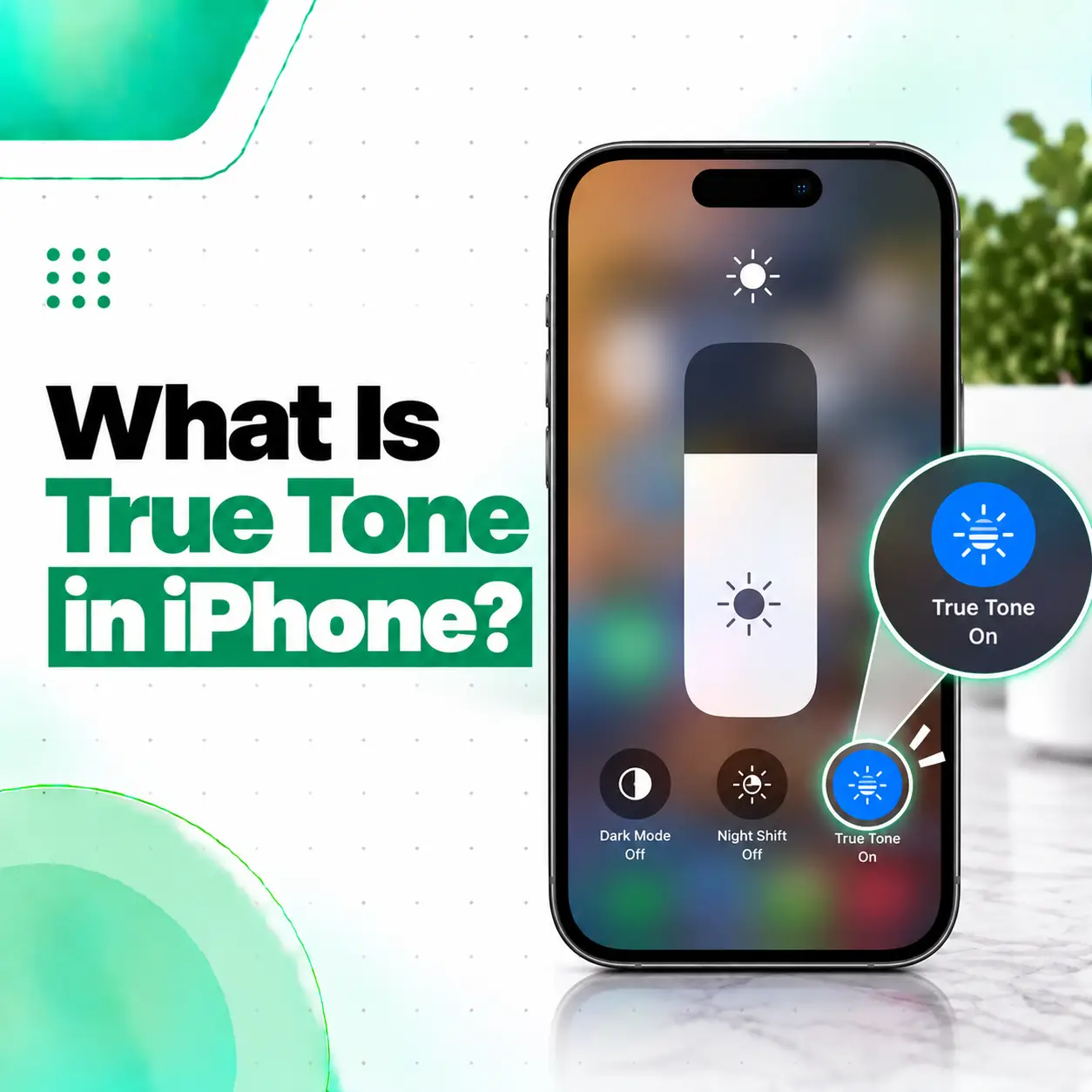
If you’ve ever wondered what is True Tone in iPhone, it is a display feature that automatically adjusts the screen’s color and intensity according to the surrounding light. The goal is to make the display look more natural in different lighting conditions. Apple says True Tone uses advanced sensors to adapt the display to ambient light, while turning it off keeps the display’s color and intensity more constant.
True Tone is different from ordinary screen brightness adjustment and from Night Shift. It is also relevant when an iPhone display has been replaced, because display quality, calibration, and sensor performance can affect whether True Tone works correctly.
What Is True Tone in iPhone?
True Tone is an iPhone display feature that automatically adapts the screen’s color and intensity to the ambient light around you. This can make whites and other colors appear more natural as the lighting environment changes.
For example, the lighting around you may be different when you’re:
- Using your iPhone outdoors during the day
- Sitting under indoor lighting
- Reading in a room with warmer lighting
- Moving between different lighting environments
Instead of keeping the display’s appearance completely fixed, True Tone adjusts it based on the surrounding light.
How Does True Tone Work?
True Tone relies on sensors that detect characteristics of the ambient lighting around the device. The iPhone then adjusts the display’s color and intensity to better match that environment.
This is different from simply making the screen brighter or darker. True Tone primarily changes how the display’s color and intensity appear in response to environmental lighting.
What Does True Tone Do on an iPhone?
True Tone changes the appearance of the iPhone display based on the surrounding light.
In simple terms:
True Tone makes the screen adapt to the lighting around you so the display can look more natural.
When True Tone is turned off, the display maintains a more constant color and intensity even when the surrounding lighting changes.
This can be particularly noticeable when looking at white backgrounds. With True Tone enabled, the screen may appear somewhat different as you move between different lighting environments.
How to Turn True Tone On or Off
You can control True Tone in two main ways.
Method 1: From Settings
- Open Settings.
- Tap Display & Brightness.
- Find True Tone.
- Turn the switch on or off.
Apple provides this as a standard way to control True Tone on compatible iPhones.
Method 2: From Control Center
You can also change True Tone through Control Center:
- Open Control Center.
- Touch and hold the Brightness control.
- Tap True Tone to turn it on or off.
This gives you quicker access without opening the Settings app.
True Tone vs Night Shift vs Auto-Brightness
These three features are sometimes confused because they all affect the appearance of the iPhone display, but they perform different functions.
| Feature | Main Function |
| True Tone | Adapts display color and intensity to surrounding light |
| Night Shift | Shifts display colors toward warmer tones |
| Auto-Brightness | Automatically adjusts screen brightness according to ambient light |
Apple describes Night Shift as a feature that shifts the display toward warmer colors, while Auto-Brightness uses the built-in ambient light sensor to adjust brightness.
Is True Tone the Same as Night Shift?
No. True Tone and Night Shift are different features.
True Tone responds to the surrounding lighting and adjusts display color and intensity. Night Shift specifically shifts the display toward warmer colors according to its settings or schedule.
For example, a screen may look warmer because Night Shift is active, while True Tone changes the display’s appearance in response to the ambient light around you.
Is True Tone the Same as Auto-Brightness?
No.
Auto-Brightness primarily controls brightness, while True Tone adjusts display color and intensity according to ambient lighting. Apple documents these as separate display features.
You can therefore have Auto-Brightness and True Tone performing different functions at the same time.
Which iPhones Have True Tone?
True Tone is available on iPhone 8 and later, as well as the iPhone SE (2nd generation) and later. Apple’s current support documentation lists these devices among the iPhones compatible with True Tone.
If you’re unsure whether your particular iPhone supports the feature, check:
Settings → Display & Brightness
If the device supports True Tone and the feature is available, you should see the True Tone option there.
Why Is True Tone Important After an iPhone Screen Replacement?
True Tone can become particularly relevant after a display repair or replacement.
An iPhone display is not just a piece of glass. Display performance involves factors such as color accuracy, white balance, brightness, touch responsiveness, and sensor-related functions. Apple notes that display issues after repairs can include True Tone not working correctly, degraded ambient-light sensor performance, and incorrect color calibration.
Why Might True Tone Disappear After Screen Repair?
If True Tone is no longer available or doesn’t behave correctly after a screen replacement, possible factors can include:
- The replacement display or repair process
- Display calibration issues
- Problems involving relevant sensors
- Incorrectly performed repair
- Compatibility or quality differences between replacement parts
This does not mean every third-party display replacement will automatically cause the same problem. The actual cause needs to be diagnosed on the specific device.
Apple also states that genuine displays are designed and tested for features including True Tone, color accuracy, white balance, and brightness.
How Can You Check If True Tone Is Working?
You can perform a simple visual check.
Step 1: Open Display Settings
Go to:
Settings → Display & Brightness
Check whether the True Tone option is available.
Step 2: Compare the Display
Turn True Tone on and off while looking at a white or neutral-colored screen.
Move between different lighting environments and observe whether the display appearance changes.
Step 3: Check Other Display Features
If True Tone disappeared after a repair, also check whether you notice:
- Unusual yellow or blue tint
- Incorrect-looking colors
- Uneven brightness
- Unexpected changes in brightness
- Reduced maximum brightness
- Other display or touch problems
Apple identifies incorrect color calibration, degraded ambient-light sensor performance, uneven brightness, and True Tone problems among possible display-related issues.
What If True Tone Is Missing From an iPhone?
If the True Tone option is missing, don’t immediately assume the display is defective.
First consider whether:
- The iPhone model supports True Tone.
- The display has previously been replaced.
- The phone has undergone a display repair.
- Any accessibility display settings have been changed.
- There is another display or sensor issue.
Apple notes that some display accessibility settings, including Invert Colors, Grayscale, and Increase Contrast, can turn off True Tone.
If the option disappeared after a screen replacement, professional inspection is worthwhile because the repair and display components may need to be assessed.
Can a Screen Replacement Affect True Tone?
Yes, an iPhone display replacement can affect True Tone functionality. Apple specifically notes that True Tone may not work correctly following display-related problems or repairs, and that display calibration and ambient-light sensor performance can also be affected.
This is why display replacement should not be treated simply as replacing the outer glass. The replacement display and associated repair process can affect the way the screen functions.
What Should You Check After an iPhone Screen Replacement?
After a display repair, check:
- True Tone
- Touch responsiveness
- Display brightness
- Color accuracy
- Screen uniformity
- Proximity behavior during calls
- Front-camera-related functionality where applicable
- Any available Parts and Service History information
For supported iPhones, Apple says Parts and Service History can be viewed through:
Settings → General → About
On iPhone 11 models and later, excluding iPhone SE (2nd and 3rd generation), this section can provide information about certain repaired parts.
Does True Tone Mean the iPhone Has a Better Screen?
True Tone is a display feature, not a separate type of screen.
Its purpose is to dynamically adapt the display’s appearance to the surrounding lighting. The overall quality of an iPhone display also depends on factors such as the display technology, color accuracy, brightness, touch performance, calibration, and the condition or quality of replacement components.
Therefore, having True Tone does not by itself determine whether an iPhone display is good or bad.
Should You Keep True Tone Turned On?
There is no universal requirement to keep True Tone enabled. It is a display preference that changes how the screen responds to ambient lighting.
You may prefer it on if you like the display to adapt to your surroundings. You can turn it off if you prefer a more consistent display appearance.
The important point is that turning True Tone off does not mean the iPhone display is damaged. It simply prevents the feature from automatically adapting the display’s color and intensity.
Can True Tone Be Repaired?
If True Tone stops working after a display problem or repair, the appropriate solution depends on the cause.
A professional technician may need to inspect:
- The display
- Display connections
- Relevant sensors
- Calibration-related issues
- Previous repair history
- Replacement-part quality
There is no single repair that applies to every True Tone problem. Diagnosis should come before replacing another component.
For professional phone repair in Bangladesh, an inspection can help determine whether the issue is related to the display, repair process, sensor functionality, or another underlying problem.
Why Professional Display Repair Matters
Display replacement can affect more than the appearance of the screen. Apple notes that nongenuine or improperly installed display components may affect display functionality, including True Tone, color calibration, brightness, and ambient-light sensor performance. If your iPhone has a display issue, a proper repair assessment should consider:
- The original symptoms
- Previous repairs
- Display condition
- Replacement-part quality
- Sensor performance
- Calibration
- Other related hardware
This is especially important when True Tone disappears immediately after a screen replacement.
Frequently Asked Questions
1. What is True Tone in iPhone?
True Tone is an iPhone display feature that automatically adjusts the screen’s color and intensity based on the surrounding light. It uses sensors to respond to ambient lighting so that the display can appear more natural in different environments. When True Tone is turned off, the display keeps its color and intensity more constant.
2. Is True Tone good for an iPhone?
True Tone is useful if you prefer your iPhone display to adapt to changing lighting conditions. It is a display preference rather than a measure of screen quality. You can leave it enabled or disable it depending on how you prefer the display to look. Apple designed the feature to adjust color and intensity based on ambient light.
3. What is the difference between True Tone and Night Shift?
True Tone adapts the display’s color and intensity according to the surrounding light. Night Shift shifts the display toward warmer colors and can be scheduled. They are separate features and can affect the screen’s appearance in different ways.
4. Why is True Tone missing after an iPhone screen replacement?
True Tone may be unavailable or may not function correctly after a display repair. Display calibration, replacement-part characteristics, or sensor-related problems can be involved. Apple specifically identifies True Tone, color calibration, and ambient-light sensor performance as areas that can be affected by display repairs. A technician should diagnose the specific cause rather than assuming the display needs immediate replacement.
5. How do I turn True Tone on or off?
Go to Settings → Display & Brightness and use the True Tone switch. You can also open Control Center, touch and hold the Brightness control, and tap True Tone. The feature is available on compatible iPhone models.
6. Does turning off True Tone damage the iPhone?
No. Turning True Tone off is simply disabling a display feature. When it is disabled, the iPhone keeps the display’s color and intensity more constant instead of adapting them to changes in ambient lighting. You can turn the feature back on whenever you want.
7. Can a repair shop fix True Tone if it stops working?
A repair shop can inspect the iPhone to determine why True Tone is unavailable or malfunctioning. The cause could involve the display, calibration, sensors, or a previous repair. Because the correct solution depends on the diagnosis, a technician should inspect the device before recommending a particular repair or replacement.
Conclusion
True Tone on iPhone is a display feature that automatically adapts color and intensity to the surrounding light. It is different from both Night Shift and Auto-Brightness, and you can control it through Display & Brightness or Control Center.
If True Tone disappears or stops working after an iPhone screen replacement, the issue deserves closer attention because display calibration, sensor performance, or replacement components may be involved.
If your iPhone has a display problem, unusual colors, brightness issues, or missing True Tone after a repair, iCareFix can inspect the device and help identify whether the issue is related to the display, sensors, calibration, or another component.