




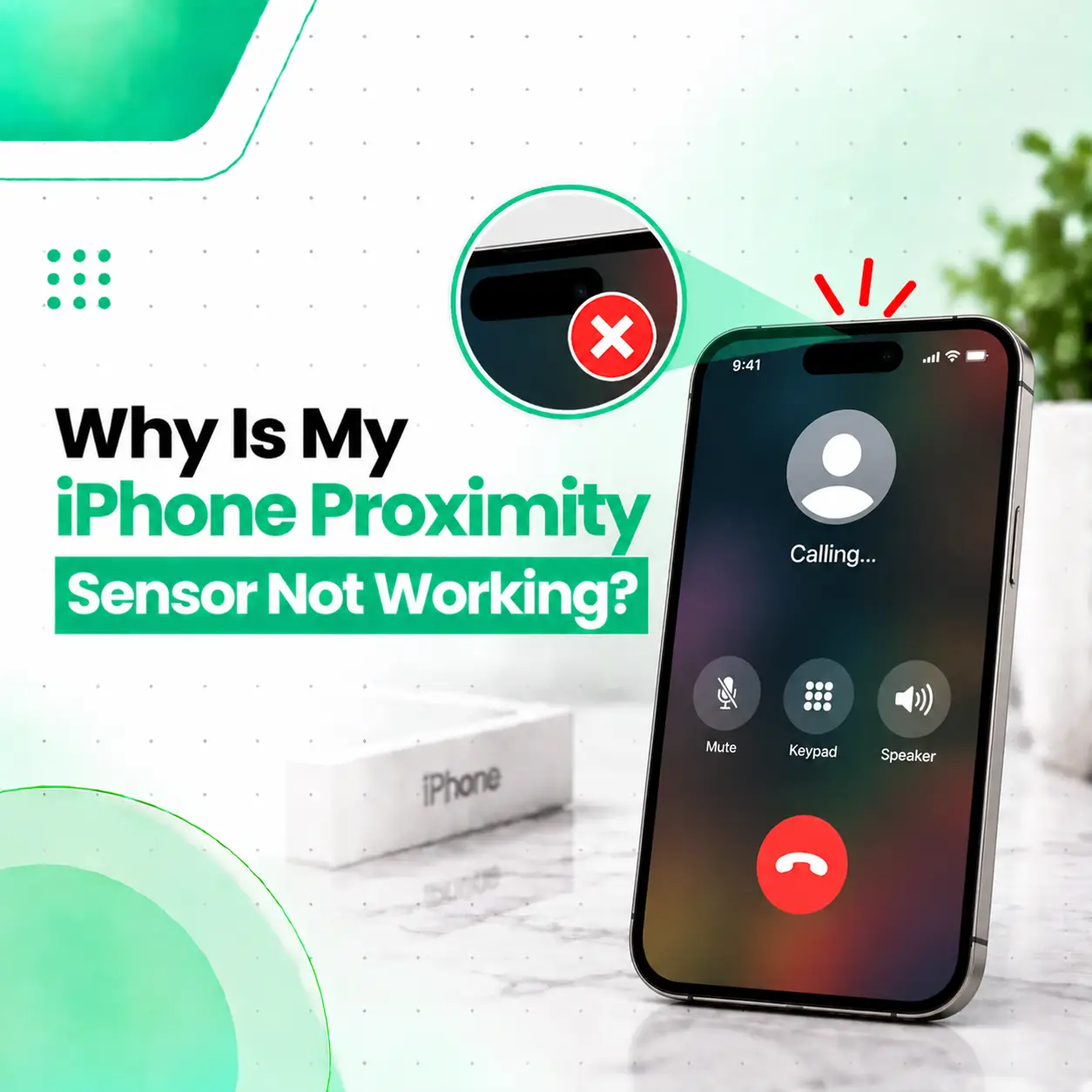
If your iPhone proximity sensor is not working, the most noticeable symptom is usually that the display stays on when you hold the phone near your face during a call. This can lead to accidental touches, muted calls, activated buttons, or other unwanted screen interactions.
The cause may be something simple, such as dirt, a poorly fitted screen protector, or an obstruction near the top of the display. However, the problem can also result from display replacement, sensor misalignment, damaged front-sensor components, or other hardware issues.
This guide explains how the proximity sensor works, the signs of a problem, what you can safely check yourself, and when professional iPhone repair may be appropriate. If basic troubleshooting does not solve the issue, iCareFix can inspect the device and determine whether the problem is related to the sensor, display assembly, or another component.
What Does the iPhone Proximity Sensor Do?
The proximity sensor detects when the phone is close to an object, such as your face, during a phone call. Its proximity detection helps the iPhone manage the display so that the screen can be disabled when the phone is held against your face.
This helps prevent accidental taps while you are talking.
The front sensor area can contain multiple components depending on the iPhone model. On various Face ID iPhones, the front sensor assembly includes components associated with the proximity sensor, ambient light sensing, the earpiece, and Face ID-related hardware. Repair procedures for models such as the iPhone X, XS, 11, and 12 show that these components can be physically integrated into or attached to the front sensor assembly.
What Happens When the Sensor Works Normally?
During a normal phone call:
- You place or answer a call.
- You bring the iPhone close to your ear.
- The proximity system detects that something is close to the upper front portion of the phone.
- The display turns off to reduce accidental screen interaction.
- When the phone moves away from your face, the display can become active again.
If this behavior suddenly stops, the sensor or something around it may need attention.
Why Is My iPhone Proximity Sensor Not Working?
The most common reasons include an obstruction around the sensor area, a poorly fitted screen protector, software-related behavior, a damaged or misaligned front sensor assembly, or damage associated with a previous screen repair.
Common possibilities include:
- Dirt or debris around the top speaker/sensor area
- A screen protector covering or interfering with the sensor area
- A poorly fitted replacement display
- Sensor misalignment after screen replacement
- Damage to the front sensor assembly
- A damaged flex cable or connector
- Physical or liquid damage
- A temporary software issue
The exact cause depends heavily on the iPhone model and whether the phone has previously been repaired.
1. Dirt or Debris Around the Sensor
Dust, dirt, skin oils, or other debris can interfere with components around the top of the display.
If the problem appeared gradually rather than immediately after a repair or drop, checking the exterior of the sensor area is a sensible first step.
Avoid inserting sharp objects into the speaker or sensor openings.
2. A Screen Protector May Be Interfering
A screen protector that is incorrectly positioned or poorly cut around the upper display area may interfere with the front sensor area.
This is particularly worth considering if the proximity problem began immediately after installing a new screen protector.
3. A Screen Replacement May Have Caused the Problem
If the proximity sensor worked before a display replacement but stopped afterward, the repair history is important.
On several iPhone models, the proximity sensor is part of a front sensor assembly attached to the display area. Repair documentation for iPhone X, 11, and 12-series models specifically shows the need to position the proximity sensor/front sensor assembly correctly and keep adhesive from obstructing the relevant components.
This means a proximity problem following screen replacement may require inspection of:
- Sensor positioning
- Front sensor assembly
- Flex cable
- Display installation
- Adhesive placement
- Related connectors
4. Physical Damage
A drop or impact can potentially damage the display or front sensor components.
Look for other symptoms occurring at the same time, such as:
- Cracked display
- Face ID problems
- Earpiece issues
- Front-camera problems
- Display abnormalities
- Sensor behavior changing after an impact
If several functions near the top of the phone stopped working together, professional diagnosis is more appropriate than replacing individual parts based only on symptoms.
5. Liquid or Moisture Damage
Liquid exposure can affect electronic components and connectors.
Even when the iPhone appears to work normally after getting wet, a later sensor problem can warrant inspection, especially if other functions are also behaving unusually.
Do not intentionally expose the phone to additional moisture while testing the problem.
6. Software or Temporary System Behavior
Not every unusual display behavior means the physical sensor has failed.
A temporary software issue can sometimes cause unexpected behavior. Before assuming that a hardware component needs replacement, basic troubleshooting is worth trying.
What Are the Signs of an iPhone Proximity Sensor Problem?
The clearest sign is that the iPhone display remains active when the phone is held against your face during a normal call.
Other possible symptoms include:
- Screen stays on during phone calls
- Screen turns on unexpectedly while talking
- Face or ear accidentally presses buttons
- Call gets muted accidentally
- Speakerphone or other controls are activated unintentionally
- Screen behavior changes after a screen replacement
- Proximity behavior is inconsistent from one call to another
One symptom alone does not prove that the proximity sensor itself has failed. A screen protector, display installation, software behavior, or another front-sensor component can produce similar symptoms.
How Can You Test the iPhone Proximity Sensor?
You can perform a simple, non-invasive test before taking the phone for repair.
Step 1: Make a Normal Phone Call
Call another phone or a trusted contact.
Step 2: Keep the iPhone Uncovered
Remove anything that is obviously covering the upper front sensor area, but do not disassemble the phone.
Step 3: Place the Phone Near Your Ear
During the call, bring the upper portion of the iPhone close to your face.
Step 4: Observe the Display
Check whether the display turns off when the phone is positioned close to your face.
Step 5: Move the Phone Away
Move the phone away from your face and observe whether the display becomes active again.
If the screen consistently stays on despite normal positioning, further troubleshooting may be appropriate.
Important: This simple test can identify the symptom, but it cannot determine whether the underlying cause is a sensor failure, display problem, obstruction, software issue, or another hardware fault.
How Do You Fix an iPhone Proximity Sensor That Is Not Working?
Start with non-invasive troubleshooting. If those steps do not resolve the issue, professional inspection may be necessary.
Clean the Exterior Sensor Area
Use a clean, soft, dry cloth to gently clean the upper front portion of the display.
Do not insert pins, needles, blades, or other sharp objects into the earpiece or sensor openings.
Check the Screen Protector
Look closely at the area around the top speaker and front sensors.
If the protector is visibly misaligned, damaged, lifting, or covering an area that should remain clear, it may be contributing to the problem.
If you are comfortable doing so, removing a recently installed protector can help determine whether it is involved.
Restart the iPhone
A restart is a simple troubleshooting step for unexplained software behavior.
After restarting, make another phone call and test the display behavior.
Check for iOS Updates
If your iPhone is running an older version of iOS, check whether a software update is available.
Software updates can address system bugs and compatibility problems, although an update cannot repair a physically damaged sensor.
Test the Problem Again
After cleaning, checking the protector, restarting, and updating where appropriate, make another call.
If the display still fails to respond normally, the next step is determining whether there is a hardware-related cause.
Why Is My iPhone Proximity Sensor Not Working After Screen Replacement?
If the proximity sensor stopped working immediately after an iPhone screen replacement, the replacement procedure should be considered one of the first possible causes.
The front sensor assembly can contain several delicate components, and its positioning can matter during display reassembly. Repair documentation for multiple iPhone models shows that the proximity sensor and related front-sensor components need to be correctly positioned and kept free from obstructing adhesive.
What Should Be Checked After a Screen Replacement?
A technician may inspect:
- Proximity sensor positioning
- Front sensor assembly
- Flex cables
- Display installation
- Connector condition
- Adhesive placement
- Damage to related components
If the sensor worked correctly before the screen was replaced and failed immediately afterward, tell the technician that repair history. It can significantly narrow the diagnostic process.
Can a Screen Protector Cause Proximity Sensor Problems?
Yes, a poorly fitted or obstructive screen protector can contribute to proximity-sensing problems.
The effect depends on the iPhone model and the design of the protector.
What Should You Look For?
Check whether:
- The protector is incorrectly aligned.
- It overlaps the upper sensor area.
- There are bubbles or debris near the top of the display.
- The protector has shifted.
- The issue started immediately after installation.
If removing a recently installed protector resolves the problem, the protector was likely contributing to the behavior.
Does Face ID Have Anything to Do With the Proximity Sensor?
Face ID and proximity sensing are not the same function, although some front-facing sensor components can be located together in the same assembly.
On Face ID iPhones, the TrueDepth camera system provides Face ID-related functionality, while the proximity sensor serves a different purpose. Apple also documents separate Attention Aware features that use the TrueDepth camera on compatible iPhones.
This distinction matters when diagnosing a repair.
For example, an iPhone can potentially have a proximity-related problem without the underlying issue being the Face ID system itself.
Why Is the Front Sensor Assembly Important?
On several iPhone models, the earpiece, microphone, proximity sensor, ambient light sensor, and Face ID-related components can be physically associated with the front sensor assembly.
That is why replacing or transferring these components requires care. iFixit’s repair documentation for iPhone X, XS, 11, and 12-series devices illustrates this assembly relationship.
Can an iPhone Proximity Sensor Be Repaired?
In some cases, the underlying problem can be corrected without replacing the entire phone. However, the appropriate repair depends on the actual failed component and iPhone model.
Possible solutions may include:
- Removing an obstruction
- Correcting sensor positioning
- Correcting display installation
- Repairing or replacing an appropriate component
- Inspecting or repairing a connector/flex connection
- Addressing damage from a previous repair
- Diagnosing broader hardware damage
A technician should identify the cause before recommending a specific replacement.
Why Model Identification Matters
The repair process is not identical across all iPhone generations.
Different iPhone models use different display and front-sensor configurations. Some Face ID models have delicate components associated with the front sensor assembly that require careful handling during display replacement.
Therefore, a repair recommendation should be based on the exact iPhone model rather than assuming every proximity sensor uses the same repair procedure.
How Much Does iPhone Proximity Sensor Repair Cost in Bangladesh?
There is no single repair price that applies to every iPhone proximity sensor problem.
The final cost can depend on:
- iPhone model
- Exact cause of the problem
- Whether the sensor itself is damaged
- Whether the display was previously replaced
- Condition of the front sensor assembly
- Part availability
- Original/OEM or aftermarket component choice
- Labor involved
- Whether additional components are damaged
- Whether the problem requires component-level repair or replacement
For this reason, a technician should diagnose the device before quoting the appropriate repair.
Repair vs Replacement
A proximity-sensor problem does not automatically mean the entire display or phone needs replacement.
If the issue is caused by an obstruction, installation problem, connector, or another repairable condition, the appropriate solution may be more limited.
Professional diagnosis helps avoid replacing unrelated components unnecessarily.
Can You Fix an iPhone Proximity Sensor Yourself?
Basic external troubleshooting is reasonable, but internal sensor repair is not recommended for most users.
The front sensor area can contain delicate components and flex cables. Opening an iPhone can also affect its seals and may create additional damage if the repair is performed incorrectly.
For example, iFixit’s repair documentation for multiple iPhone models shows that the front sensor assembly must be carefully removed and positioned during display-related repairs.
Safe Things You Can Try
You can generally start with:
- Cleaning the external display area.
- Checking the screen protector.
- Restarting the iPhone.
- Installing available iOS updates.
- Testing the phone during another call.
What You Should Avoid
Avoid:
- Opening the iPhone without the appropriate experience.
- Poking sensor openings with sharp objects.
- Applying excessive liquid around the display.
- Pulling or manipulating internal flex cables.
- Replacing parts without identifying the failed component.
When Should You Take Your iPhone for Professional Repair?
Professional inspection is appropriate if the proximity problem continues after basic troubleshooting.
It is especially worth getting the phone checked when:
- The screen stays on during every call.
- The issue began after a screen replacement.
- The phone was dropped.
- The phone was exposed to liquid.
- Face ID or other front-sensor functions are also affected.
- The earpiece or front microphone has stopped working.
- The display has been replaced with a third-party part.
- The problem is intermittent and difficult to diagnose.
A technician can inspect the relevant hardware rather than assuming that the proximity sensor itself needs replacement.
What Should a Technician Check?
A proper diagnosis may include:
External Inspection
The technician can examine the upper display area, screen protector, earpiece opening, and signs of physical damage.
Display and Sensor Assembly Inspection
If the device has been repaired previously, the technician may inspect how the front sensor assembly is positioned.
Connector and Flex Inspection
Damaged or improperly connected flex components can cause hardware functions to behave unexpectedly.
Functional Testing
The device should be tested to determine whether the proximity problem occurs consistently and whether other related functions are affected.
Repair Recommendation
Once the cause is identified, the technician can explain whether cleaning, adjustment, component repair, or replacement is appropriate.
Does a Proximity Sensor Problem Put Your Data at Risk?
A proximity sensor problem by itself does not mean that your personal data has been compromised.
However, accidental screen touches during calls can potentially cause unintended interactions with the phone.
If the device needs internal repair, it is sensible to protect your information before handing it over for service.
Where practical:
- Back up important data.
- Keep your device passcode private.
- Ask the repair provider about its data-handling process.
- Avoid providing unnecessary account credentials.
- Remove sensitive information only when appropriate and practical.
A professional repair process should distinguish between repairing hardware and accessing personal content.
How Can You Prevent iPhone Proximity Sensor Problems?
You cannot prevent every hardware failure, but some habits can reduce avoidable problems.
Keep the Upper Display Area Clean
Regularly clean the display with an appropriate soft cloth and avoid allowing heavy debris to accumulate around the earpiece area.
Use a Properly Fitted Screen Protector
Choose a protector designed for your specific iPhone model and make sure it is correctly aligned.
Use a Reputable Repair Service
Poorly performed display repairs can create problems with delicate front-sensor components. On several iPhone generations, repair documentation emphasizes careful handling and correct positioning of these components.
Avoid Unnecessary DIY Disassembly
If the phone has a sensor problem, opening the device without the right tools and experience can turn a relatively simple issue into a more complicated repair.
Frequently Asked Questions
1. Why is my iPhone proximity sensor not working?
An iPhone proximity sensor may appear not to work because of dirt, a screen protector, display-repair issues, sensor misalignment, physical damage, liquid exposure, or another hardware or software problem. If the screen consistently remains on when the phone is held near your face during calls, basic troubleshooting followed by professional diagnosis can help identify the actual cause.
2. Why does my iPhone screen stay on during calls?
The screen may stay on during calls if the proximity-sensing system is obstructed, malfunctioning, or affected by a display or front-sensor issue. Check the upper display area, screen protector, and basic software behavior first. If the issue started after a screen replacement or physical damage, professional inspection is recommended.
3. Can a screen protector cause my iPhone proximity sensor to stop working?
Yes. A poorly aligned, damaged, or unsuitable screen protector can interfere with the area around the front sensors. If the problem started after installing a protector, check its alignment and condition. Removing a recently installed protector can help determine whether it is contributing to the problem.
4. Why did my proximity sensor stop working after an iPhone screen replacement?
A screen replacement can involve removing and reinstalling the front sensor assembly. If components are misaligned, obstructed by adhesive, damaged, or incorrectly connected, proximity-related behavior can be affected. If the problem began immediately after a display repair, return to a qualified technician and mention when the issue started.
5. How much does iPhone proximity sensor repair cost in Bangladesh?
The cost depends on the iPhone model and the actual cause of the problem. A simple installation or obstruction issue may require a different solution from damaged sensor hardware or a more complex front-sensor repair. Part availability, component quality, labor, and additional damage can also affect the final repair cost.
6. Can I repair my iPhone proximity sensor myself?
You can safely start with basic external troubleshooting such as cleaning the display area, checking the screen protector, restarting the phone, and testing the device again. Internal sensor repairs are more complicated because the front sensor assembly can contain delicate components and flex cables. Professional diagnosis is safer when internal repair is required.
7. Should I get professional repair if my iPhone proximity sensor still does not work?
Yes, particularly if the problem continues after basic troubleshooting or began after a drop, liquid exposure, or screen replacement. A technician can determine whether the cause is an obstruction, display installation problem, sensor assembly issue, connector problem, or other hardware fault before recommending a repair.
Conclusion
If your iPhone proximity sensor is not working, start by checking the simple possibilities: clean the upper display area, inspect the screen protector, restart the iPhone, and test the phone during another call. These steps can help rule out common external or temporary causes.
If the screen still remains active during calls, especially after a screen replacement, drop, or liquid exposure, the issue may require hardware diagnosis. The proximity sensor can be associated with a delicate front sensor assembly, so replacing parts without identifying the underlying problem is not always the right approach.
If you continue experiencing the problem, iCareFix Phone Repair can inspect the iPhone and help determine whether the issue is related to the sensor, display installation, front sensor assembly, or another component. A proper diagnosis can help identify the appropriate repair rather than relying on guesswork.