




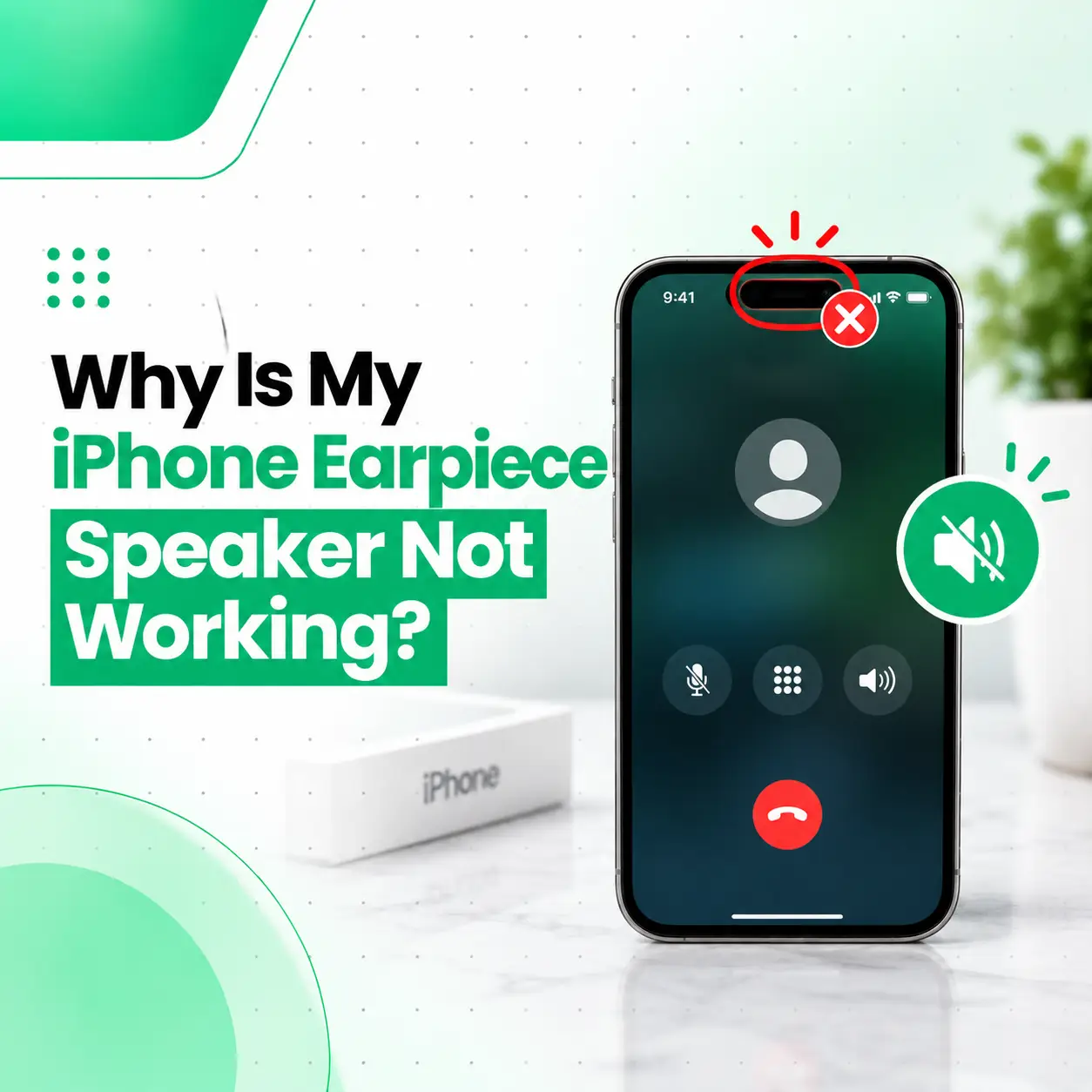
If your iPhone earpiece speaker is not working, you may be unable to hear the person on the other end of a phone call unless you switch to speakerphone or connect headphones. The cause may be as simple as blocked speaker openings or low call volume, but software problems, Bluetooth audio routing, moisture, physical damage, or a faulty receiver speaker can also be responsible.
The key is to determine whether the problem affects only normal phone calls or all audio from the upper speaker area.
This guide explains why your iPhone earpiece may stop working, what you can safely check at home, how to distinguish a software issue from hardware damage, and when professional iPhone repair may be appropriate. If basic troubleshooting does not restore call audio, iCareFix can inspect the device and identify the appropriate repair path.
Why Is My iPhone Earpiece Speaker Not Working?
Your iPhone earpiece speaker may stop working because of blocked speaker openings, low call volume, Bluetooth audio routing, a temporary software issue, liquid exposure, or damage to the receiver speaker or related components.
Common causes include:
- Blocked earpiece grille
- Dust, lint, or debris
- Very low call volume
- Bluetooth audio routing
- Temporary iOS or software issues
- Liquid or moisture exposure
- Physical damage after a drop
- Faulty earpiece or receiver speaker
Before assuming the earpiece is damaged, test a normal phone call, speakerphone, headphones, and other audio sources.
What Is the iPhone Earpiece Speaker?
The earpiece speaker, also called the receiver speaker, is the small speaker near the top of the iPhone that lets you hear the other person during a regular phone call.
It is different from using the iPhone’s main loudspeaker in speakerphone mode.
This distinction is important because:
- If speakerphone works but the normal earpiece does not, the receiver area may be involved.
- If both normal calls and speakerphone have audio problems, the issue may be broader.
- If headphones work normally but the earpiece does not, the problem may be specific to the phone’s built-in audio hardware or routing.
What Are the Signs of an iPhone Earpiece Problem?
An earpiece problem does not always mean there is complete silence.
You may notice:
- No sound during normal calls
- Very quiet call audio
- Muffled voices
- Crackling or distorted voices
- Intermittent call audio
- Sound that works only when using speakerphone
- Audio that becomes clearer when headphones are connected
The exact symptom can help narrow down the cause.
What Causes an iPhone Earpiece Speaker to Stop Working?
Dust or Debris Blocking the Earpiece
Dust, lint, and debris can accumulate around the small earpiece opening.
Because the receiver grille is relatively small, buildup can make voices sound extremely quiet or muffled.
How to Check the Earpiece
Inspect the top speaker opening under good lighting.
Look for:
- Visible dust
- Lint
- Dirt buildup
- Debris covering the grille
Do not insert a pin, needle, or other sharp object into the earpiece. The receiver area contains delicate components that can be damaged by improper cleaning.
Call Volume Is Too Low
Sometimes the earpiece is working, but the call volume has been reduced.
During an active call, use the iPhone’s volume buttons to increase the call volume.
It is important to adjust the volume while the call is active, because call volume and other audio levels can behave differently depending on what the iPhone is doing.
Bluetooth Is Routing the Call Audio
If a Bluetooth headset, car system, or another wireless audio device is connected, call audio may be routed away from the iPhone’s built-in earpiece.
Try disconnecting the Bluetooth device and test another call.
If the earpiece works after disconnecting the accessory, the problem may be related to audio routing rather than a damaged speaker.
Temporary Software Problem
A temporary software issue can sometimes interfere with audio behavior.
If the earpiece suddenly stopped working, try:
- End the current call.
- Restart the iPhone.
- Make another test call.
- Test speakerphone.
- Disconnect Bluetooth accessories.
- Check for an available iOS update.
If the issue remains after these steps, hardware inspection may be necessary.
Liquid or Moisture Exposure
Moisture can affect the earpiece speaker and other internal components.
If the problem began after exposure to:
- Water
- Rain
- A spilled drink
- High moisture
- Another liquid
the receiver speaker may have been affected.
Liquid damage should not automatically be treated as a speaker-only problem because moisture can reach other internal areas.
Physical Damage
A drop or impact can damage the earpiece speaker or related internal components even when there is little visible exterior damage.
If the earpiece stopped working immediately after the iPhone was dropped, physical damage becomes a more relevant possibility.
Faulty Earpiece Speaker
If the earpiece remains silent or extremely quiet across multiple calls after basic troubleshooting, the receiver speaker itself may be faulty.
A technician can test the component and determine whether it needs cleaning, repair, or replacement.
How Can I Fix an iPhone Earpiece Speaker That Is Not Working?
Start with simple troubleshooting before considering hardware repair.
1. Increase the Call Volume
Make a normal phone call and press the volume-up button while the call is active.
Then check whether the other person’s voice becomes audible.
2. Turn Off Bluetooth Temporarily
Disconnect Bluetooth accessories and make another test call.
This helps determine whether the call audio is being routed to another device.
3. Test Speakerphone
During a call, enable speakerphone.
If speakerphone works but the normal earpiece remains silent, the problem may be isolated to the earpiece/receiver path.
This does not by itself prove that the receiver speaker is physically damaged, but it is a useful diagnostic clue.
4. Restart the iPhone
Restart the device and make another test call.
A restart can help eliminate some temporary software-related problems.
5. Check the Earpiece Opening
Look at the receiver grille for visible dirt or debris.
If necessary, clean the exterior carefully using a suitable soft, dry method. Do not insert sharp objects or force material into the grille.
6. Test With Headphones
If compatible headphones are available, make a call and compare the audio.
If headphones work while the built-in earpiece does not, the problem may be associated with the iPhone’s built-in receiver path.
7. Check for iOS Updates
If the issue appears software-related, check whether an iOS update is available.
However, an update cannot physically repair a damaged receiver speaker.
Why Can I Hear Calls Only on Speakerphone?
If you can hear a caller on speakerphone but not through the normal earpiece, the problem may be specific to the receiver speaker or its audio path.
Possible causes include:
- Blocked earpiece grille
- Low call volume
- Software or audio-routing issues
- Bluetooth routing
- Moisture
- Physical damage
- A faulty receiver speaker
Try increasing the call volume, disconnecting Bluetooth, restarting the phone, and checking the earpiece opening.
If normal call audio remains silent while speakerphone works, professional inspection can help identify the exact fault.
Why Is My iPhone Earpiece Very Quiet but Not Completely Silent?
A very quiet earpiece can be caused by debris, low call volume, moisture, or a weakening or damaged receiver speaker.
First, increase the volume during an active call and inspect the earpiece grille.
If voices remain unusually quiet across multiple calls, the receiver may require cleaning or further diagnosis.
Persistent low volume should not automatically be treated as a speaker replacement issue because an obstruction or another internal fault may be responsible.
How Is an iPhone Earpiece Problem Diagnosed?
A professional diagnosis usually begins by reproducing the symptom and determining whether the problem is isolated to the receiver.
A technician may check:
Call Audio Test
The device can be tested during a normal phone call to determine whether sound reaches the receiver.
Speakerphone Comparison
Speakerphone can be tested to compare the main loudspeaker with the earpiece.
Receiver Inspection
The earpiece grille and receiver area can be inspected for visible obstruction or damage.
Physical and Liquid Damage Inspection
If the problem followed a drop or liquid exposure, the device may need additional internal inspection.
Component Testing
If basic causes are ruled out, the receiver speaker and related components may need to be tested.
Does the iPhone Model Affect Earpiece Repair?
Yes. Different iPhone models can have different internal designs, component arrangements, and repair procedures.
The repair approach may depend on:
- Exact iPhone model
- Condition of the receiver speaker
- Physical damage
- Liquid exposure
- Availability of compatible parts
- Whether other components are involved
A technician should identify the model and diagnose the problem before recommending a specific repair.
How Much Does iPhone Earpiece Speaker Repair Cost in Bangladesh?
There is no universal repair price for every iPhone earpiece problem.
The cost can depend on:
| Cost factor | Why it matters |
| iPhone model | Internal design and parts differ |
| Problem type | Cleaning, repair, and replacement require different work |
| Damage severity | More extensive damage can require additional diagnosis |
| Part availability | Compatible components vary by model |
| Part quality | Replacement component quality can affect the repair |
| Labor | Repair complexity affects technician time |
| Liquid or impact damage | Additional components may require inspection |
An accurate estimate should be based on the actual fault rather than a generic iPhone speaker repair price.
Should the iPhone Earpiece Be Repaired or Replaced?
It depends on the diagnosis.
| Situation | Possible approach |
| Dust or debris | Careful cleaning |
| Low call volume | Volume adjustment |
| Bluetooth routing | Correct audio output |
| Temporary software issue | Troubleshooting |
| Damaged receiver | Repair or replacement |
| Liquid exposure | Internal inspection and appropriate repair |
| Multiple audio symptoms | Broader diagnostic testing |
Replacing a component without identifying the underlying cause may not solve the problem.
Can I Fix the iPhone Earpiece Myself?
You can safely perform basic troubleshooting, but internal earpiece repair is more complicated.
Reasonably low-risk steps include:
- Increase call volume during a call.
- Disconnect Bluetooth devices.
- Restart the iPhone.
- Test speakerphone.
- Test headphones.
- Inspect the earpiece grille for visible debris.
Avoid opening the iPhone without suitable tools and repair knowledge. Do not insert needles, pins, or other sharp objects into the earpiece grille.
How Long Does iPhone Earpiece Repair Take?
Repair time depends on the iPhone model, the cause of the problem, the required repair, and the availability of compatible parts.
A simple obstruction may require less work than a damaged receiver or liquid-related issue.
For that reason, a reliable repair-time estimate should be provided after the device has been diagnosed.
Can an iPhone Earpiece Problem Affect Phone Calls Only?
Yes. An earpiece problem can appear mainly during normal phone calls because the receiver speaker is used to let you hear the other person.
You may still have working:
- Speakerphone
- Music playback
- Video audio
- Headphones
This difference is useful when troubleshooting because it can help determine which audio component or output path may be affected.
When Should You Get Professional iPhone Repair?
Professional inspection is appropriate when basic troubleshooting does not restore normal call audio.
Consider getting the iPhone inspected if:
- You cannot hear callers through the earpiece.
- The earpiece is extremely quiet.
- Audio is distorted or crackling.
- Speakerphone works but the earpiece does not.
- The problem started after a drop.
- The iPhone was exposed to liquid.
- Restarting and basic troubleshooting did not help.
- Other audio or device functions are also affected.
A professional diagnosis can determine whether the issue is caused by the receiver speaker, obstruction, liquid damage, or another internal component.
How Can You Prevent iPhone Earpiece Problems?
A few simple habits can help reduce the risk of future earpiece problems.
Keep the Earpiece Area Clean
Avoid allowing dust and lint to build up around the receiver grille.
Protect the iPhone From Liquid
Avoid unnecessary exposure to water and other liquids. Liquid exposure can affect internal components even when the phone appears to continue working.
Protect the Device From Drops
Physical impacts can damage internal components without always producing obvious exterior damage.
Avoid Improper Cleaning
Do not use sharp objects to clean the earpiece. Improper cleaning can create additional damage.
Frequently Asked Questions
1. Why is my iPhone earpiece speaker not working?
An iPhone earpiece may stop working because of debris, low call volume, Bluetooth audio routing, a software issue, moisture, physical damage, or a faulty receiver speaker. Increase the volume during an active call, disconnect Bluetooth, restart the phone, and test speakerphone. If the earpiece remains silent, professional inspection may be needed.
2. Why can I hear calls only on speakerphone?
If calls are audible on speakerphone but not through the normal earpiece, the problem may involve the receiver speaker or its audio path. A blocked grille, low volume, Bluetooth routing, software issue, moisture, or hardware damage can cause this symptom. Testing the earpiece after restarting and disconnecting Bluetooth can help narrow down the cause.
3. How do I fix a very quiet iPhone earpiece?
First, increase the volume while you are actively on a call. Then check the earpiece opening for visible debris, disconnect Bluetooth, and restart the iPhone. If the receiver remains unusually quiet across several calls, it may require cleaning or professional diagnosis to determine whether the speaker or another component is responsible.
4. Can dust stop the iPhone earpiece from working?
Yes. Dust, lint, and debris can obstruct the small receiver opening and reduce the volume or clarity of call audio. Inspect the grille carefully and avoid inserting sharp objects into it. If cleaning the exterior does not improve the sound, the problem may require further inspection.
5. Can water damage cause an iPhone earpiece to stop working?
Yes. Liquid exposure can affect the receiver speaker and other internal components. If the earpiece stopped working after the phone became wet, avoid aggressive heating or attempting to open the device without proper tools. A professional inspection can determine whether the issue is limited to the receiver or involves additional internal damage.
6. How much does iPhone earpiece repair cost in Bangladesh?
The cost varies according to the iPhone model, the cause of the problem, damage severity, part availability, replacement-part quality, and labor. Cleaning an obstruction can be different from replacing a damaged receiver or dealing with liquid damage. An inspection is therefore necessary for an accurate repair estimate.
7. Can I use my iPhone if the earpiece is not working?
Yes, the iPhone may still function through speakerphone, headphones, or other audio outputs. However, if the earpiece stopped working after physical or liquid damage, or if other functions are affected, professional inspection is advisable. Avoid repeatedly opening or attempting internal repairs without suitable equipment and experience.
Conclusion
An iPhone earpiece speaker that is not working can be caused by a blocked grille, low call volume, Bluetooth routing, software issues, moisture, physical damage, or a faulty receiver component. Start with simple checks such as increasing the call volume, disconnecting Bluetooth, restarting the phone, testing speakerphone, and inspecting the earpiece opening safely.
If you still cannot hear callers normally, especially after a drop or liquid exposure, professional diagnosis can help identify the actual cause. iCareFix can assess the device and determine whether the problem involves the earpiece speaker, another internal component, or an audio-routing issue before recommending an appropriate repair option.