




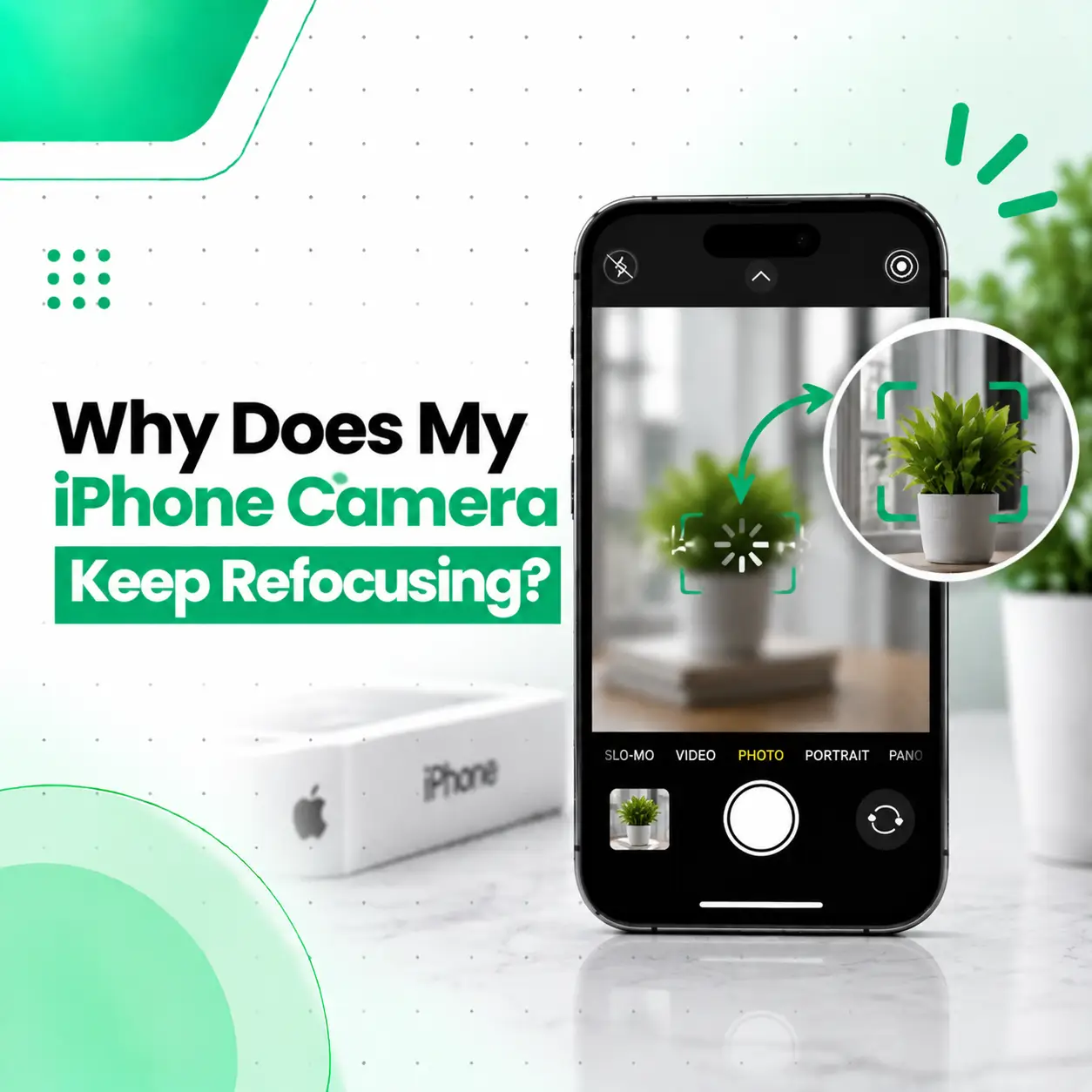
If your iPhone camera keeps refocusing while you are trying to take a photo or record a video, the problem may be caused by something as simple as a dirty lens or an obstructed camera opening. However, repeated focus changes can also result from software problems, difficult lighting or subjects, physical damage, or a fault in the camera module.
The good news is that you can check several common causes yourself before considering repair. This guide explains why your iPhone camera keeps refocusing, how to troubleshoot the issue safely, what symptoms may indicate hardware damage, and when professional iPhone camera repair may be appropriate. If basic troubleshooting does not solve the problem, iCareFix can inspect the device and help determine whether the issue is related to the camera hardware or software.
Why Does My iPhone Camera Keep Refocusing?
An iPhone camera may keep refocusing because the autofocus system is repeatedly trying to find a sharp subject. Common causes include a dirty or obstructed lens, low-light conditions, a subject that is too close, camera movement, software glitches, or damage to the camera module.
The most common possibilities are:
- Dirty or smudged camera lens
- Camera lens obstruction
- Subject positioned too close to the camera
- Poor or changing lighting
- Camera movement while shooting
- Software or Camera app problems
- iOS-related issues
- A damaged camera module
- Impact or drop damage
- Moisture or liquid exposure
The important distinction is whether the camera only refocuses occasionally or whether it repeatedly hunts for focus even when the phone is steady and the subject is clear.
What Does Constant Refocusing Look Like?
A camera with a focusing problem may repeatedly switch between sharp and blurry images instead of settling on the subject.
You may notice:
- The preview repeatedly goes blurry and sharp.
- The camera makes small focus adjustments without settling.
- Photos remain blurry even when the subject is still.
- Video appears to continuously shift between different focus points.
- The camera struggles to focus on nearby objects.
- One camera lens works normally while another does not.
- The problem becomes noticeable after dropping the iPhone.
- The issue occurs across different lighting conditions.
If the problem happens only when photographing very close objects or in difficult lighting, it does not necessarily mean the camera is damaged.
What Causes an iPhone Camera to Keep Refocusing?
A Dirty or Smudged Camera Lens
Fingerprints, dust, oil and other residue on the camera lens can interfere with image clarity and make autofocus less reliable.
This is one of the easiest causes to rule out.
How to Check the Lens
Turn off the camera preview and gently clean the exterior camera lens with a soft, clean, lint-free cloth.
Avoid using abrasive materials or applying liquid directly to the camera area.
The Subject Is Too Close
Every camera has a minimum focusing distance. If your subject is extremely close to the lens, the camera may struggle to achieve focus.
Try moving the iPhone slightly farther away and see whether the image becomes stable.
On supported iPhone models, switching between available camera modes or lenses may also help when photographing very close subjects.
Low or Changing Light
Autofocus can become more difficult when there is very little light or when the scene contains areas with strong contrast.
For example, a dark room with a small bright object may give the camera fewer useful details on which to lock focus.
Try testing the camera in good, even lighting. If it focuses normally in bright conditions but struggles consistently in low light, the behavior may be related to the shooting environment rather than a hardware fault.
The Camera Is Moving
Autofocus can appear unstable when you move the phone while attempting to capture a subject.
Hold the iPhone steady and point it at a stationary object. Give the camera a moment to focus before taking the photo.
If the camera continues rapidly changing focus while the phone and subject remain completely still, further troubleshooting may be necessary.
A Software or Camera App Glitch
Temporary software problems can affect camera behavior.
A simple restart can sometimes resolve an unusual Camera app issue. You can also check whether the iPhone has pending software updates.
If the problem started after a software change, note whether it occurs consistently across different camera modes and apps. This can help distinguish an app-related problem from a hardware issue.
Physical Damage to the Camera Module
If the iPhone was recently dropped, struck or exposed to another physical event, the camera hardware may have been affected.
A damaged camera module can cause symptoms such as:
- Repeated autofocus movement
- Persistent blurry images
- Unusual camera vibration
- Focus that never settles
- Camera problems after impact
- One camera lens behaving differently from another
In this situation, repeatedly changing software settings may not solve the underlying problem.
Moisture or Liquid Exposure
Liquid or moisture entering a phone can potentially affect internal components, including the camera assembly.
If focusing problems appeared after liquid exposure, avoid assuming that the problem is simply a software glitch. A professional inspection may be appropriate because internal moisture can affect more than one component.
How Can You Fix an iPhone Camera That Keeps Refocusing?
Start with the least invasive troubleshooting steps before considering hardware repair.
1. Clean the Camera Lens
Use a clean, soft, lint-free cloth to gently remove fingerprints and residue from the external camera lens.
Then reopen the Camera app and test the focus.
2. Remove Anything Covering the Camera
If you use a camera lens protector, case, film or other accessory that overlaps the camera area, temporarily remove it for testing.
A poorly aligned or damaged accessory can affect image quality.
3. Move the Phone Away From the Subject
If you are photographing something very close, move the iPhone back slightly.
Then check whether the camera can lock focus more consistently.
4. Test in Good Lighting
Take several photos of a stationary object in bright, even lighting.
This helps determine whether the issue is related to the shooting environment.
5. Hold the iPhone Steady
Place the phone on a stable surface or hold it firmly while testing.
If the focus stabilizes when the phone is stationary, movement may have contributed to the behavior.
6. Restart the iPhone
Close the Camera app and restart the iPhone.
After restarting, test the camera again before changing multiple settings.
7. Test Different Camera Modes and Lenses
If your iPhone has multiple rear cameras, test the available camera options separately.
This can help identify whether the issue affects:
- The main camera
- Ultra-wide camera
- Telephoto camera
- Front camera
If only one camera consistently shows the problem, that can be useful information for a technician.
How Can You Tell If the Camera Has a Hardware Problem?
A persistent focus problem is more concerning when it happens under controlled conditions and affects only one camera.
Try this simple test:
- Clean the camera lens.
- Remove any camera-related accessory.
- Restart the iPhone.
- Go to a well-lit environment.
- Place a stationary object several feet away.
- Hold the iPhone steady.
- Take several photos and record a short video.
- Test another available camera if your model has one.
If the same camera repeatedly hunts for focus despite these conditions, a hardware inspection may be appropriate.
Signs That Professional Inspection May Be Needed
Consider professional diagnosis if:
- The camera remains blurry in good lighting.
- Autofocus repeatedly shifts without settling.
- The issue started after a drop or impact.
- The camera vibrates or behaves unusually.
- Only one rear camera is affected.
- The problem occurs in multiple camera apps.
- Cleaning and restarting make no difference.
- There are visible signs of camera or lens damage.
Can a Damaged iPhone Camera Be Repaired?
Yes, depending on the cause, an iPhone camera focusing problem may be repairable. The appropriate solution depends on whether the fault is caused by the external lens, camera module, connector, software, or another internal component.
A technician should diagnose the problem before recommending replacement.
Camera Lens or External Damage
If the external camera glass is damaged, the repair may involve the affected lens or related components. The exact repair depends on the iPhone model and the extent of the damage.
Camera Module Replacement
If the camera module itself has failed, replacement may be considered.
The correct part and repair procedure depend on the specific iPhone model.
Connector or Internal Component Issues
A camera problem can sometimes involve a connection or another internal component rather than the camera module itself.
This is why replacing the camera immediately without diagnosis is not always the appropriate first step.
How Much Does iPhone Camera Repair Cost in Bangladesh?
There is no single repair price that applies to every iPhone camera focusing problem in Bangladesh.
The final cost can depend on:
| Cost Factor | Why It Matters |
| iPhone model | Camera hardware differs between models |
| Fault type | Cleaning and hardware replacement are different repairs |
| Camera component | Different camera assemblies have different costs |
| Part quality | Part source and quality can affect the repair |
| Damage severity | Additional internal damage can increase repair complexity |
| Labor | Diagnostic and repair work varies by fault |
| Warranty | Repair terms may affect the overall value |
A proper diagnosis is therefore more useful than assuming the problem requires a complete camera replacement.
Is It Safe to Repair an iPhone Camera Yourself?
Basic troubleshooting such as cleaning the external lens, removing an obstructing accessory, restarting the phone and testing the camera is generally much lower risk than opening the device.
However, opening an iPhone and replacing internal camera components requires appropriate tools and repair knowledge.
DIY internal repair can introduce additional risks, including:
- Damage to internal components
- Damaged connectors or cables
- Display or enclosure damage during disassembly
- Loss of water resistance
- Incorrect part installation
- Additional repair costs if something goes wrong
If the camera was damaged after an impact or liquid exposure, professional inspection is usually more appropriate than attempting internal repair without the required equipment and experience.
Does a Camera Repair Affect Your Data?
A camera hardware repair does not inherently mean that your personal photos and other data must be deleted. However, any repair carries some risk, particularly if the device has additional internal damage or requires more extensive work.
Before handing over an iPhone for repair:
- Back up important photos and files.
- Keep your Apple Account information private.
- Do not share passwords unnecessarily.
- Ask the repair provider what diagnostic or repair steps are required.
- Confirm how your data and privacy will be handled.
A professional repair process should distinguish between necessary device access for testing and access to personal content.
How Can You Prevent iPhone Camera Focus Problems?
You cannot prevent every camera failure, but careful handling can reduce avoidable problems.
Keep the Camera Lens Clean
Regularly remove fingerprints and residue with an appropriate soft cloth.
Protect the iPhone From Drops
Physical impact can damage camera hardware even when the outside of the phone looks relatively normal.
Avoid Liquid Exposure
Keep the device away from unnecessary moisture and respond promptly if it is exposed to liquid.
Use Compatible Accessories
Make sure cases and camera protectors do not interfere with the camera lenses.
Address Persistent Problems Early
If autofocus suddenly becomes unstable and remains that way, getting the device checked early may help identify the actual cause before additional problems develop.
When Should You Visit a Professional iPhone Repair Service?
You should consider professional repair when the camera keeps refocusing despite basic troubleshooting, particularly if the problem began after a drop, impact or liquid exposure.
A technician can inspect the camera assembly, test the affected lens and determine whether the issue is more likely related to software, the camera module, a connector or another internal component.
For customers looking for professional iPhone repair in Bangladesh, the goal should be an accurate diagnosis before replacing parts unnecessarily.
Frequently Asked Questions
1. Why does my iPhone camera keep going in and out of focus?
Your iPhone camera may repeatedly refocus because it is having difficulty locking onto a subject. Dirty lenses, close subjects, poor lighting, movement, software issues and camera hardware damage can all contribute. Clean the lens, test a stationary object in good lighting and restart the iPhone. If the behavior continues, professional diagnosis can help identify the underlying cause.
2. Can a dirty camera lens cause constant refocusing?
Yes, a dirty or smudged lens can interfere with image clarity and make focusing appear unstable. Fingerprints and residue are particularly common causes. Gently clean the external camera lens with a soft, lint-free cloth and test the camera again. If the camera still repeatedly changes focus after cleaning, another software or hardware issue may be involved.
3. Why does my iPhone camera refocus after I drop my phone?
A drop can potentially damage or disturb the camera module or related internal components. If the refocusing problem started immediately after an impact, hardware damage becomes more relevant. Test the camera in good lighting after cleaning the lens. If it continues to hunt for focus or remains blurry, a professional inspection can determine whether a component needs repair or replacement.
4. Can an iPhone camera that keeps refocusing be repaired?
Yes, the problem may be repairable, but the correct solution depends on the cause. Some cases are related to the lens, software or shooting conditions, while others involve the camera module or internal connections. A technician should diagnose the affected camera before recommending a component replacement.
5. How much does it cost to fix an iPhone camera focus problem in Bangladesh?
The cost varies according to the iPhone model, the failed component, part availability, damage severity and labor involved. A simple issue may require no hardware replacement, while a failed camera module can require a different repair. Because the cause cannot be confirmed from the symptom alone, an inspection is recommended before determining the repair cost.
6. Can I fix an iPhone camera that keeps refocusing myself?
You can safely try basic troubleshooting such as cleaning the lens, removing a camera obstruction, testing different lighting, restarting the phone and checking whether the issue affects one camera or several. Opening the iPhone or replacing internal camera components is more complex and can cause additional damage if performed incorrectly.
7. Should I keep using my iPhone if the camera keeps refocusing?
You can generally continue using the phone for other functions if the only symptom is camera focusing trouble, but persistent problems should not be ignored if they followed physical or liquid damage. Back up important data and consider professional inspection if the camera remains unstable after basic troubleshooting.
Conclusion
An iPhone camera that keeps refocusing is not always a sign of serious hardware failure. A dirty lens, obstructed camera area, close subject, poor lighting or temporary software issue can sometimes explain the behavior. However, persistent autofocus problems—especially after a drop, impact or liquid exposure—can indicate a problem with the camera module or another internal component.
Start with simple checks and test the camera under steady, well-lit conditions. If the camera continues to hunt for focus, remains blurry or behaves differently from the other camera lenses, professional diagnosis can help identify the actual cause.
If you need professional iPhone camera repair in Bangladesh, iCareFix can assess the device and recommend an appropriate repair option based on the diagnosed problem rather than replacing components unnecessarily.