




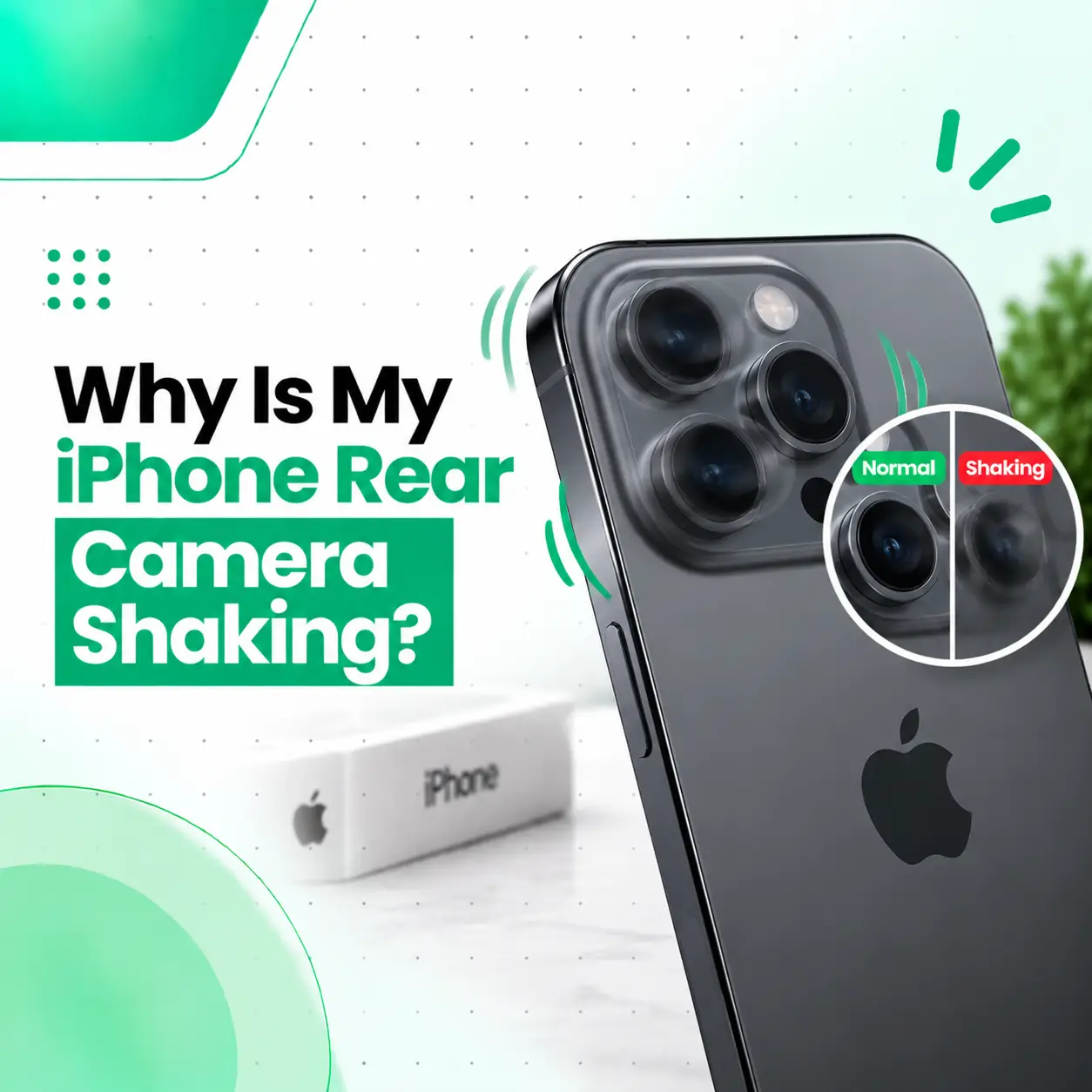
If your iPhone rear camera is shaking, vibrating, or rapidly moving when you open the Camera app, the problem may involve the camera’s stabilization or autofocus mechanism. A temporary software issue can sometimes cause unusual camera behavior, but persistent physical shaking—especially when the preview cannot stay steady—can indicate a problem with the camera module.
This issue may appear after a drop, impact, exposure to vibration, liquid damage, or a previous repair. It can also happen without obvious external damage. In this guide, you’ll learn why an iPhone rear camera shakes, how to troubleshoot it safely, what symptoms indicate hardware damage, what repair may involve, and when professional iPhone camera inspection is appropriate.
Why Is My iPhone Rear Camera Shaking?
An iPhone rear camera may shake because of a malfunctioning stabilization or autofocus mechanism, physical damage to the camera module, strong external vibration, a software problem, or another internal hardware fault.
If the camera preview continues moving or vibrating even when the phone is held completely still, a hardware-related problem becomes more likely.
Common Causes of an iPhone Rear Camera Shaking
Camera Stabilization Mechanism Failure
Many iPhone camera systems use stabilization technology to reduce the effect of hand movement when taking photos and videos. Depending on the model and camera, this can involve moving optical elements or the sensor.
If the stabilization mechanism malfunctions, the camera may appear to rapidly shake, vibrate, or struggle to hold a stable image.
This can also produce:
- Constant movement in the camera preview
- Blurry photos
- Difficulty focusing
- Unstable video
- Clicking or buzzing sounds
- A camera that repeatedly moves between positions
Autofocus Mechanism Problem
The camera’s autofocus system adjusts the lens or optical assembly to keep subjects sharp.
If the autofocus mechanism becomes faulty, the camera may repeatedly search for focus. To the user, this can look like the camera is shaking or moving back and forth.
A focus problem is particularly noticeable when:
- The subject repeatedly becomes blurry and sharp
- The camera cannot lock focus
- Close objects are difficult to focus on
- The image keeps jumping even when the phone is stationary
Physical Impact or Drop Damage
A drop can damage the camera module even when the external camera glass does not appear cracked.
An impact may affect internal camera components, alignment, connectors, or the stabilization mechanism. If the shaking started immediately after a fall or impact, physical damage should be considered.
Strong Vibration Exposure
Strong and prolonged vibration can interfere with delicate camera components, particularly stabilization systems.
If the problem began after the iPhone was exposed to significant vibration, such as being mounted in a location experiencing strong mechanical vibration, stop using the setup and test the camera normally.
If the shaking continues under normal conditions, the camera should be inspected.
Liquid or Moisture Damage
Liquid exposure can affect camera components and internal connections. Camera problems may occur immediately or develop later.
If the shaking began after the phone was exposed to water or another liquid, avoid assuming that the issue is only an app problem.
Software or Camera App Glitch
A temporary software problem can sometimes cause abnormal camera behavior.
Before assuming the camera module has failed, try basic troubleshooting such as closing and reopening the Camera app and restarting the iPhone.
If the camera continues shaking consistently after these steps, hardware inspection may be necessary.
What Does a Shaking iPhone Camera Look Like?
The problem can appear differently depending on the affected component.
| Symptom | Possible indication |
| Camera preview rapidly vibrates | Stabilization or camera module problem |
| Image repeatedly moves in and out of focus | Autofocus issue |
| Photos are consistently blurry | Focus or stabilization problem |
| Shaking began after a drop | Possible physical camera damage |
| Camera makes unusual clicking or buzzing sounds | Possible mechanical camera fault |
| One rear camera works but another shakes | Possible issue with a specific camera module |
| Problem occurs only in one app | Possible software or app-related issue |
These symptoms can help narrow down the problem, but they cannot confirm the exact failed component without proper testing.
How Can You Tell If the Camera Problem Is Hardware-Related?
A persistent physical movement in the camera preview is more concerning for hardware when it remains after restarting the phone and occurs consistently across normal camera use.
Look for these signs:
- The camera shakes while the phone is completely still.
- Photos remain blurry.
- Autofocus repeatedly moves without locking.
- The problem occurs every time you open the Camera app.
- The issue began after a drop or impact.
- You hear unusual clicking or buzzing.
- Other camera apps show the same behavior.
- One rear camera behaves differently from another.
If the behavior is consistent across applications, the camera hardware becomes a stronger possibility.
How to Fix an iPhone Rear Camera That Is Shaking
Start with simple troubleshooting before considering hardware repair.
Close and Reopen the Camera App
Close the Camera app completely and reopen it.
If the shaking was caused by a temporary application problem, the camera may return to normal operation.
If it immediately starts shaking again, continue with the next steps.
Restart the iPhone
Restarting the device can clear temporary software issues affecting the Camera app or related system processes.
After restarting:
- Open the Camera app.
- Switch between available rear cameras.
- Point the camera at a stationary object.
- Check whether the preview remains stable.
- Take a test photo and video.
If the shaking continues, the problem may require further diagnosis.
Test Different Camera Modes
Try different modes and lenses available on your iPhone.
For example, test:
- Photo
- Video
- Portrait
- Different rear-camera lenses, where available
If only one camera behaves abnormally while the others work normally, that can provide useful information about which camera module may be affected.
Remove Accessories Around the Camera
If you use a case, camera protector, magnetic accessory, or another attachment near the camera system, temporarily remove it and test again.
An accessory should not normally cause the internal camera mechanism to shake, but eliminating external variables can help during troubleshooting.
Check Whether the Problem Appears in Another Camera App
If another trusted camera application is available, you can compare its behavior with the built-in Camera app.
If the same physical shaking occurs across applications, the issue is less likely to be limited to the Camera app itself.
Can a Shaking iPhone Camera Be Fixed?
Yes, a shaking iPhone camera can often be repaired, but the appropriate solution depends on the failed component.
A technician may determine that the problem involves:
- Camera module
- Stabilization mechanism
- Autofocus mechanism
- Camera connector
- Flex connection
- Other internal hardware
If the camera module itself is defective, camera module replacement may be necessary. If the problem is caused by a connection or another repairable component, a different repair may be appropriate.
Camera Repair vs Camera Replacement
These terms should not always be treated as identical.
Camera repair can refer to diagnosing and addressing a specific hardware problem, depending on the device and component involved.
Camera replacement generally means replacing the affected camera module or assembly with a compatible replacement component.
The correct option should be determined after diagnosis rather than assuming every shaking camera requires complete replacement.
Can a Software Update Fix a Shaking iPhone Camera?
A software update may help if the problem is caused by a software-related camera issue, but it cannot repair a physically damaged camera module or mechanical stabilization mechanism.
If the shaking began after a software change and occurs only under certain conditions, software troubleshooting may be worthwhile.
However, if the camera physically vibrates continuously, particularly after an impact or other hardware event, professional inspection is more appropriate than repeatedly reinstalling or updating software.
Does the iPhone Model Affect Camera Repair?
Yes. Different iPhone models use different camera configurations, camera modules, stabilization technologies, and internal designs.
Some models contain multiple rear cameras with different capabilities. A problem affecting one camera may therefore behave differently from a fault affecting another.
The model also affects:
- Compatible replacement components
- Repair procedure
- Part availability
- Component cost
- Calibration or testing requirements
For this reason, a technician should identify the exact iPhone model before recommending a camera repair.
How Is an iPhone Camera Shaking Problem Diagnosed?
A proper diagnosis should establish whether the problem is software-related, accessory-related, or caused by the camera hardware.
Camera Function Test
The technician can test:
- Camera preview stability
- Autofocus
- Photo quality
- Video recording
- Different camera lenses
- Different camera modes
Physical Inspection
The phone can be checked for:
- Signs of impact
- Camera glass damage
- Frame damage
- Moisture exposure
- Previous repair work
- Loose or damaged components
Internal Inspection
If the symptoms indicate hardware failure, the relevant internal camera connection and components may need to be inspected.
The goal is to identify the cause before replacing a part unnecessarily.
How Much Does iPhone Camera Repair Cost in Bangladesh?
There is no single price for repairing an iPhone rear camera that is shaking.
The cost depends on the specific model and the actual cause of the problem.
Important factors include:
- iPhone model
- Camera module involved
- Severity of damage
- Replacement part availability
- Part quality
- Labor
- Whether a connector or complete camera module requires attention
- Any additional internal damage
A camera module replacement and a connection-related repair are different services, so their costs can vary significantly.
For iPhone camera repair in Bangladesh, it is better to have the device diagnosed first rather than choosing a repair based only on the visible symptom.
Is It Safe to Keep Using an iPhone With a Shaking Camera?
If the camera is the only affected feature and the phone otherwise works normally, continued basic use may be possible. However, persistent shaking should not be ignored if it is accompanied by other signs of damage.
Seek professional inspection if you notice:
- Increasing camera vibration
- Persistent inability to focus
- Severe image distortion
- Unusual clicking or buzzing
- Recent impact damage
- Liquid exposure
- Other camera or phone functions becoming abnormal
If the device contains important photos or other data, backing it up while the phone is functioning normally is a sensible precaution before repair.
Can You Fix a Shaking iPhone Camera Yourself?
Basic software troubleshooting is reasonable, but opening an iPhone to repair the camera is not a good DIY project for most users.
The camera assembly and internal connectors are delicate, and incorrect handling can cause additional damage.
Avoid:
- Pressing or hitting the camera module
- Shaking the phone intentionally
- Opening the phone without suitable tools
- Attempting to adjust internal camera components
- Applying heat to the camera area
If basic troubleshooting does not solve the problem, professional diagnosis is safer and can help determine whether camera repair or replacement is actually required.
How to Prevent iPhone Camera Problems
You cannot prevent every camera failure, but you can reduce avoidable risks.
Protect the iPhone From Drops
A suitable protective case can reduce the chance of damage from everyday impacts.
Avoid Strong and Prolonged Vibration
Avoid mounting the iPhone in environments where it may experience strong mechanical vibration for extended periods.
Protect the Camera Area
Avoid placing excessive pressure on the rear camera area and keep the camera glass clean and free from damage.
Address Damage Early
If camera shaking starts after a drop, liquid exposure, or another unusual event, have the phone inspected rather than repeatedly testing or physically manipulating the camera.
When Should You Visit a Professional iPhone Repair Service?
Professional inspection is recommended when the rear camera continues shaking after basic troubleshooting.
You should consider getting the device checked if:
- The camera shakes every time it opens.
- Photos and videos remain blurry.
- Autofocus cannot lock properly.
- You hear unusual mechanical sounds.
- The problem started after a drop.
- The phone experienced liquid exposure.
- Only one camera lens is affected.
- Restarting does not change the behavior.
For customers looking for professional phone repair in Bangladesh, iCareFix can assess the iPhone and help identify whether the issue is related to the camera module, connection, stabilization system, or another internal component.
Frequently Asked Questions
1. Why is my iPhone rear camera shaking?
The rear camera may shake because of a malfunctioning stabilization or autofocus mechanism, physical damage, strong vibration exposure, liquid damage, or a temporary software problem. If the camera continues vibrating while the phone is stationary and the issue remains after restarting, a hardware-related problem becomes more likely and should be professionally inspected.
2. Why is my iPhone camera shaking and blurry?
Shaking combined with blurry images can indicate that the camera cannot properly stabilize or focus the image. A damaged stabilization mechanism, autofocus problem, or camera module fault may cause this behavior. If cleaning the lens and restarting the phone do not help, further camera testing may be necessary.
3. Can I fix a shaking iPhone camera without replacing it?
Possibly. Not every camera problem requires replacement. A software issue, accessory interference, or certain connection-related faults may have a different solution. However, if the internal camera module or stabilization mechanism is damaged, replacement may be necessary. A proper diagnosis should come before deciding on the repair.
4. Can a software update stop my iPhone camera from shaking?
A software update may help if the behavior is caused by a software-related problem, but it cannot repair physical camera hardware. If the camera continues to shake after restarting and the issue occurs consistently across normal camera use, especially after physical damage, hardware inspection is more appropriate.
5. How much does it cost to fix a shaking iPhone camera in Bangladesh?
The cost varies according to the iPhone model, affected camera, damage severity, replacement part availability, component quality, and labor. A camera module replacement can have a different cost from a connector-related repair. An inspection is therefore needed before determining the appropriate repair and its cost.
6. Is it safe to keep using an iPhone with a shaking camera?
Basic use may still be possible if the phone has no other problems, but persistent camera shaking should be investigated. Be especially cautious if the issue follows a drop, liquid exposure, or strong vibration, or if you notice unusual sounds, worsening image quality, or other hardware symptoms.
7. When should I take my iPhone to a repair shop for a shaking camera?
Consider professional inspection when restarting, testing different camera modes, and removing accessories do not solve the issue. A repair shop is particularly appropriate if the camera continuously vibrates, cannot focus, produces blurry images, makes unusual sounds, or developed the problem after impact or liquid exposure.
Conclusion
An iPhone rear camera that shakes or vibrates can be caused by a temporary software issue, autofocus problem, stabilization malfunction, physical damage, liquid exposure, or a fault within the camera module. Basic troubleshooting such as restarting the iPhone, testing different camera modes, and removing nearby accessories can help rule out simpler causes.
If the camera continues shaking while the phone is stationary, avoid trying to physically adjust or repair the camera yourself. A professional inspection can determine whether the issue involves the camera module, stabilization system, connector, or another component.
If you need professional iPhone camera repair in Bangladesh, iCareFix can assess the device and recommend an appropriate repair option based on the actual cause of the problem.