




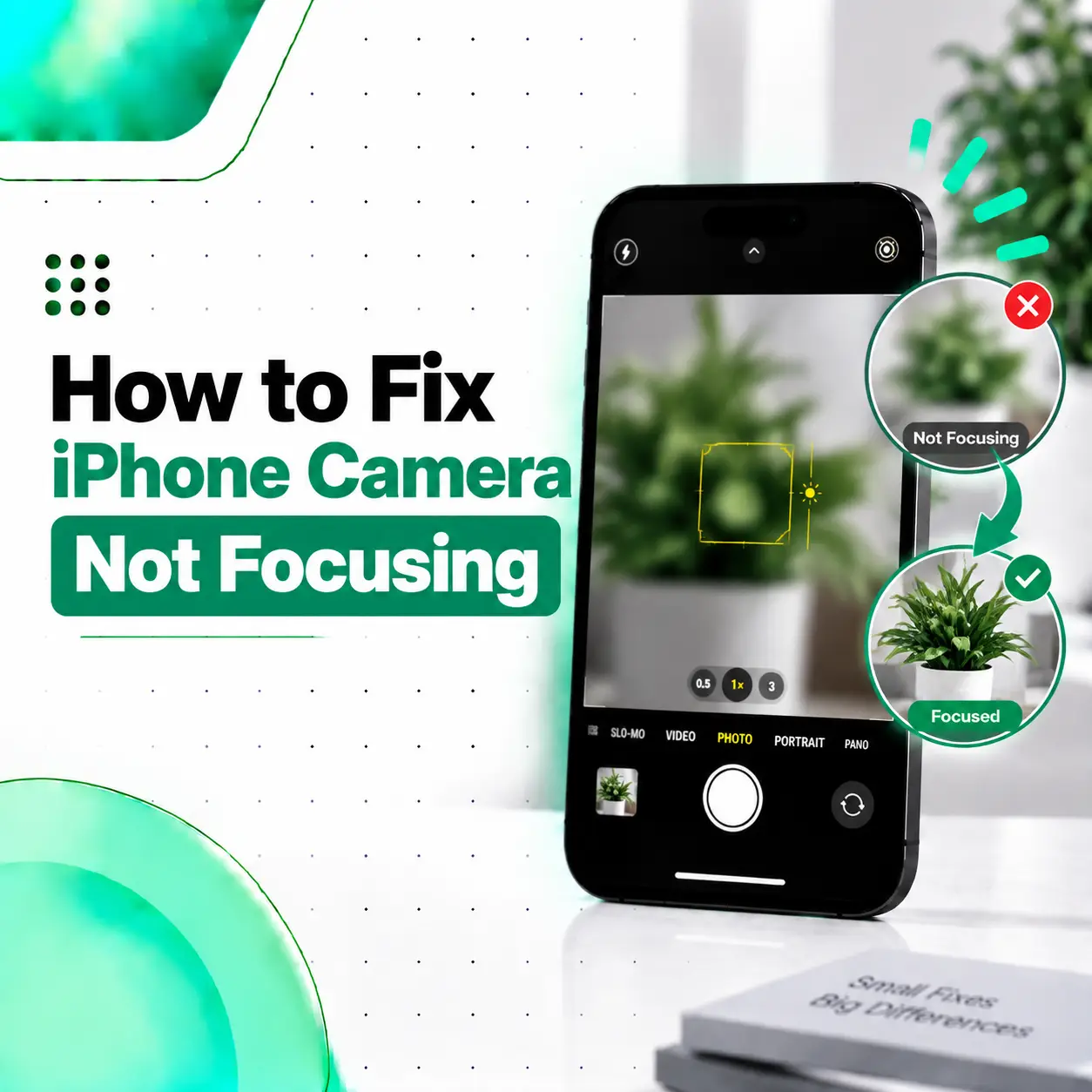
If your iPhone camera opens normally but refuses to focus, the problem may be caused by something simple such as a dirty lens, a camera protector, incorrect focus selection, or an accessory interfering with the camera. In other cases, persistent autofocus problems can indicate damage to the camera module or another internal component.
If you are searching for how to fix iPhone camera not focusing, start with the safest troubleshooting steps before assuming the camera needs replacement. Apple provides built-in focus controls that let you tap the area you want to focus on, and supported iPhones can lock focus and exposure with AE/AF Lock.
This guide explains the likely causes, practical fixes, hardware warning signs, repair options, cost factors in Bangladesh, and when professional iPhone camera inspection makes sense.
Why Is My iPhone Camera Not Focusing?
An iPhone camera may fail to focus because of a dirty lens, an obstructed camera protector, an incorrect focus point, a subject being too close, magnetic accessory interference, software problems, physical damage, or a faulty camera component.
Before considering repair, check these common possibilities:
- The camera lens is dirty.
- A lens protector is scratched or poorly fitted.
- The subject is outside the camera’s normal focusing range.
- The wrong area is selected for focus.
- A magnetic accessory is interfering with the camera.
- The Camera app or iOS is experiencing a temporary problem.
- The phone was dropped or physically damaged.
- The camera module or related hardware is faulty.
- A previous camera replacement used a problematic or nongenuine component.
The exact cause matters because a cleaning or software fix will not resolve a mechanically damaged camera.
How to Fix iPhone Camera Not Focusing
Try these troubleshooting steps in order. Start with the easiest options and test the camera after each step.
1. Clean the Camera Lens
A dirty camera lens is one of the first things to check.
Fingerprints, dust, oil, or other residue can make the image appear soft and may interfere with the camera’s ability to produce a sharp image.
Use a clean, soft microfiber cloth to gently wipe the camera lens.
Avoid:
- Abrasive materials
- Rough fabrics
- Excessive pressure
- Spraying liquid directly onto the camera
Apple recommends cleaning the camera lens when images appear blurry.
2. Remove the Camera Lens Protector
If you have installed a third-party camera lens protector, remove it temporarily and test the camera.
A protector can cause focusing or image-quality problems if it is:
- Scratched
- Cracked
- Dirty
- Cloudy
- Misaligned
- Poorly manufactured
Take a few photos without the protector and compare the results.
3. Remove Your iPhone Case
Some cases can interfere with the camera area or with accessories attached around the camera.
Remove the case and take another photo.
If the camera starts focusing normally, inspect the case for anything covering or pressing against the camera area.
4. Tap the Subject to Focus
The iPhone Camera app automatically determines focus, but you can manually choose where you want the camera to focus.
Open Camera and:
- Point the camera toward your subject.
- Tap the part of the scene you want to appear sharp.
- Wait briefly for the focus to adjust.
- Take the photo.
Apple’s current iPhone guide confirms that tapping the screen moves the focus area to the selected subject.
This is especially useful when the camera is focusing on the background instead of the object you want to photograph.
5. Use AE/AF Lock When Appropriate
If the camera keeps changing focus, you can lock focus and exposure on supported iPhone camera controls.
Touch and hold the focus area until AE/AF Lock appears. You can then compose the image without the camera continuously changing the selected focus point.
This is a camera-control feature, not a repair for a damaged autofocus system.
6. Move the iPhone Slightly Farther From the Subject
If you are photographing something extremely close to the camera, the lens may not be able to focus at that distance.
Try moving the iPhone farther away and then tap the subject.
If the image becomes sharp at a slightly greater distance, the issue may simply be the camera’s focusing range rather than a hardware fault.
7. Test the Camera in Good Lighting
Low-light conditions can make focusing and image capture more difficult.
Try the same subject in a bright environment.
If the camera focuses correctly in good light but struggles mainly in dark environments, the problem may not be a camera hardware failure.
8. Remove Magnetic Accessories
Remove magnetic car mounts, magnetic camera accessories, or metal plates positioned near the rear camera.
On supported iPhone models, magnetic fields can interfere with camera systems that use optical image stabilization and closed-loop autofocus.
If the focus problem started after installing a magnetic accessory, testing the iPhone without that accessory is particularly important.
9. Restart Your iPhone
A temporary software issue can sometimes affect camera behavior.
Restart the iPhone and test the camera again.
If the problem disappears after restarting but repeatedly returns, pay attention to when it happens and whether a particular app or camera mode triggers it.
10. Update iOS
Check for available iOS updates and install the appropriate update.
Camera functionality is closely connected with the iPhone’s software, so keeping iOS updated can be an important troubleshooting step.
If the camera continues to fail after basic troubleshooting and software updates, hardware diagnosis becomes more relevant.
Why Does My iPhone Camera Keep Refocusing?
An iPhone camera may repeatedly change focus when the scene contains multiple objects at different distances, when the subject is moving, or when the camera is struggling to identify the intended focus point.
Try tapping the subject you want to photograph.
If you need the focus to remain fixed, touch and hold the focus area to use AE/AF Lock on supported camera controls.
If the camera continues hunting for focus even when photographing a stationary object in good lighting, the behavior may deserve further inspection.
Why Is My iPhone Camera Not Focusing on Close Objects?
Close-up focusing depends on the camera and lens being used.
If the subject is too close, the camera may not be able to focus on it properly. Move the iPhone farther away and try again.
Try This Simple Test
Place an object on a table and:
- Start at a normal distance.
- Tap the object on the screen.
- Take a photo.
- Move the iPhone closer.
- Take another photo.
- Move back slightly if the close-up becomes blurry.
If focusing works normally at reasonable distances but fails when the phone is extremely close to the subject, this may be expected behavior rather than a damaged camera.
Why Is My iPhone Camera Not Focusing After a Drop?
If the autofocus problem started immediately after dropping the iPhone, physical damage should be considered.
A significant impact can potentially affect the camera module, stabilization system, camera glass, connector, or related internal components.
Signs of Possible Hardware Damage
Look for:
- Camera constantly hunting for focus
- Focus failing at normal distances
- Camera vibration
- Unusual clicking or mechanical sounds
- Cracked camera glass
- Blurry images from only one camera
- Problem appearing immediately after an impact
If the camera worked normally before the drop and stopped focusing afterward, professional inspection is more appropriate than repeatedly changing software settings.
Can a Magnetic Accessory Cause iPhone Focus Problems?
Yes, magnetic accessories can interfere with some iPhone camera systems.
Apple explains that magnets and magnetic materials near the rear camera can interfere with sensors used by optical image stabilization and closed-loop autofocus on supported models.
Potential sources include:
- Magnetic car mounts
- Magnetic lens attachments
- Metal mounting plates
- Some third-party camera accessories
Remove the accessory completely and test the camera again before assuming the camera itself is damaged.
Can a Previous Camera Repair Cause Focus Problems?
Yes, a previous camera repair can be relevant when diagnosing an autofocus problem.
Apple states that a nongenuine camera component can result in compatibility or performance problems, including a camera that does not focus correctly or images that are not sharp.
If the iPhone was repaired previously, you can check whether repair information is available under:
Settings → General → About → Parts and Service History
On supported models, this section can show information about replaced camera components.
This is particularly useful if the focusing problem began after a camera replacement.
How Do You Know If Your iPhone Camera Has a Hardware Problem?
A hardware problem becomes more likely when the camera fails consistently after basic troubleshooting, particularly if the issue affects one camera and began after physical damage or a previous repair.
Compare the Front and Rear Cameras
Test the front and rear cameras separately.
If the front camera focuses correctly but one rear camera consistently fails, the problem may be isolated to that camera system.
Test Different Camera Modes
Try:
- Photo
- Video
- Portrait, if available
- Different rear-camera options, where supported
If the same camera fails across multiple modes, the problem is less likely to be limited to one temporary app behavior.
Inspect the Camera Glass
Check for:
- Cracks
- Scratches
- Chips
- Cloudiness
- Condensation
Physical damage around the camera should be taken seriously during diagnosis.
How Is an iPhone Autofocus Problem Diagnosed?
A professional diagnosis should identify the actual source of the problem before a component is replaced.
Visual Inspection
A technician can inspect:
- Camera glass
- Lens area
- Camera housing
- Signs of impact
- Signs of liquid exposure
Functional Camera Testing
The camera can be tested for:
- Autofocus
- Image sharpness
- Focus stability
- Video performance
- Front-camera operation
- Rear-camera operation
- Stabilization behavior
Hardware Inspection
If the camera still cannot focus, the camera module and related connections may need inspection.
Depending on the iPhone model, the fault could involve the camera assembly, connector, flex connection, stabilization system, or another internal component.
Can an iPhone Camera Focus Problem Be Repaired?
Yes, many camera focus problems are repairable, but the correct repair depends on the underlying cause.
Possible solutions may include:
- Removing an interfering accessory
- Replacing damaged camera glass
- Addressing a damaged camera connection
- Replacing a faulty camera module
- Repairing another related hardware problem
A camera should be diagnosed before replacement whenever possible.
Apple notes that genuine camera parts are designed to work with the iPhone’s software and that nongenuine camera components can cause focus and sharpness problems
How Much Does iPhone Camera Repair Cost in Bangladesh?
There is no single price for fixing an iPhone autofocus problem.
The cost can depend on several factors:
| Cost Factor | Why It Matters |
| iPhone model | Different models use different camera assemblies |
| Camera involved | Front and rear cameras are different systems |
| Type of fault | Glass, module, connector, and stabilization issues require different work |
| Part availability | Some components may be harder to source |
| Part quality | Replacement-part quality can affect compatibility and performance |
| Labor | More complex repairs require more technician work |
| Additional damage | Drop or liquid damage may involve multiple components |
If you are comparing iPhone camera repair costs in Bangladesh, ask the repair provider what was diagnosed, which component is affected, what replacement part will be used, and whether any service warranty applies.
Avoid choosing a repair solely because it has the lowest quoted price. Camera-part quality can affect focusing and image sharpness.
How Long Does iPhone Camera Repair Take?
Repair time depends on the diagnosis and the availability of the required component.
A simple issue such as an obstructed lens or accessory may take only a short time to identify and resolve.
A hardware repair may take longer if:
- A camera module needs replacement
- The device requires deeper inspection
- Additional damage is discovered
- A suitable replacement component needs to be sourced
- Post-repair testing or calibration is required
For that reason, it is better to confirm the diagnosis and required part before assuming a specific repair time.
Is It Safe to Repair an iPhone Camera Yourself?
Basic troubleshooting is generally the appropriate first step.
You can try:
- Cleaning the lens
- Removing the lens protector
- Removing the case
- Removing magnetic accessories
- Tapping the correct focus point
- Restarting the iPhone
- Updating iOS
Opening the iPhone and replacing internal camera components is considerably more complicated.
Apple warns that repairs performed by untrained individuals or with nongenuine parts can affect device functionality, safety, security, and privacy.
If the camera requires internal repair, professional inspection is a safer option than experimenting with the hardware.
What Should You Do Before Sending Your iPhone for Repair?
Before handing your device to a repair provider, record the symptoms.
Note:
- Which camera is affected?
- Does the camera focus at normal distances?
- Does the problem occur in Photo and Video?
- Did the issue start after a drop?
- Was the phone exposed to liquid?
- Was a camera protector recently installed?
- Are you using a magnetic mount?
- Has the camera been repaired before?
Protect Your Personal Data
Back up important information before repair.
You should also understand what access the repair provider requires for testing. Avoid sharing sensitive account credentials unnecessarily.
If device access is required for diagnostics, ask what tests will be performed and why access is needed.
How Can You Prevent iPhone Camera Focus Problems?
You cannot prevent every camera hardware failure, but you can reduce common causes.
Keep the Lens Clean
Use a soft microfiber cloth to remove fingerprints and residue.
Check Camera Protectors
Replace cracked, scratched, cloudy, or poorly fitted protectors.
Use Compatible Accessories
Make sure cases and camera accessories do not interfere with the camera.
Be Careful With Magnetic Mounts
If you notice focusing or stabilization problems after installing a magnetic mount, remove it and retest the camera.
Protect the iPhone From Impact
A protective case can reduce the risk of physical damage, although no case can eliminate all impact risk.
Use Appropriate Replacement Parts
If the camera has already been repaired, ask what type of component was installed. Apple specifically identifies focusing and image-sharpness issues as potential problems with nongenuine camera components.
When Should You Visit a Professional iPhone Repair Service?
You should consider professional inspection when:
- The camera cannot focus at normal distances.
- Cleaning the lens does not help.
- Removing the lens protector does not help.
- Removing magnetic accessories does not help.
- The camera constantly hunts for focus.
- The problem started after a drop.
- Camera glass is cracked.
- The camera vibrates or makes unusual sounds.
- Only one camera consistently fails.
- The iPhone was previously repaired.
- Restarting and updating iOS do not solve the problem.
A persistent autofocus issue can indicate a hardware problem that cannot be corrected through ordinary camera settings.
Frequently Asked Questions
1. How do I fix iPhone camera not focusing?
Start by cleaning the camera lens, removing any lens protector or case, removing magnetic accessories, and tapping the subject to select the focus area. Try moving slightly farther away from very close subjects, then restart and update the iPhone. If the camera still cannot focus at normal distances, professional diagnosis may be necessary.
2. Why is my iPhone camera not focusing even after cleaning?
If cleaning does not help, the problem may involve the lens protector, focus selection, accessory interference, software, physical damage, or the camera module itself. Test the camera without accessories and in good lighting. If autofocus consistently fails at normal distances, the camera may require hardware inspection.
3. Why won’t my iPhone camera focus on close objects?
The subject may simply be too close for the particular camera being used. Move the iPhone slightly farther away and tap the subject to focus. If it still cannot focus at reasonable distances, test another camera if available. Persistent close-range focus problems may require professional diagnosis.
4. Can a drop cause an iPhone camera to stop focusing?
Yes. A significant impact can potentially affect the camera module, stabilization system, camera glass, or related internal connections. If autofocus stopped working immediately after a drop, physical damage becomes more likely. Visible cracks, vibration, unusual sounds, or persistent focus failure are good reasons to have the phone inspected.
5. Can a magnetic phone mount affect iPhone autofocus?
Yes, on supported iPhone models, strong magnetic fields can interfere with sensors used by optical image stabilization and closed-loop autofocus. If focusing problems began after using a magnetic mount or accessory, remove it and test the camera without it. Apple specifically documents this type of potential interference.
6. How much does it cost to fix an iPhone camera that won’t focus in Bangladesh?
The cost depends on the iPhone model, affected camera, type of damage, replacement-part availability, part quality, and labor. There is no reliable single price without diagnosing the device. Ask for the diagnosed fault and replacement component before approving the repair.
7. Should I replace my iPhone camera if it won’t focus?
Not necessarily. A camera that will not focus may have an accessory, lens, software, connection, or hardware problem. Replacing the camera without diagnosis can be unnecessary. A technician should first determine whether the camera module itself is faulty and then recommend repair or replacement based on the actual condition.
Conclusion
If you are searching for how to fix iPhone camera not focusing, start with the simple checks: clean the lens, remove the camera protector and case, take off magnetic accessories, tap the correct focus area, test different distances and lighting conditions, and restart or update the iPhone.
If autofocus still fails at normal distances, especially after a drop, previous repair, or visible camera damage, the problem may involve the camera hardware. Apple also notes that camera components that are nongenuine or not properly functioning can contribute to focus and image-sharpness problems.