




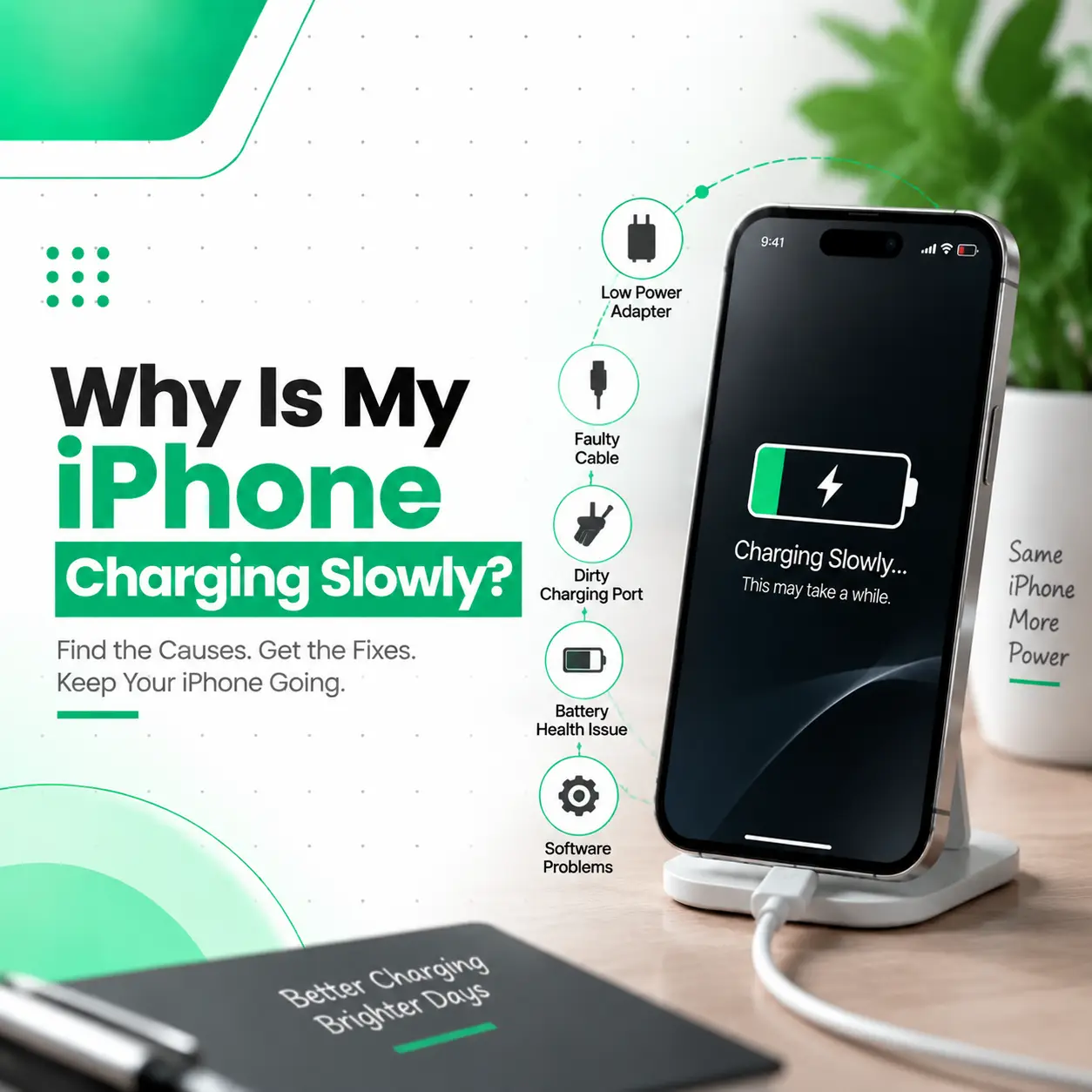
If your iPhone is charging slowly, it can be frustrating, especially when you need your phone ready quickly. A device that once charged normally may suddenly take much longer because of issues related to the charging cable, adapter, charging port, battery health, software, or internal components.
Slow charging does not always mean your iPhone needs repair. Sometimes the solution can be as simple as changing the charger, cleaning the charging port, or adjusting settings. However, if the problem continues, it may indicate a hardware issue that requires professional inspection.
In this guide, iCareFix explains the common reasons why your iPhone is charging slowly, how to troubleshoot the issue, and when professional iPhone repair may be needed.
Why Is My iPhone Charging Slowly?
An iPhone may charge slowly because of an incompatible charger, damaged cable, dirty charging port, battery ageing, software problems, or hardware faults.
The most common causes include:
- Using a low-power charger
- Damaged charging cable
- Dirty charging port
- Poor battery health
- Background activity during charging
- Outdated iOS software
- Charging component damage
Identifying the correct cause helps you choose the right solution without unnecessary repairs.
Common Signs of an iPhone Slow Charging Problem
iPhone Takes Too Long to Reach Full Battery
A healthy iPhone should charge at a consistent speed when using compatible accessories. If your device takes several hours longer than usual, there may be an issue with the charging setup or hardware.
Charging Speed Changes Frequently
If your iPhone charges quickly sometimes but slowly at other times, possible causes include:
- Loose cable connection
- Charging port debris
- Temperature issues
- Cable or adapter problems
Battery Percentage Increases Very Slowly
A slow increase in battery percentage can indicate:
- Weak charging power
- Battery ageing
- Software activity using power while charging
iPhone Gets Hot While Charging
Some warmth during charging is normal, but excessive heat can reduce charging performance.
Possible reasons include:
- Heavy background processes
- Poor-quality accessories
- Battery problems
- Internal hardware issues
What Causes an iPhone to Charge Slowly?
1. Using an Incorrect Charger or Adapter
The charger plays an important role in charging speed.
Using:
- Low-quality adapters
- Old chargers
- Unsupported accessories
may reduce charging performance.
Using a compatible and reliable charger can help your iPhone charge more efficiently.
2. Damaged Charging Cable
A faulty cable is one of the most common causes of slow charging.
Cable problems may include:
- Internal wire damage
- Loose connector
- Broken insulation
- Poor power transfer
Testing another compatible cable can help identify whether the cable is the problem.
3. Dirty or Damaged Charging Port
The charging port collects dust, lint, and debris over time.
A blocked port can prevent proper contact between the cable and the charging connector.
Symptoms include:
- Slow charging
- Charging disconnecting randomly
- Cable not fitting properly
If the port is damaged, professional charging port repair may be required.
4. Poor Battery Health
Your iPhone battery naturally loses capacity over time.
A degraded battery may cause:
- Reduced performance
- Faster battery drain
- Unstable charging behaviour
You can check battery condition:
Settings → Battery → Battery Health & Charging
5. Using Your iPhone While Charging
Heavy usage during charging can make charging appear slower.
Activities that consume power include:
- Gaming
- Video streaming
- Video calls
- GPS navigation
When possible, avoid heavy tasks while charging.
6. Background Apps and Software Activity
Applications may continue running processes while your iPhone is charging.
Examples:
- Cloud backups
- App updates
- Location services
- Background refresh
These activities consume power and may reduce charging speed.
7. iOS Software Problems
Software issues can sometimes affect charging behaviour.
Possible causes:
- System bugs
- Failed updates
- App conflicts
Updating iOS may resolve temporary software-related problems.
8. Hardware Component Damage
If your iPhone still charges slowly after changing accessories and settings, the issue may involve internal components.
Possible hardware problems:
- Charging port damage
- Charging IC failure
- Battery connector issues
- Logic board problems
These problems require professional diagnosis.
How to Fix an iPhone Charging Slowly Problem
Check Your Charging Accessories
Start by testing:
- Another charging cable
- Another adapter
- Another power outlet
This helps determine whether the issue comes from the accessories.
Clean the Charging Port Carefully
If debris is blocking the port:
- Turn off your iPhone.
- Inspect the charging port.
- Remove visible dust carefully.
Avoid using sharp metal objects that may damage the charging pins.
Restart Your iPhone
A restart can fix temporary software issues affecting charging.
Steps:
- Turn off your iPhone.
- Wait a few seconds.
- Restart the device.
- Connect the charger again.
Update iOS
Keeping your iPhone updated can improve system stability.
Go to:
Settings → General → Software Update
Enable Optimized Battery Charging
Optimized Battery Charging helps reduce battery ageing by managing charging behaviour.
Enable it:
Settings → Battery → Battery Health & Charging
How Professionals Diagnose Slow iPhone Charging
A professional technician checks different areas to identify the real cause.
Charging Accessory Test
The technician tests the device with working cables and adapters.
Charging Port Inspection
The charging port is checked for:
- Dust
- Physical damage
- Loose connections
- Corrosion
Battery Health Check
Battery condition is evaluated to determine whether replacement is needed.
Hardware Diagnosis
If necessary, technicians inspect:
- Charging circuit
- Charging IC
- Internal connectors
Proper diagnosis prevents unnecessary part replacement.
iPhone Charging Repair Options
Charging Port Cleaning
If debris causes the problem, professional cleaning may restore normal charging.
Charging Port Repair or Replacement
A damaged charging port may need repair or replacement depending on the condition.
Battery Replacement
If battery health has significantly declined, replacing the battery may improve charging and performance.
Internal Component Repair
Advanced problems involving charging circuits require specialized repair procedures.
iPhone Charging Repair Cost in Bangladesh
The cost of repairing slow charging issues depends on:
- iPhone model
- Type of damage
- Required parts
- Repair complexity
- Component availability
- Service quality
A proper inspection is necessary before confirming the required repair.
Can I Fix Slow iPhone Charging Myself?
You can try basic solutions such as:
- Changing the cable
- Using a compatible adapter
- Cleaning the charging port carefully
- Updating iOS
- Restarting the device
However, opening the phone or repairing internal components without proper tools can cause further damage.
Professional repair is recommended for:
- Charging port damage
- Battery problems
- Water damage
- Charging IC issues
How to Prevent iPhone Slow Charging Problems
Follow these tips:
- Use reliable charging accessories
- Keep the charging port clean
- Avoid moisture exposure
- Do not bend or damage cables
- Avoid extremely hot environments
- Update iOS regularly
- Check battery health periodically
When Should You Visit a Professional iPhone Repair Service?
You should consider professional inspection if:
- Your iPhone charges slowly with multiple chargers
- Charging disconnects frequently
- The phone overheats while charging
- The charging port is damaged
- Battery performance has decreased significantly
A professional technician can identify whether the issue is caused by the charger, port, battery, or internal hardware.
Frequently Asked Questions
1. Why is my iPhone charging slowly?
Your iPhone may charge slowly because of a weak charger, damaged cable, dirty charging port, battery ageing, software issues, or internal hardware problems.
2. How can I make my iPhone charge faster?
Use a compatible charger, avoid using your phone during charging, keep the charging port clean, and ensure your iOS software is updated.
3. Can a charging cable cause slow charging?
Yes. A damaged or low-quality cable may reduce power transfer and cause your iPhone to charge slower than normal.
4. Does battery health affect charging speed?
Yes. A degraded battery may affect charging performance and overall device behaviour.
5. Can dust inside the charging port slow charging?
Yes. Dust and debris can prevent proper connection between the cable and charging port, resulting in slow or unstable charging.
6. How much does iPhone slow charging repair cost in Bangladesh?
Repair costs depend on the iPhone model, damaged component, parts required, and repair complexity. A technician needs to inspect the device before confirming the solution.
7. Should I repair my iPhone if it charges slowly?
If basic troubleshooting does not solve the issue, professional inspection is recommended. The problem may involve the charging port, battery, or internal charging components.
Conclusion
An iPhone charging slowly problem can happen because of simple issues like a damaged cable or dirty charging port, or it may be caused by battery or hardware problems.
Before seeking repair, check your charger, cable, charging port, and software settings. If the issue continues, professional diagnosis can help identify the exact cause and prevent unnecessary repairs.
iCareFix provides professional iPhone repair services to diagnose charging problems and recommend the appropriate solution based on your device condition.